
RAPID-AI Framework: How Enterprise L&D Teams Can Scale AI Without Losing Instructional Control
Move beyond disconnected AI experiments. Build a governed instructional operating model that combines speed with human judgment, quality, and accountability.

AI accelerates. Humans own.

Enterprise L&D Needs More Than AI Tools
Generative AI can accelerate analysis, drafting, content variation, and review. But tool access alone does not create an organization-wide AI capability.
Without a shared operating model, AI adoption remains fragmented. Different designers use different prompts, review standards, and decision criteria. The result is often faster first drafts followed by more rework, weaker alignment, and higher review burden.
- Incorrect assumptions about learners
- Objectives disconnected from performance
- Assessments that test recall rather than application
- Generic scenarios and unsupported claims
- Inconsistent quality across teams, vendors, and regions
Fluency is not the same as instructional validity. Polished AI output can still be strategically or instructionally weak.
What Is the RAPID-AI Framework?
RAPID-AI stands for Responsible AI-Powered Instructional Design. It is a seven-principle framework for integrating generative AI into learning design while preserving human ownership of intent, judgment, quality, and final decisions.
It connects practitioner behavior with organizational execution. That means it addresses both how instructional designers work with AI and how teams establish workflows, controls, roles, governance, and repeatable quality standards.
RAPID-AI at a Glance
R
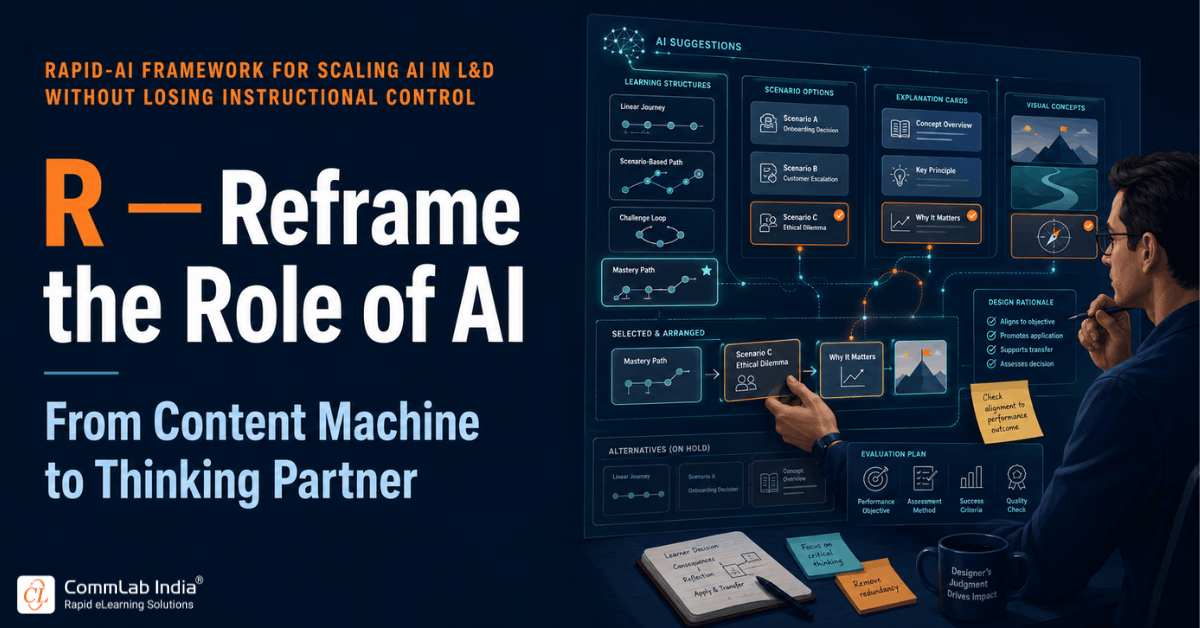
Reframe the Role of AI
Treat AI as a thinking and production partner, not an autonomous instructional designer.
A
Anchor in Human Judgment
Keep humans responsible for business context, learner needs, strategy, and final quality.
P
Prompt With Purpose
Use task-specific prompts tied to audience, context, constraints, and evidence.
I
Introduce Challenge
Use AI to critique assumptions, alignment, consistency, and missing perspectives.
D
Design Through Stages
Embed AI into defined stages where a qualified human closes every step.
A
Adapt to Maturity
Adjust structure, permissions, and checkpoints to practitioner capability.
I
Institutionalize Governance
Turn responsible AI use into visible policies, roles, reviews, and controls.
The Five-Stage AI-Assisted Design Workflow
1
Decode SME Content
AI summarizes, extracts, and organizes. SMEs validate technical accuracy.
2
Architect Learning Flow
AI suggests structures. The instructional designer selects and refines the flow.
3
Define Objectives & Evidence
AI drafts objectives and assessment ideas. Humans confirm performance evidence.
4
Shape the Treatment
AI drafts scenarios, scripts, visuals, and feedback. Designers contextualize them.
5
Inspect & Audit
AI flags gaps and inconsistencies. Humans approve quality and release.
Operating rule: AI opens the stage. A human closes it.
What AI Accelerates and What Humans Own
AI Accelerates
- Source-content analysis
- Information organization
- First-draft generation
- Option creation
- Pattern detection
- Content variation
- Early-stage review
- Consistency checks
Humans Own
- Business intent
- Performance analysis
- Learner understanding
- Instructional strategy
- Contextual relevance
- Accuracy approval
- Quality standards
- Final accountability
The Three Levels of RAPID-AI Maturity
Level 1
Practitioner Method
Individuals use task-specific prompts, treat AI output as drafts, pressure-test assumptions, and retain final ownership.
Level 2
Team Operating System
The team establishes shared workflows, prompt patterns, role-based checkpoints, quality standards, and measurement practices.
Level 3
Enterprise Framework
The model supports multiple business units, regions, clients, vendors, and high-volume learning portfolios.
How RAPID-AI Supports Consistency at Scale
Scale introduces variance. Designers use AI differently. Business units select different tools. Vendors apply different standards. Reviewers interpret quality differently. Content moves across languages and regions.
RAPID-AI reduces this variance by creating common rules around decision rights, workflow stages, review responsibilities, and quality expectations—without forcing every project to look the same.
- Consistent decision rights across projects
- Defined review roles for IDs, SMEs, compliance, and stakeholders
- Shared prompt patterns and quality criteria
- Clear governance for high-risk and sensitive content
- Scalable collaboration across internal teams and external vendors
How to Implement RAPID-AI
1
Map the Existing Workflow
Document stages, contributors, handoffs, delays, review points, rework, and high-risk decisions.
2
Select One Use Case
Choose a contained workflow such as ILT conversion, scenario design, assessment creation, or storyboard review.
3
Define AI Permissions
Specify where AI may analyze, summarize, draft, transform, review, or generate variants.
4
Define Human Ownership
Create a short list of decisions that require explicit human approval.
5
Build Prompt Patterns
Standardize required inputs, expected outputs, constraints, review criteria, and validation steps.
6
Add a Challenge Step
Require alignment checks, assumption testing, factual verification, and plausibility review.
7
Observe the Handoffs
Pay attention to where AI output moves to human review. Most failures appear at these boundaries.
8
Measure and Refine
Compare speed, quality, rework, reviewer effort, consistency, and stakeholder confidence.
How to Measure Whether the Framework Is Working
Efficiency
Cycle time, effort per stage, volume, revision rounds.
Quality
Errors, alignment, first-review acceptance, factual corrections.
Consistency
Workflow adherence, review completion, variance across teams.
Capability
Prompt quality, critique skill, judgment, maturity progression.
Business Value
Time to launch, responsiveness, stakeholder confidence, outcomes.
Common Mistakes
Tool Training Only
Knowing how to operate AI is not the same as using it instructionally.
Automating Weak Processes
AI can make a poor workflow move faster without making it better.
One Prompt for Everything
Different instructional tasks require different context and review criteria.
Polish Equals Quality
Fluent output can conceal factual and instructional weaknesses.
Governance at the End
Controls must be embedded into the workflow, not added after production.
Same Rules for Everyone
Permissions and checkpoints should reflect practitioner maturity and risk.
Measuring Productivity Alone
Time savings can be offset by rework, reviewer burden, and quality risk.
Skipping Human Review
Deadline pressure is exactly when ownership points matter most.
Explore the Series
AI Is Not Your Instructional Designer
Learn how to reframe AI as a thinking partner rather than a decision-maker.
RAPID-AI Framework FAQs
What is the RAPID-AI framework?
RAPID-AI is a responsible AI-powered instructional design framework that helps L&D teams integrate generative AI into their workflows while preserving human judgment, quality control, governance, and accountability.
What does RAPID-AI stand for?
Reframe the role of AI, Anchor in human judgment, Prompt with purpose, Introduce challenge, Design through stages, Adapt to maturity, and Institutionalize governance.
Can AI replace instructional designers?
AI can automate or accelerate parts of instructional design work, but it cannot independently own business context, learner analysis, instructional judgment, ethical decisions, or final accountability.
What is human-in-the-loop instructional design?
It is an approach in which AI assists with analysis, generation, or review while qualified people validate outputs, make instructional decisions, and approve the final learning experience.
How should an L&D team begin implementing AI?
Start by mapping one workflow, identifying where AI can add value, defining human approval points, creating task-specific prompt patterns, and measuring both efficiency and quality before scaling.
Should junior and senior instructional designers use AI differently?
Yes. Junior designers benefit from more structure and more checkpoints. Senior designers can use AI more flexibly but should demonstrate stronger validation, critique, and accountability.
Scale AI Without Losing Instructional Control
Turn AI from disconnected productivity hacks into a governed instructional capability with clear workflows, human ownership, and measurable quality.