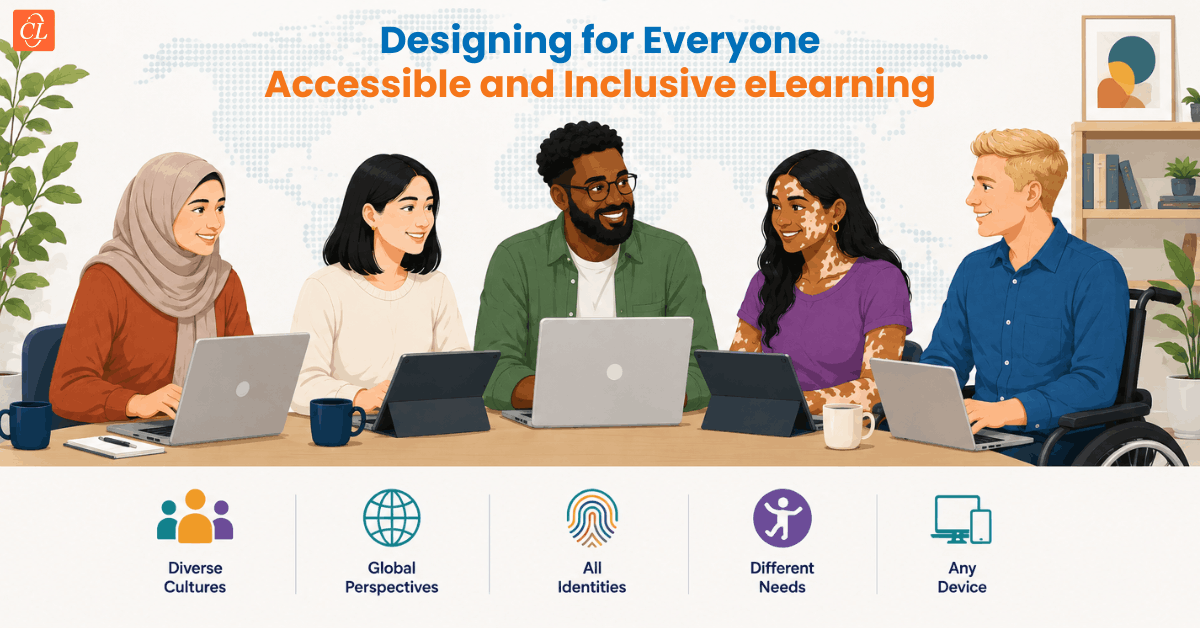
Large organizations train diverse workforces across age groups, abilities, languages, and learning backgrounds. Yet many enterprise eLearning courses are still built around a narrow default: a fully sighted, native English-speaking employee with reliable internet access and no cognitive or physical barriers to traditional screen-based learning.
That default leaves people out. And when people are left out of workplace learning, organizations pay for it in disengagement, compliance risk, and widening skill gaps.
Inclusive instructional design challenges that default. It treats accessibility not as a legal checkbox but as a foundational design principle, one that produces better eLearning courses for every learner, not just those who need accommodations.
This blog explores how inclusive instructional design helps organizations create eLearning that is accessible, engaging, and effective for a diverse workforce. It also outlines practical strategies for embedding accessibility into the design process, improving learning outcomes while supporting compliance and scalability.
Table Of Content
- How can Accessibility Fit into Instructional Design Practice?
- What are the Most Common Gaps in Enterprise eLearning Accessibility?
- How can L&D Teams Build a More Inclusive Learning Environment at Scale?
- Frequently Asked Questions
- What Should Drive Inclusive eLearning Design?
How can Accessibility Fit into Instructional Design Practice?
Accessibility in eLearning costs far less to implement when it's built into the instructional design process from the start, and it produces significantly better outcomes. Let's see how:
1. Start With the Learner Persona — the Full Learner Persona
Most learning design processes begin with a learner analysis. Inclusive instructional design extends that analysis to explicitly account for learners with disabilities, learners who are not native speakers, learners in low-bandwidth environments, and learners using mobile devices or assistive technologies.
Building these personas into the design brief, not as edge cases but as expected participants shifts how the entire course gets structured.
2. Apply WCAG 2.1 AA as the Minimum Standard
The Web Content Accessibility Guidelines (WCAG) 2.1 Level AA is widely recognized as the minimum accessibility standard for workplace eLearning. The core requirements are organized under four principles: content must be Perceivable, Operable, Understandable, and Robust (POUR).
In practice, this means closed captions on all video content, keyboard navigation throughout the course, sufficient color contrast between text and background, and alternative text on all images. Most enterprise authoring platforms—including Articulate 360, dominKnow ONE, and Elucidat—provide built-in accessibility features that help authors create WCAG-compliant eLearning. However, automated checks alone are not sufficient; manual accessibility testing remains essential.
Build in Plain Language From the First Draft
Readability is an accessibility issue. Courses written at a high reading level exclude learners with lower literacy levels, cognitive differences, and non-native speakers. The Plain Language Action and Information Network (PLAIN) recommends writing for a general reading level, using short sentences, and avoiding jargon, guidance that applies directly to eLearning scripting.
What are the Most Common Gaps in Enterprise eLearning Accessibility?
Even organizations that believe their training is accessible frequently carry the same set of gaps.
1. No Captions on Video-Based Content
Video remains the most common format in enterprise eLearning, and auto-generated captions from most platforms are not sufficient for accessibility compliance. They routinely mishandle proper nouns, technical terminology, and accented speech. Human-edited captions or professional captioning services are required for content that will be used in compliance or certification contexts.
2. Color Used as the Only Visual Indicator
Red for incorrect and green for correct is a common convention in eLearning design. But for learners with color vision deficiency, which affects approximately 1 in 12 men and 1 in 200 women, color alone may not communicate meaning clearly.
Adding icons, text labels, or patterns alongside color makes feedback easier to understand without significantly changing the visual design.
3. Interactive Elements that Cannot Be Keyboard-Navigated
Click-and-drag interactions, hotspot activities, and drag-to-sort exercises frequently cannot be completed using only a keyboard. For employees who use screen readers or have motor impairments, these activities are effectively inaccessible. Where complex interactions are necessary, providing a text-based alternative that meets the same learning objective is a practical solution.

Instructional Design 101
A Handy Reference Guide for eLearning Designers
- eLearning standards
- Streamlined instructional design process
- Effective assessments
- And More!
How can L&D Teams Build a More Inclusive Learning Environment at Scale?
Making inclusive learning design sustainable across a large organization requires more than individual project-level effort.
1. Embed Accessibility into the Learning Design Checklist
A practical first step is integrating a short accessibility review into the standard instructional design review process. Before a course enters development, the design document should confirm that all media will have text alternatives, that color will not be used as the sole indicator of meaning, and that the interaction types selected are keyboard-navigable.
2. Promote Inclusivity in Workplace Learning Through Stakeholder Education
Many accessibility failures in enterprise eLearning are the result of business stakeholders requesting design choices that create barriers — dense, text-heavy slides, complex infographics without descriptions, video content without scripts. L&D teams that can articulate the accessibility and business case for inclusive design choices are better positioned to push back constructively.
3. Audit Existing Courses Before Expanding the Library
Organizations scaling their eLearning libraries face a compounding accessibility debt. Courses produced before accessibility standards were applied to the development process carry gaps that affect every learner who takes them. Prioritizing an accessibility audit of high-volume, compliance-critical courses gives teams a clear remediation roadmap and demonstrates organizational commitment to inclusive learning.
Frequently Asked Questions
1. What is inclusive eLearning design?
A. Inclusive eLearning design is the practice of building digital learning experiences that are accessible and effective for all learners, regardless of ability, background, or learning context.
2. How does inclusive learning differ from accessible learning?
A. Accessibility focuses on removing barriers for learners with disabilities through technical standards. Inclusive learning is broader, accounting for cognitive diversity, language background, and contextual factors like device type. Accessibility is a component of inclusive design, not a separate track.
3. Where should L&D teams start with inclusive eLearning design?
A. Start by adding an accessibility checklist to your existing ID review process. Closed captions, keyboard navigation, plain language scripting, and alt text for images address the most common gaps with relatively low production overhead.
What Should Drive Inclusive eLearning Design?
Inclusive and accessible instructional design is not a layer added at the end of development. It is a discipline — one that shapes how learning objectives are written, how content is structured, how interactions are built, and how assessments are designed in eLearning. Organizations that embed these principles at the design stage, rather than the QA stage, produce eLearning courses that work for more people, require less remediation, and hold up against evolving compliance requirements on both sides of the Atlantic.
Want a deeper look at the standards shaping modern eLearning? Our eBook breaks down the eLearning standards every instructional designer should know and walks you through a streamlined ID process to apply them