

Creating impactful eLearning has never been more important—or more challenging. Learning and Development (L&D) teams are under constant pressure to roll out training faster, support changing business needs, and train global workforces at scale. Yet, speed often raises a difficult question: Can you shorten eLearning development timelines without compromising quality?
The answer is yes.
Modern approaches such as Rapid eLearning, AI-powered workflows, and advanced eLearning authoring tools make it possible to develop engaging, instructionally sound courses in a fraction of the traditional development time. The key is not cutting corners. It is eliminating inefficiencies.
This blog explores the key factors that slow down eLearning development, how Rapid eLearning and modern eLearning authoring tools accelerate course creation, and proven strategies to reduce development time without compromising quality. It also highlights common mistakes to avoid for faster, more effective eLearning development.
Table Of Content
- What Causes Delays in eLearning Development?
- How does Rapid eLearning Help?
- How do eLearning Authoring Tools Reduce eLearning Development Time?
- How Can Existing Content Accelerate eLearning Development?
- Why are Templates Critical for Rapid eLearning?
- How can AI Help Accelerate eLearning Development?
- How Can Review Cycles Be Streamlined Without Affecting Quality?
- What Quality Measures Should Never Be Skipped?
- What is the Best Workflow for Faster eLearning Development?
- How did a Pharma Company Scale Certification Training with Rapid eLearning?
- Frequently Asked Questions
- Balancing Speed and Quality in eLearning Development
What Causes Delays in eLearning Development?
The biggest cause of delays in eLearning development is inefficient processes rather than the actual course creation work.
Traditional eLearning projects often involve lengthy design cycles, multiple review rounds, custom graphics creation, and extensive stakeholder approvals. While these activities can improve quality, they frequently add unnecessary time when not managed effectively.
Common bottlenecks include:
- Creating all content from scratch
- Unclear learning objectives
- Multiple stakeholder revisions
- Manual media production
- Lack of standardized templates
- Inefficient project management
When these issues compound, development timelines can stretch from weeks into months. Once you identify what slows eLearning development down, the next step is finding a faster way to work without weakening the learning experience. That is where Rapid eLearning becomes useful; it addresses these bottlenecks by reusing existing content, simplifying production, and using eLearning authoring tools to speed up development.
How does Rapid eLearning Help?
Rapid eLearning is an approach that uses existing content, streamlined processes, and modern eLearning authoring tools to develop training quickly without compromising learning effectiveness.
Instead of building every element from the ground up, rapid eLearning focuses on reusing available resources and leveraging technology to accelerate production.
Organizations commonly use Rapid eLearning to:
- Launch compliance training quickly
- Support product rollouts
- Enable sales teams faster
- Train distributed workforces
- Update existing learning programs
The goal is not simply faster development. The goal is faster eLearning development that still achieves measurable learning outcomes.
How do eLearning Authoring Tools Reduce eLearning Development Time?
eLearning authoring tools significantly reduce development time by automating design, interactivity, responsiveness, and publishing processes.
Modern tools eliminate many technical barriers that previously required specialized programming skills.
Popular eLearning authoring tools include:
- Articulate Storyline 360
- Articulate Rise 360
- Adobe Captivate
- Elucidat
- Lectora
- dominKnow
- iSpring
Instead of spending hours coding interactions, developers can create engaging learning experiences using these tools’ impressive features.

How Can Existing Content Accelerate eLearning Development?
Repurposing existing content is one of the fastest ways to reduce eLearning development time. Most organizations already have valuable training materials that can serve as the foundation for eLearning.
Examples include:
- Instructor-led training presentations
- Training manuals
- Standard operating procedures
- Product documentation
- Recorded webinars
- Videos and job aids
Rather than recreating information, instructional designers can transform existing resources into engaging digital learning experiences. This approach saves time while preserving subject matter expertise.
Why are Templates Critical for Rapid eLearning?
Templates speed up Rapid eLearning by reducing repetitive design work and keeping courses consistent. Instead of rebuilding layouts, navigation, interactions, and assessments from scratch, developers can use approved templates to create courses faster, simplify reviews, and maintain quality across learning programs.
How can AI Help Accelerate eLearning Development?
AI can automate many time-consuming aspects of eLearning development. Today's AI-powered tools support content creation, media production, translation, and assessment development.
Common AI applications include:
- Content summarization
- Quiz generation
- Voiceover creation
- Image generation
- Translation support
- Script writing assistance
AI should enhance instructional design, not replace it. Human expertise remains essential for ensuring accuracy, relevance, learner engagement, and business alignment.
How Can Review Cycles Be Streamlined Without Affecting Quality?
Reducing review bottlenecks is one of the most effective ways to shorten development timelines. Many projects experience delays because feedback arrives from multiple stakeholders at different times.
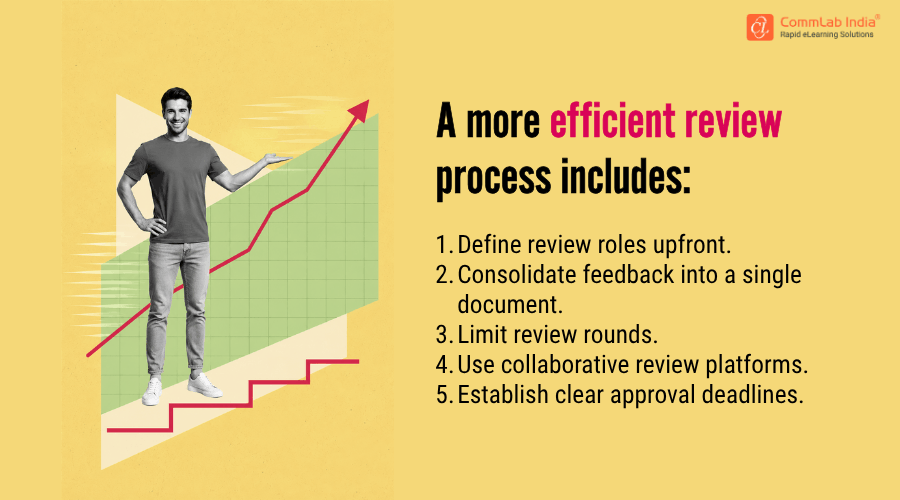
Structured reviews improve both speed and quality by reducing confusion and rework.
What Quality Measures Should Never Be Skipped?
Certain quality assurance activities remain essential regardless of development speed. Skipping these steps may save time initially but often creates larger problems after launch.
Always include:
- Instructional design review
- Content accuracy validation
- Functional testing
- Accessibility checks
- Mobile responsiveness testing
- LMS compatibility testing
Rapid eLearning development should eliminate waste—not quality controls.
What is the Best Workflow for Faster eLearning Development?
The most effective workflow combines Rapid eLearning principles, reusable assets, and collaborative project management.
A typical process includes:
Step 1: Analyze Existing Content
Identify content that can be reused or updated.
Step 2: Select the Right Authoring Tool
Choose eLearning authoring tools based on project complexity and learner needs.
Step 3: Use Templates and Asset Libraries
Reduce repetitive development work.
Step 4: Develop Iteratively
Build courses in short development cycles.
Step 5: Conduct Structured Reviews
Gather consolidated stakeholder feedback.
Step 6: Perform Quality Assurance
Validate learning effectiveness and technical functionality.
This workflow enables faster development while maintaining consistency and quality.
How did a Pharma Company Scale Certification Training with Rapid eLearning?
The Challenge
A leading pharmaceutical company needed to roll out certification training for its sales teams across multiple topics while maintaining speed, consistency, and quality. The requirement was significant: 10–12 certification courses annually, with 10 modules per course, resulting in approximately 120 modules every year.
CommLab India’s Rapid eLearning Approach
To meet the demand, a dedicated team of nine professionals—including instructional designers, graphic designers, authoring tool experts, and a project manager—followed a streamlined Rapid eLearning development process.
Project Highlights:
- Scope: 10–12 certification curriculums annually
- Volume: 120 modules per year
- Development Speed: 10 modules delivered in 3 weeks
- Tools Used: Articulate Storyline, ElevenLabs for AI voiceovers
- Translations: French and Spanish
The Solution
The certification courses were designed and developed using scenario-based learning and AI-generated voiceovers to create engaging learning experiences while accelerating development timelines. The programs covered a wide range of topics, including:
- Product training
- Compliance training
The Result
The pharma company successfully scaled its certification training program, delivering high volumes of learning content within tight timelines. The courses helped upskill salespeople across critical business areas while supporting both sales performance and compliance requirements—demonstrating how Rapid eLearning can enable large-scale training delivery without compromising quality.
Frequently Asked Questions
1. Does Rapid eLearning compromise learning quality?
A. No. When instructional design principles, testing, and quality assurance are maintained, Rapid eLearning can deliver outcomes comparable to traditional development approaches.
2. What are the best eLearning authoring tools for Rapid eLearning?
A. Popular options include Articulate Storyline 360, Articulate Rise 360, Adobe Captivate, Lectora, Elucidat, iSpring, and dominKnow.
3. Can existing PowerPoint presentations be converted into eLearning?
A. Yes. PowerPoint presentations are commonly used as source material for Rapid eLearning development and can be transformed into interactive online courses.
4. When should organizations use Rapid eLearning?
A. Rapid eLearning is ideal for compliance training, product training, sales enablement, onboarding, software training, and situations where speed-to-deployment is critical.
Balancing Speed and Quality in eLearning Development
Reducing eLearning development time does not require sacrificing quality. Organizations that reuse existing content, standardize templates, streamline reviews, and integrate AI thoughtfully can launch training faster while maintaining instructional effectiveness. As business priorities continue to evolve rapidly, the ability to deliver high-quality learning at speed is becoming a competitive advantage. Rapid eLearning provides a practical, scalable path to achieving both.
Want to speed up training rollouts even further? Download our eBook to explore the 4Rs of Rapid eLearning: Redesign, Record, Rebuild, and Republish.




![6 Steps to Convert PowerPoint Slides to Articulate Rise 360 Courses [Infographic]](https://www.commlabindia.com/hubfs/blogs/steps-convert-powerpoint-slides-articulate-rise-courses-info.jpg)