If you build training in Rise 360, you already know the eternal authoring dilemma: explain too little and learners get lost; explain too much and they stop reading. For years, the only fix was writing more content, adding more examples, or hoping your knowledge checks caught confusion before it snowballed into a support ticket.
Articulate's newest beta feature, AI Tutor, changes that equation. It's a learner-facing AI chatbot embedded directly inside Rise 360 courses — and having spent time testing it, I think it's one of the more thoughtfully constrained AI features to hit the authoring-tool space this year. This guide breaks down exactly what AI Tutor is, how to turn it on, what it can and can't do, and why the guardrails matter more than the novelty.
Table Of Content
- What Is AI Tutor in Rise 360?
- AI Tutor vs. AI Assistant: Know the Difference
- How to Enable AI Tutor in Rise 360 (Step-by-Step)?
- The Guardrails: Why AI Tutor Is Safer Than a Generic Chatbot
- Technical Details: What's Powering AI Tutor?
- Data Privacy: What Happens to Learner Conversations?
- Why AI Tutor Matters for the Future of E-Learning?
- Should You Enable AI Tutor Today?
- FAQ
- Key Takeaways
What Is AI Tutor in Rise 360?
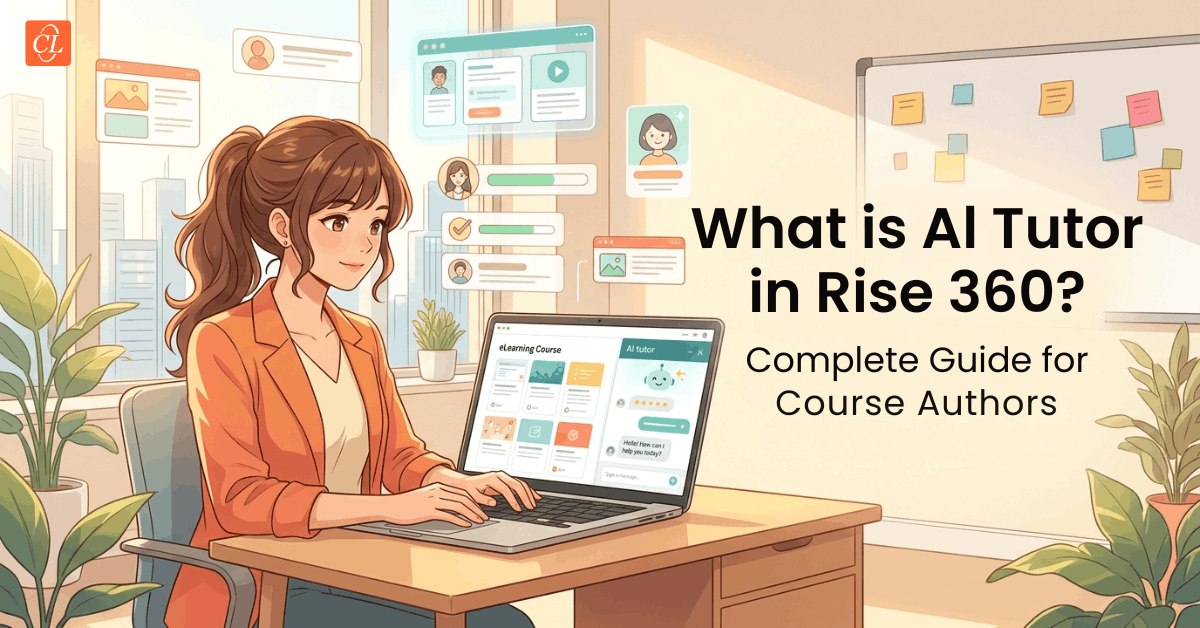
AI Tutor is an in-course AI chatbot that gives learners real-time, contextual help without pulling them out of the training experience. According to Articulate, it lets learners:
- Ask clarifying questions about the material in front of them
- Request a simpler explanation when a concept doesn't land
- Ask for real-world examples to make abstract content concrete
- Get an instant summary of key points from a lesson
The pitch is simple: instead of a learner silently disengaging when they hit a confusing passage, they get an immediate, judgment-free way to ask "wait, what does that mean?" — right there in the course, in the flow of learning.
AI Tutor vs. AI Assistant: Know the Difference
Articulate already shipped an AI feature in Rise 360 called AI Assistant, and the naming similarity causes real confusion. Here's the distinction, straight from Articulate's FAQ:
| AI Assistant | AI Tutor | |
| Who it's for | Course authors | Learners |
| When it's used | While building a course | While taking a course |
| What it does | Generates, refines, and edits content in Rise 360 and Storyline 360 | Answers questions and explains concepts inside the published course |
One builds the training. The other supports the person taking it. If your team hears "AI Tutor" and assumes it's another content-generation tool, that's the first misconception worth clearing up.
How to Enable AI Tutor in Rise 360 (Step-by-Step)
Turning on AI Tutor takes under a minute and requires no development work. Per Articulate, there are three paths to the same setting:
- Via Course Settings: Open your course or microlearning, click the Settings gear icon, go to the AI Tutor tab, and toggle Enable AI Tutor on.
- Via Publish: Click Publish on the course overview page, then select AI Tutor directly.
- Via AI Assistant menu: Click the AI Assistant button, choose AI settings, then flip the AI Tutor switch in that window.
From there, you can customize the experience:
- Rename the button. Enter custom text so the learner-facing button reads something other than the default "Ask AI Tutor" — useful for matching your brand voice.
- Edit tooltip and placeholder labels on the Labels tab of Course Settings.
- Upload a brand image or logo, which appears in the AI Tutor chat window header, so the assistant feels native to your course rather than bolted on.
Important operational note: if you disable AI Tutor in an already-published course, the learner-facing button won't disappear until you republish. This is an easy step to miss during QA — build it into your testing checklist.
Once live, the Ask AI Tutor button appears in the lower-right corner of the course. If a learner doesn't click it manually, AI Tutor automatically opens the first time they scroll down within a lesson — meaning adoption isn't dependent on learners discovering the feature themselves.
The Guardrails: Why AI Tutor Is Safer Than a Generic Chatbot
This is the part instructional designers should care about most. Unrestricted AI chat inside a course is a liability — learners could ask it to just give them quiz answers, or it could hallucinate information unrelated to your actual training. Articulate built specific constraints to prevent both problems.
It won't leak quiz or knowledge check answers
Per Articulate, AI Tutor is "designed to support learning, not bypass it." Learners cannot extract answers from AI Tutor during quizzes or knowledge checks. This preserves the instructional integrity of your assessments — a critical detail for compliance training, certification programs, or anything where assessment results actually matter.
It's grounded exclusively in your course content
AI Tutor does not browse the web. It uses the published course material as its primary knowledge source and tailors every response to the specific content the learner is currently engaging with. That means:
- No off-topic tangents
- No contradicting your course's intended framing of a topic
- No risk of the assistant introducing outdated or incorrect outside information
For instructional designers, this is the single most important design decision in the entire feature. It turns AI Tutor from "a chatbot that happens to live in your course" into "an extension of your course's own instructional voice."
It can read more than plain text
AI Tutor isn't limited to body copy. It can reference transcripts for audio and video content (when available) and can read text inside code blocks — meaning courses with narrated video, screencasts, or technical code samples still get full AI Tutor coverage.
Technical Details: What's Powering AI Tutor?
AI Tutor runs on a large language model from OpenAI. In practice, this gives it two meaningful capabilities:
- Multilingual support. AI Tutor works with translated and localized Rise 360 courses, and it can understand and respond in any language OpenAI's models support — a genuine advantage for global training programs running the same course across multiple regions.
- Accessibility by default. The chat interface has a fully responsive, touch-friendly design, supports screen readers, and works with keyboard navigation. It's also compatible with Quick Share, Reach 360, and standard LMS outputs, so it fits into existing deployment pipelines without extra configuration.
One infrastructure caveat: AI Tutor requires access to external network services. On locked-down corporate networks or intranets with strict allowlisting, it may not function correctly. If you're deploying Rise 360 training inside an enterprise environment, loop in IT early to allowlist the necessary Articulate 360 network endpoints.
Data Privacy: What Happens to Learner Conversations?
For anyone evaluating this feature for a regulated or privacy-conscious organization, here's what Articulate discloses:
- Learner chats are private by default — visible only to the learner and the underlying system, used for functionality and improvement.
- Author visibility is coming, but not yet live. Articulate has stated that anonymized, course-relevant feedback from learner sessions is planned for a future release, which would let instructional designers see aggregate patterns (e.g., "learners keep asking for clarification on this section") without exposing individual conversations.
- Thumbs-up/thumbs-down feedback is shared with Articulate to improve the model, anonymized wherever possible.
- All data handling follows Articulate's published privacy, security, and data processing standards.
If your organization has strict data governance requirements, this is the section to review with your compliance team before rolling AI Tutor out broadly.
Why AI Tutor Matters for the Future of E-Learning?
Step back from the feature list for a second. What AI Tutor represents is a shift away from the one-size-fits-all model of course design. Historically, every learner got the exact same explanation, the exact same pacing, and the exact same level of detail — regardless of whether they were a subject-matter expert brushing up or a total beginner encountering the topic for the first time.
An AI tutor embedded at the point of confusion — not after a support ticket, not after a failed quiz attempt, but in the moment — is a meaningfully different learning experience. It doesn't replace good instructional design; it supplements it. A well-written course with AI Tutor enabled becomes adaptive without an instructional designer having to author five versions of the same explanation.
That said, this is explicitly a beta feature, and Articulate is actively collecting feedback through a Share feedback button inside the AI Tutor settings. The fact that they're soliciting input this early signals they know the current version is a starting point, not a finished product.
Should You Enable AI Tutor Today?
If you're already building in Rise 360, there's very little downside to testing AI Tutor on a single course before rolling it out broadly:
- Low setup cost: it's a toggle, not a redesign.
- Contained risk: it can't leak quiz answers and can't go off-script with outside information.
- Reversible: you can disable it (with a republish) if it's not adding value.
The best way to evaluate it isn't to read about it — it's to enable it on one course, then actively try to break it. Ask it a deliberately confusing question. Try to get it to reveal a quiz answer. Ask it something the course never covers. That kind of adversarial testing will tell you, faster than any documentation can, exactly where AI Tutor's boundaries are — and whether your learners will actually benefit from having it.
Frequently Asked Questions About Rise 360 AI Tutor
1. Is AI Tutor the same as AI Assistant?
A. No. AI Assistant is a tool for course authors — it helps generate, refine, and edit content while building training in Rise 360 or Storyline 360. AI Tutor is for learners, embedded inside the published course to answer questions and explain concepts while they're actually taking the training.
2. Will AI Tutor reveal answers to quizzes and knowledge checks?
A. No. AI Tutor is designed to support learning, not bypass it. Learners cannot extract answers from AI Tutor during quizzes or knowledge checks, which preserves the instructional integrity of your assessments.
3. Does AI Tutor support languages other than English?
A. Yes. AI Tutor works with translated and localized courses, and its underlying language model can understand and respond in any language supported by OpenAI.
4. Does AI Tutor pull content from outside the course?
A. No. AI Tutor is grounded entirely in the published course material. It doesn't browse the web, so responses stay aligned with the author's intended content and framing.
5. Can course authors see what learners ask AI Tutor?
A. Not yet. By default, learner conversations are private to the learner and the system. Articulate has said anonymized, course-relevant feedback for authors is coming in a future release.
6. Does learner feedback (thumbs-up/thumbs-down) get shared with Articulate?
A. Yes. That feedback and interaction data is used to improve AI Tutor, handled according to Articulate's privacy and data processing standards, and anonymized wherever possible.
7. Can AI Tutor answer questions about video or audio content?
A. Yes, when transcripts are available. AI Tutor can reference those transcripts to answer questions about narrated video or audio segments.
8. Can AI Tutor reference text inside code blocks?
A. Yes. It can read and reference text within code blocks in its responses — useful for technical training.
9. Can learners get the original source content through AI Tutor?
A. Not directly. AI Tutor can reference course content in its answers, but direct access to source files isn't available yet. Articulate has indicated they're exploring ways to expand this, potentially through a resource library.
10. Does AI Tutor work on locked-down corporate networks?
A. It depends. AI Tutor needs access to external network services to function. On highly restricted intranets, it may be limited or unavailable unless IT allowlists the required Articulate 360 network endpoints.
11. Is AI Tutor free with my existing Rise 360 subscription?
A. Articulate's public documentation doesn't specify separate pricing for AI Tutor as of this writing. Check your Articulate 360 account or contact Articulate directly to confirm current plan and pricing details for the beta.
Key Takeaways
- AI Tutor is a learner-facing AI chatbot inside Rise 360 courses, distinct from the author-facing AI Assistant.
- Enable it via Course Settings, the Publish menu, or the AI Assistant panel — no development work required.
- It's grounded in your course content only, can't leak quiz answers, and supports transcripts and code blocks.
- Built on an OpenAI language model, with multilingual and accessibility support.
- Learner chats are private by default; anonymized author-facing insights are planned for a future release.
- It's currently in beta — test it on one course before a full rollout.
Sources
- Rise 360: Enabling AI Tutor — Articulate Support
- Rise 360: Using AI Tutor — Articulate Support
- Articulate Trust Center — Privacy, Security & Data Processing Standards
- OpenAI — Supported Languages