Corporate learning has moved far beyond slide-based online courses. Organizations now expect digital training that simulates real work situations, adapts to different devices, and integrates seamlessly with modern learning ecosystems.
This shift has transformed the role of authoring tools. Instead of simply publishing content, modern tools must support complex interactivity, scalable development workflows, and flexible deployment.
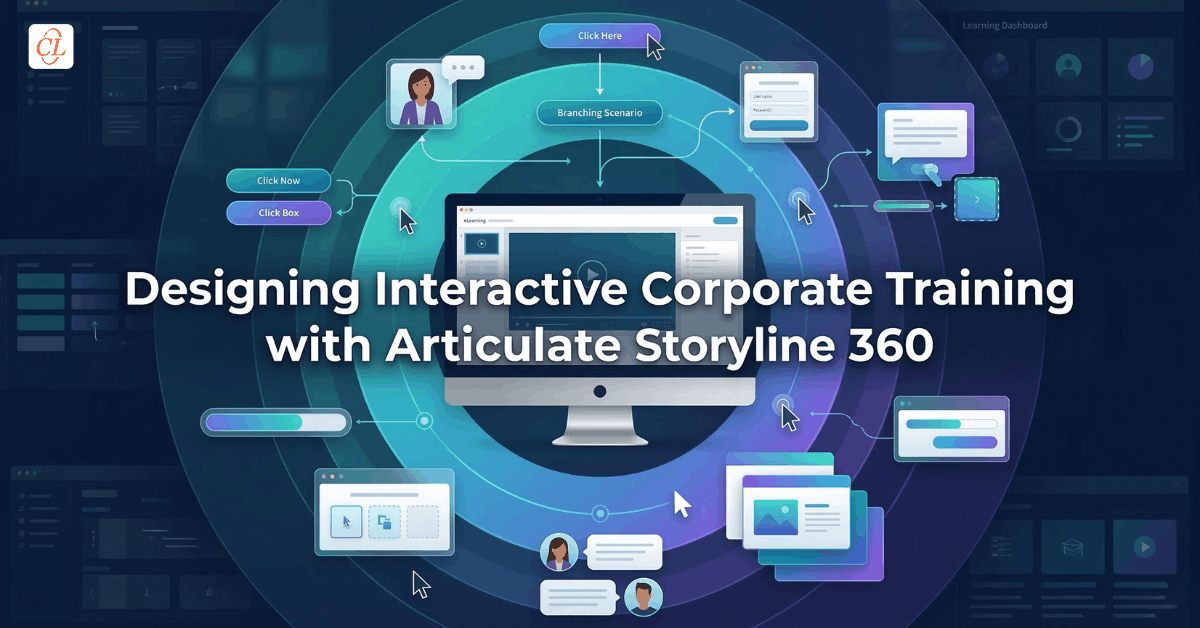
Among the most widely adopted platforms for interactive course development is Articulate Storyline 360, a tool designed to transform static training materials into dynamic digital learning experiences. It enables instructional designers to build simulations, decision-based scenarios, and highly interactive modules without requiring programming expertise.
But the real power of Storyline 360 lies in how it supports multiple development needs within corporate learning environments:
- Interactive simulations
- multi-device learning experiences
- modernization of legacy Flash courses
- integration with responsive tools like Rise
- migration from earlier authoring platforms
This article explores how Articulate Storyline 360 supports these development scenarios and why it remains central to modern digital training strategies.
Download Play Book: 25 Years of Insights for L&D Leaders
Table of Contents
- The Role of Articulate Storyline 360 in Modern eLearning Development
- What Makes Storyline 360 Different from Traditional Authoring Tools
- Designing Interactive Simulations for Skill-Based Training
- Delivering Multi-Device Learning Experiences
- Combining Storyline 360 and Rise for Scalable Learning Design
- Modernizing Legacy Flash-Based Training Programs
- Migrating Older Courses into Modern Learning Experiences
- Choosing Between Storyline and Other Authoring Tools
- When Storyline 360 Works Best for Corporate Learning
- Frequently Asked Questions
The Role of Articulate Storyline 360 in Modern eLearning Development
Articulate Storyline 360 is an eLearning authoring application used to create interactive courses, simulations, and assessments for digital learning programs.
Unlike presentation-based tools that convert slides into online lessons, Storyline enables designers to construct fully interactive learning environments. Instructional designers can incorporate branching scenarios, software simulations, quizzes, and multimedia interactions within a single course.
The platform supports publishing to HTML5, enabling courses to run across browsers and devices without requiring Flash or additional plugins.
For organizations developing large volumes of training content, Storyline functions as a core development engine within broader learning ecosystems that include LMS platforms, content libraries, and collaboration tools.
What Makes Storyline 360 Different from Traditional Authoring Tools
Many authoring platforms allow organizations to convert training material into digital courses. However, Storyline stands apart because of its ability to combine custom interactivity with rapid development workflows.
Key characteristics include:
PowerPoint-Style Interface with Advanced Logic
The interface resembles presentation tools, allowing designers to work quickly with slides and layers. However, beneath this familiar structure are powerful logic controls such as:
- triggers
- variables
- conditional navigation
These elements allow developers to build dynamic learning paths and complex interactions.
Template-Driven Development
Storyline includes built-in templates and interaction patterns that accelerate development. Designers can reuse layouts for tabs, timelines, drag-and-drop exercises, and other learning interactions.
Built-In Interactivity
Instead of static pages, Storyline courses frequently include:
- scenario-based learning
- software simulations
- decision-making exercises
- interactive assessments
These capabilities transform passive content into experiential learning.
Designing Interactive Simulations for Skill-Based Training
One of the most valuable uses of Storyline 360 is simulation-based training.
Simulations allow learners to practice tasks in realistic digital environments before applying them in real situations. This approach is particularly effective for software training, equipment operation, customer interaction scenarios and process training.
Using Storyline’s triggers and variables, designers can build simulations where learner decisions influence outcomes.
Examples include:
Software Simulations
Learners practice navigating a digital interface while receiving contextual feedback.
Scenario-Based Training
Courses can simulate workplace challenges such as sales conversations or safety incidents.
Decision Trees
Branching pathways allow learners to explore consequences of different decisions.
This interactive structure supports experiential learning and improves knowledge retention.
Delivering Multi-Device Learning Experiences
Workplace learners no longer access training from a single location or device. Courses must function consistently across desktops, tablets, and smartphones.
Storyline addresses this challenge through its responsive player, which dynamically adapts the course interface to different screen sizes.
Instead of creating separate course versions, developers can publish a single course that automatically adjusts navigation and layout for various devices.
This capability enables organizations to support:
- mobile learning programs
- field workforce training
- remote employee development
Learners receive the same learning experience regardless of where they access the course.

Learning Evolved: 25 Years of Insights for Modern L&D Leaders
Get ready to:
- Benchmark your eLearning journey
- Start with what’s working for top enterprise L&D teams
- Explore self-assessments, planners, and other tools
- Much More
Combining Storyline 360 and Rise for Scalable Learning Design
Modern training programs rarely rely on a single development approach. Instead, they combine different tools to match different learning needs. Within the Articulate ecosystem, Storyline is often paired with Rise, a web-based course development platform. Rise focuses on rapid development of responsive courses using modular content blocks.
A common design strategy is to:
- develop core course structures in Rise
- embed interactive Storyline modules within Rise lessons
This hybrid approach combines the strengths of both tools.
Rise provides:
- fast course assembly
- responsive layouts
- collaborative development
Storyline provides:
- custom interactions
- simulations
- advanced learning logic
Together they enable scalable course design while preserving deep interactivity.
Modernizing Legacy Flash-Based Training Programs
Many organizations still maintain legacy eLearning courses created using Adobe Flash. However, Flash-based content is no longer supported across modern browsers.
Articulate Storyline has become one of the most widely used tools for converting Flash courses into HTML5 learning experiences.
When migrating legacy content, Storyline enables developers to:
- rebuild interactive components
- replicate animations and scenarios
- optimize courses for mobile devices
- publish HTML5 output compatible with modern browsers
This process allows organizations to preserve valuable training assets while updating them for modern technology environments.
Migrating Older Courses into Modern Learning Experiences
Another common use case for Storyline 360 involves upgrading older eLearning content developed in earlier authoring tools.
Legacy courses often suffer from:
- outdated design
- limited interactivity
- compatibility issues
- poor mobile performance
By rebuilding these courses in Storyline, organizations can modernize learning experiences while maintaining existing training objectives.
Typical upgrade strategies include:
Visual Redesign
Updating graphics, layouts, and typography improves learner engagement.
Interaction Enhancement
Static content can be replaced with interactive activities and decision-based learning.
Mobile Optimization
Courses can be redesigned to perform better across devices using the responsive player.
Learning Data Integration
Modern tracking standards allow training teams to measure learning outcomes more effectively.
Choosing Between Storyline and Other Authoring Tools
Organizations often evaluate multiple authoring platforms before selecting a development tool.
Two of the most commonly compared tools are Articulate Storyline and Adobe Captivate.
Both platforms support interactive course development, but their strengths differ.
Articulate Storyline is widely recognized for its intuitive interface and ease of use, which allows teams to create interactive courses quickly.
Adobe Captivate, on the other hand, offers advanced capabilities for highly complex projects such as virtual reality or immersive simulations.
In practice, the choice depends on several factors:
- development complexity
- team expertise
- project timelines
- level of customization required
Many corporate training teams favor Storyline because it balances advanced functionality with efficient development workflows.
When Storyline 360 Works Best for Corporate Learning
Articulate Storyline 360 is particularly effective when organizations need to build interactive, decision-driven learning environments rather than simple slide-based courses. Its architecture is built around slides, layers, triggers, and variables, which together allow developers to create realistic learning simulations and adaptive learning paths.
Below are typical corporate training scenarios and how Storyline 360 enables them technically.
Technical Skill Training
Technical training often requires learners to practice procedures before performing them in real environments. Storyline 360 supports this through interactive simulations and guided practice modules.
Instructional designers typically build technical simulations using the following Storyline features:
Screen Recording and Software Simulation
Developers can record a real software workflow or technical process. The recording automatically generates slides that show each step of the procedure. Designers can then add instructions, hotspots, and feedback layers.
Triggers and Layers
Triggers define what happens when a learner performs an action. For example:
- clicking the correct button moves the learner to the next step
- clicking the wrong option displays a feedback layer explaining the mistake
Layers allow designers to overlay hints, explanations, or corrective guidance without leaving the slide.
Practice and Assessment Modes
Storyline simulations can be structured into three phases:
- Demonstration mode where learners watch the process
- Guided practice where hints appear
- Assessment mode where learners complete the task independently
Because the simulation mirrors the real workflow, learners can safely practice complex procedures before applying them on the job.
Sales and Customer Interaction Training
Sales and service training often focuses on communication skills, negotiation, and decision making. Storyline 360 enables these experiences through branching scenarios that replicate real conversations.
A branching scenario is typically built using slides connected through conditional navigation rules.
Decision Points
At key moments in a conversation, learners select a response option. Each option leads to a different slide representing the customer’s reaction.
Variables
Storyline stores learner decisions in variables. These variables track choices and influence what content appears next. Variables can store learner input and dynamically display different content depending on actions taken in the course.
Conditional Triggers
Triggers use those variables to determine the next step in the conversation. For example:
- If the learner chooses an empathetic response, the customer becomes cooperative.
- If the learner chooses a defensive response, the scenario escalates.
This structure allows the course to simulate real workplace conversations where outcomes depend on the learner’s decisions.
Branching scenarios improve learning effectiveness because learners actively practice decision making rather than passively reading content.
Compliance and Safety Training
Compliance and safety training requires employees to understand policies and make correct decisions in high-risk situations. Storyline 360 enables scenario-based compliance training where learners evaluate realistic dilemmas.
Instructional designers typically create these experiences using:
- Scenario Slides: Each slide presents a workplace situation such as a safety incident, ethical dilemma, or regulatory violation.
- Choice-Based Interactions: Learners select how they would respond to the situation.
- Feedback Layers: Depending on the learner’s choice, Storyline displays different layers showing consequences, explanations, and policy guidance.
- Progress Tracking: Variables track decisions across the scenario. For example, a “risk meter” variable may increase when the learner makes risky choices and decrease when correct actions are taken.
This allows compliance training to move beyond static policy explanations and instead simulate real decision-making environments where consequences become visible immediately.
System and Software Training
System training is one of the most common applications of Storyline 360. Organizations often need employees to learn how to use enterprise software platforms such as CRM systems, ERP systems, or internal applications.
Storyline simplifies software training development using screen capture simulations and interactive walkthroughs.
- Screen Recording: Developers capture a real system workflow. Storyline automatically converts the recording into slides representing each step of the process.
- Hotspots and Interactive Click Areas: Hotspots guide learners to the correct interface elements, allowing them to practice clicking menus, entering data, or navigating system features.
- Step-by-Step Navigation: Triggers move learners through the simulation only when the correct action is performed.
- Editable Simulations: One major advantage of Storyline is that simulations can be edited without re-recording the screen capture, allowing designers to modify steps or feedback easily.
This approach enables employees to practice system tasks before using the actual platform, reducing onboarding time and improving software adoption.
For organizations developing large-scale training programs, Storyline offers a balance between creative flexibility and development efficiency.
FAQ
1. What is Articulate Storyline 360 used for?
A. Articulate Storyline 360 is an eLearning authoring tool used to create interactive online courses, simulations, assessments, and scenario-based training. It enables instructional designers to build engaging digital learning experiences without programming expertise.
2. Can Articulate Storyline 360 create mobile-friendly courses?
A. Yes. Storyline includes a responsive player that automatically adjusts course interfaces for smartphones, tablets, and desktop computers, allowing a single course to function across multiple devices.
3. How is Storyline 360 different from Rise?
A. Rise is a web-based tool designed for rapid creation of responsive courses using block-based layouts, while Storyline allows deeper customization and complex interactions. Many organizations combine both tools to balance speed and interactivity.
4. Can Storyline convert Flash-based courses?
A. Yes. Storyline supports HTML5 publishing and is commonly used to rebuild or convert legacy Flash-based eLearning courses so they can run on modern browsers and devices.
5. Is Storyline suitable for complex training simulations?
A. Yes. Storyline supports triggers, variables, and branching logic that enable developers to build detailed simulations, decision-based scenarios, and interactive exercises.
6. Does Storyline require coding skills?
A. No. The platform allows designers to create complex interactions using built-in tools and visual logic controls rather than programming languages.
Conclusion
Digital learning has evolved from simple slide presentations into interactive training environments that simulate real work situations. As organizations seek more engaging and effective training solutions, the tools used to build learning experiences must support both creativity and scalability.
Articulate Storyline 360 addresses this need by enabling instructional designers to create simulations, branching scenarios, and multimedia learning environments while maintaining efficient development workflows.
Its ability to support multi-device delivery, modernize legacy courses, and integrate with complementary tools like Rise makes it a versatile foundation for modern corporate training.
For learning teams aiming to build interactive training at scale, Storyline 360 remains one of the most adaptable platforms available.