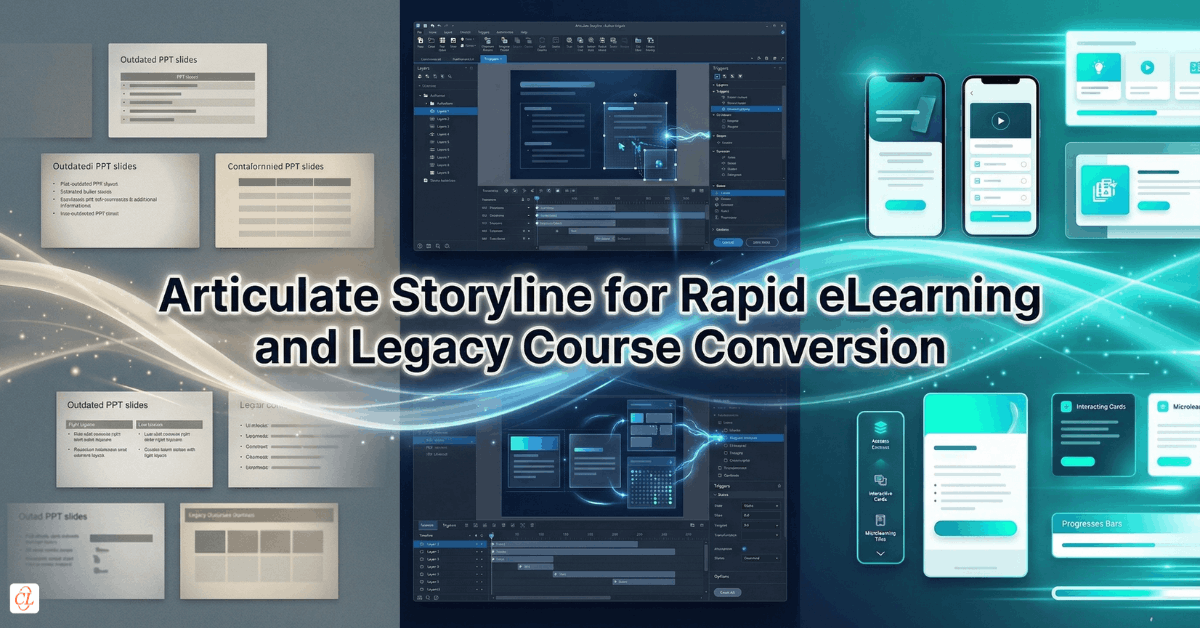
Storyline is not valuable simply because it helps teams author courses quickly. Its larger value lies in how effectively it supports modernization. It gives organizations a practical way to rebuild aging training assets into responsive, scalable, easier-to-maintain learning experiences without having to reinvent every course from scratch. It can accelerate rapid eLearning development, support Flash to HTML5 conversion, help repurpose legacy modules from older authoring tools, and transform static PowerPoint content into more usable digital learning.
This article explores how Articulate Storyline supports rapid eLearning and legacy course modernization at scale. Rather than treating rapid development, Flash conversion, PowerPoint transformation, and legacy rebuilding as separate topics, it brings them together into a single enterprise perspective on content modernization, operational efficiency, and revenue-driving training transformation.
Download eBook Now: Rapid eLearning Authoring Tools
Table of Contents
- Why Articulate Storyline Is Central to Modernization Efforts
- Rapid eLearning Is About Speed With Control, Not Speed Alone
- Rebuilding Legacy Courses Without Recreating Every Asset From Scratch
- Flash to HTML5 Conversion as a Strategic Modernization Priority
- Converting PowerPoint Into Real eLearning, Not Just Digital Slides
- Using Storyline to Migrate from Older Authoring Tools and Static Formats
- Balancing Cost, Speed, and Learning Quality in Modernization Projects
- Common Mistakes That Slow Down Legacy Conversion
- Building a Scalable Modernization Model with Articulate Storyline
- FAQ
- Conclusion
Why Articulate Storyline Is Central to Modernization Efforts
Articulate Storyline has earned its place in modernization work not merely because it is popular, but because it sits at an effective intersection of speed, flexibility, and practical rebuild capability. For organizations with large existing content libraries, that combination matters far more than feature lists alone.
Modernization projects rarely begin with a blank canvas. They begin with constraints. There is an archive of training that must be reviewed, updated, repurposed, converted, or restructured within a limited timeline and budget. Often the expectation is not to create fully bespoke experiences for every module, but to modernize efficiently while still improving usability, responsiveness, and maintainability.
This is where Storyline offers real operational value.
It supports rapid development workflows, makes it easier to rebuild legacy content into HTML5-friendly formats, provides enough interactivity to improve on static source material, and allows teams to standardize templates and reuse patterns across large conversion programs. In other words, it helps organizations move from fragmented content rescue to a more repeatable modernization model.
What makes Storyline especially suitable for modernization
Storyline is particularly effective when organizations need to:
- redevelop existing courses quickly
- transform outdated formats into responsive digital learning
- preserve core content while improving presentation and usability
- introduce interactivity without overengineering the rebuild
- standardize modernization across many courses
- create assets that are easier to maintain later
This makes Storyline especially useful in enterprise contexts where the challenge is not just to build one new course, but to modernize dozens or hundreds of learning assets in a consistent way.
Storyline’s real advantage in legacy conversion
Its real advantage lies in practicality. It is flexible enough to support meaningful upgrades, but efficient enough to make scale possible. That balance is critical. A modernization initiative succeeds not when one course looks impressive, but when the organization can modernize its portfolio in a way that is operationally sustainable.
Rapid eLearning Is About Speed With Control, Not Speed Alone
Rapid eLearning is often misunderstood as a shortcut. In reality, the more mature version of rapid eLearning is not about rushing content into production. It is about reducing avoidable effort while still maintaining instructional clarity and business usefulness.
That distinction is especially important in modernization work.
When organizations turn to Articulate Storyline for rapid eLearning, they are usually responding to one or more business pressures: compressed launch timelines, large volumes of training to update, limited development capacity, or the need to redeploy legacy content quickly after a systems, product, or policy change. In these situations, speed matters. But speed without structure simply produces faster chaos.
A better approach is to think of rapid eLearning as a controlled production model.
What rapid eLearning should accomplish
A strong rapid eLearning strategy should help teams:
- move faster without sacrificing core learning outcomes
- reuse content and design patterns intelligently
- accelerate review and revision cycles
- deploy modernized courses quickly across business units
- reduce production complexity where full custom development is unnecessary
This is where Storyline is especially useful. It allows teams to combine templates, reusable interactions, media assets, standardized layouts, and rapid authoring workflows into a more disciplined production approach.
Rapid does not mean low-value
One of the biggest misconceptions in corporate training is that rapid development automatically leads to generic learning. That can happen, but it is not inevitable. The real determinant is whether the team is simply accelerating output or thoughtfully simplifying the build process.
When rapid eLearning is approached strategically, it can produce:
- faster modernization cycles
- more consistent learner experience
- lower redevelopment costs
- quicker rollout of updated training
- more sustainable ongoing maintenance
This makes it highly relevant not only for new training needs, but also for large-scale legacy modernization where time and budget pressures are unavoidable.
Rapid eLearning with Storyline is best understood as a structured way to modernize and deliver training faster while retaining sufficient instructional value, usability, and scalability.
Rebuilding Legacy Courses Without Recreating Every Asset From Scratch
One of the most expensive mistakes in modernization is assuming that every legacy course must be completely reinvented. In practice, most organizations cannot afford that approach, especially when they are sitting on years of accumulated training content.
A more effective strategy is selective rebuilding.
Selective rebuilding means identifying what should be preserved, what should be updated, what should be redesigned, and what should be discarded. This allows the organization to protect the value embedded in legacy content while avoiding unnecessary redevelopment effort.
Articulate Storyline is well suited to this kind of work because it allows teams to reconstruct the learner experience more efficiently. They can preserve the core structure of a course where it still works, introduce updated layouts and interactions where needed, refresh media, improve navigation, and make the final output far more usable than the original, without having to rebuild every detail from zero.
What should be assessed before rebuilding
Before modernizing a legacy course, teams should evaluate:
- content relevance
Is the knowledge still accurate and useful? - instructional structure
Does the sequence still make sense, or does it need reorganization? - interaction value
Are existing interactions meaningful, outdated, or replaceable with simpler formats? - media quality
Which assets can be reused, refreshed, or retired? - technology fit
Is the original source creating access, display, or maintenance issues?
This evaluation helps prevent two equally costly outcomes: over-rebuilding and under-modernizing.
A better rebuild mindset
Instead of asking, “How do we recreate this old course?” it is more useful to ask, “How do we preserve the learning value while delivering a better, faster, more maintainable experience?”
That question leads to smarter modernization decisions.
Flash to HTML5 Conversion as a Strategic Modernization Priority
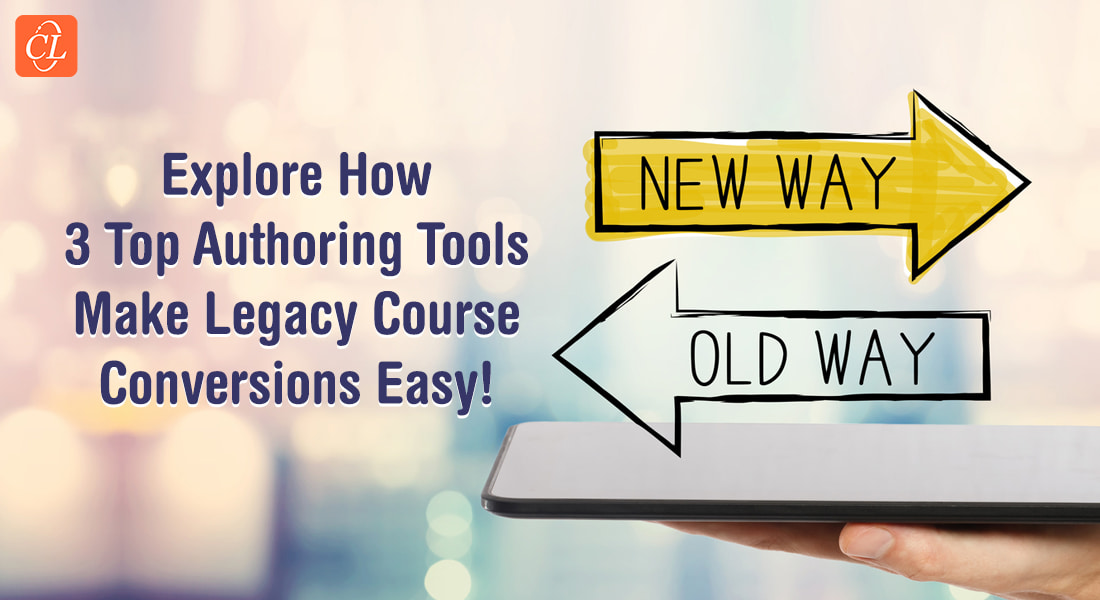
Few modernization challenges have illustrated the cost of technological dependence as clearly as Flash. For many years, Flash-powered courses were common across corporate learning. They enabled animation, interaction, and media-rich delivery in an era when other options were limited. But once the ecosystem moved beyond Flash, many organizations were left with valuable training locked inside obsolete formats.
This is why Flash to HTML5 conversion became more than a technical update. It became a business continuity priority.
If training content cannot run in modern environments, it effectively ceases to function as training. The organization may still own the content, but it can no longer deploy it reliably to the learners who need it. For essential programs such as compliance, onboarding, safety, technical processes, and product education, that is a serious risk.
Articulate Storyline has played an important role in helping organizations respond to this challenge because it provides a practical path for rebuilding Flash-era content into formats that align with current platforms, browsers, and device expectations.
Why HTML5 modernization matters beyond compatibility
Converting Flash courses into HTML5-friendly Storyline experiences does more than restore access. It creates an opportunity to improve several dimensions of the learning experience:
- cross-device usability
- easier maintenance
- cleaner visual presentation
- better responsiveness
- updated navigation and interaction patterns
- reduced dependence on obsolete source systems
In other words, Flash conversion should not be treated as a one-to-one technical transfer whenever possible. It should be treated as a chance to modernize the course more broadly.
What organizations often get wrong
The biggest mistake is treating conversion as mere preservation. If teams focus only on replicating the old experience exactly as it was, they may retain many of the design limitations and usability issues that made the course feel dated in the first place.
A better goal is functional continuity with experience improvement.
That means preserving what still matters while taking advantage of the rebuild to create a course that is more future-friendly and easier to support.
Converting PowerPoint Into Real eLearning, Not Just Digital Slides
PowerPoint remains one of the most common sources of undeveloped learning content in organizations. It exists in product decks, onboarding presentations, technical briefings, compliance overviews, sales enablement materials, and knowledge-transfer sessions built for classroom delivery. Because so much training content begins life in PowerPoint, many modernization efforts naturally start there.
The challenge is that a presentation is not the same as an eLearning experience.
A slide deck may contain useful content, but it is usually designed for a presenter-led context. It often depends on spoken explanation, live facilitation, or audience cues that disappear once the material is moved into self-paced learning. If that content is transferred too literally, the result is often a digital presentation rather than a true learning experience.
This is where Storyline provides a valuable bridge.
It allows teams to move beyond static slide conversion and redesign the material into something more navigable, interactive, and performance-oriented. It also helps preserve the speed advantages of using existing content while improving the learning value of the final experience.
What PowerPoint conversion should really involve
A meaningful PowerPoint-to-eLearning process should include:
- restructuring long slide sequences into clearer learning flow
- identifying where explanation needs to be rewritten for self-paced use
- replacing passive bullet-heavy slides with more focused screens
- adding interactions where they genuinely support understanding
- improving navigation and learner orientation
- refreshing visual hierarchy and media treatment
From presentation logic to learner logic
The central shift is this: PowerPoint is usually organized around presenter logic, while eLearning must be organized around learner logic.
That means the goal is not simply to import slides into Storyline. The goal is to transform presentation content into a digital experience that works without a human facilitator standing beside it.
Where this creates commercial value
For organizations with large volumes of classroom content, this is a major modernization opportunity. Storyline makes it possible to convert existing intellectual capital into scalable digital learning without starting from scratch. That makes PowerPoint modernization one of the most commercially attractive rapid eLearning use cases.
Rapid eLearning Authoring Tools
Explore the What and the Why of Popular Rapid eLearning Development Tools, and GenAI Tools
- Categories of eLearning Authoring Tools
- Considerations to Choose Your Next Authoring Tool
- Features of Popular Rapid Authoring Tools
- GenAI Tools to Create Content, Graphics, Audio, and Video
Using Storyline to Migrate from Older Authoring Tools and Static Formats
Legacy modernization is rarely limited to Flash and PowerPoint. Many organizations also carry content built in older authoring systems that no longer fit their current learning operations. Some of these tools were useful in their time, but over the years they have become harder to maintain, harder to scale, or less aligned with current production expectations.
The business challenge here is not necessarily that the old tool was flawed. It is that the organization needs a more practical future state.
Migrating this content into Storyline can help create that future state by bringing diverse legacy assets into a more unified development environment. This improves maintainability, simplifies future updates, and reduces fragmentation across the content ecosystem.
Why tool migration matters operationally
When content remains spread across outdated or disconnected formats, teams often face:
- inconsistent update workflows
- multiple source dependencies
- higher onboarding burden for developers
- uneven learner experience across courses
- slower response to training changes
A migration strategy built around Storyline can reduce these issues by consolidating course redevelopment into a more manageable platform and process.
The deeper value of migration
Migration is not only about replacing one tool with another. It is about creating a more sustainable content architecture for the future. Once content is modernized into a flexible, widely usable format, the organization gains more control over revision cycles, scaling decisions, and learning design standards.
This makes tool migration strategically relevant even when the immediate driver appears tactical.
Balancing Cost, Speed, and Learning Quality in Modernization Projects
Every modernization initiative eventually runs into the same tension: the business wants speed and cost-efficiency, while L&D wants quality and instructional integrity. If these are treated as competing priorities, the project becomes difficult very quickly.
A better approach is to treat modernization as a design and operating model problem rather than a simple production trade-off.
Articulate Storyline is especially useful here because it allows teams to manage that balance more deliberately. It supports faster development than fully bespoke build models, but it also gives enough flexibility to improve course structure, interactions, navigation, and media presentation where those improvements matter most.
The goal is not perfection at any cost. It is fit-for-purpose modernization.
A practical way to make modernization decisions
Not every course requires the same level of redevelopment. A more disciplined portfolio view often works better:
| Course type | Recommended modernization approach |
| High-volume, low-complexity training | Rapid rebuild with templates and standardized interactions |
| Compliance or process updates | Efficient conversion with stronger usability and clear completion flow |
| High-impact technical or product training | More selective redesign where demonstration, accuracy, and interaction matter |
| Outdated classroom slide decks | Transform into structured self-paced learning rather than simple slide import |
| Obsolete Flash or legacy tool courses | Rebuild for HTML5 compatibility while improving maintainability and learner experience |
This kind of segmentation helps teams allocate effort intelligently rather than applying the same build standard everywhere.
Where outsourcing often enters the picture
Because modernization programs are frequently large and time-bound, outsourcing can become a practical part of the operating model. Storyline’s widespread use and structured workflows make it especially suitable for outsourced or augmented production environments, provided standards and governance are clear.
That is one reason this cluster has strong revenue-driving potential. Modernization is rarely a one-course request. It is often a portfolio-level problem, and portfolio-level problems usually require scalable delivery capacity.
Common Mistakes That Slow Down Legacy Conversion
Legacy modernization often appears straightforward at the start, but many projects lose momentum because the organization underestimates the complexity of the work or applies the wrong conversion logic.
Several mistakes show up repeatedly.
Common mistakes to avoid
- Treating all legacy courses as equal
Some assets deserve deep rebuild. Others need only light modernization. Failing to segment them leads to inefficiency. - Converting format without rethinking experience
A course that is technically modernized but still difficult to use remains only partially improved. - Trying to preserve every old interaction
Some legacy interactions no longer add learning value and simply make the rebuild slower. - Skipping upfront content audit
Without clear assessment of relevance, teams may spend time modernizing content that should have been retired. - Using PowerPoint as finished learning
Importing slides without redesigning the learner flow creates weak digital learning. - Underestimating governance needs
Large modernization programs need standards, review logic, and asset management discipline. - Confusing speed with lack of design
Rapid eLearning still requires decision-making about structure, usability, and learning value.
These mistakes are costly not only because they create rework, but because they weaken the return on modernization itself.
Building a Scalable Modernization Model with Articulate Storyline
The real long-term opportunity in Storyline-based modernization is not simply converting old content. It is building a scalable model for continuous content renewal. Organizations that succeed here do not treat modernization as a one-off rescue project. They treat it as a capability.
That capability usually combines four elements.
1. Content portfolio segmentation
Courses should be classified based on business importance, learning complexity, technical risk, and modernization effort required.
2. Standardized rapid development patterns
Templates, interaction libraries, navigation models, media standards, and quality benchmarks help teams move faster with greater consistency.
3. Clear modernization workflows
Audit, prioritization, rebuild, review, QA, and deployment should follow a structured process rather than an ad hoc approach.
4. Future-ready maintainability
The rebuilt course should be easier to revise later, not just easier to launch now.
When these elements are in place, Storyline becomes more than a rapid authoring tool. It becomes part of the organization’s modernization engine. This is where the strongest commercial opportunity lies, because businesses with aging learning libraries rarely need isolated fixes. They need a repeatable path from outdated content to modern learning performance.
FAQs
1. Why is Articulate Storyline good for rapid eLearning?
A. Articulate Storyline is well suited for rapid eLearning because it allows teams to develop and modernize training quickly using reusable templates, structured workflows, and flexible interactivity. It helps organizations move faster without having to build every course from scratch.
2. Can Articulate Storyline be used for legacy course conversion?
A. Yes. Articulate Storyline is widely used to convert legacy courses into more modern, HTML5-friendly, easier-to-maintain learning experiences. It is especially useful when organizations want to preserve valuable content while improving usability, responsiveness, and future maintainability.
3. How does Storyline help with Flash to HTML5 conversion?
A. Storyline helps by providing a practical environment to rebuild Flash-based courses into HTML5-compatible formats. This restores accessibility in modern learning environments while also creating an opportunity to improve navigation, media treatment, responsiveness, and the overall learner experience.
4. Can PowerPoint presentations be converted into eLearning with Storyline?
A. Yes, but effective conversion requires more than importing slides. The content usually needs to be restructured for self-paced learning, with better navigation, clearer screen flow, and selective interactivity so the final experience works without a live presenter.
5. What is the difference between rapid eLearning and traditional custom eLearning?
A. Rapid eLearning focuses on faster development through reuse, templates, and efficient production logic, while traditional custom eLearning often involves more bespoke design and build effort. Rapid eLearning is especially useful when speed, scale, and modernization are the main priorities.
6. Is Storyline useful for converting courses from older authoring tools?
A. Yes. Storyline is often used to migrate content from older authoring environments into a more flexible and maintainable format. This helps simplify future updates, reduce tool fragmentation, and create greater consistency across the learning ecosystem.
7. What is the biggest mistake in legacy eLearning modernization?
A. A common mistake is treating modernization as simple format conversion. If teams preserve outdated structure, weak interactions, or poor usability without rethinking the learner experience, the course may be technically updated but still strategically under-modernized.
Conclusion
Modernizing legacy training is no longer an optional clean-up task for L&D teams. It is a strategic requirement driven by changing technologies, changing learner expectations, and the growing need for faster business responsiveness. Organizations that continue to rely on outdated training formats are not simply holding onto old assets. They are carrying avoidable friction in their learning operations.
This is where Articulate Storyline proves its real value.
It enables learning teams to move beyond static archives, obsolete formats, and presentation-heavy content and turn them into modern digital learning experiences that are faster to develop, easier to maintain, and better suited to today’s workplace environments. Whether the need is rapid eLearning, Flash to HTML5 conversion, PowerPoint transformation, or migration from older authoring tools, Storyline offers a practical route to modernization at scale.
The deeper opportunity, however, is not just conversion. It is capability building. The organizations that gain the most from Storyline are those that use it to create a repeatable modernization model, one that helps them continuously unlock value from existing learning content while improving speed, consistency, and learner experience over time.
The strongest modernization programs do not simply save old courses.
They turn legacy content into future-ready learning assets that can keep pace with the business.