The question "should we use AI in learning design" has already been answered by most L&D teams. What hasn't been answered nearly as carefully is the far more consequential question that comes next: which AI tool actually fits how instructional designers think and work.
That distinction matters because the market has made it easy to skip past it. There are now dozens of credible AI tools available to L&D teams, each marketed on some version of the same promise: faster content, less manual work, more output per instructional designer. On the surface, many of them look interchangeable. In practice, they aren't, and the difference only becomes visible once you get specific about what you're actually trying to solve.
Before we settled on Claude as the backbone of our AI-augmented learning design workflow, we ran that evaluation deliberately. This piece walks through the reasoning: the problems we were solving for, the capabilities we tested against, and why Claude held up in ways that mattered to instructional designers specifically, not just to a production dashboard.
Table Of Content
- Starting From the Problem, Not the Tool
- Four Capabilities That Actually Moved the Needle
- What a Feature-List Evaluation Misses
- The Question That Mattered More Than the Feature List
- Choosing a Tool for the Work, Not the Demo
- Frequently Asked Questions
Starting From the Problem, Not the Tool
It's tempting to evaluate AI tools the way you'd evaluate most software: feature checklist, pricing tier, integration options. That approach works reasonably well for tools that automate a well-defined task. It works poorly for a tool you're asking to sit inside a judgment-heavy creative process like instructional design.
So instead of starting with a feature list, we started with the actual friction points instructional designers deal with on a recurring basis: compressed timelines, growing scale across audiences and formats, dense and technical source material, high-stakes accuracy requirements, and constant pressure to prove business impact. Any AI tool we adopted needed to genuinely reduce friction in at least a few of those areas, not just generate more text faster.
That reframing changed what we were looking for. We weren't looking for a content generator. We were looking for something closer to a capable thinking partner, one that could sit alongside an instructional designer through the messier, more cognitively demanding parts of the design process, not just the polishing stage at the end.
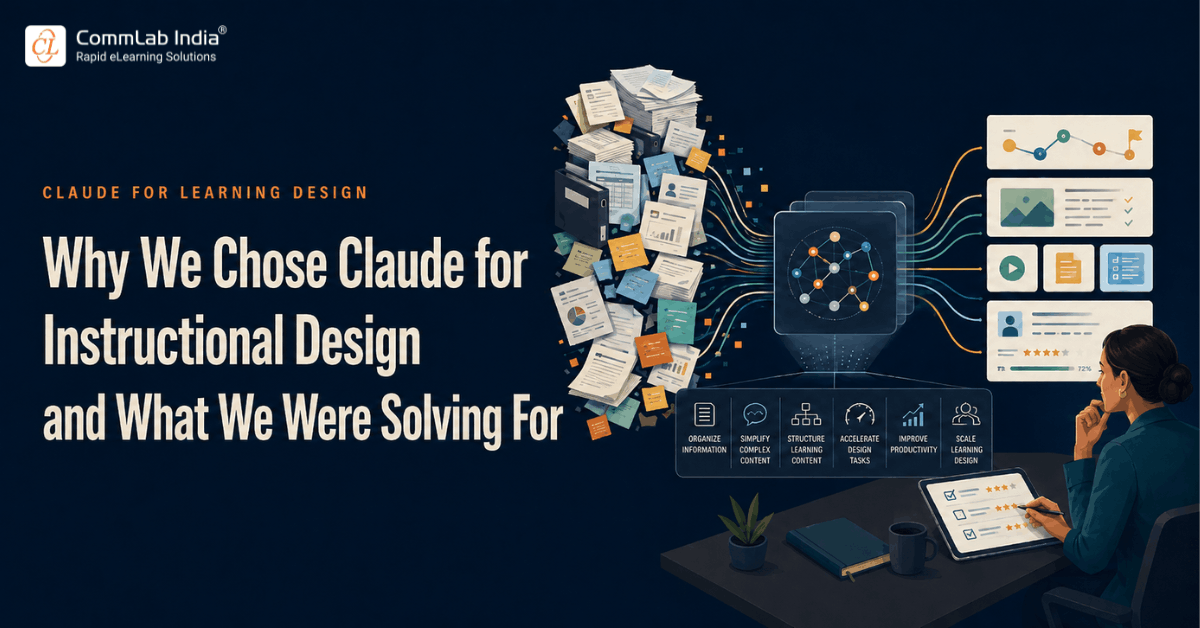
Four Capabilities That Actually Moved the Needle
As we tested Claude against real project work rather than demo scenarios, four capabilities consistently stood out as genuinely useful to instructional design specifically, rather than generically useful to "content creation" in the abstract.
1. Understanding Complexity
Instructional designers routinely inherit source material that was never written with a learner in mind: engineering specifications, regulatory documents, dense SOPs, or a two-hour SME interview transcript with no structure at all.
The traditional bottleneck isn't writing the course. It's making sense of the raw material well enough to know what belongs in the course in the first place.
Claude handled this kind of unstructured, technical, and lengthy input noticeably well. It could work through long documents, hold onto detail across a lengthy source, and surface the concepts that actually mattered for a learner rather than just summarizing indiscriminately. That's a meaningfully different capability from simply generating fluent text.
2. Organizing Large Volumes of Information
Related to the first point, but distinct: once the source material is understood, someone still has to organize it into something coherent. A single learning initiative might touch three SOPs, a policy update, a set of meeting notes, and a prior version of the course that needs updating.
Manually cross-referencing all of that is slow and error-prone even for an experienced instructional designer.
Claude proved capable of holding multiple sources at once and organizing them into a coherent structure, flagging overlaps, contradictions, and gaps between documents that would otherwise require painstaking manual comparison. That capability alone collapsed a substantial amount of the early-stage analysis work that used to consume days.
3. Structuring Learning Content
Beyond organizing raw information, Claude showed real strength in proposing learning structures: module sequences, content flow, and logical groupings that reflected an actual instructional logic rather than just the order information appeared in the source material.
It wasn't simply reformatting content; it was offering structural options an instructional designer could evaluate, adjust, or reject.
4. Accelerating Design Tasks
Finally, and less surprisingly, Claude meaningfully accelerated the repetitive, time-consuming parts of the design process: drafting objective statements, generating first-pass assessment questions, producing multiple scenario variations, and handling the kind of iterative rework that used to eat up hours between review cycles.
None of these four capabilities were unique to Claude in isolation. What stood out was that all four showed up consistently across real project work, not just in a controlled demo, and they mapped directly onto the friction points we'd identified upfront rather than onto generic "AI can write things" marketing claims.
What a Feature-List Evaluation Misses
Most AI tool comparisons circulating in L&D right now follow a familiar format: a table listing supported file types, word limits, integrations, and pricing tiers. That kind of comparison is useful for procurement, but it's nearly silent on the question that matters most to an instructional designer: does this tool actually make the hard parts of the job easier, or does it just make the easy parts faster?
Those are not the same question, and tools can score well on one while doing very little for the other. A tool can generate polished-looking slides quickly and still be of limited help when an instructional designer is staring at a forty-page technical manual trying to figure out what a frontline learner genuinely needs to know. Speed on the easy parts is visible and easy to demo. Help on the hard parts is quieter and shows up only when you test a tool against real, unglamorous project work.
That's why our evaluation deliberately avoided demo-style test cases. We ran candidate tools, Claude included, against actual SME material from live projects: inconsistent terminology, missing context, contradictory guidance across documents, the kind of material that never appears in a vendor's sample prompt library.
The tools that looked strongest on a clean demo didn't always hold up here, and the ones that held up here are the ones that ended up mattering to our workflow.
The Question That Mattered More Than the Feature List
Those four capabilities were genuinely impressive, and they're the reason Claude became the tool we built our workflow around. But finding a capable tool immediately raised a more important question, one that has far bigger implications for L&D strategy than any individual feature comparison: are these capabilities enough, on their own, to produce great learning?
It's a fair question, and a tempting one to answer optimistically. If a tool can understand complex source material, organize it, structure it into a learning flow, and accelerate production, what's left for an instructional designer to do that the tool can't?
Our experience testing this in real project work gave us a clear answer, and it wasn't the one the marketing around most AI tools would suggest.
Capability and judgment are not the same thing, and a tool can be extraordinarily capable at the former while having no mechanism at all for the latter. What Claude can genuinely do for instructional design, and where that capability reaches its limit, is the subject of the next two pieces in this series.
Quick Reference: What We Evaluated Claude Against
|
Friction Point |
What We Needed |
What We Found |
|
Dense, technical source material |
A tool that could parse complexity without flattening nuance |
Strong performance holding detail across long, technical documents |
|
Growing scale across formats |
A tool that could organize large volumes of information consistently |
Effective at cross-referencing multiple sources and flagging gaps |
|
Compressed timelines |
A tool that could structure content into a coherent learning flow |
Reliable at proposing logical module sequences and content groupings |
|
Repetitive production work |
A tool that could accelerate drafting without constant rework |
Meaningful time savings on objectives, assessments, and scenario drafts |
A Concrete Example: Turning a Messy SME Handoff Into a Usable Structure
To make this less abstract, consider a scenario that's familiar to almost every instructional designer: an SME hands over three SOPs, a slide deck from a previous training session, and a set of email threads clarifying edge cases, with the instruction "everything here is important, please turn it into training."
Manually, this handoff typically takes a day or more just to read through, reconcile inconsistencies between documents, and produce a rough outline of what actually needs to be covered.
Working through the same material with Claude, an instructional designer can get an organized first-pass summary, a list of flagged inconsistencies between the documents, and a proposed structure for the content in a fraction of that time, then spend the reclaimed hours actually evaluating whether that structure reflects what the learner needs, rather than spending them on the initial read-through.
That's the kind of scenario our evaluation was built around, not "can the tool write a paragraph about the topic," but "does the tool meaningfully reduce the time and cognitive load of the unglamorous analysis work that every instructional designer has to do before real design decisions can even begin."
Choosing a Tool for the Work, Not the Demo
If your team is in the process of evaluating AI tools for learning design, the practical takeaway here isn't "use Claude" as a blanket recommendation. It's the evaluation method itself: start from your team's actual friction points, not a generic feature comparison, and test candidate tools against real, messy project work rather than a clean demo scenario built to make any tool look good.
A tool that performs well on a polished demo brief may perform very differently against a genuine forty-page technical manual with inconsistent terminology and missing context. That gap is exactly where most AI tool evaluations quietly go wrong, and it's exactly where ours started to get useful.
Frequently Asked Questions
What makes Claude different from other AI tools for instructional design?
The most consistent difference we found wasn't raw content generation speed, which many tools handle reasonably well. It was Claude's ability to work through complex, technical, and lengthy source material and organize it into a coherent structure, capabilities that map directly onto the analysis-heavy front end of instructional design rather than just the content-drafting stage.
Should L&D teams evaluate AI tools using demo scenarios or real project content?
Real project content produces a far more reliable signal. Demo scenarios are typically clean, well-scoped, and designed to showcase a tool's strengths. Genuine SME material is messy, inconsistent, and technical, and a tool's performance against that reality is a much better predictor of day-to-day value than its performance in a sales demo.
Does a capable AI tool reduce the need for instructional design expertise?
Capability and judgment operate on different levels. A tool can be highly capable at understanding, organizing, and structuring content while still having no mechanism for deciding what learners actually need to practice, what success should look like, or how a learning solution should align with business goals. Those decisions remain instructional design responsibilities regardless of how capable the underlying tool becomes.