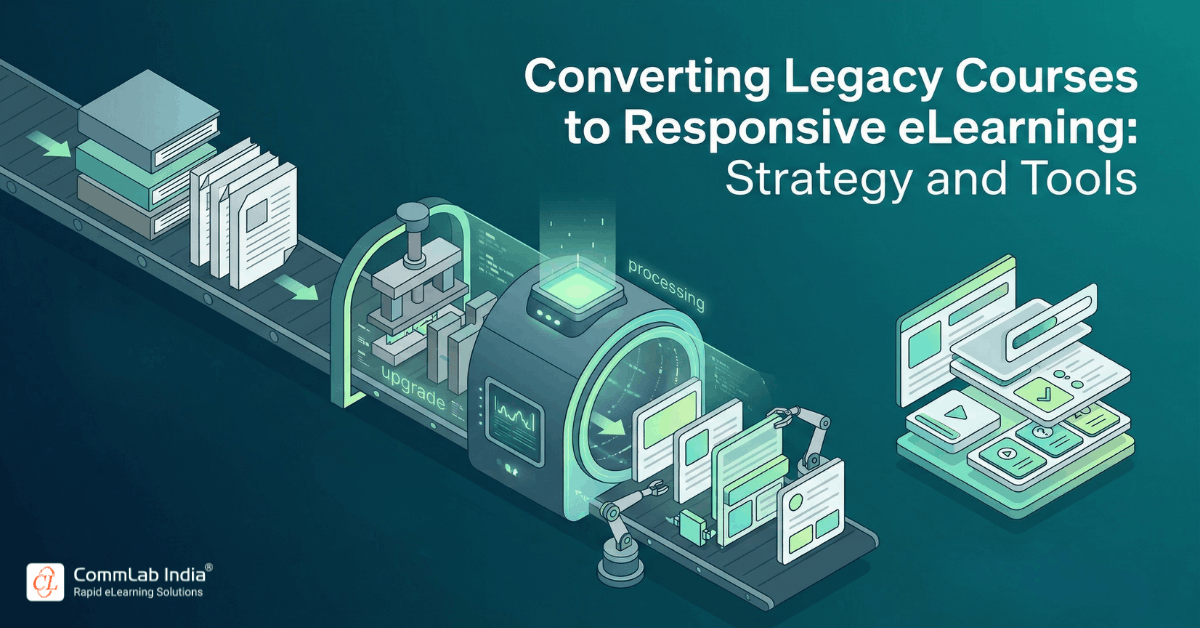
Most organizations do not start from scratch when adopting responsive eLearning. They already have a vast repository of legacy courses built over years, often using older tools, fixed layouts, and desktop-first assumptions. These courses may still hold valuable content, but their delivery formats no longer align with how modern learners access training.
The challenge is not whether to move to responsive eLearning, but how to transition without losing instructional value, increasing complexity, or duplicating effort. Many organizations approach this transition as a simple conversion exercise, expecting existing courses to be adapted quickly into responsive formats. In practice, this approach often leads to poor user experiences, inconsistent design, and limited scalability.
Download eBook Now: Rapid eLearning Authoring Tools
A successful transition requires a structured approach that combines content evaluation, instructional redesign, wireframing, and the right choice of tools. It also requires a clear understanding that responsive eLearning is not just a format change, but a transformation in how learning is delivered.
In this article, you will learn how to convert legacy courses into responsive learning experiences, how to approach implementation strategically, and how to select tools that support long-term scalability.
Why Legacy Courses Cannot Be Directly Converted
Legacy courses were typically designed for specific screen sizes, often relying on fixed layouts, dense content, and interactions that assume a desktop environment. These characteristics make direct conversion into responsive formats ineffective.
When organizations attempt to convert such courses without redesigning them, several issues emerge. Content may appear cluttered on smaller screens, navigation may become difficult, and interactions may not function as intended. The result is a technically responsive course that fails to deliver a usable learning experience.
The key realization is that responsive eLearning requires content to be flexible, modular, and structured differently from traditional courses. This means that conversion must involve redesign, not just reformatting.
The Strategic Approach to Converting Legacy Courses
Transitioning to responsive eLearning requires a systematic process that ensures both efficiency and quality.
Step 1: Audit and Prioritize Existing Courses
Organizations should begin by evaluating their existing course library to determine which courses should be converted first. This involves identifying:
- high-impact training programs
- frequently accessed courses
- content that requires mobile accessibility
- courses that need regular updates
This prioritization ensures that resources are focused on areas where responsive learning will deliver the most value.
Step 2: Analyze Content for Redesign Readiness
Before conversion begins, content must be analyzed to determine how it can be restructured. This includes:
- identifying content that is too dense or text-heavy
- removing redundant or outdated information
- breaking content into smaller, modular units
This step ensures that content is suitable for responsive delivery.
Step 3: Redesign Instructional Structure
Legacy courses often follow linear structures that do not translate well into responsive formats. Redesigning the instructional flow involves:
- creating shorter learning segments
- aligning content with clear objectives
- integrating interactions that work across devices
This ensures that the learning experience remains effective after conversion.
Step 4: Create Wireframes for Responsive Layouts
Wireframing plays a critical role in responsive eLearning development, as it allows designers to plan how content will adapt across devices.
Wireframes help define:
- content placement across screen sizes
- interaction behavior
- navigation structure
By visualizing the course before development, organizations can identify potential issues and ensure consistency.
Step 5: Develop Using Responsive Frameworks
Once content and design are finalized, development begins using tools that support responsive layouts. The focus should be on:
- flexibility in content arrangement
- reusable components
- scalability across courses
Step 6: Test Across Devices and Contexts
Testing should evaluate not only technical functionality but also usability across devices. This includes checking:
- navigation ease
- readability
- interaction effectiveness
This ensures that the course delivers a consistent experience.
Practical Checklist for Legacy Course Conversion
A structured checklist helps ensure that no critical aspect is overlooked during conversion.
Organizations should validate:
- content has been simplified and modularized
- layouts adapt effectively across devices
- navigation is intuitive on both touch and desktop interfaces
- media assets are optimized for performance
- interactions function consistently across devices
- learning objectives remain intact
This checklist acts as a quality control mechanism throughout the process.
Choosing the Right Tools for Responsive eLearning
The selection of tools plays a significant role in enabling efficient and scalable responsive eLearning development. However, tools should support strategy rather than define it.
Key Criteria for Tool Selection
When evaluating responsive eLearning tools, organizations should consider:
- ability to create fluid, responsive layouts
- ease of content updates
- support for reusable templates
- compatibility with LMS standards
- scalability for large course libraries
Choosing tools based solely on features without considering long-term needs can lead to inefficiencies.
Categories of Responsive eLearning Tools
Responsive eLearning tools can be broadly categorized based on how they support development.
Template-Based Authoring Tools
These authoring tools provide pre-built layouts that automatically adjust across devices, making them suitable for rapid development and consistency.
Flexible Design Tools
Some tools offer greater control over layout and interactions, allowing for more customized learning experiences. These tools require more expertise but provide greater flexibility.
Cloud-Based Platforms
Cloud-based tools enable collaboration, faster updates, and centralized content management, making them ideal for organizations managing large-scale training programs.
Balancing Tool Capabilities and Design Strategy
While tools are essential, they cannot compensate for poor design decisions. Organizations must establish design standards and workflows that guide development regardless of the tool being used.
This includes defining:
- content structure guidelines
- interaction patterns
- visual design standards
By separating strategy from tools, organizations can maintain consistency even as tools evolve.
Common Implementation Challenges and Solutions
Challenge 1: Over-Reliance on Conversion Tools
Some organizations rely heavily on automated tools to convert legacy courses, expecting them to handle all design adjustments.
Solution: Use tools to support development, but prioritize manual redesign where necessary.
Challenge 2: Inconsistent Design Across Courses
Without clear standards, different teams may create courses that vary significantly in design and usability.
Solution: Establish a centralized design framework and enforce consistency.
Challenge 3: Managing Large-Scale Conversions
Converting hundreds of courses can become overwhelming without a structured approach.
Solution: Implement phased conversion strategies based on priority and impact.
Challenge 4: Balancing Speed and Quality
The need to convert courses quickly can lead to compromises in quality.
Solution: Focus on high-impact courses first and maintain quality standards throughout.
Implementation at Scale: Building a Sustainable Model
For organizations with large training ecosystems, responsive eLearning must be implemented as a scalable system rather than a series of isolated projects.
This involves:
- creating standardized templates
- establishing governance models
- centralizing content management
- enabling collaboration across teams
A scalable approach ensures that responsive eLearning can be maintained and expanded over time without increasing complexity.
The Role of Responsive eLearning in Modern Training Ecosystems
Responsive eLearning plays a critical role in enabling organizations to modernize their training delivery. It allows legacy content to be revitalized, improves accessibility across devices, and supports continuous learning.
By transitioning to responsive formats, organizations can align training with modern work environments, making learning more accessible, relevant, and effective.
Converting legacy courses into responsive eLearning is not a technical upgrade but a strategic transformation that requires careful planning, redesign, and implementation. By approaching this transition systematically, organizations can preserve valuable content while improving accessibility and usability.
The success of this transformation depends on balancing design, development, and tool selection in a way that supports scalability and consistency. When done effectively, responsive eLearning enables organizations to deliver training that is not only accessible across devices but also aligned with the evolving needs of the workforce.