How enterprise L&D teams can decide whether contractors, temporary workers, and other non-employees belong in the corporate LMS or a dedicated external learning environment.
Most enterprise learning ecosystems are built around employees. Employees already exist in HR systems. They have corporate credentials, defined organizational relationships, and established learning records. The LMS can often use that infrastructure to automate access, enrollment, reminders, reporting, and learning history.
External workforce training is different because the learner may sit outside that infrastructure.
Contractors, temporary workers, contingent staff, consultants, vendors, and other non-permanent workers may still need compliance, safety, process, or operational training. Yet they may not be entitled to an employee profile, corporate credentials, or access to systems connected to the employee LMS.
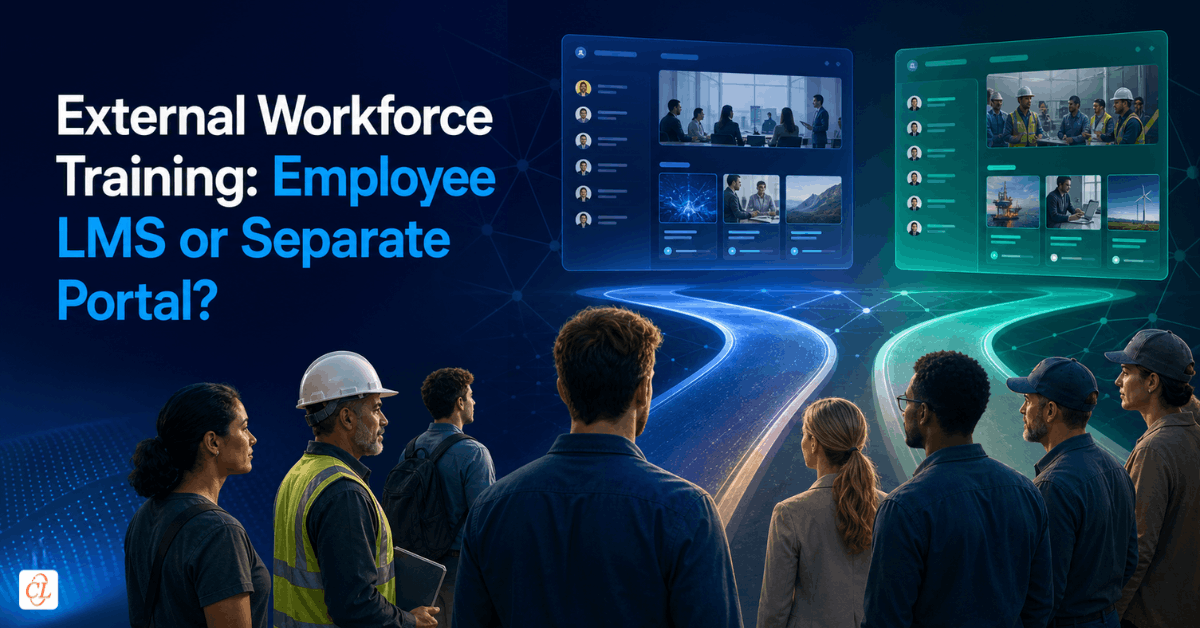
For L&D leaders, this creates a practical architecture decision: should external workers be accommodated in the existing employee LMS, or would a separate learning environment be more appropriate?
The answer depends on much more than whether the LMS can technically create a guest account. Identity management, security, licensing, administration, reporting, learner turnover, and internal capacity all influence whether an approach that looks simple at launch remains workable later.
The most reliable way to make the decision is to define how the external learner population needs to be managed throughout its lifecycle, then evaluate which learning environment can support that model without creating unnecessary administrative work.
For organizations still assessing the broader external-learning requirement, External Workforce Training: 30 Questions Before You Scale provides a wider readiness framework. This article concentrates on one decision within that larger picture: where external learners should be trained.
Why the Employee LMS May Not Fit External Workers
Using the corporate LMS often appears to be the obvious option. The organization already owns the platform, administrators understand it, the courses may already be there, and reporting processes are established.
The difficulty is that an enterprise LMS rarely operates in isolation. Learner access may be connected to corporate identity management, HR records, employee status, organizational hierarchy, licensing rules, or security permissions. A contractor may therefore be perfectly capable of taking the training but still fall outside the mechanisms the organization normally uses to provision LMS access.
Technical support for external accounts is only the starting point. A more useful assessment is whether the existing LMS can support external users without requiring awkward workarounds around identity, permissions, administration, or reporting.
If guest users can be created securely, segmented appropriately, administered efficiently, and reported on reliably, keeping one learning environment may be the simplest option. If supporting those learners requires repeated manual intervention, the apparent simplicity of using the existing LMS can disappear quickly.
In this article on when organizations may need a second LMS explore related considerations around authorization, security, differentiated workflows, and external audiences.
Four Ways Enterprises Can Provide Learning Access
The choice is not always between one corporate LMS and an entirely separate system. Enterprises generally have several possible models.
| Access model | Best suited for | Main advantage | Key consideration |
| External accounts in the employee LMS | Smaller or stable external populations where guest access already works | One learning environment | Identity, licensing, permissions, and security |
| Partitioned or extended-enterprise LMS | Multiple populations that need distinct learning experiences | Shared technology with audience segmentation | Administration and reporting architecture |
| Separate external learning portal | Non-employees who should remain outside employee systems | Clear separation and simpler external access | Another environment to govern |
| Managed external learning environment | Organizations with limited internal administrative capacity | Platform plus operational support | Clear division of responsibilities |
None is inherently superior. The appropriate model depends on how external users need to enter the system, how separate they need to remain from employees, what must be tracked about them, and how much operational work each approach creates.
That last factor deserves particular attention. Platform comparisons often focus on functionality and license cost, while the ongoing effort required to maintain the external learner population receives much less scrutiny.
Start With Identity and Access
Before deciding where the courses should live, establish who the external learner is from the organization's perspective.
A worker supplied by a staffing agency, an independent contractor, a consultant on a six-month assignment, and an employee of a vendor may all be described as external learners. Their relationships with the organization, however, are not identical.
Those differences can affect how accounts are created, how identity is verified, which learning is assigned, how long access remains active, what learner data the organization needs to retain, and who is responsible for notifying L&D when access should end.
For employees, many of these lifecycle events are driven automatically by HR and identity systems. External populations may require a separate source of truth or an explicit administrative process.
This is also where IT and information-security stakeholders need to be involved. They may need to determine what external users can access, how they authenticate, what information is visible to them, and how access is deactivated when the relationship ends.
A separate portal can simplify that boundary because non-employees do not enter the employee environment. On the other hand, creating a separate environment also introduces another system to configure and govern. The goal is appropriate separation, not separation by default.
Look Beyond Enrollment to the Full Administrative Lifecycle
External workforce LMS decisions can look straightforward when viewed only through enrollment. Create the learner, assign the course, and send the login.
The operational workload usually appears after that. Learners forget credentials. Assignments change. New contractors join. Temporary workers leave. Some training becomes overdue. Certifications expire. Managers want reports. Compliance teams need evidence. Someone has to maintain the learner population throughout these changes.
For a small, stable audience, the workload may remain modest. For a population with frequent turnover, the same model can become labor-intensive.
A practical way to evaluate the requirement is to follow the learner through the full lifecycle: Provision → Assign → Notify → Train → Track → Recertify → Deactivate.
Account creation is only the first stage. When comparing the employee LMS with a separate portal, estimate the effort required across the entire sequence. A model that saves a license fee but creates hours of recurring manual administration may not be the more efficient option.
Our learning management system services cover LMS hosting and administration requirements such as enrollment, user management, reporting, and external audience support. Whether those activities remain internal or are supported by a partner, they should be considered as part of the architecture decision rather than after implementation.
Design Reporting Before You Configure the Portal
Reporting becomes particularly important when external workers are completing mandatory learning.
The organization may need to know not only whether a course was taken, but whether the correct people were assigned it, whether they completed the correct version within the required timeframe, whether they passed an assessment, and whether their training remains current.
Could the organization readily produce a reliable list showing every external worker who should have completed the training, who has completed it, and who still requires action?
If the answer requires several LMS exports, separate spreadsheets, emails, classroom attendance records, and manual reconciliation, the reporting model is still carrying substantial operational risk.
Reporting should therefore be designed backward from the questions stakeholders will need answered. Learner records may need to contain information such as worker category, external organization, worksite, required curriculum, assignment date, completion date, assessment result, or certification expiry.
The objective is to maintain enough learner information to administer the program and retrieve credible evidence without recreating the employee record for someone who is not an employee.
Match the Learner Experience to the Requirement
External workers often need a simpler experience than employees.
An employee might use the corporate LMS for onboarding, compliance, leadership development, elective learning, career pathways, and performance support. A contractor who needs two mandatory courses before beginning work has a much narrower objective.
For that learner, an effective experience may consist of clear login instructions, required courses, due dates, progress status, completion confirmation, and an obvious route to support.
Providing the entire employee-learning environment may introduce navigation and terminology that have little relevance to the external worker.
A separate portal can be designed around a focused external learner journey, while the employee LMS continues to support the broader learning ecosystem for permanent staff. The point is not to make external learning basic. It is to avoid imposing complexity that does not help the learner complete the required task.
Decide Who Will Operate the Environment
Even a well-automated external learning environment requires clear ownership.
The enterprise normally needs to retain accountability for determining who requires training, what the training must cover, what constitutes successful completion, and how business, compliance, or safety requirements are interpreted.
Operational responsibilities can be handled differently. Depending on the model, an internal L&D team or external learning partner might manage user creation, course uploads, enrollments, reminders, routine learner queries, reporting, and account maintenance.
This matters particularly when internal capacity is one of the reasons the organization wants to move away from manual training in the first place. A new portal can solve the access problem and still leave the L&D team with a large administrative burden if ownership has not been considered during design.
A useful evaluation therefore asks not only what the system automates, but what work remains after automation and who will do it.
A Real Enterprise Requirement
A European real estate enterprise encountered this problem when approximately 200 non-permanent workers needed mandatory training but could not use the corporate employee LMS.
The existing approach relied heavily on classroom delivery and manual coordination. The internal team described having very limited resources, and one reason for moving the learning online was to reduce that additional administrative effort.
Time also mattered. Some external workers were still untrained, and the possibility of an audit increased the urgency of putting a reliable training model in place.
The requirement therefore extended beyond hosting three initial courses. The organization needed an appropriate way to give non-permanent workers access, administer the learner population, assign learning, track completion, and provide reporting.
A separate hosted learning environment was selected for that situation.
The important lesson is not that every enterprise with external workers should make the same choice. It is that the decision was driven by the combined access, administration, reporting, and implementation requirement rather than by LMS functionality alone.
Employee LMS or Separate Portal? Five Questions to Decide
1. Can external users access the employee LMS cleanly?
Consider corporate identity requirements, HRIS dependencies, permissions, licensing, and security. If accommodating external users requires creating artificial employee records or repeated exceptions, the model may be forcing the wrong population into the wrong system.
2. How much administration will each option create?
Compare account creation, enrollment, reminders, support, reporting, recertification, learner changes, and account deactivation. Evaluate recurring workload rather than implementation effort alone.
3. Do external learners need the employee LMS experience?
If the external population requires a narrow set of mandatory or role-specific courses, a simpler environment may provide a better experience and reduce unnecessary configuration.
4. Can the organization produce reliable evidence?
The environment should make it straightforward to determine who needed training, who received it, who completed it, and who still requires action.
5. Which model remains manageable as the population changes?
A design that works for 50 stable contractors may not work for 500 temporary workers entering and leaving throughout the year. Consider future turnover and scale before deciding.
These questions shift the decision away from feature comparison and toward operational fit.
Do You Need to Replace the Employee LMS?
Usually, no.
If contractors or temporary workers do not fit naturally into the corporate LMS, that does not mean the existing platform is deficient. It may simply be optimized for a different learner population.
Employees → corporate identity → employee LMS
External workers → controlled external access → external learning environment
The two systems can serve different audiences while the enterprise maintains oversight of both.
For organizations considering this approach more broadly, Learning Management System: Why and What of Your Second LMS provides additional context on when a second learning environment may be appropriate.
Common Mistakes to Avoid
Treating all external learners as one audience. Contractors, agency workers, vendors, and partners may require different assignments, access periods, or reporting.
Testing course delivery but not administration. A pilot should confirm that learners can be created, assigned, reminded, tracked, reported on, and deactivated, not merely that the course launches.
Ignoring offboarding and expiry. Training records may need to remain available after access ends, while recurring requirements need a clear recertification process.
Assuming another LMS automatically reduces workload. Administration decreases only when the process is deliberately designed and ownership is clear.
These issues are easier to address before rollout than after several hundred external learners are already in the system.
FAQs
Do contractors need a separate LMS?
Not necessarily. Contractors can use an existing LMS if it supports external users and the organization's identity, security, licensing, administration, and reporting requirements can be met without excessive workarounds. A separate portal is more appropriate when non-employees need stronger separation from employee systems or a substantially different learner-management process.
What should enterprises evaluate before giving external users access to the employee LMS?
Evaluate authentication, permissions, security, HRIS dependencies, licensing, learner provisioning, content visibility, assignments, support, reporting, data retention, recertification, and account deactivation. The assessment should cover the entire external learner lifecycle rather than focusing only on whether a guest account can be created.
Is an external learning portal the same as a second LMS?
Not always. A second LMS may be an independent learning platform, while an external portal can be a dedicated or partitioned environment designed for a defined non-employee population. The relevant question is whether the environment provides the access, administration, tracking, and governance required by the external audience.
How should enterprises choose between external accounts and a separate portal?
Compare both options using the same criteria: identity management, security, learner volume, turnover, administrative workload, reporting requirements, learner experience, implementation time, and ongoing governance. The better model is the one that meets essential controls while requiring fewer recurring exceptions and manual processes.
Does a separate external portal eliminate LMS administration?
No. Automation can reduce the workload considerably, but learner eligibility, assignments, reminders, reporting, support, recertification, and account management still require ownership. Those responsibilities can remain with the enterprise, be supported by a learning partner, or use a hybrid arrangement.
Conclusion
The strongest external workforce training architecture is the one that handles exceptions well.
Employee learning systems work efficiently because identity, access, organizational data, and learner administration are already connected. External workers expose the gaps in that model because those supporting systems may no longer apply.
That is why the employee-LMS-versus-separate-portal decision should be judged by what happens after the learner receives a login. Look at the administrative lifecycle, reporting requirements, security boundaries, learner turnover, and the effort required to keep the model accurate over time.
If the corporate LMS can handle those requirements cleanly, introducing another environment may add unnecessary complexity. If supporting external workers requires constant exceptions and manual reconciliation, a separate or managed external portal can provide a more sustainable boundary.
The practical measure of success is simple: the right external learners can complete the right training, and the organization can demonstrate that confidently without creating an administrative process that becomes harder to sustain as the program grows.
See How One Enterprise Addressed the Challenge
A European real estate enterprise needed to provide mandatory training to approximately 200 non-permanent workers who could not access its employee LMS. See how CommLab India addressed access, administration, completion tracking, and reporting through a dedicated external learning environment.