One of the oldest problems in eLearning has survived every tool shift.
Text-heavy screens.
We have all seen them. Sometimes we have all created them. A course begins with good intentions, but by the time the storyboard develops, the slides are crowded, the explanations are long, and the learner is expected to read far more than they should. The result is familiar: visual fatigue, low engagement, weak retention, and a learning experience that feels more like a document than a course.
Now GenAI has entered the picture, and many people assume it will solve this automatically. It will not. In fact, if used carelessly, it can make the problem worse.
This blog covers how GenAI can help reduce text-heavy eLearning without weakening meaning. It explores why shortening content is not enough, where AI can support better learning treatments, and how IDs can avoid “clean but thin” learning.
This article is part of a series on the future of instructional design in the age of GenAI. The series explores how instructional designers can move beyond ad hoc prompting toward a more disciplined, challenge-based human–AI working method.
Table Of Content
- Why GenAI Can Make Text-Heavy eLearning Worse?
- Where GenAI Helps Most with Text-Heavy eLearning?
- What is the Real Danger with GenAI?
- What is a Better Way to Work with GenAI?
Why GenAI Can Make Text-Heavy eLearning Worse?
GenAI is extraordinarily good at producing more language. It can summarize, expand, rewrite, explain, elaborate, and generate alternatives at speed. But none of that automatically produces better instructional communication. In some cases, it simply gives the designer a faster way to create polished verbosity.
That is why this issue needs more thought.
That distinction is everything.
Because not all text-heavy screens are bad for the same reason. Some are overloaded because too much raw content was carried forward from the SME content. Some are overloaded because the designer does not yet know what can safely be removed. Some are overloaded because the course is trying to explain instead of demonstrating. Some are overloaded because nobody has yet converted content into visuals, scenarios, interactions, or examples. And some are overloaded because the team mistakes completeness for effectiveness.
AI in instructional design can help with all of these problems.
But only if it is used as a design aid, not as a text-polishing machine.
That is the first principle.
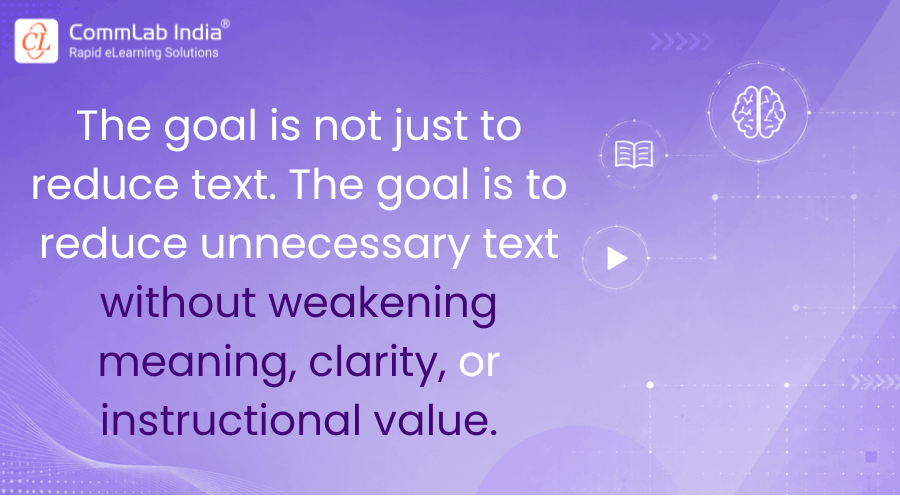
Text Reduction Is Not the Same as Instructional Simplification
One of the most common GenAI mistakes is mechanical compression.
The designer takes a long explanation and asks AI to “make it shorter,” “reduce the word count,” or “simplify the language.” AI does exactly that. The screen looks cleaner. Everyone feels better.
But something may have happened in the process.
The language became shorter, but the learning did not become stronger. In some cases, the explanation may even have become weaker. Important nuance may have disappeared. The logic may have become less explicit. The learner may now see fewer words but understand less.
A strong screen is not one with less text. It is one where the learner can understand the point clearly, with the right support, at the right moment, in the right form.
Sometimes that means less text.
Sometimes it means different text.
Sometimes it means moving the explanation into narration.
Sometimes it means replacing the explanation with a visual, example, contrast, scenario, or interaction.
That is where GenAI becomes useful.
Where GenAI Helps Most with Text-Heavy eLearning?
In my view, GenAI is especially useful in reducing text-heavy learning in five ways.
1. Identifying Screens at Risk of Overload
This is one of the best first uses.
Instead of waiting until the eLearning storyboard feels crowded, ask AI to review the draft and flag screens that are likely to become text-heavy, conceptually dense, or visually flat. This is important because many overloaded screens do not look obviously bad to the designer in the moment. They simply look “complete.”
AI can help by identifying:
- long explanation blocks
- repeated ideas
- screens with too many bullets
- concepts that require visualization
- sections where the learner is being told too much without being shown enough
This is not a final judgment. But it is a very useful early warning system.
2. Suggesting Alternative Learning Treatments
This is where the real value begins.
A text-heavy screen usually means one of two things: either too much information is sitting in one place, or the information has not yet been translated into a better learning form.
GenAI can help the designer ask a stronger question:
What is another way to teach this?
It can suggest:
- a process visual instead of a paragraph
- a comparison table instead of prose
- a short scenario instead of explanation
- a worked example instead of abstract description
- a learner decision point instead of more text
- a sequence interaction instead of a long list
This is far more valuable than asking AI to shorten the text. It moves the design from verbal density toward instructional variety.
3. Separating On-Screen Content from Narration
A lot of text-heavy eLearning happens because the designer tries to put too much explanation on the screen itself.
GenAI can be very helpful here if used correctly.
It can help divide content into:
- what the learner needs to see
- what the learner may hear
- what can be implied visually
- what can be reinforced through an example or interaction
This is an important design judgment. The screen and the narration should not compete with each other or say the same thing twice. Yet this duplication is common, especially when teams move fast.
Used well, AI can help the instructional designer move detail off the screen while keeping understanding intact. Used badly, it can simply rewrite the same explanation into two formats and create redundancy.
So the question is not, “Can AI write narration?”
The better question is, “Can AI help distribute meaning more effectively across screen, visuals, and voice?”
That is a much better use of it.
4. Generating Examples, Analogies, and Scenarios
Sometimes a screen becomes text-heavy not because the content is too long, but because the explanation is too abstract.
When that happens, cutting text may not help much. What the learner needs is not a shorter explanation, but a more concrete one.
This is where GenAI can be particularly valuable. It can generate examples, analogies, mini-scenarios, and comparisons that make a concept easier to grasp without requiring long exposition.
For example, instead of explaining a policy principle in four bullets, the course may teach it more effectively through a short workplace situation. Instead of describing a process in abstract terms, a simple visual analogy may do the job better. Instead of listing errors to avoid, a “spot the problem” interaction may create stronger engagement and better retention.
This is the kind of transformation that matters.
It is not about reducing text for cosmetic reasons. It is about choosing a better learning form.
5. Challenging Oversimplification
This may be the most underused application.
If AI helps simplify content, it should also be asked to critique the simplification. That is where challenge-based prompting becomes valuable again.
Ask:
- What has been lost in this compressed version?
- Which part of this screen may now be too vague?
- Have we removed any necessary qualifiers?
- Would a novice learner misunderstand this shorter version?
- Is the simplification helping learning or merely reducing visible text?
These are excellent questions because they prevent the designer from confusing brevity with clarity.
A shorter screen is not always a better screen.
What is the Real Danger with GenAI?
Clean but Thin Learning. This is the trap many teams fall into.
GenAI helps them reduce visible clutter. The screens look cleaner. The writing feels smoother. The course appears more modern. But underneath, the learning may have become thinner.
The nuance is gone.
The decision-making has not improved.
The learner has less to read, but not necessarily more to understand.
The design looks better, but it teaches less.
This is a serious risk because polished minimalism can hide instructional weakness just as easily as dense text can.
That is why reducing text should never be treated as a cosmetic exercise. It must remain tied to learning purpose.
The designer still has to ask:
- What does the learner actually need here?
- What can be removed safely?
- What must remain explicit?
- What should be shown instead of stated?
- What should be practiced instead of explained?
If AI is not helping answer those questions, then it is not really helping with the problem.
What is a Better Way to Work with GenAI?
In practice, the stronger workflow looks something like this.
First, identify the screens likely to become text-heavy.
Then ask AI not just to shorten them, but to generate alternatives:
- What could become a visual?
- What could become a scenario?
- What could move into narration?
- What could be turned into an example?
- What could be assessed rather than explained?
Then review those alternatives critically.
Ask AI to identify where simplification may have gone too far. Ask which version best supports understanding. Ask which version is feasible in the chosen authoring tool. Ask which version adds learning value rather than decorative interaction.
That is where GenAI becomes genuinely useful.
Not when it simply reduces words.
But when it helps the designer rethink how the content should be taught.
The Larger Point
Text-heavy eLearning is rarely just a writing problem.
It is usually a signal that the design has not yet fully matured. The course is still leaning too heavily on explanation, too lightly on experience, structure, and instructional choice.
That is why GenAI should not be used merely to trim language. It should be used to challenge the assumption that explanation must remain in text form at all.
That is a much more powerful intervention. Because the future of good eLearning is not less text for its own sake. It is better learning treatment.
And if GenAI can help instructional designers get there faster—without flattening meaning or weakening thought—then it is being used well. That is the standard that matters.
Next in the series: Better Assessments with GenAI: Support, Not Automation.