Business moves fast. People learn even faster. And somewhere in the middle, L&D teams are trying to create training that actually sticks.
But here’s the truth: today’s learners no longer respond to long slides, dense text, or click-next courses. They crave experiences. They want to explore, try, fail safely, and actually do things — not just read about them.
That’s exactly where interactive learning comes in. It turns training into something learners can touch, test, question, and play with. It transforms those “I’ll skim this later” courses into “Wait, this is actually useful” moments.
In this blog, we’re going to unpack what makes interactive learning so powerful and how you can design courses that feel less like training — and more like real learning.
Let’s jump in.
Download eBook: Advanced Instructional Design Meets AI
Table Of Content
- What is Interactive Learning?
- What are the Key Benefits of Interactive eLearning?
- How to Design Interactive eLearning Courses — 7 Actionable Tips
What is Interactive Learning?
Interactive learning is a training approach where learners actively engage with the content instead of passively consuming it.
It involves participation, decision-making, and hands-on activities.
The goal is to make learning more immersive, memorable, and practical.
Types of Immersive Learning:
1. Scenario-Based Learning
Learners make decisions in real-world situations and see the consequences of their choices. This builds critical thinking and problem-solving skills.
2. Simulations (Process, Product, or Soft Skills)
These recreate real environments—like operating a machine, handling a customer call, or completing a workflow—allowing learners to learn by doing in a risk-free space.
3. Gamified Learning
Points, badges, timers, leaderboards, and game mechanics make learning competitive, motivating, and fun.

4. Branching Scenarios
Multiple story paths allow learners to explore consequences and develop decision-making skills. Each choice leads to a different outcome or learning direction.
5. Microlearning with Interactions
Short, focused modules that include quizzes, drag-drops, hotspots, flashcards, or mini-scenarios to reinforce learning quickly and effectively.
6. AR/VR-Based Interactions
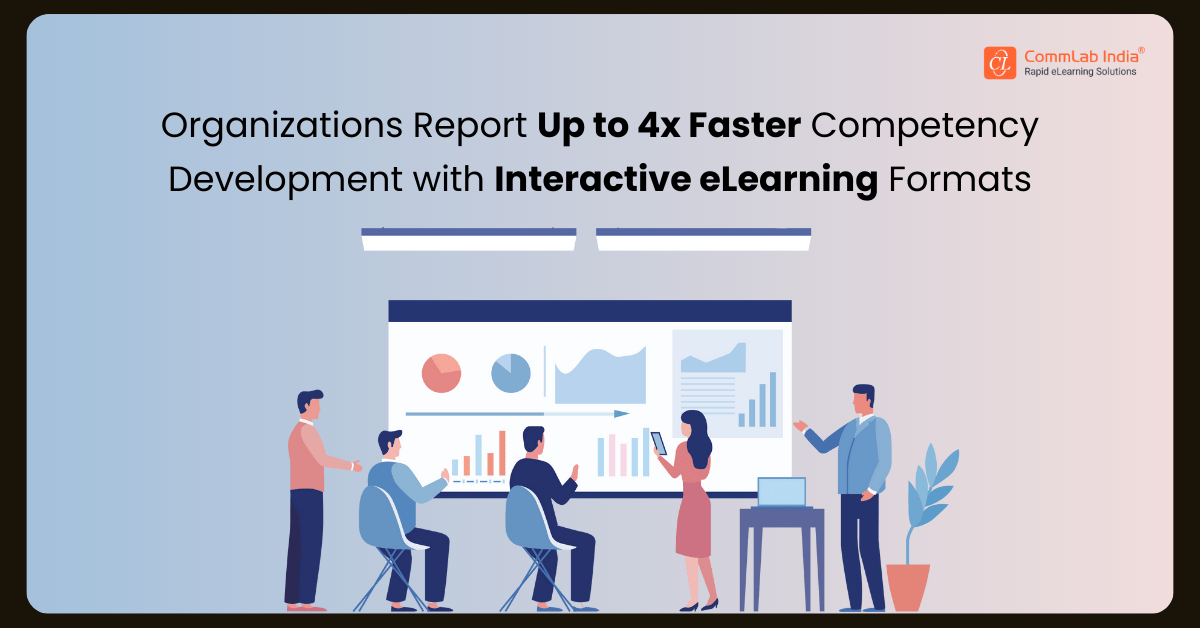
Immersive environments allow learners to experience real-world contexts—such as safety drills or equipment handling—through augmented or virtual reality. This hands-on realism accelerates learning dramatically. In fact, PwC reports that learners using VR-based immersive training complete programs up to four times faster than those in traditional classroom settings.
7. Simulation-Based Assessments
Instead of selecting answers, learners perform tasks, follow procedures, and apply skills—making assessments more authentic and accurate.
8. Social & Collaborative Interactions
Discussion boards, problem-solving activities, peer reviews, and group tasks that foster shared learning and collective knowledge building.
9. Interactive Videos
Learners click hotspots, answer questions, or choose different paths within a video, turning passive viewing into active learning. This boosts engagement and reinforces key concepts. With smart video creation, you can deliver sharper, more immersive learning experiences.
10. Interactive Infographics & Visuals
Clickable diagrams, expandable sections, and layered visuals that help simplify complex concepts through exploration.
Watch the 7 Strategic Moves That Shape High-Impact Interactive eLearning
What are the Key Benefits of Interactive eLearning?
Interactive eLearning drives higher engagement and faster skill acquisition by turning passive content into active learning experiences. It reduces time to competency, lowers training costs, and improves on-the-job performance through realistic practice and immediate feedback.
Several other impactful gains include:
1. Direct Impact on Workforce Performance
Interactive eLearning accelerates skill acquisition by requiring employees to apply concepts through scenarios and simulations. This closes performance gaps faster, increases operational accuracy, and strengthens execution on the job.
2. Reduced Time to Competency
Active learning compresses training time without compromising depth. Employees reach proficiency sooner, enabling organizations to redeploy talent faster and reduce the overall cost of training hours.
3. Lower Operational and Compliance Risk
By allowing employees to practice and make decisions in controlled digital environments, organizations reduce costly errors, rework, safety incidents, and compliance violations. This translates into measurable risk mitigation.
4. Scalable Training at a Predictable Cost
Interactive eLearning delivers consistent training across geographies and time zones. Once developed, it scales without additional facilitation or logistics costs—improving cost efficiency as the workforce grows.
5. High-Value Data for Strategic Decision-Making
Interactivity generates rich learner data, providing visibility into capability gaps, readiness levels, and content effectiveness. These insights empower leadership to prioritize investments, refine training strategies, and align learning with business objectives.
How to Design Interactive eLearning Courses — 7 Actionable Tips
Where Can Interactive Learning Create the Most Impact?
- Compliance Training – Builds judgment and reduces risk through scenarios, simulations, and real-world decision-making.
- Product & Process Training – Helps learners practice workflows, operate tools, and understand features through hands-on digital environments.
- Sales & Customer Service Training – Strengthens conversation skills, objection handling, and customer interactions using branching scenarios.
- Onboarding & Role Readiness – Accelerates new-hire proficiency with guided exploration, assessments, and interactive walkthroughs.
- Technical & Safety Training – Allows employees to learn complex tasks or safety procedures in controlled, low-risk simulations.
Designing interactive eLearning requires a thoughtful blend of instructional strategy, visual clarity, and meaningful learner participation. It’s about moving beyond information delivery to create experiences that engage, challenge, and motivate learners. These seven practical tips will help you build courses that are both interactive and impactful.
Tip #1: Build an Emotional Connect — Weave the Magic of Storytelling
Storytelling is a powerful tool that adds context and emotional connection to learning content. Incorporate compelling narratives that resonate with learners' experiences and challenges. For instance, in a compliance training course, use a storytelling approach to illustrate real-life scenarios where ethical dilemmas arise, prompting learners to make decisions and understand the consequences of their choices.
Tip #2: Make Learning Fun — Gamify Courses
Gamification introduces game-like elements such as points, badges, levels, and leaderboards into eLearning courses. For example, award badges for completing modules, offer points for correct answers in quizzes, and create leaderboards to encourage healthy competition among learners. You can also tie small perks to incentivize learners and boost active participation. Gamified elements motivate learners, increase engagement, and provide immediate feedback, enhancing the overall learning experience.
Tip #3: Offer Snackable Learning Bites — Say Yes to Microlearning
Microlearning promotes active learning, prevents cognitive overload, and promotes just-in-time learning by allowing access to relevant information quickly and efficiently. Break down complex topics into bite-sized microlearning modules that focus on specific learning objectives. For instance, create short videos or interactive tutorials that demonstrate key features or workflows for easy content consumption.
Tip #4: Involve Learners in Real-World Examples — Go for Scenario-Based Learning
Create realistic scenarios that mirror the challenges employees face in their roles while performing day-to-day job tasks. For example, in a customer service training course, present learners with customer inquiries or complaints and guide them through the steps to resolve issues effectively. Scenario-based learning immerses learners in practical situations, encourages critical thinking, and reinforces skills application in a safe learning environment. This improves their decision-making and problem-solving skills and they feel more confident and ready for new work challenges.

Tip #5: Leverage the Power of Technology — Say Yes to VR Simulations
Explore the use of virtual reality (VR) simulations for hands-on training in environments that are difficult or expensive to replicate. For instance, in safety training, create VR simulations of hazardous scenarios like fire drills or equipment malfunctions. VR simulations provide experiential learning opportunities, allowing learners to practice skills and procedures in realistic settings, ultimately improving performance and safety.
Tip #6: Captivate Learners — Integrate Multimedia Elements
Looks do matter — make your eLearning courses visually appealing. Integrate multimedia elements such as videos, animations, infographics, and audio narration to enhance engagement and comprehension. For instance, in a product training course, use interactive animations to demonstrate product features and benefits, and rest assured that your sales reps will remember most of them for a longer period. Multimedia elements cater to diverse learning styles, make content more visually appealing, and increase information retention.
Tip #7: Make Evaluation Enjoyable — Plan Interactive Assessments
Design assessments that go beyond traditional multiple-choice questions. Incorporate interactive elements such as drag-and-drop activities, scenario-based quizzes, and simulations. For example, in sales training, use interactive assessments to present learners with dilemmas while pitching the right product and assess their decision-making skills. Interactive assessments make evaluation engaging, provide immediate feedback, and help identify areas for improvement.
Conclusion
Interactive learning is redefining what effective training looks like—and as an instructional designer, you sit right at the heart of this shift. Today’s learners expect more than content; they expect experiences that immerse them, challenge them, and help them apply what they learn with confidence. Your ability to design those experiences is what transforms training from “something employees complete” into “something that drives performance.”
And with AI expanding what's possible in instructional design—from smarter workflows to personalized learning paths—you now have the tools to create impact at a scale and speed the industry has never seen. Your role isn’t just evolving; it’s becoming more strategic, more creative, and more essential than ever.
If you’re ready to deepen your expertise and stay ahead of this transformation, this eBook is your next step. Inside, you’ll explore modern instructional strategies, discover practical GenAI tools in action, learn how to hook and retain learners from start to finish, and dig into real case studies packed with tips and proven techniques you can put to work immediately.
Download now.