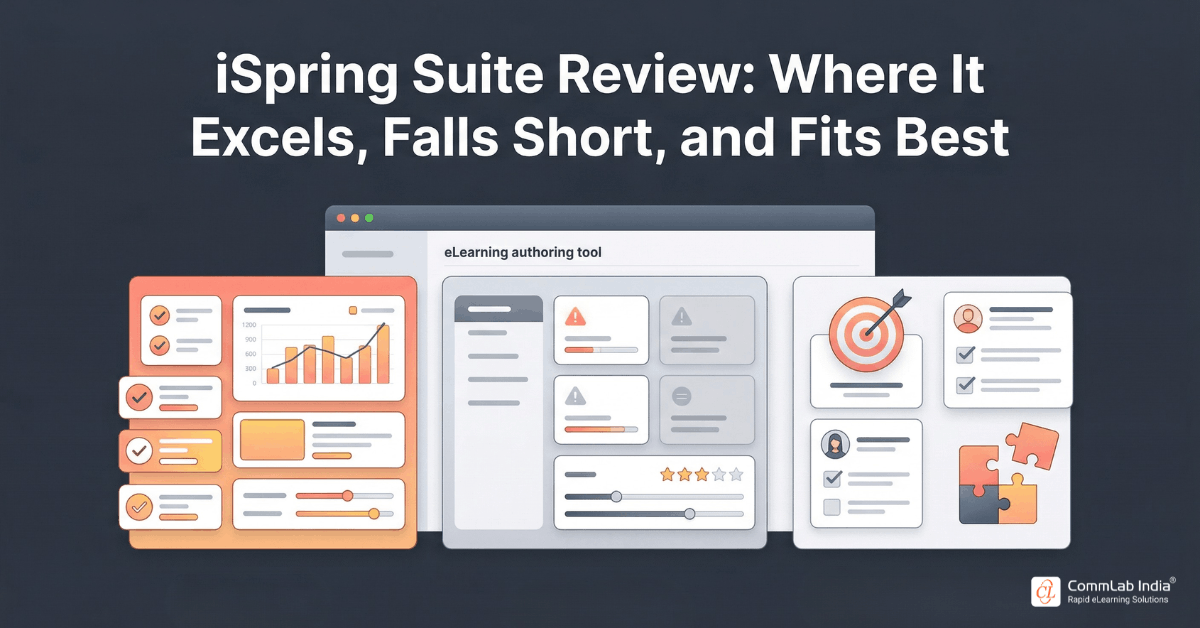
Most organizations do not struggle to find eLearning tools. They struggle to choose the right one.
The market is crowded with authoring platforms, learning systems, all-in-one training suites, and feature-rich ecosystems that promise speed, engagement, and scale. Yet when buying teams move from product pages to actual evaluation, the decision quickly becomes less about feature abundance and more about operational fit.
- Can the tool match how your team actually works?
- Will it scale with the type of training you need to deliver?
- Will it empower your internal team or create new dependencies?
- And perhaps most importantly, will it solve the right problem or simply introduce a different kind of complexity?
That is the context in which iSpring is best evaluated.
iSpring is often recognized for its PowerPoint-based authoring simplicity, rapid eLearning capabilities, and accessible learning curve. But for serious buyers, that surface-level positioning is not enough. What matters is understanding where the platform genuinely creates value, where its boundaries begin to show, and how its broader ecosystem, including iSpring Suite, iSpring Suite Max, and iSpring Learn LMS, fits into different organizational needs.
This article offers a more grounded evaluation. Not a product pitch, and not a generic review roundup, but a strategic fit assessment for L&D teams, training managers, and enterprise buyers trying to determine whether iSpring is the right choice for their learning stack.
Download eBook Now: Rapid eLearning Authoring Tools
Table of Contents
- How to Evaluate iSpring the Right Way
- What iSpring Is Really Optimized to Do
- Where iSpring Stands Out in Day-to-Day Learning Operations
- The Limits Buyers Should Understand Upfront
- iSpring Suite vs iSpring Suite Max: What Actually Changes
- Evaluating iSpring Learn LMS as Part of the Ecosystem
- Who iSpring Fits Best and Who Should Think Twice
- A Practical Buyer Framework for Assessing iSpring
- FAQs
How to Evaluate iSpring the Right Way
One of the biggest mistakes buyers make when assessing authoring tools or LMS platforms is evaluating them as if all training needs are fundamentally the same.
They are not.
A tool that performs exceptionally well for onboarding, compliance, product enablement, or process training may not be the strongest option for deeply custom simulations, advanced immersive learning, or highly engineered digital academies.
That means the right question is not simply, “Is iSpring good?”
The better question is: “What kind of learning operation is iSpring designed to support, and how well does that align with ours?”
That shift matters because iSpring is not trying to win on maximum complexity. Its strongest value proposition is different. It is optimized for organizations that need to create and deliver professional, interactive training quickly, reliably, and without excessive technical friction. iSpring positions Suite Max as an all-in-one authoring bundle for courses, quizzes, dialogue simulations, video tutorials, and content-library access, while iSpring Learn is positioned as the LMS layer for managing and delivering training at scale.
If that operating model aligns with your needs, iSpring can be a strong fit. If your learning strategy depends on highly bespoke experiences or heavy technical extensibility, its trade-offs become more important.
So the goal of evaluation is not to look for perfection. It is to understand fit.
What iSpring Is Really Optimized to Do
To evaluate iSpring fairly, you have to understand what problem it is fundamentally built to solve.
At its core, iSpring is designed to make professional eLearning creation more accessible and more efficient, especially for teams that need to build business-ready learning without investing in highly specialized development workflows. The authoring environment is centered around PowerPoint-based production, while still supporting quizzes, dialogue simulations, video tutorials, screen recordings, and LMS-ready publishing. iSpring also continues to add AI-assisted creation and translation features, reinforcing its position as a speed-and-usability-oriented toolset.
That means iSpring tends to perform especially well when organizations need to:
- convert existing training into structured eLearning quickly
- enable SMEs or lean L&D teams to create learning content
- standardize training across departments or geographies
- support repeatable corporate training workflows
- reduce development dependency on specialist authoring talent
This matters because many buying decisions go wrong when organizations buy for edge cases instead of common use cases.
If 80 percent of your training need is practical, structured, business-facing content that must be produced efficiently, iSpring is often a much stronger contender than buyers initially assume.
Where iSpring Stands Out in Day-to-Day Learning Operations
A tool can look impressive in demos and still fail in day-to-day production. What often matters more is how it behaves under real operational pressure: short deadlines, SME bottlenecks, revision cycles, rollout requirements, and administrative overhead.
This is where iSpring earns much of its positive market perception.
Across review platforms, users consistently highlight three recurring strengths: ease of use, speed of development, and support quality. G2 reviewers describe iSpring Suite as highly intuitive for turning existing slides into LMS-ready learning, while iSpring LMS reviews repeatedly point to straightforward administration and responsive support. Capterra reviews echo a similar pattern, particularly around converting PowerPoint content into working SCORM packages with minimal friction.
Where this shows up most clearly
1) Faster production for common enterprise training
iSpring is particularly effective when organizations need to build high volumes of training quickly, such as onboarding modules, compliance refreshers, product updates, or process training.
2) Lower dependency on specialist teams
Because the interface is more approachable than many advanced authoring platforms, SMEs and smaller learning teams can contribute more directly.
3) More manageable admin burden
For teams using iSpring Learn LMS, reviewers often point to ease of administration, course assignment, learner management, and practical reporting as everyday advantages.
These may not sound glamorous compared to high-end feature marketing, but they are exactly the kinds of factors that determine whether a platform actually gets adopted internally.
The Limits Buyers Should Understand Upfront
A strong review is not one that only highlights strengths. It is one that makes the limitations visible before they become expensive surprises.
iSpring’s limitations are not necessarily deal-breakers, but they are important to understand in the context of your learning strategy.
1) It is strongest in structured corporate learning, not extreme custom build scenarios
iSpring excels when training needs are practical, repeatable, and professionally structured. But if your roadmap depends heavily on deeply customized immersive experiences, advanced game-like mechanics, or niche interactive engineering, it may feel constrained compared with tools built for more bespoke production.
This does not make it weak. It simply means it is optimized for a different kind of efficiency.
2) Some advanced creators may outgrow the ceiling
Because iSpring is intentionally designed to be easier to use, some teams with highly mature authoring practices may eventually want more technical flexibility or more unconventional interaction models.
That trade-off is common: the easier a tool is to operationalize, the more likely it is to be intentionally bounded in complexity.
3) LMS buyers should pay attention to integration depth and reporting expectations
Community and review feedback on iSpring Learn LMS is generally positive around usability and support, but some users do call out integration breadth, API limitations, and reporting depth as areas where more advanced enterprise buyers may want to validate fit carefully before purchase. G2 summaries and user review excerpts repeatedly surface these concerns.
4) The ecosystem works best when you want a practical, relatively contained stack
iSpring becomes especially compelling when you want authoring and delivery to work closely together. But if your environment requires a heavily composable, deeply integrated enterprise learning architecture with many custom dependencies, you should evaluate carefully.
A useful way to think about the trade-off
| If you value… | iSpring is likely strong when… | iSpring may feel limited when… |
| Speed and ease | You need fast, repeatable course creation | You need highly engineered custom experiences |
| Team accessibility | SMEs and lean teams must build content | Only advanced specialists will author content |
| Practical LMS administration | You need straightforward deployment and learner management | You require very deep enterprise integrations and highly customized analytics |
| Cost-to-output efficiency | You want professional results without heavyweight production | You are optimizing for edge-case complexity over common-use productivity |
The point is not that iSpring is “less powerful.” It is that its power is concentrated in a very specific and useful operational zone.
Rapid eLearning Authoring Tools
Explore the What and the Why of Popular Rapid eLearning Development Tools, and GenAI Tools
- Categories of eLearning Authoring Tools
- Considerations to Choose Your Next Authoring Tool
- Features of Popular Rapid Authoring Tools
- GenAI Tools to Create Content, Graphics, Audio, and Video
iSpring Suite vs iSpring Suite Max: What Actually Changes
One of the most common buyer questions is whether iSpring Suite Max is meaningfully different from standard iSpring Suite, or whether it is mostly a packaging change.
The practical answer is that the value of Suite Max depends on how collaborative, asset-heavy, and content-production-intensive your workflow is.
Based on iSpring’s current positioning, Suite Max extends the core authoring experience by bundling a broader all-in-one creation environment, including content library access, collaboration-oriented cloud space, and additional production support around creating courses, quizzes, dialogue simulations, and video tutorials. iSpring’s product pages and recent AI feature updates also indicate a stronger emphasis on cloud-supported authoring, faster ideation, and AI-assisted course creation workflows.
In practical terms, Suite Max tends to matter more when:
- you produce content at a higher volume
- multiple contributors are involved in creation or review
- visual assets and reusable templates meaningfully affect speed
- you want to reduce design friction during development
It matters less when:
- your team creates only occasional courses
- your workflow is simple and internally self-contained
- you do not need content-library acceleration or broader authoring support
So the right question is not “Is Max better?”
It is: “Will the added production environment materially reduce time, dependency, or effort in our workflow?”
If yes, the upgrade may be justified. If not, the base authoring value may already cover what you need.
Evaluating iSpring Learn LMS as Part of the Ecosystem
Another area where buyers often need clarity is whether iSpring Learn LMS should be evaluated as a standalone LMS choice or primarily as part of the broader iSpring ecosystem.
The answer is: both, but context matters.
On its own, iSpring Learn is positioned as a practical corporate LMS focused on onboarding, compliance, employee development, certifications, automation, and relatively quick implementation. Vendor materials and third-party reviews consistently emphasize ease of use, streamlined administration, structured learning paths, and close integration with iSpring authoring. Review aggregators also show generally strong user sentiment, especially around usability and support.
Where it becomes particularly compelling is when organizations want a more unified content-and-delivery workflow.
iSpring Learn is often a strong fit when you want:
- a relatively fast LMS rollout
- close alignment between content creation and delivery
- structured employee, partner, or customer training
- practical compliance, onboarding, and certification workflows
- an admin experience that does not require heavy technical overhead
It may require closer scrutiny when you need:
- highly advanced analytics and BI-level reporting
- unusually complex integration ecosystems
- very deep enterprise extensibility
- large-scale architecture that depends on heavy customization
This does not automatically disqualify it. It simply means that LMS evaluation should be tied to the complexity of your environment, not just your immediate training needs.
Who iSpring Fits Best and Who Should Think Twice
The most useful software reviews are not the ones that ask whether a tool is “good” in the abstract. They ask who it is genuinely built for.
iSpring is often a strong fit for:
- L&D teams that need speed without sacrificing professionalism
- mid-sized to enterprise organizations with recurring training needs
- teams with strong PowerPoint-based content foundations
- training functions that want SMEs to contribute more directly
- organizations prioritizing practical deployment over technical experimentation
- buyers seeking a relatively approachable authoring + LMS ecosystem
Buyers should evaluate more cautiously if they need:
- heavily custom immersive or simulation-heavy learning experiences
- unusually advanced interaction design flexibility
- deep API-driven architecture and ecosystem extensibility
- highly customized reporting environments across enterprise systems
This is where buyer discipline matters.
A platform should not be rejected because it is not designed for edge-case complexity. It should be rejected only if your actual operating model depends on that complexity.
And for many organizations, it does not.
A Practical Buyer Framework for Assessing iSpring
If you are evaluating iSpring seriously, the most effective approach is not to compare feature lists in isolation. It is to test the platform against the real operational realities of your learning environment.
Use these five questions to assess fit
1) What percentage of our training needs are structured, repeatable, and business-facing?
If the answer is high, iSpring is likely more relevant than tools optimized for niche custom development.
2) How important is speed-to-deployment in our learning model?
If your organization must ship training quickly and often, usability matters more than theoretical feature depth.
3) Who will actually build the content?
If your model depends on SMEs, lean L&D teams, or distributed contributors, accessibility is a major buying factor.
4) How integrated and customized does our LMS environment need to be?
If your reporting, data, or systems environment is unusually complex, you should validate those needs early.
5) Are we buying for our real workflow or for exceptional edge cases?
This is often the most important question of all.
Because many teams overbuy complexity and then underuse the tool.
And that is often more expensive than buying something slightly less flexible but far more usable.
FAQs
1. Is iSpring a good authoring tool for corporate training?
A. Yes, especially for organizations that need to create professional training quickly and efficiently. It is particularly strong for structured corporate learning such as onboarding, compliance, product, and process training.
2. What are the main limitations of iSpring?
A. Its main limitations typically appear when organizations need highly custom immersive experiences, deeper technical extensibility, or more advanced LMS integrations and reporting than standard corporate training environments require.
3. Is iSpring Suite Max worth it?
A. It can be, especially for teams producing content at scale or needing richer asset support, cloud-assisted creation, and a broader all-in-one authoring environment. For smaller or simpler workflows, standard iSpring Suite may already be sufficient.
4. Is iSpring Learn a good LMS?
A. For many organizations, yes. It is generally well regarded for usability, practical administration, and close alignment with training operations, though more complex enterprise buyers should validate integrations and reporting carefully.
5. Who is iSpring best suited for?
A. It is best suited for organizations that prioritize speed, ease of use, practical training deployment, and manageable internal adoption over highly custom technical complexity.
6. Is iSpring better than more advanced authoring tools?
A. That depends entirely on your needs. If your organization values speed, accessibility, and efficient production, iSpring may be the better fit. If you need maximum customization and advanced interaction engineering, other tools may be more appropriate.
7. Is iSpring a good choice for lean L&D teams?
A. Yes. That is one of its strongest use cases. Its approachable workflow makes it especially useful for teams that need to produce high-quality learning without large specialist development teams.
Conclusion
iSpring is easiest to underestimate when it is evaluated only at the surface level.
Because on the surface, it can appear to be “the PowerPoint-based tool” or “the easy-to-use LMS.” But that framing misses the more important truth.
Its real value lies in how effectively it supports the kind of learning operations most organizations actually run.
It helps teams create training faster, involve more contributors, reduce unnecessary complexity, and deploy learning in a way that feels practical rather than burdensome. That may not make it the ideal choice for every edge-case learning strategy, but it makes it highly relevant for a large proportion of real-world corporate training needs.
And for buyers making serious platform decisions, that distinction matters.
The right tool is not the one with the most possible capability.
It is the one that creates the most usable capability for your context.
And that is exactly where iSpring often proves its worth.