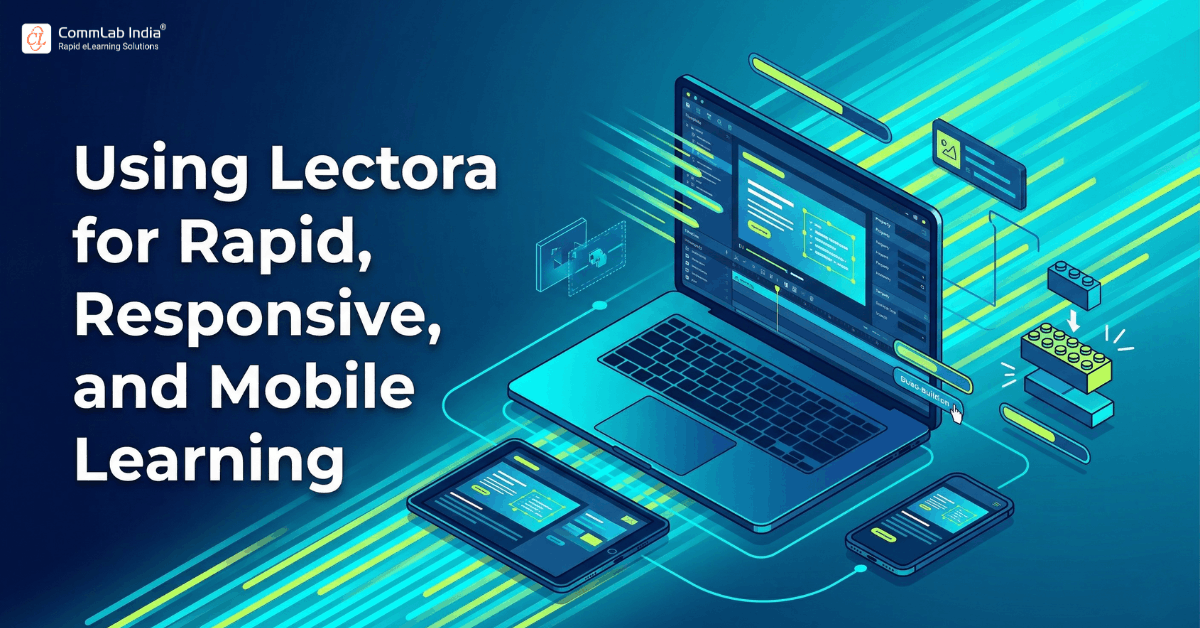
Speed alone does not make digital learning effective. In enterprise training, speed only matters when it leads to learning that is usable, scalable, and aligned with how employees actually access content today. That is why conversations about rapid eLearning need to go beyond production timelines and include a more important question: can training be developed quickly without compromising learner experience across devices, formats, and modern delivery expectations?
This is where Lectora earns attention.
Lectora has long been associated with flexibility in eLearning development, but its value becomes especially clear when organizations are trying to modernize training delivery. Learning teams are often under pressure to move fast, update legacy content, support mobile access, and deliver courses that work smoothly across desktops, tablets, and smartphones. At the same time, they need to maintain instructional quality, tracking compatibility, and content consistency across large audiences.
That combination of demands has made rapid eLearning more complex than it once was. It is no longer enough to convert content quickly into digital format. Courses must now be responsive, HTML5-ready, compatible with modern LMS environments, and usable in real work contexts where learners may begin a module on one device and continue it on another.
In that environment, Lectora for rapid eLearning is not simply about building courses faster. It is about creating a development workflow that supports speed with structure, responsive design with control, and mobile delivery with practical usability.
In simple terms, Lectora helps organizations create modern digital learning experiences that can be developed efficiently, delivered across devices, and adapted to evolving enterprise training needs.
That is what makes it especially relevant for teams focused on modern delivery, scalable production, and the transition from legacy course formats to more flexible learning experiences.
Download eBook Now: Rapid eLearning Authoring Tools
Table of Contents
- Where Lectora Fits in Fast and Scalable Course Development
- How Lectora Supports Responsive Learning Across Devices
- Why Mobile Learning Requires More Than Smaller Screens
- Lectora’s Role in HTML5 Delivery and Legacy Course Modernization
- When Lectora Is a Strong Fit for Modern Learning Delivery
- How to Use Lectora More Strategically for Scalable Development
- FAQs
Where Lectora Fits in Fast and Scalable Course Development
Lectora fits well in environments where training teams need to move quickly but cannot afford to sacrifice flexibility. That balance is important because many organizations discover that the fastest authoring route is not always the most sustainable one. What seems efficient in the first release can become limiting when courses need updates, mobile adaptation, localization, or reuse across business units.
Lectora supports scalable development because it allows teams to work with templates, reusable structures, interaction patterns, and responsive design models in a more controlled way. This makes it especially valuable for learning teams that need both speed and depth.
Its strength lies in the fact that it can support rapid production without forcing every course into a rigid, one-size-fits-all format. That is important for organizations that need a mix of learning types, including short refreshers, responsive modules, mobile learning assets, process training, and updated conversions from older formats.
Lectora is especially useful when teams need to:
- Develop courses quickly across multiple topics
- Maintain consistency across a training portfolio
- Support content reuse and faster updates
- Build responsive learning without redesigning from scratch each time
- Modernize older training assets into current formats
This makes Lectora a good fit for enterprise teams that view rapid eLearning as a production system rather than a series of one-off projects.
Speed becomes more valuable when it is repeatable
One of the most overlooked aspects of rapid eLearning is repeatability. A single fast build is helpful, but the real operational advantage comes when teams can repeat that efficiency across dozens or hundreds of courses.
Lectora supports this by making it easier to create structured frameworks that can be reused over time. This may include page templates, navigation models, learning interactions, visual standards, and publishing workflows. When these elements are standardized intelligently, development becomes faster without becoming shallow.
That is often the difference between rapid output and scalable output. Lectora is stronger when used to build that second kind of system.
How Lectora Supports Responsive Learning Across Devices
Responsive learning is now a baseline expectation, not a premium feature. Employees access learning in offices, in the field, while traveling, between meetings, and sometimes across several devices in the same week. Courses that only function well on a desktop screen no longer reflect how workplace learning is consumed.
Lectora supports responsive learning by enabling courses to adapt to different screen sizes while giving development teams more control over layout behavior and learning presentation. This is valuable because responsive delivery is not simply about shrinking content to fit a smaller device. It is about preserving clarity, usability, and interaction quality when the learner experience changes.
That distinction matters. A course may technically open on a phone yet still feel frustrating to navigate if menus are cramped, interactions are hard to tap, or visual hierarchy collapses. Lectora helps address this by allowing authors to design more intentionally for different views and usage conditions.
Responsive design becomes especially important when learning includes:
- process diagrams or visual explanations
- layered information that must stay readable
- click-based interactions and decision points
- short, role-based learning modules
- field or frontline access needs
In these situations, responsiveness affects not only convenience but also comprehension.
Responsive learning is also a business issue
It is easy to treat responsive design as a technical concern, but in enterprise settings it has business implications. If training is hard to use on the device learners actually prefer, completion rates can drop, engagement can weaken, and support requests can rise. This becomes especially costly in large-scale rollouts.
Lectora helps organizations address this by making responsive delivery part of the development strategy rather than a last-minute conversion step. That approach tends to produce better learning experiences and more dependable rollouts across audiences.
The table below shows how Lectora’s responsive strengths connect to broader training needs.
| Training Need | Why It Matters | How Lectora Helps |
| Multi-device access | Learners use desktops, tablets, and smartphones | Supports responsive course behavior across devices |
| Clear content presentation | Readability affects understanding and completion | Allows more controlled layout adaptation |
| Consistent user experience | Inconsistent navigation reduces usability | Helps standardize responsive structures |
| Scalable rollout | Large audiences need reliable access | Supports modern delivery across multiple contexts |
| Reduced redesign effort | Manual rework slows production | Enables more repeatable responsive workflows |
Why Mobile Learning Requires More Than Smaller Screens
Mobile learning is sometimes misunderstood as a visual format change. In reality, it is a different learning context. Learners on mobile devices are often working with less time, more distraction, shorter attention spans, and different interaction patterns. This means mobile learning must be designed for usability as much as for accessibility.
Lectora is useful in mobile learning because it supports the creation of courses that can be delivered in HTML5, accessed across devices, and structured for a more flexible learning experience. Yet the real value lies in how it can help teams think beyond device compatibility and design for mobile use.
That includes designing learning that is:
- Shorter and more focused
- Easier to navigate with touch interaction
- Visually clear without overcrowding
- Structured for quick decision-making or reinforcement
- Adaptable to just-in-time access needs
Mobile learning is often about context, not just convenience
Many employees do not use mobile devices merely because they prefer them. They use them because their work conditions make desktop learning less practical. Sales representatives, field technicians, warehouse teams, healthcare workers, customer support staff, and managers on the move often need learning that fits around work rather than requiring them to stop work entirely.
In these situations, mobile learning is closely connected to relevance and timing. Lectora can help teams deliver training that fits these environments more effectively, especially when content needs to be short, responsive, and easy to use on the go.
This makes Lectora a strong option for learning strategies that include:
- refreshers for field teams
- onboarding support for distributed employees
- product updates for sales teams
- quick process guidance
- compliance reminders
- modular learning journeys delivered over time
The point is not simply that Lectora can publish mobile-compatible content. It is that it can support learning experiences designed for actual mobile use cases.
Rapid eLearning Authoring Tools
Explore the What and the Why of Popular Rapid eLearning Development Tools, and GenAI Tools
- Categories of eLearning Authoring Tools
- Considerations to Choose Your Next Authoring Tool
- Features of Popular Rapid Authoring Tools
- GenAI Tools to Create Content, Graphics, Audio, and Video
Lectora’s Role in HTML5 Delivery and Legacy Course Modernization
For many organizations, modern learning delivery is not only about creating new content. It is also about dealing with old content that no longer fits current technology environments. Legacy courses built in outdated formats often become expensive liabilities when they cannot run reliably on current browsers, mobile devices, or modern LMS platforms.
This is where HTML5 delivery becomes strategically important.
Lectora has long been associated with supporting HTML5-based eLearning, which makes it relevant for organizations updating training from older formats into more current, device-friendly delivery models. The real value here is not just technical conversion. It is the opportunity to rethink how legacy training is delivered and experienced.
Modernizing legacy content should not mean preserving old problems
When organizations convert legacy training, there is often a temptation to replicate the old course exactly in a new format. That may save time in the short term, but it can also preserve weak navigation, poor interactivity, overloaded screens, and outdated learner expectations.
A better approach is to use conversion as a modernization opportunity.
Lectora can support this by helping teams move toward:
- HTML5-ready delivery
- improved responsive behavior
- cleaner layouts for modern devices
- more maintainable course structures
- better alignment with current training strategies
This matters because legacy modernization is rarely just a technical exercise. It is also a strategic content-refresh opportunity.
When converting older courses, teams should look for opportunities to improve:
- screen density and readability
- navigation simplicity
- interaction relevance
- mobile usability
- modular structure for reuse
- compatibility with current LMS requirements
In that sense, Lectora helps with more than conversion. It supports the shift from outdated course output to modern learning delivery.
When Lectora Is a Strong Fit for Modern Learning Delivery
Not every authoring tool needs to solve the same problems. Lectora is most valuable when organizations need a practical combination of rapid production, responsive design, mobile readiness, and modernization capability.
It becomes especially useful when training teams are trying to create current, scalable learning without losing control over quality and structure.
Lectora is often a strong fit when:
- Rapid development is necessary, but quality still matters
Teams need to move quickly without defaulting to overly simplistic output. - Responsive delivery is part of the requirement
Training must work across multiple screen sizes and access contexts. - Mobile learning is part of the strategy
Employees need training they can use effectively on smartphones or tablets. - Legacy content needs modernization
Older courses must be updated for HTML5 delivery and current platforms. - Scalability matters
Development needs to be repeatable across multiple programs or business units.
At the same time, Lectora may be more than some teams need if the requirement is limited to very simple awareness modules with minimal interactivity and no significant mobile or modernization demands. Its value becomes clearest when the delivery environment is more demanding and the learning portfolio is broader.
How to Use Lectora More Strategically for Scalable Development
The best results with Lectora do not come from treating it as a fast publishing tool alone. They come from using it as part of a deliberate content production and modernization strategy.
Build for reuse, not just release
One of the most effective ways to accelerate development is to create reusable systems rather than isolated courses. Lectora supports this approach well when teams standardize layouts, interactions, templates, assessments, and publishing processes. That creates faster production over time and reduces the friction of future updates.
Design with delivery conditions in mind
Responsive and mobile learning work best when design decisions reflect how learners will actually access content. Teams should think early about device use, time available, learning context, screen behavior, and performance expectations. When these factors shape the course architecture from the beginning, Lectora can be used more effectively.
Treat legacy conversion as a redesign opportunity
Older courses should not simply be preserved in newer wrappers. Use modernization projects to simplify navigation, improve layout, reduce unnecessary density, and strengthen usability. This creates better learning outcomes and more future-ready content.
A strategic Lectora workflow should include:
- Template and framework planning
- Responsive design decisions early in the process
- Mobile-first usability checks where relevant
- Clean source organization for faster maintenance
- Modernization priorities during legacy conversion
- Publishing choices aligned with LMS and device needs
These choices help transform Lectora from an authoring tool into a scalable development environment.
FAQs
1. What is Lectora used for in rapid eLearning?
A. Lectora is used in rapid eLearning to create digital learning content efficiently while still supporting responsive design, interactivity, and scalable delivery. It is especially useful when teams need faster production without giving up flexibility.
2. Is Lectora good for responsive learning?
A. Yes. Lectora is well suited for responsive learning because it helps courses adapt across different screen sizes and devices while giving teams more control over layout and learner experience.
3. Can Lectora be used for mobile learning?
A. Yes. Lectora can be used for mobile learning by supporting HTML5-based, responsive courses that work across smartphones and tablets, making it useful for learners who access training on the go.
4. How does Lectora support modern eLearning delivery?
A. Lectora supports modern eLearning delivery through responsive design, mobile compatibility, HTML5 publishing, and workflows that help teams create and update learning at scale.
5. Is Lectora useful for converting legacy courses to HTML5?
A. Yes. Lectora is a strong option for modernizing older learning content because it can help teams move legacy courses into HTML5-ready formats while improving usability and multi-device access.
6. What makes Lectora valuable for scalable training delivery?
A. Its value comes from supporting reusable development structures, responsive course behavior, mobile learning needs, and modernization efforts, all of which are important in large enterprise learning environments.
7. When should organizations choose Lectora for rapid and responsive learning?
A. Organizations should consider Lectora when they need to build or update training quickly, support multi-device access, enable mobile learning, and modernize older content for current platforms.
Conclusion
Lectora is most valuable when rapid eLearning is treated as part of a broader modern delivery strategy. Its real strength lies not in speed alone, but in the way it helps learning teams create training that is responsive, mobile-ready, HTML5-compatible, and easier to scale across enterprise environments.
For organizations facing the combined pressures of faster production, better device compatibility, and legacy modernization, that is a meaningful advantage. Lectora helps connect those priorities into a more sustainable development approach, making it a strong choice for learning teams that want speed with structure and modern delivery with practical control.