Speed has become one of the defining pressures in workplace learning. Business teams launch products faster, systems change more often, compliance requirements evolve continuously, and learners expect training that is available across devices and geographies without delay. In that environment, the old model of long development cycles and one-off course builds becomes difficult to sustain.
That is why rapid eLearning matters. At its best, rapid eLearning is not about cutting corners or reducing instructional quality. It is about shortening the path from source content to usable learning experience, while still preserving relevance, interaction, accessibility, and deployment readiness. Adobe Captivate is positioned around exactly that need, with capabilities for PowerPoint import, responsive authoring, interactive widgets, collaboration, and HTML5 LMS publishing.
Adobe Captivate is an eLearning authoring platform that supports rapid course development by helping teams repurpose presentation content, add interactivity, author once for multiple screen sizes, collaborate on review, and publish HTML5 packages for LMS delivery. Adobe also bundles access to both the all-new Captivate and Captivate Classic, which matters for teams balancing new development with legacy course maintenance and migration.
For L&D teams, the real opportunity is larger than creating courses quickly. It is building a repeatable content system that can convert existing assets, modernize training for multiple devices, support multilingual audiences, and move from draft to deployment with less friction. That is the strategic lens this article takes.
Download Now: The 4Rs of Rapid eLearning
Table of Contents
- Why Rapid eLearning Has Become a Strategic Capability
- What Adobe Captivate Brings to Rapid eLearning Development
- From PowerPoint to eLearning: Turning Existing Content into Learning Experiences
- Responsive-by-Default Design and Why It Changes Development Speed
- Building Faster Without Making Learning Feel Generic
- Supporting Multilingual and Distributed Learning at Scale
- Deployment Matters: Publishing, Tracking, and LMS Readiness
- Where Adobe Captivate Stands Out in Rapid Development Workflows
- A Smarter Operating Model for Conversion, Development, and Launch
- FAQs
Why Rapid eLearning Has Become a Strategic Capability
Rapid eLearning is often misunderstood as a budget tactic. In reality, it has become an operating necessity for organizations that need to keep learning aligned with business change. Product updates, software rollouts, process changes, onboarding demands, and compliance refreshes all create situations where training must be created or revised quickly enough to remain useful. When content takes too long to build, the learning itself starts arriving late. That is not just a production issue. It is a business timing issue.
Adobe’s current Captivate positioning reflects this shift by emphasizing faster course creation, slide import, smart content blocks, AI-supported drafting, and one-design publishing across devices. Those capabilities point to a larger truth: modern rapid eLearning is no longer simply about authoring speed. It is about reducing rework across the full content lifecycle.
A strong rapid eLearning strategy usually serves at least four purposes:
- Shorten development cycles
Reduce the time between content availability and learner delivery. - Repurpose existing assets
Turn slides, scripts, videos, and process material into structured learning instead of rebuilding everything from zero. - Support faster updates
Make it easier to revise training when systems, policies, or product details change. - Improve distribution readiness
Build content that is easier to publish, review, track, and deploy through LMS environments.
When those four outcomes are in place, rapid eLearning stops being a speed-only conversation and becomes a scalability conversation.
What Adobe Captivate Brings to Rapid eLearning Development
Adobe Captivate supports rapid eLearning because it combines several development accelerators in one authoring environment. On its product pages, Adobe highlights PowerPoint import, interactive eLearning widgets, responsive-by-default authoring, Share for Review, and LMS-compliant HTML5 publishing as core parts of the workflow.
That matters because rapid development usually slows down in one of three places:
- teams spend too long rebuilding existing content
- teams create separate layouts for multiple devices
- review and deployment create unnecessary back-and-forth
Captivate addresses those bottlenecks directly.
Key capabilities that support rapid development
| Capability | Why It Matters for Speed | Strategic Value |
| PowerPoint import | Converts existing decks into editable course content | Reduces blank-page development |
| Responsive-by-default authoring | Smart blocks auto-adjust across screen sizes | Removes duplicate device work |
| Widgets and interactions | Ready-made interaction patterns reduce custom build effort | Speeds up engagement design |
| Share for Review | Stakeholders review through a link without installation | Shortens review cycles |
| LMS publishing | HTML5 packages support SCORM, AICC, and xAPI | Simplifies deployment and tracking |
Adobe also states that imported slide elements become native objects that can be edited and enriched, rather than remaining static images. That is significant because it turns old presentation content into something instructional designers can actually work with.
Seen strategically, Captivate is most useful not when teams treat it as a feature collection, but when they use it as a workflow platform for converting, enriching, reviewing, and publishing learning content faster.
From PowerPoint to eLearning: Turning Existing Content into Learning Experiences
One of the most practical rapid eLearning use cases is PowerPoint conversion. Many organizations already have training decks, SME presentations, onboarding material, and classroom content sitting in slide format. The question is not whether that content exists, but whether it can be turned into digital learning without rebuilding everything manually.
Adobe Captivate explicitly supports importing PowerPoint presentations so teams can convert slide-based content into interactive eLearning more quickly. Adobe says slide elements are converted into native objects ready for edits, media additions, and interaction setup. Adobe’s help documentation also notes that animations from imported presentations are mapped into Captivate animations, although advanced triggers and complex effects may need to be recreated manually.
That combination is important because it clarifies both the opportunity and the limitation.
What PowerPoint conversion does well
- It gives teams a strong starting point when the source material is already structured.
- It accelerates the first draft of a course.
- It preserves more value from legacy content than a complete rebuild-from-scratch model.
- It allows rapid enhancement through quizzes, widgets, audio, narration, and media.
What PowerPoint conversion does not solve automatically
- Weak instructional structure
- Overloaded slides
- Presenter-dependent explanation
- Complex trigger logic from the original deck
- Poor visual hierarchy designed for classroom delivery rather than self-paced learning
That is why the best conversion mindset is not “import and publish.” It is “import, refine, and redesign where needed.”
A practical conversion sequence often looks like this:
- Start with source slides that already align to a learning objective
- Remove presenter-only clutter and nonessential detail
- Reorganize content into smaller, learner-friendly chunks
- Add interaction or checks where understanding matters
- Strengthen narration, captions, or on-screen guidance
- Publish and review in LMS-ready format
In other words, Adobe Captivate speeds up the conversion process, but learning quality still depends on editorial and instructional decisions.
Responsive-by-Default Design and Why It Changes Development Speed
Multi-device delivery used to create a major bottleneck for eLearning teams. Desktop content had to be checked, adapted, or partially rebuilt for tablet and mobile use. Even when the same material could technically be viewed across devices, the learner experience often degraded because layouts were never designed to respond cleanly.
Adobe positions the all-new Captivate as responsive by default. The platform uses smart content blocks that automatically adjust to screen size, and it provides preview options for desktop, tablet, and mobile in both landscape and portrait views. Adobe says this allows authors to create one design for all screen sizes without extra work.
For rapid eLearning, this is more than a design convenience. It changes the economics of development.
When a team can author once and preview across device contexts during creation, three things improve:
- Development speed improves because the team is not maintaining separate layout logic
- Quality control improves because responsiveness is checked during authoring, not after launch
- Deployment confidence improves because the same package is more likely to hold up across learning environments
This is especially valuable for training types such as:
- onboarding
- product updates
- compliance refreshers
- sales enablement
- distributed workforce learning
- short process training
Responsive-by-default design also supports the reality that learners no longer complete training in a single context. The same course may be started on a laptop and revisited later on a phone. The fewer device-specific fixes required, the more sustainable rapid deployment becomes.
Building Faster Without Making Learning Feel Generic
One of the biggest criticisms of rapid eLearning is that it can feel templated, flat, or overly slide-driven. That criticism is valid when teams prioritize speed so aggressively that they remove decision-making, interaction, and instructional shape from the learning experience.
But rapid development does not have to mean generic development.
Adobe Captivate includes a widget gallery and ready-made interaction formats such as drag-and-drop, click-to-reveal, flip cards, hotspots, timelines, and accordions, all intended to reduce the need for custom coding while still enabling learner interaction. Adobe also highlights AI-assisted text refinement and image generation as ways to speed drafting and asset creation.
The key is to use these accelerators selectively and intentionally.
A better standard for rapid course quality
Rapid courses still need:
- A clear learning outcome
- Thoughtful sequencing
- Useful examples
- Concise explanations
- Moments of retrieval or reflection
- A format matched to the performance need
That does not always require heavy complexity. In many cases, a faster course becomes more effective when it uses a few purposeful devices well:
- Click-to-reveal interactions for layered explanation
- Timelines for processes and sequences
- Hotspots for interface familiarization
- Short quizzes for reinforcement
- Interactive video moments when observation matters
- Scenario prompts when judgment matters
Fast development works best when teams standardize the right things. They should standardize structural patterns, review processes, and design components, while still tailoring the course flow to the learning goal.
Supporting Multilingual and Distributed Learning at Scale
For many organizations, rapid eLearning is not just about speed. It is also about reach. Content often needs to serve distributed teams, global operations, and multiple language contexts without creating a separate production burden for every market.
Adobe Captivate’s recent help documentation highlights multilingual support in specific workflows such as AI avatars and transcript generation, and Adobe also describes the use of translated audio or voiceovers to support global learners in widget interactions. Captivate supports adding audio, captions, and transcripts, which gives teams more flexibility when adapting content for multilingual delivery and accessibility needs.
This matters because multilingual scale usually depends on modularity. Teams move faster when courses are built in ways that make adaptation easier.
Design choices that improve multilingual scalability
- keep on-screen text concise
- separate narration layers from visual structure where possible
- use reusable templates across language versions
- avoid culturally narrow examples in globally deployed training
- design interactions that survive translation expansion
- include captions or transcripts where audio may vary by region
The goal is not merely translation. It is efficient adaptation.
A rapid eLearning workflow becomes far more scalable when source content is built cleanly enough to be localized, voiced, subtitled, or regionally adjusted without major redesign. Captivate does not remove the need for localization planning, but it gives teams building blocks that make multilingual deployment more manageable.
Deployment Matters: Publishing, Tracking, and LMS Readiness
Rapid development is only useful if the content can be distributed quickly and tracked reliably.
Adobe states that courses created in the all-new Captivate can be published as HTML5 LMS-compliant packages, supporting SCORM 1.2, SCORM 2004, AICC, and xAPI. Adobe’s publishing documentation also describes publishing locally, to SCORM-compliant LMS environments, or directly to Adobe Learning Manager.
That makes deployment a central part of the Captivate value proposition, not an afterthought.
Why deployment capability affects rapid eLearning strategy
When publishing is standardized and LMS reporting is built in, teams can:
- launch courses faster
- track completion and quiz data
- distribute updates more reliably
- reduce handoff friction between design and LMS administration
- support both internal and external learning channels more cleanly
For L&D teams, this means the content workflow can be thought of in one continuous chain:
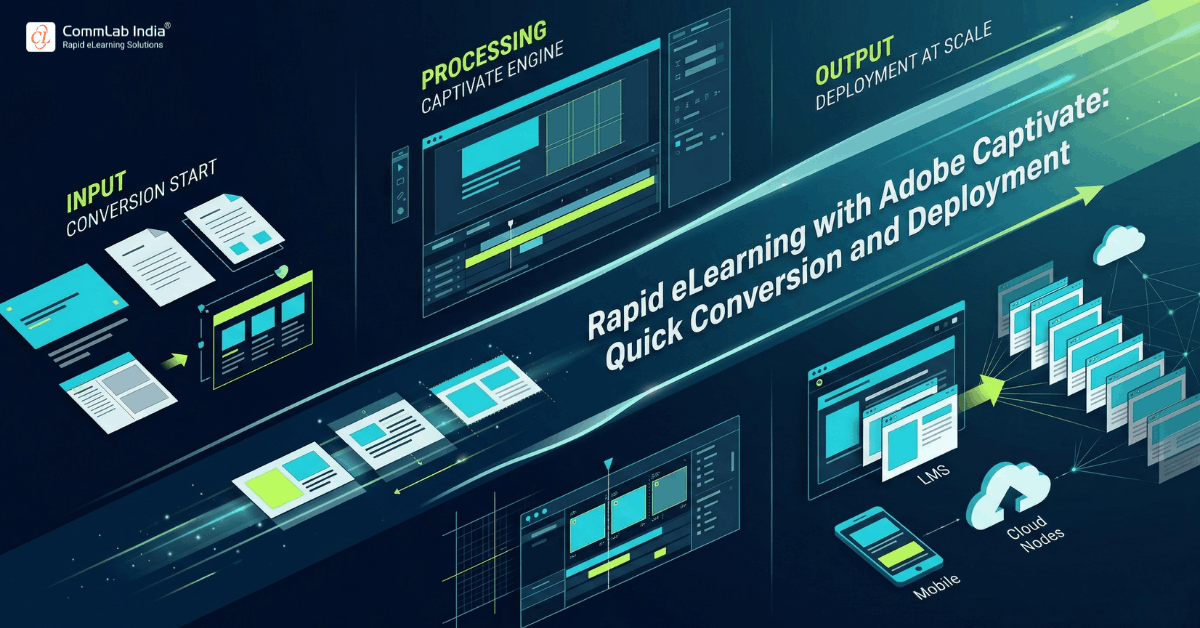
source content → conversion → enrichment → review → publish → track
That continuity matters. Many rapid eLearning efforts lose time not in course authoring, but in the last mile of packaging, review, and deployment. Captivate’s built-in publishing and reporting options help reduce that friction.
Where Adobe Captivate Stands Out in Rapid Development Workflows
Every authoring tool claims speed. What differentiates Adobe Captivate is the particular combination of speed levers it brings together.
Its current product positioning highlights several advantages that matter in rapid eLearning environments:
- PowerPoint-to-eLearning conversion
- responsive authoring without duplicate design effort
- built-in interactive widgets
- multi-device preview
- Share for Review collaboration
- LMS-compliant HTML5 publishing
- access to both the all-new version and Captivate Classic for legacy maintenance
That last point is especially relevant in conversion-heavy environments. Adobe states that subscriptions include both the all-new Adobe Captivate and Adobe Captivate Classic, and it explicitly notes that Captivate Classic is meant for maintaining existing courses until they are migrated.
This dual-path setup gives learning teams a practical transition model:
| Need | Better Fit |
| New rapid courses using responsive blocks and widgets | All-new Adobe Captivate |
| Maintenance of older legacy projects | Adobe Captivate Classic |
| Migration planning from older course libraries | Hybrid workflow using both |
That flexibility is strategically important because most real learning ecosystems are mixed. Teams are rarely starting with a clean slate. They are usually balancing new launches, urgent updates, and inherited content all at once.
A Smarter Operating Model for Conversion, Development, and Launch
The best use of Adobe Captivate in rapid eLearning is not one course at a time. It is as part of a repeatable operating model.
A mature workflow usually looks like this:
Step 1: Start with the right source material
Prioritize existing content that is already close to a learning objective, such as product decks, onboarding material, process documentation, or SME presentations.
Step 2: Decide what should be converted and what should be redesigned
Not every source slide deserves direct conversion. Some content should be condensed, rewritten, or turned into interaction.
Step 3: Build in a responsive-first structure
Use Captivate’s smart blocks and multi-device preview to avoid separate device rework later.
Step 4: Add just enough interactivity
Use widgets, quizzes, prompts, and media where they deepen understanding or practice, not merely to make the course look more dynamic.
Step 5: Review through shared links, not fragmented email chains
Use link-based review workflows so stakeholders can comment faster and revisions can be managed more cleanly.
Step 6: Publish with deployment in mind
Choose reporting standards and LMS packaging early enough that the final handoff is straightforward.
This operating model helps teams move from ad hoc speed to repeatable speed. That is the difference between occasional rapid development and a scalable rapid eLearning capability.
FAQs
What is rapid eLearning in Adobe Captivate?
Rapid eLearning in Adobe Captivate means creating digital learning more quickly by reusing source content, importing PowerPoint decks, adding ready-made interactions, authoring responsively, and publishing LMS-ready HTML5 packages from a single workflow.
Can Adobe Captivate convert PowerPoint to eLearning?
Yes. Adobe Captivate supports importing PowerPoint presentations and converting slide elements into editable native objects, which can then be enriched with media, interactions, and quizzes. Some advanced animations and triggers may still need manual recreation.
Is Adobe Captivate good for responsive eLearning?
Yes. Adobe describes the all-new Captivate as responsive by default, using smart content blocks that auto-adjust to screen size and providing preview modes for desktop, tablet, and mobile in different orientations.
Does Adobe Captivate support multilingual learning?
Adobe Captivate supports transcripts, captions, audio, and multilingual elements in recent workflows, including avatar narration and audio support for widget interactions, which can help teams adapt content for global learners more efficiently.
Can Adobe Captivate publish to an LMS?
Yes. Adobe says Captivate can publish HTML5 LMS-compliant packages supporting SCORM 1.2, SCORM 2004, AICC, and xAPI, and it can also publish to Adobe Learning Manager.
What is the difference between Adobe Captivate and Captivate Classic?
Adobe describes the all-new Captivate as its newer responsive authoring environment for faster course creation, while Captivate Classic is the legacy version used to maintain existing older courses until they are migrated. Subscriptions include access to both.
Conclusion
Rapid eLearning is no longer only about producing courses quickly. It is about building a learning workflow that can absorb change, reuse existing assets intelligently, support multiple devices and languages, and publish with less friction.
Adobe Captivate fits that need well because it connects the most important parts of the process: conversion, enrichment, responsiveness, review, and deployment. Its real strength lies not in any one feature, but in how those features work together to shorten the distance between source material and learner-ready training.
When teams use Captivate with a clear operating model, rapid eLearning becomes more than fast production. It becomes a scalable way to keep learning relevant, current, and easier to launch.