What happens the moment employees leave a training session and return to the business? Do they execute with confidence, or does performance stall because real-world pressures demand more than what a single course can deliver? And how much operational efficiency, customer satisfaction, or revenue is lost in those critical moments?
In most organizations, the issue isn’t the training content itself. It’s the lack of ongoing performance support when employees need clarity, direction, or confirmation in the flow of work. Training prepares them—but daily operations test them.
Leading enterprises are addressing this gap with coaching and learner support tools that operate where performance actually happens: during real tasks, real decisions, and real customer interactions. These tools elevate training from a one-time event to a continuous capability engine—ensuring employees have the guidance to act accurately, consistently, and confidently.
They close the space between learning and execution, protecting organizations from the silent losses caused by hesitation, rework, and inconsistent performance.
Download eBook: An L&D Manager’s Implementation Guide
Table Of Content
- What Are Coaching and Learner Support Tools in L&D?
- What Are the Benefits of Coaching and Learner Support Tools?
- What Are the Types of Coaching and Learner Support Tools?
- How Will These Tools Benefit the Business in the Long Run?
- Where Do Coaching and Learner Support Tools Add the Most Value?
- How Do You Choose the Tools That Best Fit Your Enterprise?
What Are Coaching and Learner Support Tools in L&D?
Coaching and learner support tools are digital platforms and AI-enabled systems designed to guide learners before, during, and after a training intervention. They offer personalized support, help employees apply new skills, answer questions in real time, and reinforce learning long after the course ends.
Here are key functions these tools serve across the employee learning lifecycle:
1. Guiding Learners Step-by-Step
From onboarding to advanced role training, learners get structured, contextual guidance that reduces confusion and speeds up productivity.
2. Reinforcing Knowledge Over Time
Instead of loading employees with information and hoping it sticks, tools offer spaced reminders, practice prompts, and reflective checkpoints.
This is especially valuable after formats like microlearning, where knowledge is delivered in short bursts and requires reinforcement to convert into long-term memory.
3. Providing Answers in the Flow of Work
Employees no longer need to stop what they’re doing, switch apps, or browse LMS content. Support tools offer instant responses—reducing errors, saving time, and improving task accuracy.
4. Building Confidence With Real-World Practice
Some platforms guide learners through scenario walkthroughs, decision-making tasks, and reflective exercises to help them prepare for real work challenges.
This complements scenario-based learning programs, which often require ongoing reinforcement.
5. Offering Personalized Coaching Journeys
AI coaches tailor guidance based on role, performance data, past learning behavior, and identified skill gaps—making learning more relevant and actionable.
6. Supporting Instructor-Led and Digital Programs
Whether your learners attend VILT sessions or participate in self-paced modules, coaching tools ensure they receive continued support long after the session ends.
7. Strengthening Complex Competency Development
Initiatives like leadership development, sales capability-building, or compliance behavior change often require ongoing touchpoints. Coaching tools make this sustainable and scalable.
8. Connecting Learning to On-the-Job Performance
By linking learning tasks, reminders, and job aids directly to workplace workflows, these tools ensure employees actually use the skills they’ve learned on the job. This emphasis on in-the-flow support aligns with Deloitte’s findings, which show that organizations using AI-powered learning operations—especially those that reinforce learning within daily work—achieve higher efficiency and meaningful cost savings.
9. Supporting Enterprise-Wide Learning Journeys
Whether L&D is rolling out a new ERP training or expanding global upskilling programs, support tools help maintain consistency and standardization across teams and geographies.
10. Enhancing Digital Training Experiences
When employees move through custom eLearning modules or other digital content, coaching features offer additional context, guidance, and prompts to make learning stick.
Explore CommLab India’s Custom eLearning Solutions—Built to Elevate Every Part of Your Learning Ecosystem, From Design and Delivery to Performance and Impact.
What Are the Benefits of Coaching and Learner Support Tools?
Coaching and learner support tools strengthen the entire training ecosystem by helping employees move from learning to real performance. They ensure that training isn’t just consumed—but understood, retained, and applied.
1. Better Retention and Reinforcement
Learners receive timely reminders, refreshers, and support that help them remember concepts long after the training session is over.
2. Support in the Flow of Work
Instead of pausing to look for answers, employees get instant guidance within their daily tools and tasks—reducing errors and accelerating performance.
3. Personalized Learning Experiences
AI-driven recommendations and adaptive learning support give each learner guidance that matches their role, skill level, and learning pace.
4. Higher Engagement and Completion Rates
Consistent prompts, check-ins, and coaching interactions keep learners motivated and help them complete training journeys more successfully.
5. Faster Onboarding and Reduced Ramp-Up Time
Step-by-step support helps new hires quickly understand systems, processes, and expectations, making them productive sooner.
6. Actionable Insights for L&D and Managers
Dashboards highlight progress, skill gaps, and risk areas, enabling more targeted interventions and better decision-making.
What Are the Types of Coaching and Learner Support Tools?
What Are the Steps to Get Started With Coaching and Learner Support Tools?
Implementation works best when it’s driven like a performance initiative, not a learning project.
- Set a clear business case—define the specific loss, delay, or inefficiency the tool must eliminate.
- Pick one workflow to anchor the first use case so success is visible and immediately relevant.
- Validate the tool’s intelligence—test how well it interprets roles, tasks, and context before committing.
- Design manager enablement early because adoption fails when managers don’t reinforce usage.
- Create a feedback loop where real user behavior informs continuous refinement and scaling.
Coaching and learner support tools come in multiple forms, each playing a distinct role in strengthening performance, reinforcing skills, and guiding learners throughout their development journey. Here are the most widely adopted categories in corporate L&D:
1. AI Coaching Assistants
AI coaches provide real-time, personalized guidance by answering questions, identifying learner needs, and recommending the right resources at the right moment.
Examples:
- Docebo Learner Coach – Delivers conversational, context-aware learning support.
- CoachHub AI (Coach M) – Offers AI-powered skill insights and individualized coaching prompts.
2. Mentoring & Coaching Platforms
These platforms pair learners with human coaches or mentors and create structured development pathways for long-term skill growth.
Examples:
- BetterUp – Combines human coaching with data-driven insights for holistic employee development.
- Torch – Provides guided coaching journeys supported by feedback tools and leadership analytics.
3. Digital Adoption & Performance Support Tools
These tools give employees step-by-step “in-the-moment” guidance inside the applications they use, reducing errors and improving task accuracy.
Examples:
- WalkMe – Simplifies digital tasks with in-app walkthroughs and automated guidance.
- Whatfix – Offers embedded help, process flows, and self-service support directly within workflows.
4. Learning Assistants & Chatbots
Chatbots act as instant helpdesks, offering quick answers, reinforcement tips, and guided prompts without disrupting the flow of work.
Example:
- AskEd (Cornerstone/EdCast) – Provides AI-driven answers and tailored content recommendations based on learner queries.
5. Social Learning & Peer Support Platforms
These platforms enable collaborative learning and knowledge sharing, allowing workers to learn from peers, communities, and internal experts.
Examples:
- Microsoft Viva Engage – Fosters learning communities and peer problem-solving.
- Slack Channels – Creates spaces for real-time Q&A, resource sharing, and informal learning.
6. Habit-Building & Reinforcement Tools
These tools strengthen long-term behavior change by delivering timely nudges, micro-challenges, and spaced reinforcement to keep skills active.
Examples:
- Qstream – Reinforces knowledge through spaced micro-questions and scenario prompts.
- NudgeCoach – Supports learners with personalized habit-building nudges aligned to goals.
How Will These Tools Benefit the Business in the Long Run?
Coaching and learner support tools strengthen the organization’s ability to build skills, reduce errors, and improve productivity without increasing L&D workload or cost. They help convert training into measurable performance outcomes, which directly influences business growth and efficiency.
1. Faster readiness for critical roles
Employees reach full productivity sooner because they receive targeted guidance and ongoing support, reducing the onboarding curve and helping teams hit operational targets earlier.
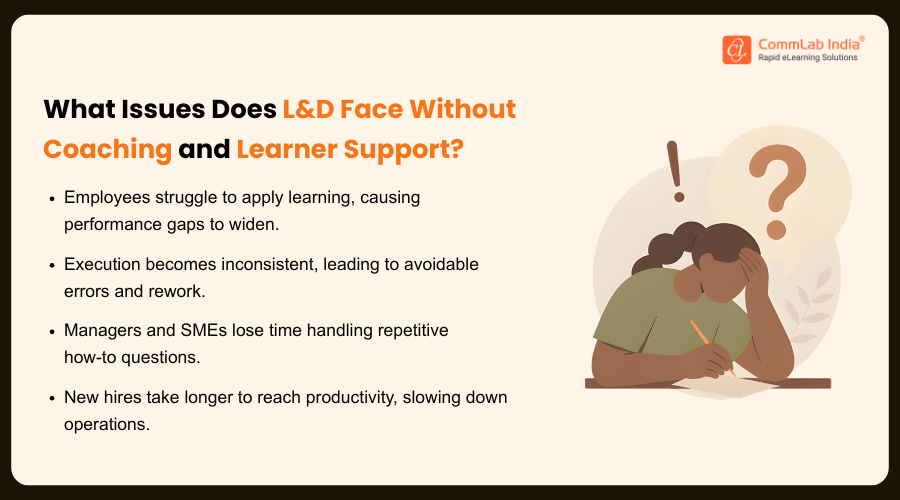
2. Lower dependency on busy managers and SMEs
Routine doubts and task-level clarifications are handled by digital coaching tools, allowing experts to focus on more complex work instead of repeating instructions or troubleshooting basic issues.
3. Reduced operational mistakes and compliance risks
On-the-job support minimizes errors in processes, documentation, or customer handling. This leads to better service quality, fewer escalations, and reduced risk exposure.
4. Higher returns from training investments
Since learners receive reinforcement and real-time application support, the knowledge lasts longer and translates into improved job performance. This increases the long-term value of every training asset built.
5. Consistent performance across distributed teams
All employees—regardless of location—receive the same guidance, which removes variability in task execution and ensures uniform quality across teams, departments, and regions.
6. Better talent retention and employee confidence
Employees feel supported throughout their learning journey, which reduces frustration, improves confidence, and encourages them to stay longer in the organization.
Watch how learner support gets smarter with AI — and explore the 16 tools every L&D team should know
Where Do Coaching and Learner Support Tools Add the Most Value?
Coaching and learner support tools can be applied across key moments in the employee experience to strengthen performance, speed up adoption, and support business-critical training needs.
1. New Hire Onboarding
They help new employees navigate processes and tools confidently, reducing ramp-up time and easing the load on managers.
2. Role-Specific Training
Learners receive ongoing guidance as they take on new responsibilities, ensuring they perform tasks accurately from day one.
3. Technology and Process Changes
Support tools simplify adoption by offering in-the-moment assistance when employees are interacting with unfamiliar systems.
4. Leadership and Manager Development
Coaches reinforce behavioral change, help leaders practice skills, and support them through real workplace challenges.
5. Sales and Customer-Facing Functions
Reinforcement tools keep product knowledge fresh and help frontline teams handle customer situations more effectively.
6. Compliance and Regulatory Training
On-the-job support cuts compliance training errors, reinforces correct behavior, and improves an organization’s compliance posture.
7. Continuous Upskilling Programs
Regular nudges, reminders, and recommendations keep employees engaged with long-term learning and capability development initiatives.
How Do You Choose the Tools That Best Fit Your Enterprise?
Choosing coaching and learner support tools is a strategic capability-building decision, not a software purchase. The right selection strengthens your learning ecosystem, accelerates performance, and supports long-term business growth. The wrong one creates duplication, confusion, and low adoption. Here’s how a strategist approaches this decision.
1. Anchor the choice to a business problem, not a learning wish list
Before exploring tools, define the operational or behavioral challenge you’re solving.
Is it slow onboarding? Inconsistent performance? Low adoption of new systems?
The tool must serve a business priority, not add another layer of technology.
2. Map the moments that matter in your learning journey
Every organization has critical touchpoints where employees struggle—first 90 days, system rollouts, new manager transitions, customer escalation handling.
Select tools that strengthen these high-impact moments, not the entire journey at once.
3. Evaluate maturity—both learner maturity and organizational maturity
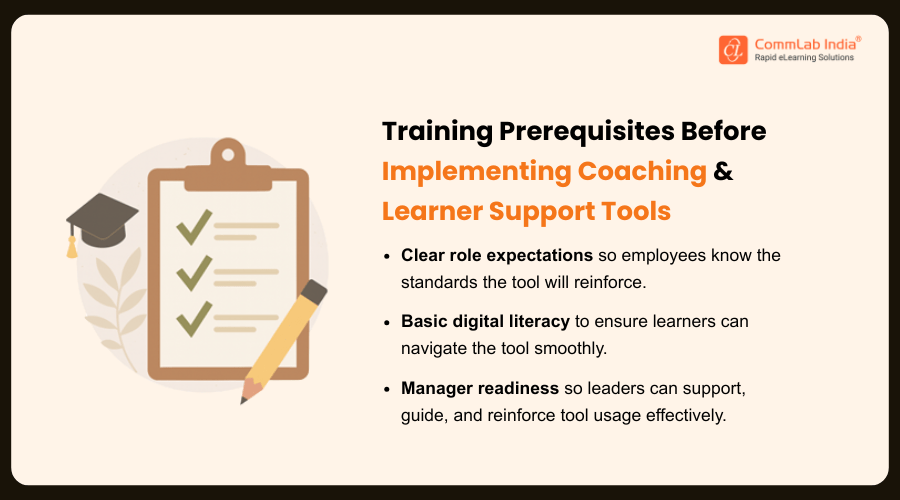
A tool that requires high self-direction, strong digital literacy, or tight manager participation may fail if your workforce or culture isn’t ready.
Strategic alignment means picking a tool that your people can realistically adopt now, not in an ideal future state.
4. Assess whether the tool enhances or competes with your existing ecosystem
Great tools complement your LMS, LXP, and communication channels.
Poor tools create parallel systems, fragmented data, and learner fatigue.
A strategist chooses tools that strengthen the ecosystem instead of expanding it unnecessarily.
5. Prioritize personalization and adaptive support as core capabilities
Generic support has low impact.
The highest-performing tools use AI to read learner context, performance patterns, and workflow behavior—and deliver support that feels timely and relevant.
This reduces dependency on managers and speeds up proficiency.
6. Examine the scalability model, not just the licensing model
A tool may scale technically but fail operationally.
Ask:
- Can this tool serve multiple business units with different competency needs?
- Can it support multilingual teams?
- Can L&D manage it with current capacity?
Scalability is as much about governance as technology.
7. Make analytics a non-negotiable requirement
Tools must offer insight—not just activity data.
Look for capabilities such as:
- Predictive indicators of who will struggle
- Patterns in task-level errors
- Behavioral signals that show whether training is being applied
This is the intelligence L&D needs to partner with business leaders on capability strategy.
8. Test the tool where failure is most expensive, not easiest
Most pilots happen where it's convenient. A strategist does the opposite.
Pilot in a high-stakes area—like sales, operations, or customer service—where the impact is visible and measurable.
Conclusion
Coaching and learner support tools are no longer “nice to have” add-ons to training—they’re the missing link between learning and real performance. They give employees clarity when it matters most, reduce operational friction, and help L&D leaders deliver measurable business impact with confidence and consistency.
If you're looking to strengthen your L&D strategy even further, we’ve put together a practical resource that covers how to align learning with business goals and how to plan, design, and implement effective learning journeys that actually work.
Whether you're refining your current approach or building a new capability roadmap, this guide gives you the structure, clarity, and confidence to execute successfully.
Download now.