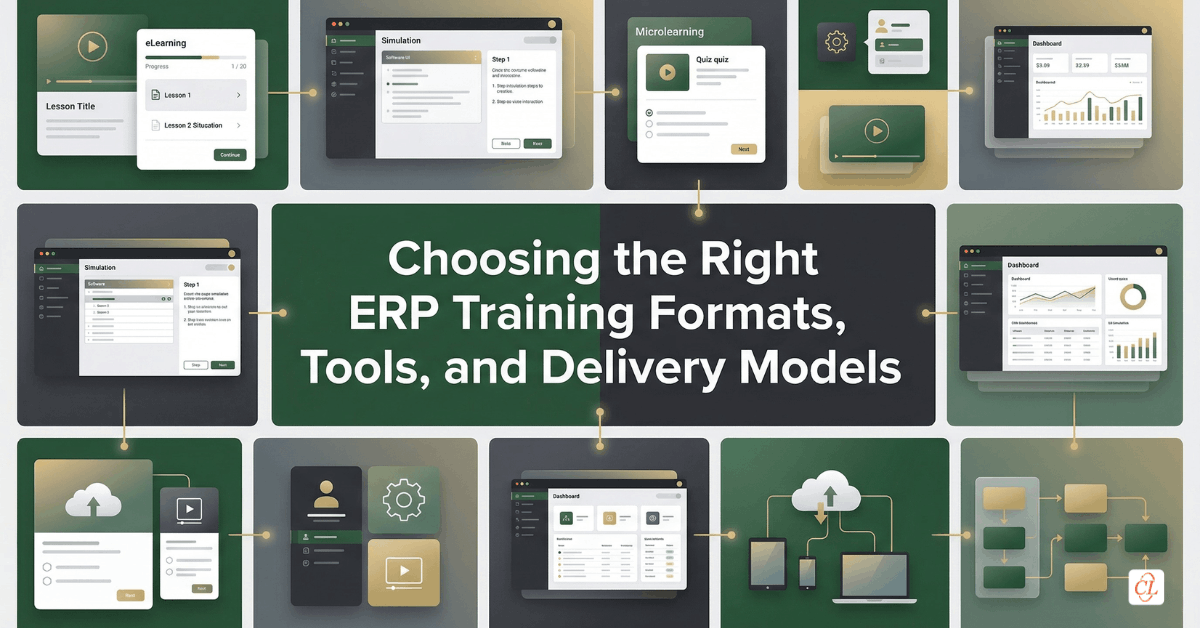
ERP training content development is the process of designing, producing, and organizing the learning assets, formats, and delivery methods that help users understand, practice, and perform within a new ERP system. This includes curriculum design, videos, simulations, job aids, eLearning modules, classroom support, performance resources, and the tools used to create and scale them.
The goal is not simply to create “training materials.” It is to create a learning ecosystem that is practical, usable, and aligned to how different users actually learn and work.
In this article, we explore how to build ERP training content using the right formats, tools, and delivery models so organizations can support end users more effectively across implementation, rollout, and long-term adoption.
Download Now: AI in Corporate Training
Table of Contents
- Why ERP Training Content Often Fails Users
- What ERP Training Content Needs to Do
- How to Build an ERP Training Curriculum That Supports Real Work
- Choosing the Right ERP Training Materials for Different Learning Needs
- When to Use ERP Training Videos and Software Tutorials
- Using Articulate Storyline and Rapid Tools for ERP Training
- How to Blend Classroom Training and eLearning for ERP Rollout
- Supporting Remote Vendors, Partners, and Distributed Learners
- When to Build Internally and When to Use an ERP Training Consultant
- What a Strong ERP Training Content Ecosystem Looks Like
- FAQs
Why ERP Training Content Often Fails Users
Most ERP training content is created with good intentions, but much of it is not designed around the conditions in which users actually need to learn and perform.
That is the root problem.
In many implementations, training content is developed too late, too broadly, or too heavily around system features rather than user workflows. Teams may create manuals, decks, recorded walkthroughs, or course modules because those formats feel familiar or easy to produce, but familiarity is not the same as effectiveness. When content is not aligned to role, task, timing, and context, it becomes difficult for users to absorb, difficult to apply, and even harder to revisit under pressure.
This is especially true in ERP environments because users are not just learning a tool. They are learning how to work differently inside a system that often affects approvals, reporting, process accuracy, compliance, and business continuity.
That means ERP training content cannot simply be informative. It must be performance-supportive.
The strongest ERP training assets do not overwhelm users with everything the system can do. Instead, they help the right people perform the right tasks, in the right format, at the right moment.
That is a much more useful standard for content development.
ERP training content works when it is built around how people perform their jobs, not just how the software is organized.
What ERP Training Content Needs to Do
Before selecting formats or authoring tools, it is important to define what ERP training content is actually expected to achieve.
Too often, content is created simply to “cover the system.” But coverage is not the same as readiness.
Effective ERP training content should help users:
- understand what has changed in their workflow
- recognize which tasks they are responsible for
- perform actions accurately in the system
- make sense of process dependencies and approvals
- solve common issues or exceptions with confidence
- find support quickly when they need it
That means a strong ERP content strategy must balance instruction, practice, reinforcement, and accessibility.
This is why no single format can carry the entire training load. ERP learning requires a content mix that supports users before go-live, during training, and after launch when real work begins.
A more mature content strategy usually answers four practical questions:
1. What does the learner need to know?
This is where foundational awareness, process understanding, and business context matter.
2. What does the learner need to do?
This is where task-level training, simulations, and workflow guidance become essential.
3. What does the learner need to remember later?
This is where quick references, videos, and performance support assets become valuable.
4. What does the learner need when something goes wrong?
This is where troubleshooting content, FAQs, and role-specific support resources make the difference.
Once ERP content is planned through that lens, the training architecture becomes far more useful and scalable.
How to Build an ERP Training Curriculum That Supports Real Work
A strong ERP training curriculum should not look like a generic course catalog organized by software menu or module title. It should reflect how work actually happens across the business.
That is the most important design principle.
ERP users do not think in terms of “system sections.” They think in terms of tasks, deadlines, approvals, dependencies, and business outcomes. So the curriculum should be structured around those realities.
Start with role and workflow mapping
Before building content, organizations should identify:
- who the key learner groups are
- what tasks they perform in the ERP system
- which workflows are high-frequency or high-risk
- what level of proficiency each audience needs
- where users are likely to struggle or require reinforcement
This makes it easier to create learning pathways that feel relevant and appropriately scoped.
What a strong ERP curriculum often includes
A more practical ERP training curriculum typically combines:
- orientation content
Helps users understand the ERP initiative, process changes, and business context. - role-based task training
Focuses on what each audience must do in the system. - workflow walkthroughs
Shows how tasks connect across functions or approvals. - simulation-led practice
Allows users to rehearse before working in the live system. - reference resources
Supports recall after formal learning is complete. - post-go-live reinforcement
Addresses recurring issues and low-confidence workflows.
This structure is much more effective than building a single “ERP training course” and expecting it to serve every user equally well.
A practical curriculum lens
| Curriculum Layer | Primary Purpose | Typical Content Types |
| Foundation | Build awareness and context | Overviews, explainers, transition messaging |
| Role-Based Learning | Prepare users for job-specific tasks | eLearning, simulations, task modules |
| Workflow Support | Clarify process flow and dependencies | Process walkthroughs, scenario examples |
| Performance Support | Reinforce and sustain usage | Job aids, videos, checklists, FAQs |
A well-built ERP curriculum should feel less like a training library and more like a structured pathway into operational readiness.
Choosing the Right ERP Training Materials for Different Learning Needs
One of the biggest mistakes in ERP training is assuming that one content format can serve every purpose.
It cannot.
Different ERP learning needs require different asset types. Some users need structured onboarding. Others need quick recall. Some tasks require guided walkthroughs, while others are better supported through simulations, videos, or searchable reference tools.
That is why ERP training content should be designed as a format ecosystem, not a single content type repeated across the rollout.
Common ERP training materials and where they work best
- eLearning modules: Best for scalable, role-based foundational learning and workflow instruction.
- Simulations: Best for software task practice and building confidence before live system use.
- Job aids: Best for quick recall during real work, especially for high-risk or infrequently used tasks.
- Process maps or walkthroughs: Best for helping users understand where their tasks fit into the broader workflow.
- Video tutorials: Best for short demonstrations, refreshers, and visual task reinforcement.
- FAQs and support sheets: Best for troubleshooting and common post-go-live issues.
How to think about content selection
The better question is not “What content should we create?” It is: What is the most useful format for this user, for this task, at this moment?
That shift helps teams avoid overproducing long-form content when a short video or quick-reference guide would be far more effective.
When to Use ERP Training Videos and Software Tutorials
Video is one of the most useful ERP training formats when it is used with intention.
That distinction matters because video can either become a high-value performance tool or a passive content archive that users never revisit. Its effectiveness depends almost entirely on how it is designed, scoped, and integrated into the larger training experience.
ERP training videos work best when they are short, task-specific, and easy to access at the moment of need. They are especially valuable for demonstrating visual workflows, showing users where to focus, and reinforcing system familiarity in a low-friction format.
Where ERP videos are especially useful
ERP training videos are often most effective for:
- showing how to complete a single workflow
- reinforcing a commonly used transaction
- demonstrating how to navigate a new process
- helping users refresh their memory after training
- supporting geographically distributed or asynchronous audiences
This makes them particularly useful in remote and hybrid ERP rollout environments.
What makes ERP videos more effective
High-value ERP videos usually work best when they are:
- short and focused
One task or concept per video is usually more useful than a long all-in-one tutorial. - visually clear
The user should immediately understand where to look and what is happening. - paired with context
Users should know why the task matters, not just how to perform it. - searchable and well-labeled
A video is only useful if users can find it quickly when needed.
Tools such as Articulate Peek can be particularly useful for simple screen-based ERP software walkthroughs, especially when teams need to create lightweight video explainers quickly.
AI in Corporate Training
Partner, Not Replacement
- AI in Corporate Training
- AI Toolkit for Super-charged Learning
- Challenges to Consider with AI Implementation
- And More!
Using Articulate Storyline and Rapid Tools for ERP Training
When organizations need more than static reference content, authoring tools become especially valuable.
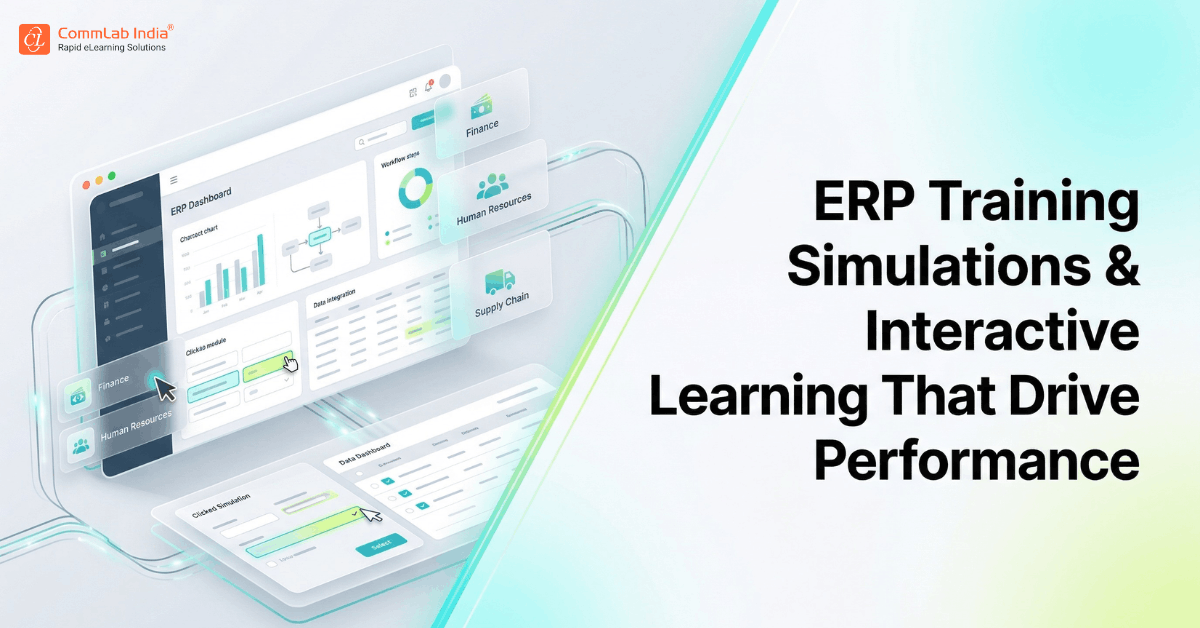
Among the most widely used tools for ERP training development is Articulate Storyline, which is particularly well suited for creating interactive, simulation-led, and scenario-based software training experiences.
That is because Storyline offers the flexibility needed to go beyond basic slide-style learning and build training that feels closer to actual software interaction.
Why Storyline works well for ERP training
Articulate Storyline is especially useful for ERP learning because it supports:
- screen-based workflow simulations
Helpful for software-heavy task training. - step-by-step guided interaction
Useful for teaching process sequences and role-based tasks. - branching scenarios
Allows users to make choices and see consequences in context. - knowledge checks and interaction logic
Helps reinforce decision-making and recall. - layered explanations and contextual support
Useful for showing both action and rationale without overwhelming the learner.
This makes Storyline particularly effective when organizations need training that is more immersive than video, but still scalable across large user groups.
Other rapid tools and content creation options
Not every ERP asset needs a complex build. In fact, a healthy ERP content strategy often combines multiple tools based on asset type and speed requirements.
Useful tooling may include:
- Storyline for simulations and interactive modules
- screen recording tools for quick software tutorials
- video editing tools for short task-based demonstrations
- document design tools for job aids and reference sheets
- LMS or LXP platforms for delivery and discoverability
The right question is not “Which tool is best overall?” It is: Which tool is best for creating the right learning asset efficiently and at scale?
That is a much more strategic way to think about ERP training production.
How to Blend Classroom Training and eLearning for ERP Rollout
ERP training does not have to be an either-or decision between classroom instruction and digital learning. In many implementations, the strongest results come from blending the two.
That is because different learning needs are better served by different delivery modes.
Where classroom training still adds value
Classroom or virtual instructor-led sessions can be especially useful for:
- introducing major process changes
- answering stakeholder questions in real time
- walking through cross-functional workflows
- aligning teams around business context and expectations
- supporting complex discussions that benefit from facilitation
However, classroom sessions are often less effective when they are used to carry the full burden of system training, especially for software-heavy workflows that users need to revisit later.
Where eLearning adds the most value
eLearning is especially effective for:
- role-based task training
- simulations and software practice
- asynchronous learning across locations
- repeated access and refreshers
- standardized rollout at scale
This is why a blended ERP training model often works best.
A strong blended model may look like this
- Instructor-led or virtual session for change context and process overview
- Self-paced eLearning for role-based system workflows
- Simulations for practice and confidence-building
- Videos and job aids for reinforcement after launch
This approach helps organizations preserve the value of live facilitation while still building a scalable and repeatable learning ecosystem.
Supporting Remote Vendors, Partners, and Distributed Learners
ERP training is not always limited to internal employees. In many implementations, external vendors, channel partners, contractors, and distributed stakeholders also need to interact with the system or align with ERP-enabled processes.
That creates a different content challenge.
External audiences often have:
- less access to internal support
- less time for formal training
- narrower workflow needs
- lower tolerance for long onboarding experiences
This means ERP training for remote vendors and distributed users should be designed with even greater clarity and efficiency.
What these audiences typically need most
They usually benefit from:
- concise role-specific learning
- task-based tutorials rather than full curriculum exposure
- simple access to job aids and walkthroughs
- low-friction, asynchronous formats
- clearly scoped expectations and support pathways
This is where training videos, lightweight simulations, short modules, and searchable reference assets become especially useful.
For these audiences, the goal is not to immerse them in the entire ERP environment. It is to help them perform the tasks relevant to their role with minimal friction and minimal confusion.
When to Build Internally and When to Use an ERP Training Consultant
Not every organization has the time, bandwidth, instructional design capability, or tooling maturity to build a complete ERP training ecosystem internally.
That is where external support can become valuable.
However, choosing the right ERP training consultant or partner requires more than checking whether they can “develop content.” The more important question is whether they understand how ERP learning actually works in an enterprise transformation context.
What to look for in an ERP training partner
A strong ERP training consultant should be able to demonstrate:
- understanding of role-based ERP learning design
- experience with simulation-led software training
- ability to build scalable content ecosystems, not just isolated courses
- familiarity with ERP rollout realities and user adoption challenges
- capability to support multiple formats and delivery models
- clarity around governance, review cycles, and update management
When internal development may be the better choice
Internal teams may be better positioned when:
- ERP workflows are highly specific and undocumented
- business knowledge is deeply embedded in internal SMEs
- content needs to evolve rapidly during rollout
- there is already strong internal L&D and tooling capability
In many cases, the strongest model is hybrid: internal teams provide workflow and business knowledge, while external specialists help accelerate design, development, and scale.
That combination often produces better quality and faster deployment.
What a Strong ERP Training Content Ecosystem Looks Like
The most effective ERP training strategies do not rely on a single course, a single format, or a single launch window. They are built as content ecosystems designed to support users across the full adoption journey.
That ecosystem should not feel fragmented. It should feel intentionally structured.
A strong ERP content ecosystem typically includes:
Foundational content
To orient users and explain the business context of the ERP rollout.
Role-based learning assets
To prepare each audience for the tasks they must perform.
Practice-based content
To help users build software confidence before go-live.
Reinforcement assets
To support retention and recall after training is complete.
Performance support tools
To help users succeed when they are back in the flow of work.
This kind of structure is more sustainable because it allows organizations to support:
- initial implementation
- phased rollout
- future system changes
- onboarding of new users
- post-go-live stabilization
That is what separates “ERP training materials” from a true ERP enablement system.
ERP Training Content Formats at a Glance
| Content Format | Best Used For | Primary Value |
| eLearning Modules | Role-based foundational learning | Scalable, structured, repeatable |
| Simulations | Software task practice | Confidence-building and safe rehearsal |
| Videos | Task demonstrations and refreshers | Visual clarity and easy access |
| Job Aids | Moment-of-need support | Fast recall and workflow accuracy |
| Process Walkthroughs | Cross-functional understanding | Workflow context and process clarity |
| FAQs / Support Sheets | Troubleshooting and reinforcement | Reduces support dependency |
FAQs
1. What are ERP training materials?
A. ERP training materials are the learning assets used to help employees and other users understand, practice, and perform tasks in a new ERP system. They may include eLearning modules, videos, simulations, job aids, process walkthroughs, and support resources.
2. What should an ERP training curriculum include?
A. An ERP training curriculum should include foundational awareness, role-based task learning, workflow guidance, software practice, and post-go-live reinforcement. The most effective curricula are built around user roles and real business processes rather than system menus.
3. Are videos effective for ERP training?
A. Yes, ERP training videos can be highly effective when they are short, focused, and designed around specific tasks or workflows. They are especially useful for demonstrations, refreshers, and support for distributed learners.
4. Is Articulate Storyline good for ERP training?
A. Articulate Storyline is a strong tool for ERP training because it supports interactive learning, software simulations, branching scenarios, and guided task practice. It is especially useful for creating role-based and workflow-centered ERP learning experiences.
5. Should ERP training be classroom-based or online?
A. The most effective ERP training is often blended. Classroom or virtual sessions work well for process context and discussion, while eLearning, simulations, and videos are better for scalable task practice and ongoing support.
6. How do you train remote vendors or external ERP users?
A. Remote vendors and external ERP users should be trained using concise, role-specific, asynchronous content such as short modules, tutorials, videos, and job aids. Their training should focus only on the workflows relevant to their responsibilities.
7. When should you hire an ERP training consultant?
A. An ERP training consultant can be valuable when internal teams lack the bandwidth, instructional design expertise, tooling capability, or production scale required to build an effective ERP learning ecosystem.
Conclusion
ERP training content becomes valuable when it stops behaving like documentation and starts functioning like performance support.
That is the shift organizations need to make.
Users do not need a pile of assets. They need the right learning experience, in the right format, at the right time, so they can perform confidently in the new system without unnecessary friction. That is why curriculum design, content format selection, tooling choices, and delivery models all matter so much in ERP enablement.
Ultimately, the most effective ERP training materials are not the ones that explain the system most comprehensively. They are the ones that help users do their work more confidently, more accurately, and with less support.
And that is what strong ERP training content should be built to do.