One reason GenAI use in instructional design still feels uneven is that many people use it the same way throughout the project.
They start with AI to summarize. Then use it to generate objectives. Then use it to draft screens. Then use it to create assessments. Then use it to write narration. In every case, the pattern is broadly the same: ask for output, review it, adjust it, move on.
That approach is understandable. It is also limited. Because instructional design is not a single kind of task repeated many times. It is a sequence of different kinds of thinking. Understanding content is not the same as structuring learning. Structuring learning is not the same as designing assessment. Assessment design is not the same as visual thinking. Narration writing is not the same as audit and review.
Each stage requires a different kind of judgment. So it should also require a different kind of AI interaction. That is the real shift.
The question is not just whether to use GenAI in instructional design. The question is how its role should change across the workflow.
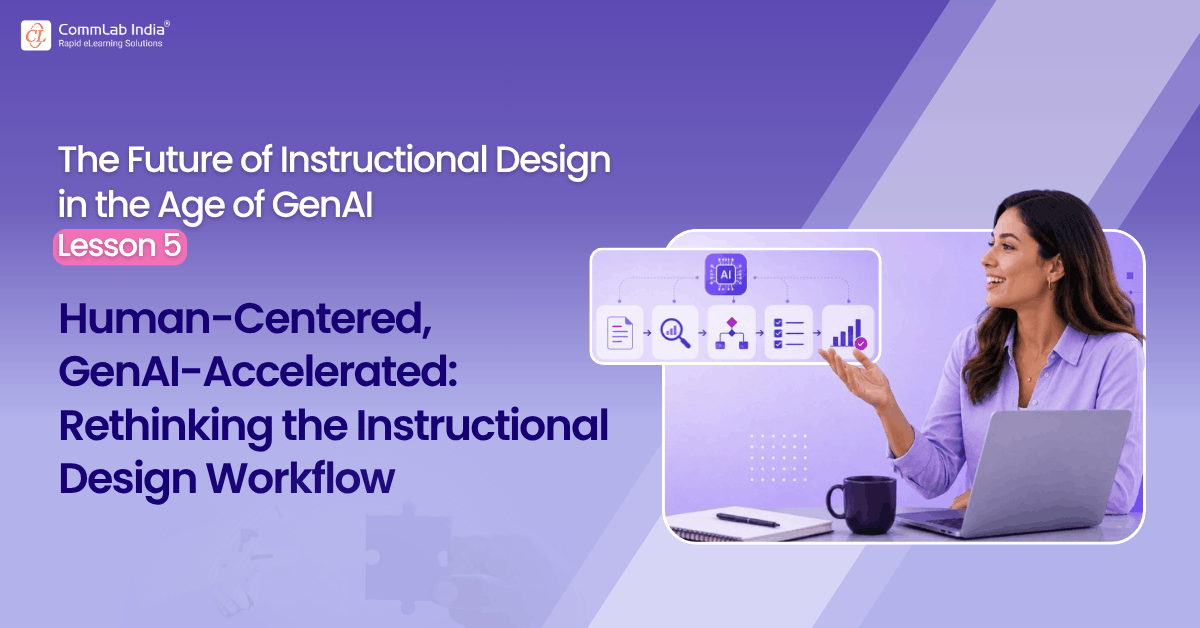
This blog explores a better way to use GenAI across the instructional design workflow by making AI a stage-sensitive partner—from SME content to final audit.
This article is part of a series on the future of instructional design in the age of GenAI. The series explores how instructional designers can move beyond ad hoc prompting toward a more disciplined, challenge-based human–AI working method.
Table of Contents
- How Can AI Become a Stage-Sensitive Partner in Learning Design?
- Understanding SME Content
- Organizing the Learning Flow
- Building the Storyboard Blueprint
- Designing Visuals and Interactions
- Developing Narration
- Conducting the Independent Audit
- What does this Mean in Practice?
How Can AI Become a Stage-Sensitive Partner in Learning Design?
In my view, a better model is to use AI not as a constant output engine, but as a stage-sensitive partner. At each step, AI should do a different job. Sometimes it should simplify. Sometimes it should structure. Sometimes it should expand options. Sometimes it should challenge. Sometimes it should audit.
Once that becomes clear, GenAI becomes much more useful.
Step 0: Understanding SME Content
This is where many projects quietly succeed or fail.
SME content often arrives in raw form: long documents, dense presentations, fragmented notes, technical jargon, repeated points, uneven logic, too much detail in some areas and too little in others. Before any meaningful design happens, the instructional designer has to make sense of it.
This is one of the best places to use AI.
Here, AI should act as a sense-making partner. It can simplify difficult sections, identify key concepts, explain terminology, cluster related ideas, highlight possible gaps, and help the designer see the structure hidden inside the material.
But there is a trap.
If the instructional designer moves too quickly from AI summary to course structure, something important may be lost. AI can make content look clear before it is truly understood. It can flatten nuance, overcompress important detail, or create a neat interpretation that is not quite right.
That is why this stage should not end with a summary alone. It should end with confirmed understanding. The designer should still question the content, resolve ambiguity, and test comprehension before moving forward.
At this stage, AI is useful mainly for clarification, not for final design.
Step 1: Organizing the Learning Flow
Once the SME content is better understood, the next challenge is to shape it into a logical learning sequence.
This is not just a sorting exercise. It is where the designer begins to make instructional decisions: what comes first, what belongs together, what can be grouped into modules, what should be treated as foundational, and what should be reserved for application or practice.
Here, AI should act as a structuring partner.
It can propose modules, group related topics, suggest sequencing, and generate alternative ways of organizing the same content. This is useful because there is rarely only one defensible structure. AI can help the designer see options.
But again, this stage requires judgment.
A sequence that looks neat may still be instructionally weak. A structure that follows the SME’s document order may not reflect how people should actually learn. A module grouping may look logical from a content perspective but not from a performance perspective.
So the instructional designer’s role here is not to accept the structure. It is to evaluate whether the structure supports learning.
At this stage, AI is useful mainly for patterning and option generation.
Step 1.5: Writing Learning Objectives and Shaping Summative Assessment
This is where many AI-assisted workflows become superficial.
The AI is asked to write learning objectives. Then it is asked to generate assessment questions. Both look fine. Everyone moves on.
But objective writing and assessment design are not isolated tasks. They are deeply linked. And both are easy to make sound good without actually being strong.
This is where AI should become both a drafting partner and a challenge partner.
It can generate performance-based learning objectives, suggest assessment blueprints, and propose assessment types. But it should also be asked harder questions:
- Are these objectives truly performance-based?
- Which objective is too vague?
- Which assessment item tests recall instead of application?
- Where is the alignment weak?
This is one of the most important stages for challenge-based AI prompting because polished language can hide weak instructional logic.
At this stage, AI is useful for alignment support and critique.
Step 2: Building the Storyboard Blueprint
Now the work becomes more concrete.
The learning flow is translated into screens, titles, content chunks, interaction opportunities, and rough narrative movement. This is where many designers are tempted to let AI do too much too quickly.
That would be a mistake.
An eLearning storyboard is not just a sequence of generated screens. It is the instructional architecture of the learning experience. If the blueprint is weak, everything built on top of it will be weak.
Here, AI should act as a screen-structure partner. It can suggest screen titles, chunk content, identify likely screen types, and flag where the blueprint is becoming too dense.
This is also the right point for what I would call a text compression check. AI can help detect where a screen is likely to become text-heavy and suggest alternatives such as visuals, scenarios, examples, comparisons, or interactions.
This is a very strong use case. But again, the human has to decide which compression improves learning and which merely removes content.
At this stage, AI is useful for screen planning and overload detection.
Step 3: Designing Visuals and Interactions
This is where AI can either add value or create noise.
Used well, it can help convert explanation into experience. It can suggest visuals, interaction types, scenario approaches, analogies, branching ideas, and design alternatives. Used badly, it can produce decorative ideas that look engaging but add little learning value.
This is also a strong stage for challenge prompts. Ask AI to critique its own suggestions:
- Which of these visual options is attractive but instructionally weak?
- Which interaction adds complexity without adding learning?
- Which scenario sounds realistic but does not actually test judgment?
At this stage, AI is useful for creative expansion and instructional filtering.
Step 4: Developing Narration
Narration is another area where AI can look more capable than it really is.
Yes, it can produce conversational script quickly. But narration in eLearning is not just about sounding natural. It has to explain, complement visuals, support pacing, and avoid repeating the screen text. That last problem is common, and AI can easily make it worse if not guided properly.
Here, AI should act as a language and explanation partner.
It can draft narration, simplify tone, improve flow, and offer alternative phrasings. But it should also be used to check for duplication, over-explanation, vague language, and mismatch between narration and visual treatment.
The instructional designer still has to decide where narration is needed, what should stay silent, and how much verbal explanation the learner really requires.
At this stage, AI is useful for tone, clarity, and narration review.
Step 4.5: Designing Formative Assessments
This is one of the most misused applications of GenAI in instructional design.
AI can generate questions endlessly. That does not mean it is generating good formative assessment.
A good formative question is not just grammatically clean or technically correct. It appears at the right moment, tests the right thing, uses a suitable format, and gives feedback that supports learning.
Watch the video to discover how formative assessments can move learners beyond simple clicks and create real, measurable learning.
AI should first help identify assessment opportunities, not merely generate items. Then it should propose multiple possible question formats: multiple-choice, drag-and-drop, sequencing, branching, hotspot, scenario decision, and so on. Only after the format is chosen should it generate the actual question, options, and feedback.
This slows the process slightly. But it improves it considerably.
At this stage, AI is useful for format selection, question drafting, and feedback generation, but only under strong human review.
Step 5: Conducting the Independent Audit
This may be the most overlooked stage in AI-assisted design.
Most workflows use AI heavily during creation and then stop. That misses one of the best uses of the tool.
At the end of the process, AI should change roles. It should no longer act as the designer’s assistant. It should act as an independent reviewer.
That means auditing the storyboard for:
- objective alignment
- assessment alignment
- SME accuracy
- cognitive load
- text heaviness
- interaction effectiveness
- narration quality
- visual clarity
This role shift matters because it creates distance. It allows AI to stop helping the design and start questioning it. That can be extremely valuable, especially when teams are moving fast or when the first pass looks deceptively polished.
At this stage, AI is useful for independent critique and structured review.
What does this Mean in Practice?
Once you look at the workflow this way, one thing becomes obvious.
There is no single best way to use GenAI in instructional design.
The better approach is to ask, at each stage:
What kind of help is needed here?
Clarification? Structure? Expansion? Compression? Critique? Audit?
That question changes the relationship entirely.
It moves AI out of the role of generic content generator and into a more disciplined, stage-sensitive role. And that is where much of the real value lies.
Because the future of AI-powered instructional design will not be shaped by the teams that use AI everywhere in the same way.
It will be shaped by the teams that know when AI should simplify, when it should challenge, and when it should step back.
That is a far better way to work.
Next in the series: From SME Dump to Learning Flow: Where GenAI Helps Most—and Where It Commonly Fails.