Over the years, learning teams have accumulated vast repositories of PowerPoint presentations, facilitator notes, and subject matter expertise. These assets often represent years of institutional knowledge. Yet, when organizations attempt to digitize learning, they frequently find themselves starting from scratch, rebuilding content that already exists in a different form.
This disconnect creates inefficiency, delays, and unnecessary complexity.
What organizations truly need is not another content creation cycle, but a way to transform existing knowledge into structured, engaging, and scalable learning experiences. This is precisely where iSpring creates value.
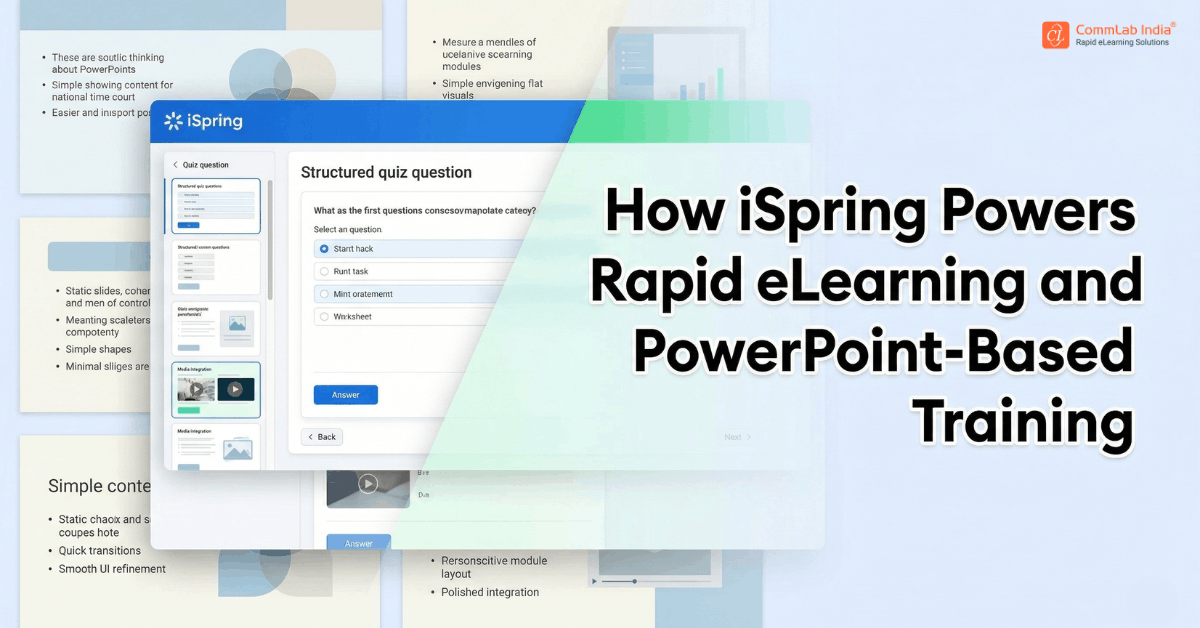
Rather than replacing familiar workflows, iSpring builds on them. It enables organizations to convert PowerPoint-based content into interactive eLearning while preserving structure, intent, and design continuity. More importantly, it shifts the development model itself, making learning creation faster, more accessible, and more aligned with business needs.
This article explores how iSpring supports that transformation, why it is widely adopted for rapid eLearning development, and how enterprises are using it to move from static presentations to performance-driven learning systems.
Download eBook Now: Rapid eLearning Authoring Tools
Table of Contents
- Rethinking Rapid eLearning Through iSpring
- Transforming Presentations into Learning Experiences
- Capabilities That Enable Speed Without Sacrificing Quality
- Positioning iSpring Within the Enterprise Learning Stack
- Simplicity at Scale: Strengths and Boundaries
- FAQs
Rethinking Rapid eLearning Through iSpring
Rapid eLearning is often misunderstood as simply doing things faster. In reality, it is about reducing unnecessary complexity while maintaining instructional integrity.
iSpring approaches rapid eLearning as a system, not just a feature set. Its design is anchored in three interconnected principles:
Build within familiar environments
By operating directly within PowerPoint, iSpring eliminates the need for users to learn entirely new tools. This significantly reduces onboarding time and allows SMEs to participate more actively in course creation.
Preserve the original content structure
Rather than forcing content into predefined templates, iSpring retains slide layouts, animations, and sequencing. This ensures that the intent behind the content remains intact.
Enhance, rather than rebuild
Instead of starting from zero, teams can layer interactivity, narration, and assessments onto existing content. This approach accelerates development while maintaining consistency.
Together, these principles redefine what speed means in eLearning. It is not about cutting corners, but about removing friction.
Transforming Presentations into Learning Experiences
The transition from PowerPoint to eLearning is not merely a technical conversion. It is a structural transformation that turns static content into an interactive experience.
How Content Evolves in iSpring
| PowerPoint Format | eLearning Experience with iSpring |
| Linear slide deck | Structured, learner-driven navigation |
| Static visuals | Interactive, media-rich screens |
| Presenter notes | Audio narration and guided learning |
| Passive viewing | Active engagement through interactions |
| No evaluation | Integrated quizzes and knowledge checks |
What makes this transformation effective is the balance between change and continuity.
What is preserved
- Visual design and branding
- Content sequencing and logic
- Animations and transitions
What is enhanced
- Learner interaction and engagement
- Assessment and feedback mechanisms
- Multimedia integration
This dual approach allows organizations to scale digital learning without disrupting established content workflows.
Capabilities That Enable Speed Without Sacrificing Quality
iSpring’s effectiveness lies in how its capabilities come together to support both efficiency and instructional value.
PowerPoint-based authoring
Because development happens within a familiar interface, teams can begin creating courses almost immediately. This lowers the barrier to entry and accelerates production timelines.
Built-in assessments and scenarios
iSpring enables the creation of quizzes, branching scenarios, and knowledge checks directly within the tool. These elements introduce active learning without requiring additional platforms.
Multimedia integration
The ability to incorporate audio, video, and screen recordings allows courses to move beyond static content, creating a more engaging learning experience.
Consistent publishing formats
Courses can be exported in formats compatible with standard learning systems, ensuring smooth deployment and tracking.
Positioning iSpring Within the Enterprise Learning Stack
iSpring is not intended to replace the broader learning ecosystem. Instead, it strengthens one of its most critical layers: content development.
In enterprise environments, it typically supports:
- Rapid course creation pipelines
- Conversion of legacy training materials
- SME-driven content development models
- Just-in-time learning initiatives
By accelerating content production, it enhances the effectiveness of downstream systems such as LMS platforms.
Simplicity at Scale: Strengths and Boundaries
A common concern with rapid authoring tools is whether ease of use limits long-term scalability.
iSpring demonstrates that simplicity and scale are not mutually exclusive. It supports large volumes of content, enables consistent course structures, and integrates effectively within enterprise systems.
At the same time, its strengths are most pronounced in specific contexts:
- Content-driven training environments
- High-volume course development needs
- Scenarios requiring quick turnaround
For highly complex simulations or deeply customized learning environments, more advanced tools may be required.
Understanding this distinction allows organizations to use iSpring strategically rather than universally.
FAQs
1. What is iSpring used for in eLearning development?
A. iSpring is used to convert PowerPoint presentations into interactive eLearning courses. It enables organizations to build structured learning experiences quickly by adding interactivity, assessments, and multimedia elements to existing content.
2. Why is iSpring popular for rapid eLearning?
A. Its integration with PowerPoint allows users to create courses in a familiar environment. This reduces the learning curve and accelerates development without compromising instructional quality.
3. Can iSpring support enterprise-level training?
A. Yes, iSpring is well-suited for enterprise environments, particularly for high-volume training needs such as compliance, onboarding, and product training.
4. Does iSpring require technical expertise?
A. It is designed to be user-friendly, enabling SMEs to contribute directly to course creation. Basic instructional design knowledge enhances effectiveness but is not mandatory.
5. When should iSpring not be used?
A. For highly complex, simulation-heavy, or deeply customized learning experiences, more advanced authoring tools may be more appropriate.
Conclusion
iSpring does not attempt to redefine how organizations create content. Instead, it redefines how that content becomes learning.
By building on the familiar foundation of PowerPoint, it removes a critical barrier in digital learning adoption. It enables organizations to move faster, scale more effectively, and involve more stakeholders in the learning process.
Ultimately, its value lies not just in speed, but in accessibility. It brings eLearning development closer to the people who understand the content best, while ensuring that the final output meets the demands of modern learning environments.
In doing so, it supports a more responsive, efficient, and performance-driven approach to enterprise learning.