Most organizations are not short on training content. In fact, many have accumulated years of learning assets across onboarding, compliance, product training, systems training, leadership development, and process enablement. The real challenge is that much of this content was created for a learning environment that no longer exists.
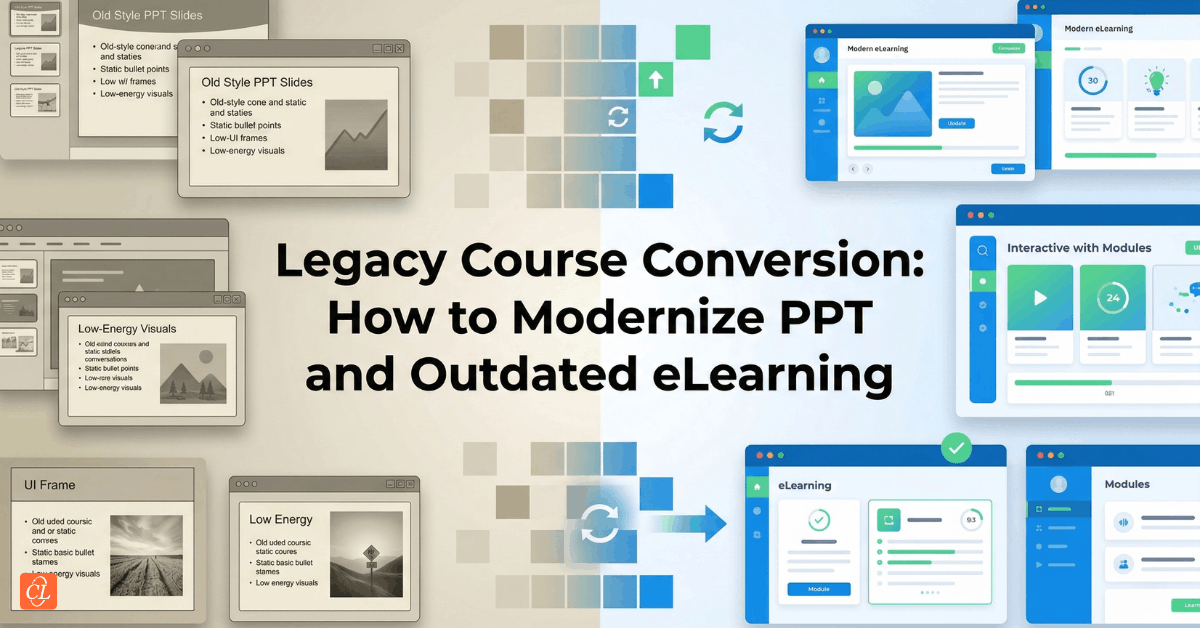
Many older training programs still contain valuable institutional knowledge, proven instructional content, and business-critical information. Yet they are often trapped inside outdated formats such as Flash courses, PowerPoint-based modules, static page-turners, or eLearning built with legacy authoring tools that no longer align with how employees learn today.
That creates a familiar problem for L&D teams: the knowledge is still useful, but the learning experience is no longer effective.
This is where legacy course conversion becomes strategically important.
When approached well, legacy course conversion is far more than a technical migration exercise. It is an opportunity to modernize outdated training assets, improve accessibility across devices, create a better learner experience, reduce maintenance effort, and make learning content more relevant to today’s workplace realities.
Instead of asking how to preserve old courses exactly as they are, organizations should be asking a better question:
How can we retain what is still valuable while redesigning the experience for the modern learner?
That is the real purpose of legacy course conversion, and it is what separates a simple format update from a meaningful learning modernization initiative.
Download Now: The 4Rs of Rapid eLearning
Table of Contents
- Why legacy course conversion matters now
- What should be converted, rebuilt, or repurposed
- A practical roadmap for modernizing legacy courses
- How to choose the right conversion approach
- Where authoring tools fit, and where strategy matters more
- Why QA and cross-device testing determine success
- How to turn conversion into a stronger learning ecosystem
- Key Takeaways
- FAQ
Why Legacy Course Conversion Matters Now
Legacy course conversion is often triggered by a technical issue, such as browser incompatibility, Flash retirement, outdated LMS requirements, or poor mobile access. But the strongest reason to modernize legacy content is not technical at all. It is strategic.
The way employees consume learning has changed significantly. Learners now expect training to be easier to access, easier to navigate, visually cleaner, and more adaptable to shorter attention spans and real-world work demands. Training is no longer experienced in a single sitting on a desktop screen. It is consumed across devices, in fragmented workdays, and often under time pressure.
Older eLearning was rarely designed for that reality.
Many legacy courses were built for a different era, one where long seat-time modules, dense screens, static navigation, and desktop-first experiences were widely accepted. While the content itself may still be relevant, the delivery often feels slow, rigid, or disconnected from modern learner expectations.
As a result, organizations typically face several recurring problems:
- Courses no longer run reliably across devices and browsers
Training that was once functional may now break, display poorly, or perform inconsistently in current digital environments. - The learning experience feels dated and disengaging
Even useful content can lose impact when it is delivered through long, static, or visually outdated course structures. - Updates become difficult and expensive
Older files are often harder to maintain, especially when source assets are incomplete or built in obsolete tool environments. - Teams rebuild unnecessarily instead of reusing intelligently
Valuable content often gets abandoned because the delivery format is outdated, leading to avoidable redevelopment costs.
Seen through that lens, legacy course conversion is not simply about “fixing old courses.” It is about recovering training value that organizations have already invested in and making it work better in the present.
That is why modernization matters now more than ever.
What Should Be Converted, Rebuilt, or Repurposed?
One of the biggest mistakes in legacy course conversion is assuming that every outdated course should follow the same path. In practice, that rarely leads to the best result.
Some courses are strong candidates for direct conversion because the content remains accurate, the structure is sound, and the learning experience only needs moderate improvement. Others require much deeper redesign because the original format is too long, too static, or too poorly aligned with how learners now consume information. In some cases, a full rebuild is the most practical route. In others, the content should not remain a “course” at all.
That is why the first stage of any conversion initiative should be evaluation, not production.
Instead of asking, How do we convert this?
The more useful question is:
What should this learning asset become?
That shift in thinking creates much better decisions.
A Smarter Way to Triage Legacy Learning Assets
| Asset Condition | Best Next Step | Why It Makes Sense |
| Content is current, but technology is outdated | Convert and refresh | Preserves useful knowledge while improving compatibility and usability |
| Content is current, but the experience feels too long or static | Redesign | Improves learner engagement, structure, and retention |
| Source files are broken, unstable, or difficult to work with | Rebuild | Reduces long-term maintenance issues and avoids inefficient patchwork |
| Content is useful, but learners need faster access | Repurpose | Supports microlearning, modular delivery, and just-in-time use |
This kind of triage helps L&D teams move away from one-size-fits-all conversion and toward a more strategic modernization model.
Questions to Ask Before Starting Conversion
A practical evaluation should include the following:
- Is the content still accurate and business-relevant?
There is little value in modernizing content that no longer reflects current systems, policies, or processes. - Does the training still support an active learning need?
Courses that are no longer assigned, used, or strategically important may not justify conversion effort. - Are the source files complete and usable?
If the files are unstable or incomplete, rebuilding may be more efficient than trying to salvage them. - Does the current format still suit today’s learners?
A technically functional course may still need redesign if the structure is outdated or cognitively heavy. - Would repurposing create more value than preserving the original format?
In many cases, shorter learning modules, quick-reference assets, or modular pathways are more useful than a long standalone course.
This is where legacy course conversion becomes a smarter portfolio decision rather than a mechanical production task.
A Practical Roadmap for Modernizing Legacy Courses
Successful legacy course conversion rarely happens through ad hoc decisions or rushed development cycles. The strongest projects follow a structured process that combines instructional thinking, technical planning, learner experience design, and quality assurance.
A practical modernization roadmap usually includes five stages.
Stage 1: Audit the Existing Learning Assets
Before any redesign or development begins, organizations need a clear picture of what they already have.
That means identifying:
- source files and editable course packages
- images, audio, video, and downloadable assets
- assessments and interactive elements
- language versions and localization dependencies
- branding requirements
- LMS tracking needs
- outdated content or references that need revision
This audit stage is often more valuable than teams expect because it reveals which assets are still reusable, which are incomplete, and which should be retired altogether.
It also creates the foundation for prioritization.
What to Prioritize First
When working with a large legacy library, start with courses that are:
- Business-critical
These directly support operations, compliance, customer-facing functions, or strategic capability building. - Frequently assigned or high-traffic
Modernizing heavily used training creates visible impact faster. - Technically broken or inaccessible
These courses are often already creating learner frustration or delivery risk. - High-visibility to stakeholders
Updating prominent training assets can quickly improve confidence in the learning function.
A strong audit prevents teams from spending time modernizing content simply because it exists.
Stage 2: Define the Scope of Change
Once the inventory is complete, the next step is determining how much change each course actually needs.
This is a critical planning stage because “conversion” can mean very different things depending on the asset.
Some courses may only need:
- HTML5 republishing
- a visual refresh
- updated branding
- simplified navigation
- minor text and media corrections
Others may require much deeper work such as:
- restructuring long modules into shorter sections
- rewriting outdated instructional content
- replacing passive screens with better learning interactions
- improving the overall flow and usability
- redesigning assessments for clarity and relevance
The scope should be defined early because it affects timeline, budget, review cycles, tool selection, QA effort, and stakeholder expectations.
This is also the stage where many organizations realize that they are not simply converting content. They are redesigning the learner experience.
And that is usually where the real value lies.
Stage 3: Redesign for the Modern Learner
This is often the point at which legacy course conversion shifts from maintenance work into meaningful improvement.
A course that was ineffective before will not suddenly become effective simply because it has been republished in a new format. Compatibility matters, but learner experience matters just as much.
That is why modernization should include thoughtful redesign wherever needed.
In practice, that often means improving the course in ways such as:
- reducing content density
- improving readability and visual hierarchy
- breaking long learning flows into shorter sections
- simplifying navigation and screen logic
- making content easier to scan and absorb
- aligning examples more closely with workplace reality
- improving the relevance and usability of assessments
These changes may seem small individually, but together they create a dramatically better learning experience.
When Redesign Is More Valuable Than Direct Conversion
Some legacy courses are simply too long or too rigid for modern learning conditions. In those cases, preserving the original structure often adds less value than rethinking the format altogether.
That may involve transforming a long course into:
- Short modules
Easier to consume and easier to assign based on role or need. - Microlearning components
Better suited for reinforcement, refreshers, and point-of-need access. - Topic-based learning paths
More flexible than a single large course and often easier to maintain. - Performance support assets
Especially useful for systems training, process training, and operational workflows.
This is where legacy conversion becomes a design opportunity rather than a preservation exercise.
Stage 4: Build in the Right Format
Once the redesign decisions are clear, the next step is choosing the right output format for the learning experience.
This is where many teams jump immediately to authoring tools. But before choosing software, it is important to decide what the learning asset actually needs to become.
Depending on the learning need, the right output may be:
- A responsive elearning course
- A modular curriculum
- A mobile-friendly learning series
- A multilingual course shell
- A blended learning component
- A microlearning pathway
- A support-focused digital resource set
The format should reflect how learners will use the content, not simply how the original course happened to be built.
That is a crucial distinction.
A course designed for desktop completion in a single sitting may not be the right format for a distributed workforce, frontline team, sales enablement environment, or time-constrained employee population. Modernization should improve both access and usability.
Stage 5: Test, Validate, and Launch
Testing should never be treated as the final technical formality. In legacy course conversion, it is one of the most important quality gates in the entire process.
A course may look polished in development and still fail in real-world conditions because of issues related to browser rendering, touch interactions, media behavior, menu logic, or LMS tracking.
That is why validation should happen systematically, not casually.
A stronger launch process confirms that the course is not only functional, but also usable, readable, and reliable for the learner.
How to Choose the Right Conversion Approach
Not every legacy asset should be modernized in the same way. The most effective conversion strategies align the approach with the actual problem that needs to be solved.
Sometimes the challenge is purely technical. In other cases, the real issue is instructional, structural, or experiential.
That is why it helps to think in terms of conversion goals, not just production methods.
Four Common Legacy Conversion Paths
| Conversion Goal | Best-Fit Approach | Typical Trigger |
| Improve compatibility across modern devices and browsers | HTML5 or responsive conversion | Flash retirement, browser incompatibility, poor mobile access |
| Improve learner engagement and usability | Instructional redesign | Long, static, or low-engagement learning experiences |
| Simplify future updates and maintenance | Rebuild in a modern authoring environment | Broken source files, unstable legacy assets, maintenance inefficiency |
| Improve flexibility and speed of use | Repurpose into modular or microlearning assets | Dense content, fragmented workdays, point-of-need learning needs |
This framework helps L&D teams avoid defaulting to one-to-one migration when a more strategic alternative may create greater value.
For example, a desktop-only legacy course may also be too long for today’s learners. A technically outdated program may also be instructionally weak. A course that once worked well in a classroom support role may now need to function as self-paced digital learning.
That is why the strongest modernization efforts are guided by learner need and business use case, not just file conversion logic.

Have You Met the 4 Rs of Rapid eLearning?
Accelerate Learning and Maximize its Impact With the 4 Rs of Rapid eLearning!
4Rs of rapid eLearning:
- Redesign
- Record
- Rebuild
- Republish
Where Authoring Tools Fit, and Where Strategy Matters More
Authoring tools absolutely matter in legacy course conversion, but they should never become the strategy.
The more important question is whether the chosen development environment supports the kind of learning experience, maintenance model, and production workflow the organization actually needs.
A good tool decision should support:
- the intended learner experience
- the level of interactivity required
- the need for responsive delivery
- the complexity of stakeholder review
- the ease of future updates by internal teams
That means tool selection should be made in service of the learning and operational model, not simply because a particular tool is popular or familiar.
What Organizations Typically Need from Modern Authoring Environments
Most legacy conversion projects benefit from tools that support:
- Responsive or flexible output
Useful for learners accessing training across devices and screen sizes. - Reusable templates and design consistency
Helps standardize the learner experience across large training libraries. - Efficient review and collaboration workflows
Especially important when SMEs, compliance teams, or multiple stakeholders are involved. - Easier maintenance after launch
Modernization should not create a new long-term maintenance burden. - Media and interaction flexibility
Helpful when redesign includes simulations, scenario flows, or richer learner engagement.
However, even the best authoring tool cannot compensate for weak structure, poor instructional decisions, or outdated learning design.
A dated course rebuilt in a modern tool can still feel dated if the experience itself has not improved.
That is why strategy must lead the tool choice, not the other way around.
Why QA and Cross-Device Testing Determine Success
Quality assurance is one of the most underestimated parts of legacy course conversion. Many teams focus heavily on rebuilding or redesigning the course and then treat testing as a final checklist item before launch.
That is risky.
In reality, many learner-facing issues only become visible during testing, especially when courses are viewed across real devices, browsers, screen sizes, and LMS environments.
These issues often include:
- inconsistent rendering across browsers
- touch interactions not behaving correctly on mobile devices
- layout or spacing problems on smaller screens
- media playback inconsistencies
- menu or navigation logic errors
- assessment or completion tracking problems
Even well-designed courses can lose credibility quickly if the user experience feels unreliable.
That is why QA should be treated as a learner experience function, not just a technical validation step.
A Practical QA Framework for Legacy Course Conversion
A strong QA process should include three layers:
1. Content QA: Confirms that the learning content is accurate, complete, and properly presented.
This includes checking:
- updated terminology and references
- screen sequence and content flow
- grammar, spelling, and labels
- content completeness
- visual consistency and formatting
2. Functional QA: Confirms that the course behaves as intended.
This includes checking:
- navigation and button behavior
- branching and triggers
- interactions and click states
- assessments and scoring logic
- hyperlinks, downloads, and media behavior
- LMS completion and reporting functionality
3. Experience QA: Confirms that the learner experience is smooth and usable.
This includes checking:
- readability across devices
- touch usability and spacing
- intuitive progression
- visual clarity
- consistency across browsers and screen sizes
- overall ease of use
Why Standardized QA Matters at Scale
If an organization is modernizing multiple courses, QA should not depend on memory or individual project habits.
A standardized checklist helps teams consistently validate:
- Menus and titles
- Font sizes and alignment
- Image quality
- Audio and video behavior
- Interaction flow
- Assessment performance
- Browser compatibility
- Device responsiveness
Without this, course quality becomes inconsistent, and the modernization effort loses credibility over time.
How to Turn Conversion into a Stronger Learning Ecosystem
The most valuable legacy course conversion projects do more than modernize isolated training assets. They create an opportunity to improve the broader learning ecosystem.
This is where organizations can get much more strategic.
Instead of treating conversion as a one-time cleanup effort, they can use it to strengthen how learning is designed, delivered, updated, and governed moving forward.
That shift matters because many legacy libraries were built over years, often by different teams, vendors, tools, and design approaches. As a result, they typically contain inconsistent branding, uneven learner experiences, duplicated content, and maintenance workflows that become harder to manage over time.
Legacy course conversion creates the opportunity to fix more than just outdated formats.
What Stronger Organizations Do Differently
They use conversion as a chance to:
- Prioritize high-value learning first
Rather than converting everything, they focus on the content that matters most to performance and business continuity. - Reduce unnecessary seat time
They move away from long, static modules and toward more efficient learning structures. - Create more modular learning experiences
This improves flexibility, assignment relevance, and future maintainability. - Standardize templates and learner experience patterns
A more consistent experience improves usability and reduces design fragmentation. - Simplify future updates
Modernized content should be easier to revise when products, systems, or policies change. - Improve stakeholder collaboration
Stronger review and approval workflows reduce rework and accelerate future projects.
When organizations use legacy conversion in this way, they are not just preserving old training. They are improving the architecture of learning itself.
And that is where modernization becomes much more valuable.
Key Takeaways
- Legacy course conversion should be treated as a modernization strategy, not just a technical migration task.
The real goal is to improve how valuable learning content is delivered and experienced today. - Not every outdated course should be handled the same way.
Some assets are best converted, while others should be redesigned, rebuilt, or repurposed. - HTML5 conversion solves compatibility issues, but it does not automatically improve learner experience.
Structure, usability, and instructional design still matter. - Redesign and chunking often create more value than one-to-one conversion.
Modern learners benefit more from flexible, manageable learning experiences. - Tool selection should support strategy, not replace it.
The best authoring environment is the one that fits the learning need and maintenance model. - QA is essential because many learner-facing issues only appear during testing.
A course is not truly modernized until it works well in real-world learner conditions. - Legacy conversion can become the foundation for a more scalable learning ecosystem.
Done well, it improves not only individual courses, but also the quality and sustainability of the broader training portfolio.
FAQ
1. What is legacy course conversion?
A. Legacy course conversion is the process of transforming outdated eLearning into modern digital learning formats such as HTML5, responsive courses, modular learning assets, or microlearning, while preserving and improving valuable instructional content.
2. Why is legacy course conversion important?
A. It helps organizations modernize old training assets so they are easier to access, easier to maintain, more engaging for learners, and better aligned with current business and technology needs.
3. Is converting a course the same as redesigning it?
A. Not always. Conversion may involve updating the format or technology, while redesign improves the structure, learner experience, instructional quality, and usability of the course.
4. When should a course be rebuilt instead of converted?
A. A rebuild is often the better option when source files are broken, incomplete, unstable, or too difficult to maintain, or when the original learning structure no longer supports current learner needs.
5. Can legacy course conversion support microlearning?
A. Yes. Many older courses can be broken into shorter, more flexible learning components that are easier to access, easier to retain, and better suited for just-in-time learning needs.
6. What should be included in QA for converted courses?
A. QA should cover content accuracy, navigation, functionality, media behavior, assessments, LMS tracking, usability, browser compatibility, and device responsiveness.
7. How do you choose the right tool for legacy course conversion?
A. The right tool depends on the desired learner experience, the complexity of interactions, maintenance needs, collaboration workflow, and the type of output required.
Conclusion
Legacy course conversion is no longer just about rescuing old files from obsolescence. It is about making existing learning investments useful again in a modern learning environment.
For many organizations, the real value lies not in preserving the past exactly as it was, but in preserving the knowledge that still matters while improving how that knowledge is accessed, experienced, and applied.
That requires more than republishing. It requires better judgment about what to retain, what to redesign, what to repurpose, and how to shape learning around the realities of today’s workforce.
When approached thoughtfully, legacy course conversion helps L&D teams move from outdated content libraries to a more responsive, scalable, and learner-centered training ecosystem.
And that is where modernization becomes truly meaningful.