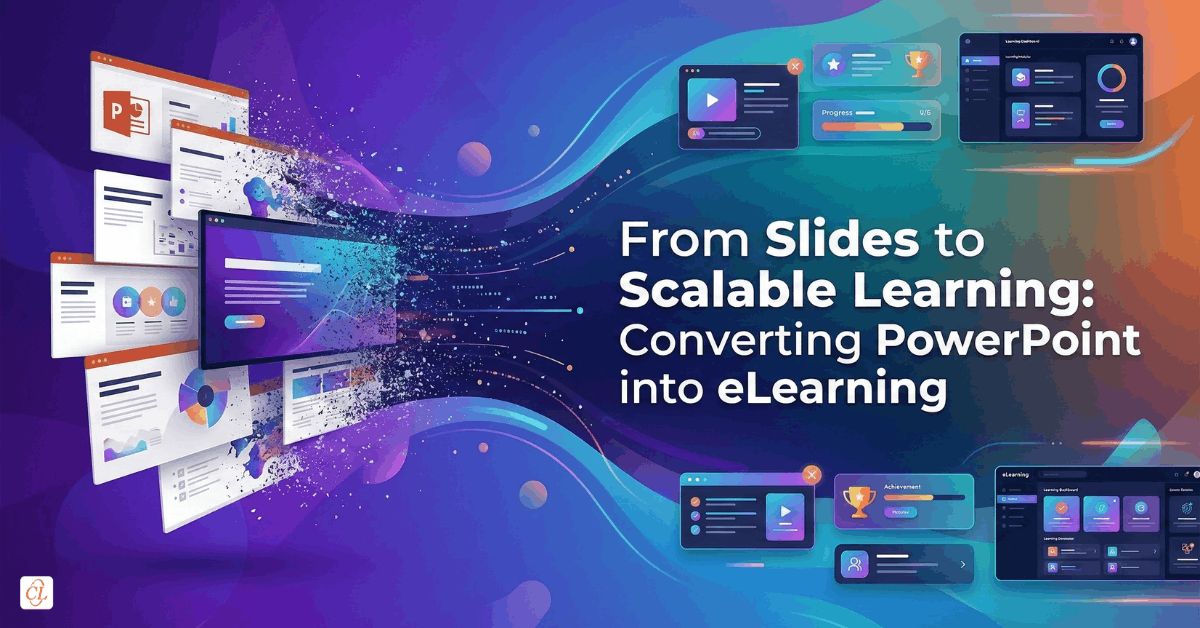
Most organizations are sitting on a hidden goldmine of training content. Years of onboarding decks, product presentations, compliance briefings, and knowledge-sharing sessions exist in PowerPoint format. Yet, when the need arises to scale training across regions, teams, or time zones, these assets fall short.
Slides were never designed for independent learning.
They depend on a presenter, lack interactivity, and offer no way to measure learning outcomes. As organizations move toward distributed workforces and continuous upskilling, this gap becomes a strategic bottleneck.
This article shows how to bridge that gap. You will learn how to transform static presentations into structured, trackable, and engaging digital learning experiences that scale across the enterprise.
Download eBook: Classroom to eLearning Conversion
Table of Contents
- Why PowerPoint Alone Cannot Scale Enterprise Learning
- The Real Goal: Transformation, Not Conversion
- The Three Maturity Levels of PowerPoint-to-eLearning
- A Strategic Framework for Converting PPT to eLearning
- Choosing the Right Conversion Approach for Your Organization
- SCORM, HTML5, and LMS Compatibility Explained
- Tools That Enable Scalable Conversion
- Common Pitfalls That Undermine Conversion Efforts
- The Role of AI in Modern Conversion Workflows
- From Content Conversion to Learning Ecosystem Transformation
Why PowerPoint Alone Cannot Scale Enterprise Learning
PowerPoint works well in controlled environments where an instructor guides the experience. Outside that context, its limitations become clear.
Slides are linear. Learning is not.
Slides present information. Learning requires engagement.
Slides inform. Learning drives behavior change.
Without interaction, learners become passive. Without tracking, organizations lack visibility. Without adaptability, content becomes outdated quickly.
This is why enterprises are shifting from presentation-based delivery to structured digital learning systems.
PowerPoint is a content container, not a learning system.
The Real Goal: Transformation, Not Conversion
A common misconception is that converting PowerPoint to eLearning is a technical task.
It is not.
It is a learning design transformation.
Simply exporting slides into another format does not create eLearning. Uploading a deck to an LMS does not make it effective. True transformation requires rethinking how content is consumed, applied, and measured.
Modern eLearning enables:
- Active participation through quizzes and scenarios
- Personalized pacing and navigation
- Consistent delivery across geographies
- Measurable outcomes through analytics
Conversion changes format. Transformation changes impact.
The Three Maturity Levels of PowerPoint-to-eLearning
Organizations typically operate at one of three levels:
Level 1: Static Distribution
- Uploading PPTs or PDFs to LMS
- Minimal effort, minimal impact
- No interactivity or tracking
Level 2: Rapid Conversion
- Converting PPTs into HTML5 or SCORM
- Basic navigation and tracking enabled
- Faster deployment but limited engagement
Level 3: Learning Experience Design
- Rebuilding content into structured modules
- Adding interactivity, assessments, and scenarios
- Fully aligned with learning outcomes
Most organizations plateau at Level 2. Real value is unlocked at Level 3.
A Strategic Framework for Converting PPT to eLearning
Effective conversion is not a one-step activity. It is a layered process that transforms static content into a structured learning experience.
Each step builds on the previous one. Skipping any stage often results in courses that look digital but fail to drive learning outcomes.
Step 1: Content Readiness
Before any conversion begins, the content itself must be evaluated for learning suitability.
PowerPoint decks are often designed as presentation aids, not standalone learning assets. This means they may include speaker notes, incomplete explanations, or overloaded visuals that rely heavily on an instructor.
To prepare content for eLearning:
- Define clear learning objectives that focus on what the learner should be able to do, not just know
- Ensure a logical content flow, removing unnecessary jumps or repetitions
- Eliminate presenter-dependent cues such as “as discussed earlier” or “this is important,” which do not translate in self-paced learning
- Refine slides into concise, focused messaging that can stand independently
This step ensures the content is structurally ready for transformation rather than simply being repackaged.
If the content is not self-explanatory, no tool can fix it later.
Step 2: Structural Redesign
Slides are not learning modules. What works in a presentation format rarely works in a self-paced environment.
This step involves reorganizing content into a format that aligns with how learners consume information digitally.
Key actions include:
- Breaking long decks into short, digestible learning units
- Grouping content into topic-based sections that reflect real learning goals
- Creating logical progression pathways, ensuring each concept builds on the previous one
In many cases, a single slide may expand into multiple screens, while multiple slides may be merged into one cohesive concept.
This redesign reduces cognitive overload and improves retention.
Structure determines whether learners progress or drop off.
Step 3: Instructional Layering
At this stage, content begins to evolve into actual learning.
Instructional layering introduces elements that move learners from passive consumption to active engagement.
Enhancements include:
- Knowledge checks to reinforce key concepts and validate understanding
- Real-world scenarios that contextualize information and make it relevant
- Decision-based interactions that allow learners to apply knowledge and see consequences
This is where instructional design plays a critical role. The goal is not to test memory, but to enable application.
Information becomes learning only when learners interact with it.
Step 4: Experience Design
Once the instructional layer is in place, the focus shifts to how the course feels and functions.
A well-designed experience ensures learners can navigate, consume, and engage with content effortlessly.
Key elements include:
- Intuitive navigation controls that allow learners to move freely or follow guided paths
- Multimedia elements such as audio, video, and animations that support, not distract from, learning
- Mobile responsiveness to ensure seamless access across devices and environments
Consistency in design also matters. A predictable interface reduces friction and allows learners to focus on content rather than figuring out how to use the course.
A smooth experience removes barriers to learning.
Step 5: Deployment and Testing
The final step ensures that the course performs as expected in a real environment.
Even well-designed courses can fail if technical validation is overlooked.
Critical checks include:
- Tracking and completion validation to ensure learner progress is accurately recorded
- Cross-device and browser testing to confirm consistent performance
- LMS compatibility testing, especially for SCORM or xAPI integration
Testing should simulate real learner behavior, not just technical functionality.
This step protects both learner experience and data integrity at scale.
A course is only successful when it works reliably in the learner’s environment. This structured approach shifts conversion from a tactical task to a strategic capability.
Instead of asking, “How do we convert slides?”
The better question becomes, “How do we design learning that scales?”
That shift is what separates basic digital content from high-impact eLearning. Conversion without redesign leads to digital slide decks, not learning experiences.

Classroom to eLearning Conversion
Everything You Always Wanted to Know
- Converting classroom material to eLearning
- Leveraging authoring tools for conversion
- Understanding different avatars of eLearning
- And More!
Choosing the Right Conversion Approach for Your Organization
There is no single best method. The right choice depends on your context.
Option 1: Direct Upload
- Fastest approach
- Suitable for low-impact content
- No interactivity or analytics
Option 2: SCORM Conversion
- Enables LMS compatibility
- Adds tracking and reporting
- Standardized approach
Option 3: Full Authoring Transformation
- Highest impact
- Requires instructional design effort
- Enables advanced interactivity
Modern teams increasingly evaluate:
- Budget constraints
- Time-to-launch
- Scale requirements
- Analytics needs
Choose based on learning goals, not tool features.
SCORM, HTML5, and LMS Compatibility Explained
Converting When organizations convert PowerPoint into eLearning, the output format is not just a technical decision. It directly impacts how content is delivered, accessed, tracked, and scaled across the enterprise.
Understanding the roles of HTML5 and SCORM is essential to building learning experiences that are not only accessible but also measurable and sustainable.
HTML5: Enabling Universal Access Across Devices
HTML5 is the foundation that makes modern eLearning accessible across devices and environments. When PowerPoint content is converted into HTML5, it is no longer tied to a specific software application or device.
Instead, it becomes a browser-based experience that can be accessed seamlessly on desktops, laptops, tablets, and smartphones.
This ensures:
- Cross-device compatibility, allowing learners to switch between devices without losing continuity
- Browser-based access, eliminating the need for downloads or installations
- Mobile responsiveness, where content automatically adapts to different screen sizes and orientations
For organizations with distributed or frontline workforces, this flexibility is critical. Learners are no longer restricted to a classroom or a desktop environment, and training can happen in the flow of work.
In addition, HTML5 supports multimedia elements such as video, audio, and animations, making it possible to create richer learning experiences compared to static slides.
HTML5 ensures your content can be accessed anywhere, but it does not, by itself, tell you what learners are doing with it
SCORM: Enabling Tracking, Reporting, and Accountability
While HTML5 focuses on delivery, SCORM focuses on data.
SCORM, which stands for Sharable Content Object Reference Model, is a standard that allows eLearning courses to communicate with a Learning Management System. This communication enables organizations to track learner activity and measure outcomes.
When PowerPoint-based courses are converted into SCORM-compliant packages, they can:
- Integrate seamlessly with LMS platforms, ensuring centralized delivery and management
- Track learner progress, including time spent, modules completed, and navigation patterns
- Capture completion status and assessment scores, providing visibility into performance
This level of tracking transforms training from a passive activity into a measurable process. Learning leaders can analyze completion rates, identify knowledge gaps, and optimize programs based on real data.
SCORM also ensures consistency. Once a course is packaged, it behaves predictably across different LMS platforms, reducing deployment risks.
SCORM turns learning into data, and data into decision-making.
Why Both HTML5 and SCORM Matter Together
It is important to understand that HTML5 and SCORM serve different but complementary purposes.
HTML5 ensures that learning content is accessible and usable across devices. SCORM ensures that the same content can be tracked, measured, and managed within an LMS.
Without HTML5, learning experiences may not function reliably across modern devices, limiting accessibility. Without SCORM, organizations lose visibility into learner engagement and performance, making it difficult to evaluate training effectiveness.
Together, they create a complete ecosystem where learning is both accessible and accountable.
Courses can be deployed across regions, accessed on any device, and continuously optimized based on performance data.
Tools That Enable Scalable Conversion
Modern tools fall into three categories:
PowerPoint-Based Tools
- Work within PowerPoint
- Faster adoption
- Limited flexibility
Advanced Authoring Tools
- Enable simulations and branching
- Require expertise
- Support complex elearning design
AI-Powered Platforms
- Automate content transformation
- Add interactivity automatically
- Reduce development time significantly
Tools accelerate execution, but strategy determines success.
Common Pitfalls That Undermine Conversion Efforts
Most failures stem from treating conversion as a technical task.
Key mistakes include:
- Converting slides without redesign
- Overloading screens with content
- Ignoring learner context
- Skipping interactivity
- Failing to test LMS compatibility
Another common issue is assuming animations and transitions equal engagement.
They do not.
Visual polish cannot compensate for poor learning design.
The Role of AI in Modern Conversion Workflows
AI is reshaping how organizations approach conversion.
Instead of manual redesign, AI can:
- Generate course structures from slides
- Add quizzes and assessments automatically
- Personalize learning paths
- Accelerate production timelines
This shifts the focus from content creation to learning strategy.
AI reduces effort. It does not replace instructional thinking.
From Content Conversion to Learning Ecosystem Transformation
The real opportunity is not converting presentations.
It is building a scalable learning ecosystem.
When done right, converted content becomes:
- Reusable across programs
- Measurable through analytics
- Adaptable for different audiences
- Continuously improvable
This transforms training from a one-time activity into an ongoing capability.
Conversion is the entry point. Transformation is the outcome. Enterprise success depends on moving beyond slide-based thinking
FAQ
1. Can PowerPoint be directly used for eLearning?
A. PowerPoint can be used as a starting point, but it lacks interactivity, tracking, and adaptability. To function as eLearning, it must be enhanced and converted into formats like SCORM or HTML5.
2. What is the fastest way to convert PPT to eLearning?
A. The fastest method is using AI-powered tools or PowerPoint-based authoring tools that allow direct import and export. However, speed should not compromise learning design quality.
3. Why is SCORM important in eLearning?
A. SCORM ensures compatibility with Learning Management System(LMS) platforms and enables tracking of learner progress, completion rates, and assessment scores, making training measurable and scalable.
4. What is the difference between HTML5 and SCORM?
A. HTML5 ensures content runs smoothly across devices and browsers, while SCORM enables tracking and communication between the course and LMS.
5. How do you make PowerPoint-based eLearning engaging?
A. By adding interactivity such as quizzes, scenarios, multimedia, and branching pathways, transforming passive content into active learning experiences.
6. When should you not convert PowerPoint to eLearning?
A. If the content requires deep conceptual learning, live facilitation, or hands-on practice, a blended or alternative learning approach may be more effective.
Conclusion
Organizations do not lack content. They lack scalable learning systems.
PowerPoint-to-eLearning conversion is not just about digitizing slides. It is about unlocking the value of existing knowledge and delivering it in a format that drives real learning outcomes.
The shift is subtle but powerful.
From presenting information
To enabling learning
From sharing content
To measuring impact
That is where true transformation begins.