Video has become one of the most familiar formats in workplace learning, but familiarity should not be mistaken for effectiveness. Many organizations now use video across onboarding, product training, technical instruction, safety learning, leadership development, and performance support. Yet a large share of corporate video training still remains passive. Learners watch, move on, and retain far less than learning teams expect.
That gap is where Articulate Storyline becomes especially valuable.
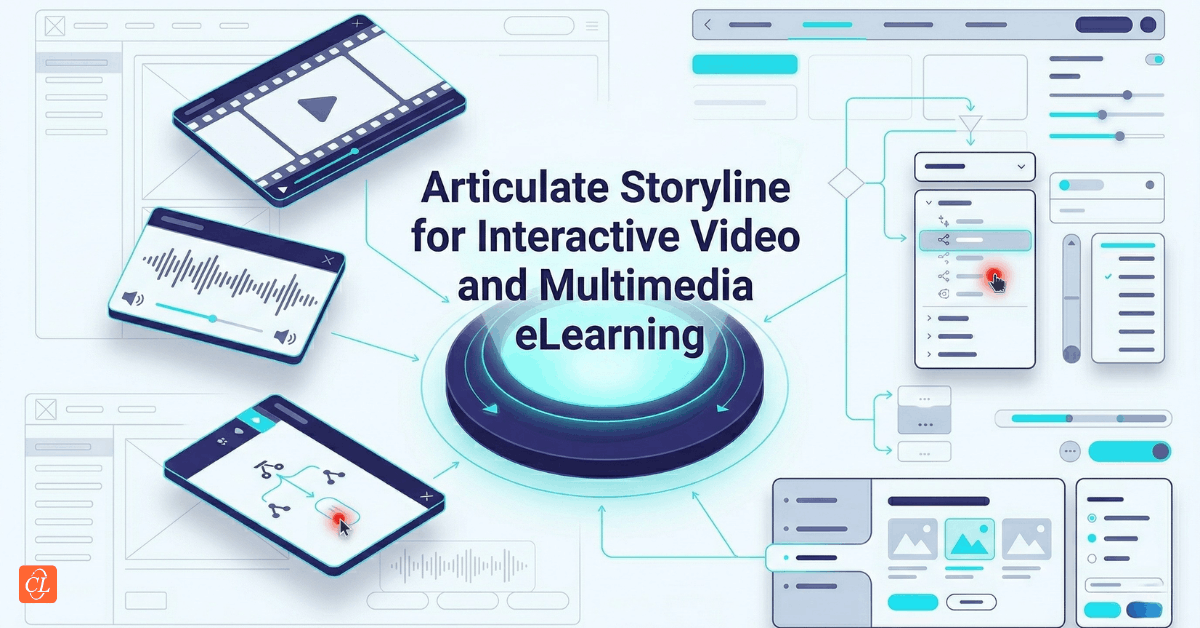
Storyline is not just a tool for placing videos inside an eLearning course. Used well, it allows learning teams to design video-based experiences that are more intentional, more interactive, and more closely aligned with business outcomes. It gives structure to multimedia learning, turns passive watching into guided participation, and helps teams integrate video, audio, on-screen prompts, navigation, and knowledge checks into one coherent learner experience.
This matters because video alone does not guarantee understanding. In fact, video can become just another content container if it is not designed with the learner’s task, attention, and work context in mind. A well-designed Storyline experience does something more. It helps learners focus on the right moments, respond to what they are seeing, practice decisions, and revisit critical information when they need it. In that sense, Storyline strengthens video not by making it more decorative, but by making it more instructionally useful.
For enterprise learning teams, this opens up a broader opportunity. Video-based learning is no longer just about repackaging content into a more modern format. It is about using multimedia strategically to improve comprehension, create stronger learner engagement, and support application on the job.
This article explores how to use Articulate Storyline to build better video-based learning experiences, from core media handling and playback design to interactive video, audio integration, course-to-video conversion, and enterprise-scale media strategy. Rather than treating these as isolated production tips, the goal is to bring them together into a more modern framework for multimedia learning design.
Download eBook Now: Rapid eLearning Authoring Tools
Table of Contents
- Video-Based Learning Needs More Than Video
- Why Articulate Storyline Is Stronger Than a Simple Video Container
- Building a Reliable Foundation for Multimedia Delivery
- Designing Interactive Video That Keeps Learners Mentally Present
- When Video Works Better Than Traditional Slide-Based eLearning
- Converting Courses Into Video Without Losing Instructional Value
- Using Audio, Music, and Voice Strategically in Storyline
- Managing Multimedia for Quality, Continuity, and Scale
- Common Mistakes in Storyline Video-Based Learning
- Creating an Enterprise Approach to Video Learning in Storyline
- FAQs
- Conclusion
Video-Based Learning Needs More Than Video
The rise of video in corporate learning is easy to understand. Video is familiar, scalable, visually engaging, and often easier for busy employees to consume than long text-heavy modules. It can demonstrate a process, show real workplace context, model behavior, or explain a concept with greater speed and clarity than static content alone. For these reasons, it has become a preferred format across many learning environments.
Yet the popularity of video has also created a recurring problem. Many organizations have adopted video as a delivery format without fully addressing how learning actually happens within it.
Watching is not the same as processing. Processing is not the same as understanding. And understanding is not the same as applying.
That distinction is important because workplace learning is ultimately judged not by content distribution, but by performance impact. If a learner watches a six-minute product demonstration or a ten-minute compliance explainer and cannot recall the critical steps, identify a risk, or perform the required task, then the format has not done enough on its own.
This is why video-based learning needs a stronger instructional frame.
Articulate Storyline helps provide that frame by allowing teams to embed structure around media. It enables prompts, checkpoints, scenario branches, clickable overlays, summaries, audio layering, and progress logic that transform video from passive content into an active learning environment. Instead of asking learners only to watch, it creates opportunities for them to think, respond, decide, and reinforce what matters.
In enterprise L&D, video-based learning should be understood not as the use of video alone, but as the design of learning experiences in which video serves a clear instructional purpose within a larger performance-oriented flow.
That means the real question is not whether to use video. It is how to make video work harder for learning.
Where video performs best
Video tends to be especially effective when the learning need involves:
- Demonstration
Showing a process, system action, equipment step, or workflow in context often works better through motion than description. - Observation of behavior
Leadership, customer interaction, coaching, and communication topics often benefit from seeing actions and responses unfold. - Context-rich explanation
Video can situate learning in real environments, making concepts feel more concrete and job-relevant. - Emotional or visual realism
Some topics require tone, nuance, body language, or operational realism that static slides cannot easily convey.
At the same time, video becomes less effective when it is overloaded with information, stretched too long, or presented without interaction, reflection, or reinforcement.
That is where Storyline becomes strategically important.
Why Articulate Storyline Is Stronger Than a Simple Video Container
Many tools allow teams to upload and play video. That alone is no longer a differentiator. What makes Articulate Storyline more valuable in this context is its ability to turn video into a structured learning experience rather than leaving it as a standalone asset.
This is a meaningful distinction. A video platform can display media efficiently. Storyline can design around it.
With Storyline, video can become part of a broader instructional sequence that includes learner prompts, clickable exploration, layered explanations, branching paths, embedded questions, guided reflection, and wraparound support. This means video is no longer limited to one-way delivery. It can function as a trigger for participation, analysis, recall, and decision-making.
That flexibility matters because enterprise learning teams rarely need video in isolation. They need video to do something specific inside a learning journey. It may need to introduce a concept, demonstrate a process, anchor a scenario, support a software simulation, reinforce behavior, or provide refresher support. Storyline makes it possible to design for those purposes more deliberately.
What Storyline adds to video-based learning
A strong Storyline-based multimedia experience can help teams:
- Control learning flow
Video can be paused, sequenced, segmented, or supported by prompts that guide attention more carefully. - Add interaction at meaningful moments
Learners can respond to what they are seeing rather than simply consuming it. - Blend media with instructional design
Video, audio, text, graphics, and checks for understanding can work together instead of sitting in separate content silos. - Create structured paths
Teams can design linear learning, exploratory review, or scenario-driven branching based on what the content requires. - Improve reuse and scalability
Media assets can be integrated into repeatable course structures across multiple programs.
Passive video versus Storyline-supported video
| Approach | Learner experience |
| Video as standalone content | Learners watch, but engagement and recall depend heavily on their own attention and motivation |
| Video inside a minimally designed course | The media is available, but the learning flow may still remain passive |
| Video inside a well-designed Storyline experience | Learners watch, respond, revisit, and apply information through a more intentional learning sequence |
The point is not that every video must become highly interactive. In many cases, a simple, well-framed video is enough. The value of Storyline lies in giving teams the ability to decide where structure, support, and interaction will make the learning experience stronger.
Building a Reliable Foundation for Multimedia Delivery
Before learning teams think about interactivity, branching, or multimedia sophistication, they need to get the basics right. A video-based course fails quickly if the media does not display properly, loads poorly, loses sync, or behaves inconsistently across devices and environments.
In enterprise settings, these problems have consequences beyond inconvenience. They affect learner trust, completion rates, support burden, and the perceived quality of the training itself.
A multimedia strategy in Storyline should therefore begin with reliability.
What reliability means in practice
Reliable multimedia delivery usually depends on a few foundational decisions:
- Appropriate video sizing and formatting
Video should display clearly without unnecessary file weight or distortion. - Stable playback behavior
Learners should not experience unpredictable starts, broken display, or awkward screen behavior. - Alignment with target environment
Media choices should reflect the learner’s actual bandwidth, device mix, and access conditions. - Consistent integration into screen design
Video should feel intentionally placed within the course rather than awkwardly inserted into a layout built for something else.
These may sound like production concerns, but they are also learner experience concerns. A technically unstable media experience immediately distracts from learning and weakens confidence in the course.
Questions teams should ask before building video-heavy modules
| Planning question | Why it matters |
| Where will learners most likely access the course? | Device type, network quality, and work setting influence media design choices |
| Is the video central to learning or supportive? | This determines how much screen emphasis and instructional framing it should receive |
| How long is the media segment? | Longer segments may require stronger chunking or interaction support |
| Does the course depend on audio? | Audio reliance affects usability in workplace environments where sound may be limited |
| What happens if the learner needs to revisit a section? | Navigation and replay logic should support real learner behavior |
A stronger mindset for media integration
Too often, teams treat multimedia as a late production layer. They finalize the course structure first and then find places to insert video and audio. A better approach is to decide early what role media will play in the learning experience and design around that role from the beginning.
That shift helps ensure the media is not just included, but meaningfully integrated.
Designing Interactive Video That Keeps Learners Mentally Present
Interactive video is often described as a more engaging format, but that description is incomplete. The real value of interactive video is not engagement for its own sake. It is the ability to keep learners mentally present while the video unfolds.
In passive video, attention can drift easily. Learners may continue watching without actively processing what they are seeing. Interactive video reduces that risk by asking for timely participation. It introduces moments where the learner must notice, interpret, choose, recall, or respond.
Articulate Storyline is well suited to this because it allows teams to design interaction around video rather than treating the media as a fixed uninterrupted stream.
What makes interactive video effective
Effective interactive video does not interrupt randomly. It introduces interaction where cognition benefits from it. That may include:
- a decision point after a critical moment
- a prompt to identify an error or risk
- a click to explore a feature within the scene
- a short check for understanding before moving forward
- a reflective pause after a behavioral example
- a branching choice that changes what happens next
When these moments are placed intentionally, the learner shifts from watching to thinking.
Strong use cases for interactive video in Storyline
Interactive video works especially well in contexts such as:
- Sales conversations
Learners can evaluate responses, choose next steps, or analyze customer cues. - Compliance and safety scenarios
Video can present realistic situations where learners identify risks, decisions, or consequences. - Technical demonstrations
Learners can pause to examine steps, sequence actions, or respond to troubleshooting moments. - Leadership and soft skills training
Learners can observe tone, behavior, and decisions, then choose how they would respond. - Process training
Video can show a workflow while interactions reinforce key steps and exceptions.
Principles that make interactive video stronger
A few design principles help prevent interactive video from becoming gimmicky:
- Keep interactions purposeful
Every interruption should support attention, interpretation, or application. - Match the interaction to the learning need
Use recognition, recall, decision-making, or exploration based on the skill being developed. - Avoid excessive fragmentation
Too many interruptions can damage narrative flow and create fatigue. - Use realistic timing
Interaction points should align with natural cognitive pauses, not arbitrary intervals. - Support replay and review
Learners may need to revisit critical moments, especially in complex or high-stakes training.
Interactive video works best when it respects the rhythm of the media while deepening the learner’s engagement with what matters most.
When Video Works Better Than Traditional Slide-Based eLearning
Learning teams sometimes approach video as an enhancement layered on top of standard eLearning. In many cases, that is appropriate. But there are also situations where video is not just an enhancement. It is the better primary format.
That decision should depend on the nature of the knowledge or skill being taught.
Video tends to outperform traditional slide sequences when the learning depends on movement, timing, behavior, environmental context, or live demonstration. In those cases, asking learners to infer action from static screens creates unnecessary distance between the content and the real task.
Signs that video may be the better learning format
Video is often the stronger choice when learners need to:
- observe a process in motion
- see how a system or task unfolds step by step
- interpret human behavior, tone, or body language
- understand spatial or environmental context
- learn from realistic workplace situations rather than abstract explanation
This does not mean video should replace every slide-based module. Slide-based formats remain useful for structured explanation, reference-driven learning, policy content, and highly segmented conceptual instruction. The better question is which format best serves the learning objective.
A practical comparison
| Learning need | Better primary format |
| Explaining policy details or structured concepts | Slide-based or mixed-format eLearning |
| Demonstrating procedures in motion | Video-based learning |
| Practicing decision-making in realistic context | Interactive video or scenario-based Storyline |
| Providing quick refresher support | Short video with targeted reinforcement |
| Teaching software process with guided sequence | Video, simulation, or blended Storyline format |
Teams get better results when they choose the medium based on instructional fit rather than content habit.
Converting Courses Into Video Without Losing Instructional Value
As video demand increases, many organizations are exploring how existing eLearning content can be converted into video-based formats. This is often driven by practical needs. Teams want shorter content, greater accessibility for busy learners, easier distribution, or a more contemporary consumption experience.
These are legitimate goals. But conversion should not be confused with compression.
If a course is simply reduced into narrated visuals without rethinking its structure, the result may be easier to watch but harder to learn from. The instructional value that existed in the original interaction model can easily disappear.
This is why converting courses into video requires design judgment, not just media production.
What should be preserved during conversion
When reworking a course into video-based learning, teams should identify and preserve the elements that carry instructional value:
- sequence of critical ideas
- essential decision points
- real-world examples
- demonstrations that benefit from motion
- moments that need emphasis or recap
- learner actions that previously supported retention
In some cases, these elements can be embedded into the video itself. In others, they should be reintroduced around the video using Storyline features such as prompts, summaries, checkpoints, or follow-up interactions.
Better questions to ask during conversion
Instead of asking, "How do we turn this course into a video?" ask:
- Which parts of this course are best communicated through motion and narration?
- Which interactions need to be preserved in another form?
- What can be simplified without weakening understanding?
- Where should the learner be asked to reflect, choose, or recall?
- What length and structure best fit the learner’s real work context?
These questions lead to better design decisions.
A more mature conversion model
A strong course-to-video strategy in Storyline often follows this pattern:
- Identify the core learning outcome
- Select the parts best suited to video
- Reduce unnecessary slide-based explanation
- Rebuild interaction where it still matters
- Support the video with prompts, summaries, or short checks
- Test whether the new format still enables understanding and application
The goal is not to preserve every part of the original course. It is to preserve the learning value while adapting the format more intelligently.

Rapid eLearning Authoring Tools
Explore the What and the Why of Popular Rapid eLearning Development Tools, and GenAI Tools
- Categories of eLearning Authoring Tools
- Considerations to Choose Your Next Authoring Tool
- Features of Popular Rapid Authoring Tools
- GenAI Tools to Create Content, Graphics, Audio, and Video
Using Audio, Music, and Voice Strategically in Storyline
Audio is one of the most underappreciated parts of multimedia learning design. In some courses, it is treated as an optional enhancement. In others, it is added too heavily, making the experience feel overstated or distracting. The better approach lies somewhere in between.
Used well, audio can add clarity, realism, emphasis, and emotional tone. Used poorly, it can clutter the learning experience, compete with visual content, or become unusable in real workplace contexts.
Storyline gives teams a flexible environment for using audio, but flexibility must be guided by instructional restraint.
The strategic role of voice
Narration or voice-based explanation can be useful when it helps learners process visuals, understand demonstrations, or follow a complex task without relying on dense on-screen text. This is particularly effective when the visual material is already doing substantial explanatory work and the audio acts as supportive guidance.
However, narration becomes less valuable when it merely repeats what is already written clearly on the screen. In such cases, it increases time without increasing insight.
Where audio adds the most value
Audio tends to be especially useful when it supports:
- demonstrations that benefit from guided explanation
- behavior modeling where tone and verbal nuance matter
- scenario realism in customer, leadership, or communication contexts
- microlearning where concise voice support improves speed and flow
- learners who benefit from multimodal processing
The role of music and background sound
Music in eLearning should be used carefully. It can sometimes help establish tone, reduce perceived flatness, or support certain immersive contexts. But in most enterprise learning, it should remain subtle and secondary. If background music competes with narration, distracts from the message, or becomes tiring across a long course, it is doing more harm than good.
The same principle applies to background sound and ambient media. Realism is useful only when it strengthens understanding.
Why audio management matters operationally
From a development perspective, audio also creates continuity and maintenance requirements. Teams need ways to manage, review, update, and back up media assets efficiently, especially when courses are localized, revised, or scaled across programs. Multimedia strategy is not only about the learner-facing experience. It is also about making media assets manageable over time.
Managing Multimedia for Quality, Continuity, and Scale
As organizations create more video-based learning, the challenge shifts from individual course production to media governance. A single course may succeed through careful effort, but enterprise impact depends on repeatability, consistency, and manageable production systems.
This is where many teams encounter friction. Video files are stored inconsistently, audio versions become hard to track, media quality varies across modules, and updates take longer than they should because assets were not managed with future use in mind.
A stronger multimedia approach in Storyline requires both design standards and operational discipline.
What scalable multimedia management includes
A scalable enterprise approach usually involves:
- consistent media naming and storage practices
- version control for audio and video assets
- clear ownership for updates and approvals
- standards for media quality and formatting
- reusable design patterns for multimedia screens
- backup and continuity practices for critical media files
These may sound like production details, but they directly influence course quality, turnaround time, and maintainability.
Why this matters more over time
The more media-rich content an organization builds, the more valuable consistency becomes. Without shared standards, teams spend too much time solving the same problems repeatedly. Media integration becomes slower, updates become riskier, and the learner experience becomes less consistent across programs.
With stronger systems in place, Storyline becomes a much more effective platform for multimedia learning at scale. Teams can move faster while maintaining quality, and courses feel more coherent across business units, topics, and audiences.
Common Mistakes in Storyline Video-Based Learning
Video can quickly create the impression of modernity, which is why some teams assume that adding media automatically improves the course. In practice, several common mistakes weaken multimedia learning even when the assets themselves are high quality.
Mistakes that often reduce learning impact
- Using video as a substitute for design thinking
A polished video cannot compensate for weak instructional structure. - Making media too long
Long uninterrupted videos often reduce attention and lower retention. - Adding interactivity without purpose
Interactions that feel decorative or arbitrary interrupt flow without improving learning. - Relying too heavily on audio
Learners may not always be in environments where audio can be used comfortably. - Forgetting replay and review needs
Learners often need quick access to critical moments, not just one forward viewing path. - Ignoring media maintenance
Poor file management can make updates, localization, and reuse unnecessarily difficult. - Overloading the screen
Video, text, controls, and prompts can easily compete with one another if the layout is not carefully planned.
These mistakes are common because multimedia work often moves quickly. The solution is not to avoid video, but to design with more discipline and purpose.
Creating an Enterprise Approach to Video Learning in Storyline
For organizations that want to use Storyline more effectively for video-based learning, the long-term opportunity is bigger than improving individual modules. The real opportunity is building a repeatable model for multimedia learning design that can support multiple use cases across the business.
That means defining where video adds the most value, how interactive video should be designed, what audio standards to follow, how multimedia assets should be managed, and which Storyline patterns should be reused across learning programs.
A mature enterprise approach usually combines four elements:
1. Clear instructional criteria for video use
Not every topic needs video. Teams should define when video is the best format and when another structure would be more effective.
2. Reusable multimedia design patterns
Common layouts, prompt styles, interaction types, and player treatments help teams move faster and create more consistency.
3. Media governance and asset management
Audio and video files should be manageable across revisions, translations, and large-scale deployment.
4. Performance-oriented evaluation
The success of video-based learning should be measured not only by completion or learner reaction, but by whether it helps people understand, recall, and apply what matters.
When these elements come together, Storyline becomes more than a course authoring tool. It becomes part of a broader capability for designing multimedia learning experiences that are scalable, maintainable, and aligned with enterprise performance needs.
FAQ
1. How do you use Articulate Storyline for video-based learning?
A. Articulate Storyline can be used for video-based learning by integrating video into a structured course experience that includes prompts, interactions, navigation, summaries, and knowledge checks. This turns passive watching into a more guided and performance-focused learning flow.
2. What is interactive video in Articulate Storyline?
A. Interactive video in Articulate Storyline is video enhanced with learner actions such as clicking, choosing, answering, exploring, or branching at key moments. Its value lies in keeping learners mentally engaged and helping them process, apply, and recall what they see.
3. Is Storyline good for video-based training?
A. Yes, Storyline is well suited for video-based training because it allows teams to go beyond simple playback. It supports multimedia integration, interactive design, learner guidance, and structured reinforcement, making video more instructionally effective for workplace learning.
4. When should video be used instead of slide-based eLearning?
A. Video is usually the better choice when learners need to observe movement, process, behavior, tone, or real-world context. Slide-based eLearning remains useful for structured explanation, policy content, and concept-heavy material where stepwise reading and navigation matter more.
5. Can you convert an existing course into a video using Storyline?
A. Yes, but effective conversion requires more than compressing slides into narration. Teams should identify what instructional value must be preserved, what works better in video form, and where prompts or interactions are still needed to maintain learner understanding.
6. How should audio and music be used in Storyline courses?
A. Audio and music should be used selectively. Narration is helpful when it clarifies visuals or supports realism, while music should remain subtle and secondary. In most enterprise learning, sound should support understanding without distracting from the core message.
7. What is the biggest mistake in Storyline multimedia design?
A. A common mistake is assuming that video alone creates effective learning. Without clear instructional structure, purposeful interaction, manageable media length, and reliable delivery, even high-quality multimedia can remain passive and less effective than intended.
Conclusion
Video has become central to modern workplace learning, but its real value does not come from format alone. It comes from how well that format is designed to support attention, understanding, recall, and application.
That is why Articulate Storyline matters in the multimedia conversation.
Used well, Storyline helps learning teams move beyond passive playback and create richer video-based experiences that combine media with interaction, structure, and instructional intent. It allows organizations to turn video into something more useful for performance, whether the goal is demonstrating a process, modeling behavior, reinforcing a decision, or helping learners revisit critical moments when they need them most.