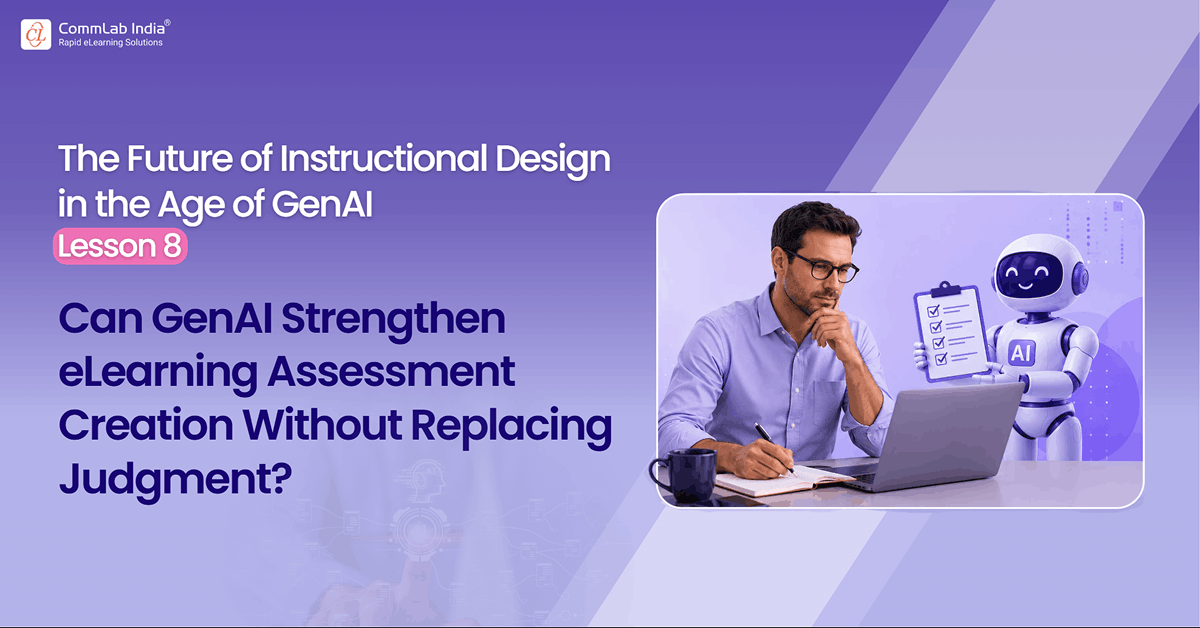
Assessment is one of the areas where GenAI looks most useful in eLearning. And that is exactly why it needs caution.
Ask AI for assessment questions, and it responds instantly. Multiple-choice items, true/false checks, sequencing activities, scenario questions, drag-and-drop ideas, feedback statements, distractors, answer explanations. The productivity gain is obvious. For busy instructional designers, the temptation is equally obvious: let AI take over the hard part.
That would be a mistake. Because assessment design is not the same as question generation.
This is the first distinction that matters.
GenAI is very good at producing assessment-looking material. It is much less reliable at deciding what should be assessed, when it should be assessed, what level of thinking should be tested, what format best suits the objective, or whether the question actually supports learning. Those are design decisions. And weak design decisions do not become strong just because the wording is polished.
That is why I believe GenAI should support assessment design, not automate it.
The strongest use of AI in this area is not to replace instructional judgment. It is to make that judgment more efficient, more expansive, and more rigorous.
This blog covers how instructional designers can use GenAI to strengthen assessments without letting it take over design decisions. It explains where AI helps most with format options, distractors, feedback, alignment checks, and scenarios while emphasizing the need for human judgment.
This article is part of a series on the future of instructional design in the age of GenAI. The series explores how instructional designers can move beyond ad hoc prompting toward a more disciplined, challenge-based human–AI working method.
Table Of Content
- What is the Core Problem with GenAI for eLearning Assessments?
- How to Start Earlier: AI Should Help with Assessment Thinking, Not Just Assessment Writing
- What is the Difference Between eLearning Assessment Generation and Design?
- Where GenAI Helps Most in eLearning Assessment Work
- Where GenAI Commonly Fails
- How to Work with GenAI for eLearning Assessment?
What is the Core Problem with GenAI for eLearning Assessments?
A lot of weak eLearning assessments fail in familiar ways.
- They test recall when the real objective is application.
- They ask easy questions after complex content.
- They use implausible distractors that no learner would pick.
- They present activity without diagnosis.
- They give feedback that merely says “correct” or “incorrect.”
- They appear aligned on the surface but are instructionally shallow underneath.
GenAI can generate all of these very quickly. That is not progress.
That is why the right question is not, “Can AI generate questions?”
Of course it can.
The better question is, “How should AI be used so assessment quality actually improves?”
That question changes everything.
How to Start Earlier: AI Should Help with Assessment Thinking, Not Just Assessment Writing
Many instructional designers bring AI into the process too late. They finalize the learning objectives. Then they ask AI to generate assessment questions. That is already a narrow use of the tool.
A better use begins earlier, when the designer is still asking:
- What should learners be able to do after this course?
- What evidence would show real understanding?
- Where should we test recall, and where should we test judgment?
- Which objectives require practice, not just checking?
- Which mistakes would be meaningful to surface?
This is where AI can be helpful as a thinking partner. It can help explore possible evidence of mastery, suggest different assessment approaches, and challenge whether the stated objective really matches the proposed assessment.
That is far more valuable than simply asking it for five multiple-choice questions.
What is the Difference Between eLearning Assessment Generation and Design?
This difference needs to be stated plainly.
- Assessment generation is about producing items.
- Assessment design is about deciding what kind of evidence of learning is needed, how it should be elicited, and how it should connect to the objective and the learner’s real work context.
Those are not the same thing.
A good instructional designer knows that the right question format depends on the purpose. If the learner needs to identify a concept, a straightforward item may be enough. If the learner needs to make a judgment, apply a process, or respond in a realistic situation, a recall-based question may be too weak. If the learner needs to perform a sequence accurately, then a sequencing treatment may be better than a conventional MCQ. If the course is about decision-making under ambiguity, then a mini-scenario may be more appropriate than any simple knowledge check.
AI can help generate options across these formats.
But the designer still has to decide what kind of evidence is actually required.
That is why AI should enter assessment work as an option-expander, not a silent decision-maker.
Where GenAI Helps Most in eLearning Assessment Work
In my view, GenAI is genuinely useful in five areas here.
1. Generating Multiple Assessment Format Options
This is one of its strongest uses.
Instead of asking for “questions,” the designer can ask for three or four different ways to assess the same objective:
- an MCQ
- a scenario-based question
- a sequencing activity
- a drag-and-drop classification
- a hotspot task
- a branching decision point
This is useful because it widens the instructional imagination. It stops the team from defaulting too quickly to the easiest format.
Often the first improvement in assessment quality comes not from writing a better question, but from choosing a better format.
2. Drafting Plausible Distractors
Good distractors are hard.
Weak distractors are one of the quickest ways to undermine an assessment item. If one answer is obviously correct and the others are obviously weak, the question measures almost nothing.
AI can help generate distractors more quickly and can often produce several variations. But this is also an area where AI can fail in predictable ways. It may create distractors that are grammatically inconsistent, too easy to eliminate, strangely worded, or unrelated to the real misconception.
So the right use of GenAI in eLearning is not blind acceptance. It is rapid drafting followed by strong review.
Ask:
- Which distractor is implausible?
- Which option gives away the answer by tone or length?
- Which wrong answer reflects a real learner misconception?
- Which distractor is technically wrong but instructionally useless?
This is where challenge-based prompting becomes especially valuable.
3. Writing Feedback That Actually Teaches
This is another area where AI can help a great deal.
Many formative assessments fail not because the question is terrible, but because the feedback adds nothing. “Correct” and “Incorrect” are not instructional feedback. Even slightly better versions often remain generic.
GenAI can help generate feedback for each option, explain the reasoning, and suggest more constructive wording. It can make feedback more specific, more supportive, and more explanatory.
But again, the designer has to judge whether the feedback is actually helping the learner think better, or merely sounding helpful.
Good feedback should do more than announce correctness. It should reinforce the concept, address the misconception, or redirect the learner’s attention to what matters.
That is where AI can be a strong assistant.
4. Critiquing Alignment Between Objectives and Assessment
This is one of the most important uses, and one of the most overlooked.
Instead of only asking AI to generate assessment items, ask it to audit them.
Ask:
- Which question does not really test the objective?
- Which item measures memory rather than application?
- Which feedback does not reinforce the intended skill?
- Which objective has been assessed too lightly?
- Where is the mismatch between the stated performance and the actual question type?
This kind of AI critique can be extremely useful. It helps the designer move from generation to evaluation. And in assessment work, evaluation is where much of the quality lies.
5. Expanding Realistic Scenario Possibilities
For application-focused learning, scenarios matter. They create context, ambiguity, consequence, and relevance. They also take time to design well.
AI can be genuinely useful in generating scenario seeds, alternative response paths, common workplace errors, realistic consequences, and varying levels of difficulty. This can help the designer move beyond generic knowledge checks and toward more authentic learning.
But here too, AI must be watched carefully. It may produce scenarios that feel superficially realistic but do not reflect the real pressures, constraints, or nuances of the learner’s environment.
So again, the standard is not whether the scenario sounds plausible. It is whether the scenario supports the intended learning and reflects the actual performance context.
Redefining Generative AI for Dynamic L&D Teams
Discover how Generative AI is breaking boundaries and empowering L&D Teams
- Why leverage Generative AI for L&D?
- What training managers should know about generative AI
- Ethical conundrums for Generative AI: Use cases
- Future prospects of Generative AI
Where GenAI Commonly Fails
Assessment is one of those areas where AI’s weaknesses can hide behind fluency.
It often fails by being superficially competent.
It may generate:
- technically correct but instructionally weak questions
- objective-aligned language with poor cognitive demand
- distractors that no real learner would choose
- feedback that sounds polished but teaches little
- scenario questions that are elaborate but not meaningful
- variety without instructional purpose
And because the output looks finished, teams may move on too quickly.
That is the real danger. AI can make poor assessment design look more respectable than it is.
How to Work with GenAI for eLearning Assessment?
The stronger workflow is more deliberate.
Start with the objective. Then ask what kind of evidence would show learning. Then ask what assessment format best suits that evidence. Only then should AI be used to generate item options.
After that, do not stop at generation.
Use AI again to critique what it has produced:
- identify weak distractors
- challenge alignment
- flag cognitive mismatch
- improve feedback
- surface where the item is too easy, too obvious, or too abstract
Use AI twice.
First as a generator.
Then as a reviewer.
That is a much stronger model.
The Larger Point
Assessment is where instructional quality becomes visible. A weak assessment exposes shallow objectives, vague learning treatment, and poor alignment. A strong assessment does the opposite. It clarifies what matters, reinforces the design logic, and helps the learner actually think. That is why instructional designers should be careful not to hand this part over too casually.
GenAI can absolutely help here. It can save time, increase range, improve wording, strengthen feedback, and surface alternatives. But it should not become the hidden assessment designer behind the course. Because the job is not merely to produce assessment items. The job is to design evidence of learning. And that still requires judgment. That is why the right role for GenAI in assessment is not automation. It is support. Disciplined, critical, well-reviewed support. That is how better assessments are built.
Next in the series: Junior, Mid-Level, and Senior IDs Should Not Use AI the Same Way.