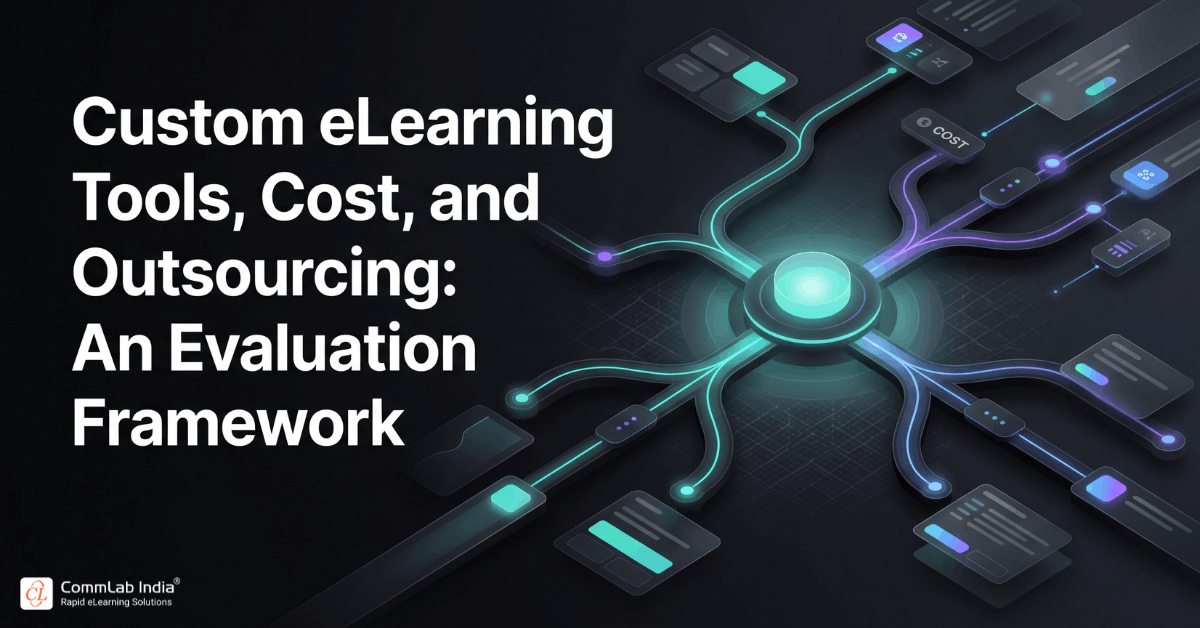
Once organizations commit to custom eLearning, the nature of decision-making shifts significantly. The focus is no longer limited to what should be taught or how learners should be engaged. Instead, it expands into a more complex and consequential territory that includes tools, technology choices, cost structures, and sourcing strategies.
These decisions are often underestimated. Many organizations approach them as operational considerations that can be resolved later in the process. In reality, they shape the feasibility, scalability, and long-term success of the entire learning initiative.
The tools you choose determine how quickly you can build and update content.
The technology stack defines how seamlessly learning integrates into the broader digital ecosystem.
The cost structure influences how sustainably you can scale learning across the organization.
At this stage, the goal is not just to build custom eLearning. It is to build it in a way that is efficient, adaptable, and aligned with business priorities. This requires a structured evaluation framework that balances capability, cost, and long-term value.
Download eBook: eLearning 101 - A Beginner’s Guide
Table of Contents
- Understanding the Technology Foundation of Custom eLearning
- Selecting Authoring Tools That Align with Business Needs
- Driving Efficiency Through Templates and Standardization
- Breaking Down the True Cost of Custom eLearning
- Build vs Outsource: Making the Right Strategic Call
- Optimizing Cost Without Compromising Learning Quality
- Designing a Scalable and Future-Ready Technology Ecosystem
- FAQs
- Conclusion
Understanding the Technology Foundation of Custom eLearning
Custom eLearning may appear to be content-driven on the surface, but its effectiveness is deeply rooted in the technology that enables it. Every learning experience, no matter how well designed, depends on a set of underlying tools and systems that support creation, delivery, tracking, and improvement.
This technology foundation typically consists of several interconnected components. Authoring tools enable content creation, learning platforms manage delivery and tracking, integration layers connect learning with enterprise systems, and analytics tools provide visibility into performance.
The real challenge is not simply selecting these components individually. It lies in ensuring that they function as a cohesive system. When tools operate in isolation, organizations often face inefficiencies such as duplicated effort, inconsistent learner experiences, and difficulty in scaling content across regions or functions.
A well-aligned technology foundation, on the other hand, creates a seamless flow from development to deployment, enabling organizations to respond quickly to changing learning needs.
Selecting Authoring Tools That Align with Business Needs
Authoring tools play a central role in custom eLearning development, shaping how content is created, maintained, and scaled. However, choosing the right tool is rarely about selecting the most advanced or feature-rich option.
It is about finding the right fit for your organization’s needs, capabilities, and long-term objectives.
Key Considerations for Tool Selection
| Evaluation Area | What It Means in Practice |
| Ease of Use | Enables faster development and easier updates by internal teams |
| Interactivity | Supports scenario-based and decision-driven learning experiences |
| Scalability | Handles large volumes of content and diverse learner groups |
| Integration | Works seamlessly with LMS and enterprise systems |
| Flexibility | Allows quick updates without extensive rework |
A well-chosen tool not only accelerates development but also reduces dependency on specialized resources over time. Conversely, a misaligned tool can slow down production, increase costs, and limit the ability to evolve content.
What Organizations Should Prioritize
- Adoption over complexity
Tools should empower teams rather than create reliance on technical experts. - Flexibility over features
The ability to update and adapt content is often more valuable than having advanced but rarely used capabilities. - Longevity over short-term gains
Tool selection should support long-term scalability rather than immediate convenience.
Driving Efficiency Through Templates and Standardization
As organizations scale custom eLearning, efficiency becomes a critical concern. Without structured approaches, development timelines can expand rapidly, and costs can increase disproportionately.
Templates and standardization provide a practical solution to this challenge.
Rather than building each course from scratch, organizations can use predefined layouts, interaction patterns, and design frameworks. This not only accelerates development but also ensures a consistent learner experience across courses.
How Templates Improve Efficiency
- Reduce development time
Pre-built structures eliminate the need to design every element from the ground up. - Ensure consistency
Learners navigate familiar interfaces, which improves usability and reduces cognitive friction. - Simplify updates
Changes can be applied across multiple courses without extensive rework.
When combined with automation, such as reusable components and streamlined localization workflows, templates enable organizations to scale learning without compromising quality.
Breaking Down the True Cost of Custom eLearning
Cost is one of the most critical and often misunderstood aspects of custom eLearning development. Many organizations focus primarily on upfront development expenses, overlooking the broader financial picture.
In reality, custom eLearning costs are multi-dimensional and extend across the entire lifecycle of the learning solution.
Key Cost Components
| Cost Category | What It Includes | Why It Matters |
| Instructional Design | Analysis, storyboarding, experience design | Determines learning effectiveness |
| Development | Multimedia creation, interactivity, course build | Impacts engagement and quality |
| Technology | Tools, licenses, integrations | Enables scalability and efficiency |
| Deployment | LMS setup, hosting, rollout | Affects accessibility and adoption |
| Maintenance | Updates, revisions, enhancements | Ensures long-term relevance |
Understanding these components helps organizations move from reactive budgeting to strategic investment planning.
Important Cost Realities
- Higher upfront investment often leads to lower long-term costs
Well-designed content reduces rework and improves efficiency. - Maintenance is not optional
Content must evolve with business needs to remain effective. - Complexity drives cost variability
Advanced interactivity, multimedia, and localization increase investment requirements.
Build vs Outsource: Making the Right Strategic Call
One of the most important decisions organizations face is whether to develop custom eLearning internally or partner with an external provider.
This decision goes beyond cost. It involves evaluating internal capabilities, timelines, scalability needs, and strategic priorities.
Comparative View
| Factor | In-House Development | Outsourcing |
| Control | Full control over process and content | Shared control with partner |
| Expertise | Limited to internal skill sets | Access to specialized expertise |
| Speed | Slower due to resource constraints | Faster due to dedicated teams |
| Cost Structure | Fixed and ongoing | Flexible and project-based |
| Scalability | Limited by internal capacity | Easily scalable |
When Outsourcing Makes Sense
- When internal teams lack specialized design or development expertise
- When timelines are tight and speed is critical
- When large-scale or multi-language projects are involved
When In-House Development Works Better
- When content requires deep internal knowledge and frequent updates
- When organizations have established L&D teams with strong capabilities
- When long-term control over content is a priority
In many cases, organizations adopt a hybrid approach, combining internal oversight with external execution to achieve the best balance.

eLearning 101 - A Beginner’s Guide to Understanding All About eLearning!
What you will learn
- What is eLearning?
- The advantages of eLearning
- The impact of eLearning on businesses
- and more!
Optimizing Cost Without Compromising Learning Quality
Cost optimization is not about cutting corners. It is about making informed decisions that maximize value while maintaining effectiveness.
Organizations that approach cost strategically focus on efficiency rather than reduction.
Practical Optimization Strategies
- Leverage existing assets
Convert classroom materials or legacy content into digital formats to reduce effort. - Standardize design frameworks
Reuse templates and interaction patterns to maintain consistency. - Prioritize high-impact learning areas
Allocate resources where training directly influences performance. - Use built-in tool capabilities
Avoid unnecessary customization when standard features are sufficient.
These strategies allow organizations to control costs while maintaining a high standard of learning quality.
Designing a Scalable and Future-Ready Technology Ecosystem
As organizations mature in their custom eLearning capabilities, the focus shifts from individual tools to building an integrated ecosystem.
A scalable ecosystem ensures that all components, from authoring tools to analytics platforms, work together seamlessly.
Key Elements of a Strong Ecosystem
- Integrated platforms
Ensures smooth flow between content creation, delivery, and tracking. - Localization capabilities
Supports global training initiatives efficiently. - Data and analytics systems
Provides insights into learner behavior and performance. - Modular content architecture
Enables flexible updates and reuse across programs.
This ecosystem approach reduces fragmentation and enables organizations to scale learning initiatives with confidence.
FAQs
1. What tools are required for custom eLearning development?
A. Custom eLearning requires authoring tools, LMS platforms, analytics systems, and integration tools to create, deliver, and track learning effectively.
2. How should organizations choose an authoring tool?
A. They should evaluate ease of use, scalability, interactivity, integration capabilities, and how easily content can be updated.
3. What factors influence the cost of custom eLearning?
A. Costs depend on design complexity, development effort, technology requirements, content type, and ongoing maintenance.
4. Is outsourcing custom eLearning development effective?
A. Yes, outsourcing provides access to expertise, improves speed, and enables scalability, especially for large or complex projects.
5. How can organizations reduce development costs?
A. By using templates, repurposing existing content, leveraging built-in tool features, and focusing on high-impact areas.
6. What is the benefit of a technology ecosystem in eLearning?
A. It ensures seamless integration between tools, improves efficiency, and supports scalability across the organization.
7. Can organizations combine in-house and outsourced development?
A. Yes, a hybrid approach allows organizations to maintain control while leveraging external expertise for execution.
Conclusion
Custom eLearning development is shaped as much by technology and investment decisions as it is by instructional design.
The tools organizations select, the way they structure costs, and the sourcing strategies they adopt all play a defining role in determining how effectively learning can be delivered and scaled.
By approaching these decisions with a structured, long-term perspective, organizations can move beyond fragmented execution and build a cohesive, efficient, and future-ready learning ecosystem, one that not only supports learning but actively drives performance and growth.