In many organizations, conversations about eLearning tools begin too late and too narrowly. A project is approved. Content is handed over. Deadlines are set. Then the team starts asking practical questions: Which authoring tool should we use? Should this course rely on video, simulations, or simpler interaction patterns? How detailed should the storyboard be? Do we need HTML5 compatibility? Can the design support mobile use, updates, localization, and future maintenance?
These may sound like production questions, but they are far more consequential than they first appear.
The technical choices behind eLearning development shape not only how a course looks, but also how efficiently it can be built, how well it performs for learners, how easily it can be updated, and how scalable it becomes across business functions. A poor tool decision can slow production, limit interactivity, complicate localization, or make future revisions unnecessarily expensive. A weak storyboard can create confusion long before the course reaches production. An overloaded multimedia strategy can distract rather than clarify. Even well-intentioned choices around simulation software, video, or authoring platforms can create more complexity than value if they are not aligned to the learning need.
That is why organizations need to think of eLearning development tools and technical production choices as part of a larger instructional and operational system. The question is not simply which platform has the most features. It is which combination of tools, formats, and production decisions best supports the learning objective, the learner context, the team’s workflow, and the long-term realities of maintenance.
At its best, eLearning production is not a patchwork of disconnected tool decisions. It is a deliberately designed build environment where storyboards guide execution, multimedia supports comprehension, simulations enable practice, and authoring platforms are chosen for fit rather than popularity.
This article explores how corporate training teams can make smarter decisions about authoring tools for eLearning development, storyboards, multimedia formats, simulations, video, HTML5 readiness, and technical production workflows, so the final output is not only polished, but practical, scalable, and instructionally sound.
Download eBook Now: Rapid eLearning Authoring Tools
Table of Contents
- Why Tool Decisions Matter More Than Most Teams Realize
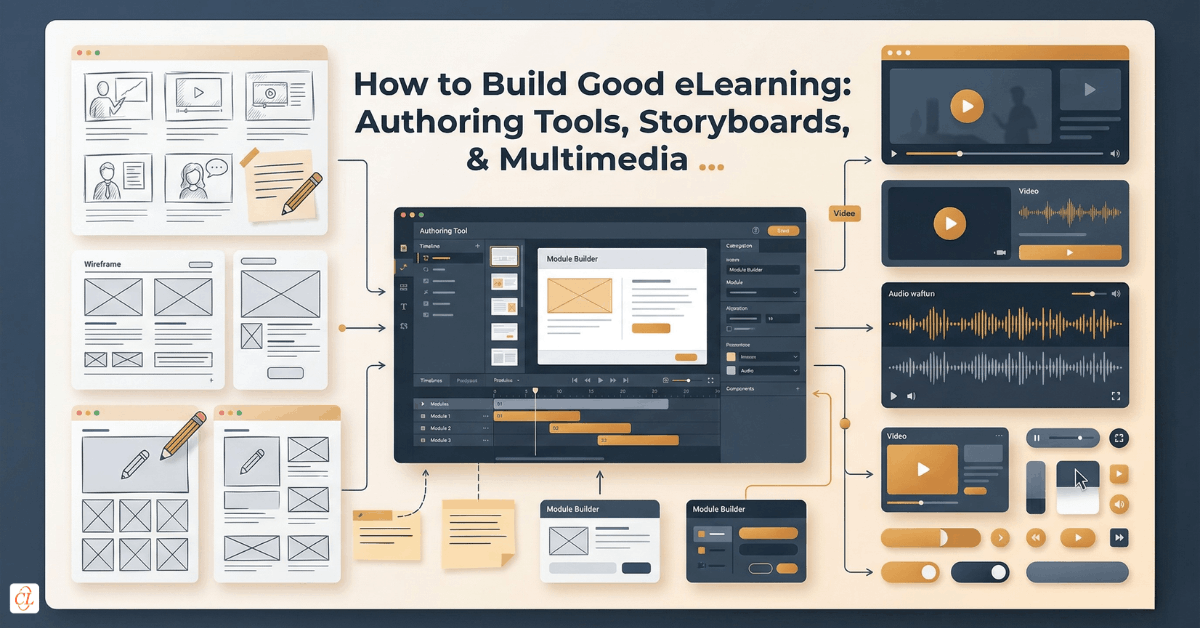
- What the Modern eLearning Production Stack Actually Includes
- Choosing Authoring Tools for eLearning Development
- Why the Storyboard Still Matters in Modern eLearning Production
- How to Select the Right Multimedia Format for Learning Impact
- eLearning Video Development: When Video Helps and When It Does Not
- Simulation Software and Practice-Based Learning Design
- HTML5, Responsiveness, and Technical Compatibility in eLearning Development
- How to Build a Better Technical Production Workflow
- What Strong Technical Choices Look Like in Practice
- FAQs
Why Tool Decisions Matter More Than Most Teams Realize
When teams discuss digital learning production, they often treat tool selection as a secondary matter. The learning objective is defined, the content is gathered, and only then does the technical conversation begin. But in practice, those technical decisions affect nearly every part of the learning experience.
The authoring tool influences what kinds of interactions are realistic within budget and timeline. The storyboard determines whether the course can move into production with clarity or drift into revision loops. Multimedia choices influence cognitive load, learner attention, and comprehension. Simulation platforms shape how authentically learners can practice. Even technical standards such as HTML5 compatibility and responsiveness influence whether the course performs smoothly across devices and platforms.
This means technical production choices are not separate from instructional quality. They are one of its strongest enablers.
A well-designed eLearning course rarely begins with a question like, “Which tool do we have?” It begins with better questions:
- What kind of learning experience is actually needed?
- What level of interactivity is justified?
- Will this course need frequent updates?
- Is the audience primarily desktop, mobile, or mixed?
- Does the content require simulation, video, or guided decision-making?
- How much production flexibility does the team need?
- What will make this course sustainable after launch?
When technical decisions are made through that lens, teams are more likely to build courses that are effective, efficient, and maintainable.
The best eLearning tool and production choices are not the most feature-rich ones. They are the ones that best match the learning need, workflow realities, learner context, and long-term maintenance demands.
What the Modern eLearning Production Stack Actually Includes
Many people use the phrase eLearning development tools as though it refers only to authoring software. In reality, the production environment for modern eLearning is broader than that.
A complete technical production stack usually includes several layers:
- authoring tools for building the course experience
- storyboarding documents or systems for planning structure and flow
- multimedia assets and production tools for audio, graphics, animation, and video
- simulation tools for software or process practice
- publishing standards and output formats for compatibility across environments
- templates, reusable components, and style systems for production consistency
- QA and testing workflows to validate learner experience and technical stability
This broader perspective matters because most production problems are not caused by a single bad tool. They arise when the production stack as a whole is misaligned.
For example, a team may choose a capable authoring platform but lack a strong storyboard process, leading to confusion before build begins. Another team may produce rich media beautifully but use too many formats without clear instructional purpose, increasing cognitive overload. In other cases, the course may be designed for elegant desktop delivery but perform poorly on mobile because compatibility was considered too late.
That is why technical production should be thought of as a system rather than a series of isolated choices.
The core elements of the production environment
| Production Layer | Strategic Purpose |
| Authoring platform | Determines build flexibility, output options, and interaction capability |
| Storyboard | Translates content and learning logic into production-ready structure |
| Multimedia strategy | Supports attention, explanation, retention, and learner engagement |
| Simulation capability | Enables realistic task practice where procedural accuracy matters |
| Technical output | Ensures compatibility, accessibility, responsiveness, and platform readiness |
| Reusable assets and templates | Improves speed, consistency, and maintainability |
Organizations that get these layers aligned are not just better at producing eLearning. They are better at producing it repeatedly, at scale, and with fewer downstream problems.
Choosing Authoring Tools for eLearning Development
The market for authoring tools for eLearning development is crowded, and feature comparisons can quickly become distracting. One platform may be praised for ease of use, another for responsive design, another for collaboration, and another for deep customization. But the right choice is rarely the one with the longest feature list.
It is the one that fits the specific learning and production context.
What authoring tools should really be evaluated on
A more strategic evaluation looks at how the tool supports the real demands of production.
Fit for learning complexity
Some courses require straightforward content presentation with light interaction. Others need branching, simulations, role-based paths, or advanced interaction logic. A tool should be chosen based on the complexity the learning actually requires, not on aspirational possibilities that may never be used.
Ease of production and update
A technically powerful tool can still become a liability if it slows routine development or makes future edits cumbersome. This is especially important for corporate training content that must be updated frequently.
Team capability and workflow fit
A tool is only as effective as the team’s ability to use it well. If it requires specialized skill that the team does not have, the production process becomes fragile.
Collaboration and scale
In some environments, multiple contributors need to review, edit, localize, or maintain content. In such cases, workflow and collaboration features matter as much as design flexibility.
Output and compatibility
Publishing requirements still matter. The tool must support the technical environments in which the learning will live, including modern browser access, LMS compatibility, and responsive delivery expectations where needed.
A more grounded way to compare tools
Rather than asking which tool is best in general, teams should ask which tool is best for:
- rapid conversion of existing material
- highly customized interaction design
- frequent course updates
- distributed team collaboration
- simulation-heavy learning
- mobile-friendly delivery
- multilingual and localization workflows
That shift from generic comparison to contextual fit usually leads to better decisions.
Why authoring tools still matter despite templates and AI support
As production ecosystems evolve, teams have access to more templates, automation, AI-assisted drafting, and reusable assets than before. Even so, the authoring environment still matters because it shapes how efficiently those inputs can be turned into a cohesive learner experience.
The authoring tool is not the strategy. But it remains one of the strongest enablers, or constraints, of strategy in action.

Rapid eLearning Authoring Tools
Explore the What and the Why of Popular Rapid eLearning Development Tools, and GenAI Tools
- Categories of eLearning Authoring Tools
- Considerations to Choose Your Next Authoring Tool
- Features of Popular Rapid Authoring Tools
- GenAI Tools to Create Content, Graphics, Audio, and Video
Why the Storyboard Still Matters in Modern eLearning Production
In some production environments, storyboards are viewed as old-fashioned or overly formal. Teams eager to move quickly may want to jump directly into authoring, especially when tools make screen creation feel fast. But that instinct often creates problems later.
The eLearning storyboard remains one of the most important control points in the development process because it is where learning logic, content flow, media direction, and production intent become visible before expensive build effort begins.
What a storyboard really does
A strong storyboard is not just a script or a content dump in a table. It is a translation layer between concept and production.
It helps teams clarify:
- what the learner sees
- what the learner does
- how information is sequenced
- where visuals or audio are needed
- how interactions function
- what feedback or guidance appears
- how assessments align with the learning goal
In other words, the storyboard reduces ambiguity.
What makes a storyboard effective
A production-ready storyboard usually does four things well:
It reflects instructional thinking, not just content order
It should be shaped around learner need and experience, not simply mirror the order of source materials.
It specifies media and interaction intent clearly
Designers and developers should not have to guess where media adds value or how an interaction is meant to work.
It anticipates build realities
A good storyboard is ambitious enough to support quality, but grounded enough to be buildable within time, budget, and tool constraints.
It makes review more intelligent
Stakeholders can respond more meaningfully when they see not just the content, but the intended learner experience.
Why skipping storyboarding often backfires
When teams bypass or weaken the storyboard stage, several issues tend to emerge:
- inconsistent screen logic
- interaction decisions made too late
- visual ambiguity during production
- unnecessary revisions after build begins
- misalignment between SMEs, designers, and developers
The apparent speed gained at the beginning is often lost later through rework.
What a strong storyboard should capture
| Storyboard Component | Why It Matters |
| Learning objective alignment | Keeps the course focused on performance outcomes |
| Screen-by-screen flow | Gives production a clear structure |
| On-screen text and narration intent | Prevents duplication and supports clarity |
| Visual and multimedia notes | Aligns design and media production early |
| Interaction details | Reduces interpretation gaps during build |
| Assessment logic | Keeps evaluation aligned with learning goals |
For enterprise teams, the storyboard is not administrative overhead. It is production intelligence.
How to Select the Right Multimedia Format for Learning Impact
One of the most common misconceptions in eLearning production is that more media automatically creates a better course. In reality, multimedia only improves learning when it is chosen with discipline.
The question is not whether a course should include audio, graphics, motion, or video. The question is what medium best supports the learner’s understanding at that specific moment.
Multimedia should support cognition, not just aesthetics
When teams choose media primarily to make the course feel polished or modern, they risk distracting the learner. Strong multimedia decisions, by contrast, help direct attention, clarify complex ideas, reduce cognitive burden, and reinforce recall.
That is why media selection should be tied to function.
Use visuals when they make abstract or complex ideas easier to grasp
Diagrams, process visuals, annotated screenshots, and step illustrations can clarify faster than text alone when the learner needs structure or spatial understanding.
Use narration selectively when it adds value
Audio can help guide attention, reduce reading load, and support explanation, but only when it complements visuals meaningfully. If it merely duplicates what is already on screen, it can create unnecessary cognitive strain.
Use animation when motion improves understanding
Animation is useful when learners need to see sequence, movement, transformation, or cause-and-effect relationships. It should not be used simply because the technology allows it.
Use text with discipline
Even in multimedia-rich courses, text remains essential. It helps anchor meaning, support reference, and make key points scannable. The goal is not to eliminate text, but to use it strategically.
Applying the modality principle more wisely
A common challenge in eLearning multimedia development is balancing words, visuals, and audio in ways that support learning rather than overload it. This is where principles such as modality matter. Learners often process visual explanation more effectively when relevant narration supports it, especially when the visual is complex. But this does not mean every screen should be narrated, or that long audio explanations are always beneficial.
The right choice depends on what the learner needs to process and how demanding the content already is.
A practical multimedia decision lens
Before choosing a media treatment, teams should ask:
- What is the learner trying to understand here?
- Would a visual explain this faster than text?
- Would narration reduce effort or create duplication?
- Is motion necessary for meaning, or just for polish?
- Will this format still be maintainable when content changes?
These questions usually lead to more effective and more sustainable media choices.
eLearning Video Development: When Video Helps and When It Does Not
Video has become one of the most attractive formats in digital learning because it feels accessible, modern, and engaging. In many cases, it can be highly effective. But as with any format, value depends on fit.
eLearning video development works best when video is used for what it does especially well: demonstrating, humanizing, visualizing, and compressing explanation in a way that feels natural to the learner.
Where video creates real value
Video is especially useful when learners need to:
- watch a process unfold
- hear a real explanation from a credible voice
- see a product, environment, or behavior in context
- absorb a concise conceptual overview
- engage with a human-centered message or scenario
For onboarding, product training, safety communication, leadership messages, customer education, and software walkthrough previews, video can be a strong asset.
Where video is often overused
Video becomes less effective when it is used:
- as a default substitute for design thinking
- to present content learners would rather scan
- for information likely to change frequently
- without opportunities for reflection or practice
- in places where searchability and quick reference matter more than passive viewing
This is particularly important in corporate learning, where learners often need performance support and fast retrieval, not just presentation.
A better video production mindset
Strong learning video usually follows a simple progression:
- clarify the objective
- decide what must be shown rather than told
- structure the message tightly
- integrate visuals intentionally
- connect the video to the broader learning experience
The key is to treat video as one component within the learning architecture, not as the architecture itself.
Simulation Software and Practice-Based Learning Design
There are some training needs for which content explanation is not enough. Learners need to practice. They need to see workflows, make decisions, complete steps, and build confidence in a realistic environment. This is where eLearning simulation software becomes especially valuable.
Simulations are powerful because they move learning closer to performance.
Where simulations work particularly well
Simulation-based approaches are often highly effective for:
- software and system training
- process-driven tasks
- compliance scenarios requiring decision accuracy
- technical procedures
- troubleshooting and guided practice
- customer-facing or service workflows
They help learners do more than remember. They help them rehearse.
What makes simulations effective
A useful simulation is not merely a technical replica. It should be instructionally designed to support gradual confidence building.
This often means moving through experiences such as:
- demonstration
- guided practice
- independent tryout
- corrective feedback
When these elements are well structured, simulations can reduce learner anxiety and improve task readiness significantly.
What teams should evaluate before choosing simulation software
Not every simulation need requires the same tool or level of fidelity. Before selecting an approach, teams should consider:
- how realistic the practice needs to be
- how often the system interface changes
- whether learners need full workflow practice or key-task rehearsal
- how much support or feedback the simulation should provide
- how easily updates can be managed when systems evolve
The more volatile the software environment, the more important maintainability becomes. A simulation that looks impressive but is difficult to update can become expensive very quickly.
HTML5, Responsiveness, and Technical Compatibility in eLearning Development
At one time, technical publishing choices could be discussed as backend concerns, largely separate from learner experience. That is no longer true. Technical compatibility is now central to usability.
Modern learners access training across different devices, browser environments, and workplace contexts. This is why standards such as HTML5 and responsive publishing matter not just for technical compliance, but for learning accessibility and delivery consistency.
Why HTML5 became foundational
HTML5-based eLearning has become central because it supports more flexible, browser-based delivery and works more reliably across modern device ecosystems. It also helps organizations move away from older, less sustainable formats and toward content that is easier to access and maintain.
But technical compatibility should not be reduced to a checkbox. The real question is whether the chosen output supports the learner environment effectively.
What technical compatibility should include
A strong technical production decision should account for:
- browser performance
- device expectations
- LMS behavior
- loading experience
- media playback stability
- accessibility considerations
- future maintainability
In some organizations, full responsive behavior is essential. In others, a primarily desktop-oriented learning environment may allow more controlled design choices. What matters is that the technical output matches the actual usage context rather than an assumed one.
Technical production should be considered early
Compatibility problems become especially expensive when discovered late. If mobile access, responsive design, localization, or accessibility requirements are likely to matter, they should influence tool and format choices from the beginning.
How to Build a Better Technical Production Workflow
Even with strong tools, clear storyboards, and sensible media choices, eLearning development can still become inefficient if the production workflow itself is weak.
This is where many teams need a more operational view of technical production.
A stronger workflow usually includes
Clear design-to-build handoffs
Production moves faster when developers receive complete storyboards, approved visual direction, and clear interaction intent.
Defined media decision rules
Teams should know when to use narration, when to use video, when to use simulation, and when a simpler treatment is sufficient.
Reusable standards
Templates, interaction libraries, naming conventions, and style guides reduce repetitive decision-making.
Technical validation at the right stages
Testing should happen progressively rather than only at the end. That includes output checks, interaction validation, compatibility checks, and media functionality.
Maintainability as a build principle
Courses should be produced with future updates in mind, especially for training areas that change often.
Practical workflow principles
The strongest technical production teams often follow a few consistent principles:
- choose tools based on fit, not fashion
- design before building
- simplify wherever possible without weakening learning value
- reserve custom production for places where it truly matters
- document decisions clearly for cross-functional teams
- build for both launch and maintenance
These principles may sound straightforward, but they are often what separate scalable production environments from fragile ones.
What Strong Technical Choices Look Like in Practice
The best technical choices in eLearning are often invisible to the learner. They simply make the course feel coherent, usable, and well judged.
A learner does not usually think about the quality of the storyboard, the appropriateness of the multimedia mix, or the wisdom of the authoring tool selection. They experience the outcome instead.
That outcome tends to look like this:
- the course flows logically
- the visuals clarify rather than decorate
- the interactions feel purposeful
- the video supports understanding instead of replacing it
- the simulations provide real practice
- the course works well in the intended environment
- updates can be made without rebuilding everything
For the organization, strong technical choices produce different but equally important outcomes. Development becomes smoother. Quality becomes more consistent. Review rounds become more focused. Course maintenance becomes more manageable. Production scales more effectively.
That is the real value of getting tools and technical decisions right. It is not about having the most advanced production stack. It is about creating a production environment that supports learning quality, operational efficiency, and long-term sustainability at the same time.
FAQs
1) What are eLearning development tools?
A. eLearning development tools are the platforms and production systems used to create digital learning experiences. They typically include authoring software, storyboard frameworks, multimedia tools, simulation capabilities, publishing formats, and reusable templates that help teams build and deliver training effectively.
2) How do I choose the right authoring tools for eLearning development?
A. The best choice depends on the complexity of the learning experience, the team’s workflow, the need for collaboration, update frequency, and publishing requirements. A good tool is not simply the most feature-rich option, but the one that fits the learning need and production realities best.
3) Why is a storyboard important in eLearning development?
A. A storyboard helps translate business content and instructional design into a production-ready learning experience. It clarifies flow, interactions, media use, and assessment logic before the build begins, which reduces ambiguity, improves review quality, and limits rework during development.
4) What role does multimedia play in eLearning development?
A. Multimedia helps explain, illustrate, and reinforce learning when it is used intentionally. Visuals, audio, animation, and text should be selected based on how they support comprehension and attention, not simply to make the course appear more sophisticated or visually rich.
5) When should eLearning video be used?
A. Video is most useful when learners need to see a process, hear a human explanation, observe behavior, or absorb a concise visual overview. It is less effective when content needs to be scanned quickly, updated frequently, or practiced through interaction rather than watched passively.
6) What is eLearning simulation software used for?
A. Simulation software is used to create practice environments where learners can rehearse tasks, workflows, decisions, or system interactions. It is especially valuable for software training, technical procedures, and other contexts where learners need confidence through guided practice.
7) Why does HTML5 matter in eLearning development?
A. HTML5 matters because it supports modern browser-based delivery and helps courses perform more reliably across today’s device environments. It also supports more flexible access, better compatibility, and stronger long-term maintainability than older publishing approaches.
Conclusion
Great eLearning is not built through tool choice alone, but tool choice matters far more than many organizations acknowledge.
The platforms, storyboard methods, multimedia formats, simulation approaches, and technical standards behind a course all shape what the learning experience becomes. They influence how clearly ideas are communicated, how efficiently teams can produce, how easily content can be maintained, and how reliably the course performs once learners encounter it.
That is why technical production decisions should never be reduced to feature comparisons or convenience alone. They should be treated as strategic build decisions that sit at the intersection of instructional design, learner experience, and operational scalability.
When organizations get these choices right, they do more than produce polished courses. They create a stronger technical foundation for learning that can adapt, scale, and continue delivering value long after launch.