In today's fast-paced world, where attention spans are shrinking and information overload is rampant, traditional learning methods are struggling to keep up. Enter microlearning – a revolutionary approach that delivers bite-sized, focused learning experiences that perfectly fit the modern learner's needs. However, creating effective microlearning experiences requires more than just chopping up content. It demands the right tools – tools that empower creators to design interactive, visually appealing, and impactful learning nuggets that resonate with the learners.
In this comprehensive blog, we'll embark on a journey through the exciting landscape of microlearning assets and the popular tools that can be used to create various types.
Table Of Content
- What is Microlearning and its Importance?
- Can Microlearning be Delivered in Multiple Formats?
- What are the Best Platforms to Create Microlearning Assets?
- How has CommLab India Solved Real Training Challenges?
- Frequently Asked Questions
What is Microlearning and its Importance?
In the realm of learning and development, microlearning has emerged as a powerful strategy to address the evolving needs of learners in today's fast-paced world. At its core, microlearning is the practice of delivering concise, focused bursts of learning content designed to be consumed in short intervals. These bite-sized learning nuggets can take various formats, such as videos, quizzes, infographics, or interactive simulations, all tailored to address specific learning objectives.
Unlike traditional, lengthy training sessions, microlearning solutions cater to the shrinking attention spans of learners, offering them the flexibility to acquire knowledge and skills in a way that seamlessly integrates with their busy schedules.
- Microlearning delivers ‘bite-sized’ learning that is focused on only one learning objective, it can keep learners engaged without getting distracted.
- Microlearning is the ideal companion for a mobile learning approach, so learners can access training anytime, anywhere they want. It is perfect for modern learners who prefer to learn when they are off-the-clock (during commuting or lunch breaks, etc.)
- Microlearning also enables spaced learning that reduces cognitive overload in learners.
- Because of its many different formats, microlearning provides learners with flexibility and keeps them engaged better than any other training method.
Can Microlearning be Delivered in Multiple Formats?
Due to its short duration of 3-7 minutes, microlearning solutions also make sure that your learners aren’t distracted from their jobs for a long period.
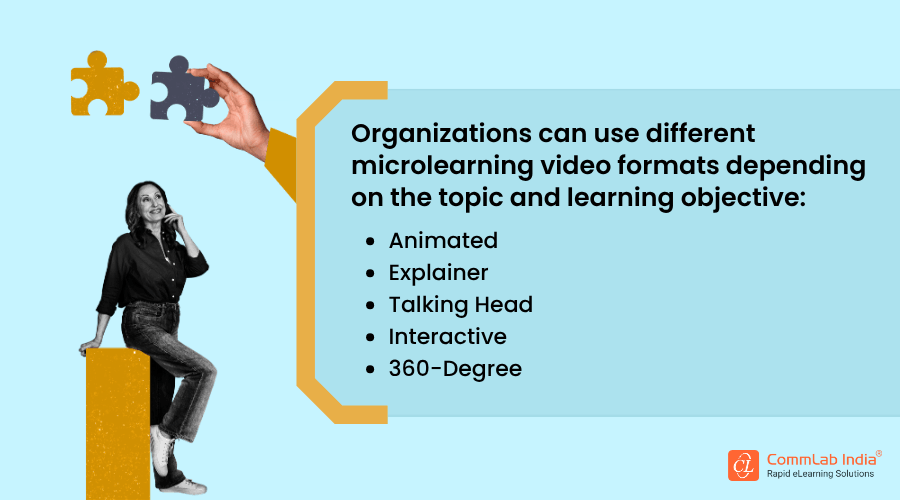
But to make the most of this power-packed nugget-sized learning method, you should design it in the right format, based on the topic being conveyed and the training needs. Let’s take a look at some of the leading learning formats you can incorporate in your corporate training library:
1. Videos
A picture is worth a thousand words. But if you need to convey thousands of words in a few minutes, a video is the thing you need. This is what makes videos ideal as a microlearning asset. When information needs to be explained quickly, clearly, and memorably, training videos are one of the most effective formats in microlearning solutions.
What makes videos especially valuable in microlearning is their ability to deliver focused learning in a short span of time. Learners can watch a brief module without feeling overwhelmed, making it easier to absorb one concept, task, or procedure at a time. Videos also create a immersive learning experience by combining visuals, narration, text, animation, and demonstrations. This makes them useful for diverse learner groups supporting accessibility through features such as closed captions, descriptive audio, and on-screen graphics.
In corporate training, microlearning videos are ideal for explaining procedures, demonstrating equipment usage, reinforcing safety practices, and delivering product or software updates. They are particularly useful when a concept is difficult to explain in a classroom or too time-consuming to cover through long documents. Because they are short and easy to access, learners can revisit them for learning in the flow of work, just-in-time learning or as reinforcement after formal training.
Example: In the automotive manufacturing industry, microlearning videos can be used for safety training on assembly lines. A 3-minute video can demonstrate the correct lockout/tagout procedure before technicians service equipment or conveyor systems. Instead of relying on detailed manuals, workers can quickly view the exact steps, understand potential hazards, and revisit the video right on the shop floor when needed.
2. Simulations
Hands-on experience is a valuable form of training. Task-based simulation is one of the most effective ways to replicate real-world activities. Whether it is using complex software or operating machinery, simulations can offer a realistic experience of a process or software system.
They give learners the opportunity to step into an “actual” work environment and experience challenges without facing the risks typically involved. Learners can make mistakes without fear of consequences. This helps them build practical skills and try out different strategies. For instance, if an employee does not achieve the desired results in a simulation, they can identify the skills they need to improve.
Microlearning modules in the form of simulations can be useful as pre-classroom activities to assess how much learners already know and to help determine the focus of the classroom session. As post-classroom activities, simulations can also be used for assessment. Learners’ performance in the simulation can show how well they have understood the content.
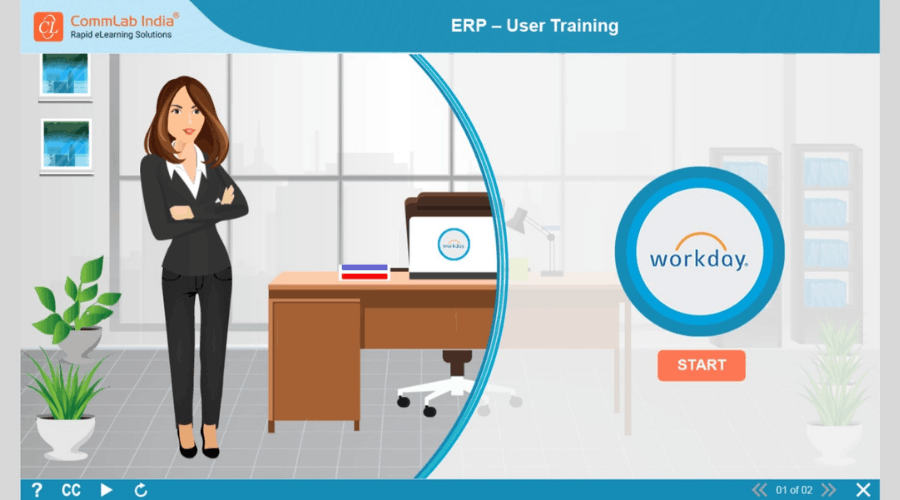
Example:
Microlearning simulations can be used for software or ERP system training through watch-try-do simulations. Here, the ‘watch’ part will essentially be a screencast video, but the ‘try’ and ‘do’ parts will give learners the actual simulated experience.
3. Gamified Micro Modules
Gamified microlearning helps learners practice, apply, and reinforce knowledge in a way that feels active rather than instructional. Its real value lies in making learning more participatory, focused, and memorable, especially when the goal is to build decision-making, problem-solving, or task-based skills in a short span of time.

By combining gamification and microlearning, organizations can turn a single learning objective into a short, immersive experience that encourages learners to think, respond, and learn from outcomes. Features such as points, badges, or levels may support motivation, but the real strength of this format is that it keeps learners involved and helps knowledge stick through action.
These modules work well for scenarios where learners need to make choices, respond to situations, or practice a skill in a low-risk environment. Because they are short and focused, they are also easy to access on mobile devices and can fit naturally into the flow of work.
Example: In manufacturing safety training, a gamified microlearning module can turn hazard identification into a 4-minute timed challenge where learners spot risks, choose the right response, and unlock the next level only when they make safe decisions. This helps employees practice one critical skill in a short, engaging format that feels relevant to the job.
4. Scenarios
Scenarios in microlearning are powerful tools that place learners in realistic workplace situations where they must make decisions to solve problems. This approach helps build critical thinking, situational awareness, and confidence by encouraging learners to actively apply their knowledge rather than passively consume information.
This is where scenario-based learning becomes especially effective. It allows employees, particularly in roles like customer service, to practice handling complex interactions—such as managing unhappy customers or knowing when to escalate issues—in a safe, controlled environment.
When delivered through microlearning, these short, focused scenarios also act as just-in-time support. Employees can quickly revisit them when needed, helping them make better decisions in the moment and ultimately improving workplace performance.
Example: In sales training, scenarios can reflect everyday challenges such as handling a difficult customer, approaching a hesitant buyer, responding to objections, or closing a deal. These real-life situations make learning more relevant and immediately applicable on the job.
Turn Your Training Goals into Results with CommLab India’s
Microlearning Solutions

What are the Best Platforms to Create Microlearning Assets?
The heart of microlearning development lies in choosing the right tools that empower you to bring your creative vision to life. With an abundance of options available, let's explore some of the top microlearning tools in various categories, each with its own unique strengths and capabilities.
1. Authoring Tools
In the quest to harness the power of microlearning, selecting the right authoring tool becomes paramount. With a plethora of options available in the market, it's essential to identify the features that truly empower creators to design impactful and engaging microlearning solutions.
Category 1: Cloud-Based Authoring Tools
Cloud-based authoring tools offer a wealth of features and flexibility, enabling you to create, collaborate, and deploy microlearning content seamlessly from anywhere with an internet connection.
Articulate 360:
- Key Features: Articulate 360 is a comprehensive suite that includes Storyline 360 for creating interactive courses, Rise 360 for responsive web-based modules, and a host of other tools for video editing, screencasting, and content library management.
- Strengths: Versatile platform, user-friendly interface, robust multimedia support, mobile-first design, excellent collaboration features, and extensive template library.
- Limitations: Relatively steep learning curve for Storyline 360, limited customization options in Rise 360, and subscription-based pricing.
- Suitability: Ideal for creating professional-looking interactive courses and responsive microlearning modules for various industries and training needs.
iSpring Suite:
- Key Features: iSpring Suite is a PowerPoint-based authoring toolkit that allows you to transform your existing PowerPoint presentations into interactive eLearning courses.
- Strengths: Easy to use, integrates seamlessly with PowerPoint, supports a wide range of multimedia formats, includes powerful quizzing and interaction capabilities, and offers cost-effective pricing.
- Limitations: Limited creative freedom compared to standalone authoring tools and may not be suitable for complex interactions or animations.
- Suitability: A great option for organizations that rely heavily on PowerPoint for content creation and want a quick and easy way to convert their presentations into engaging microlearning experiences.
Category 2: Video-Based Microlearning Tools
Videos have become a cornerstone of microlearning, offering a dynamic and engaging way to deliver information. These tools specialize in creating animated and screencast videos for effective microlearning experiences.
Vyond:
- Key Features: Vyond (formerly GoAnimate) is a cloud-based animation software that empowers creators to produce professional-looking animated videos with ease.
- Strengths: User-friendly drag-and-drop interface, extensive library of characters, props, and templates, ability to add voiceovers and music, and various customization options.
- Limitations: Can be time-consuming to create complex animations, limited interactivity compared to other tools, and subscription-based pricing.
- Suitability: Excellent for creating engaging explainer videos, character-driven stories, and animated microlearning modules that capture learners' attention.
Here’s a short video to understand a new tool by Vyond called Vyond Go.
Powtoon:
- Key Features: Powtoon is another cloud-based animation platform that focuses on creating dynamic and visually appealing animated videos and presentations.
- Strengths: Intuitive interface, large selection of pre-designed templates and characters, ability to import your own media, and seamless integration with social media platforms.
- Limitations: Limited customization options compared to Vyond, may require some practice to master the interface, and free plan comes with watermarks.
- Suitability: A great option for creating quick and engaging animated videos, presentations, and microlearning content, particularly for social media and marketing purposes.
Camtasia:
- Key Features: Camtasia is a powerful screen recording and video editing software that allows you to create professional-looking screencasts and tutorials.
- Strengths: Excellent screen recording capabilities, comprehensive video editing features, ability to add annotations, callouts, and interactive elements, and supports a wide range of video formats.
- Limitations: Can be overwhelming for beginners due to its extensive features, requires a one-time purchase, and may not be the best choice for creating animated videos.
- Suitability: Ideal for creating software tutorials, product demos, and other microlearning content that involves screen recording and video editing.
Category 3: Interactive Content Creation Tools
Interactivity is a key driver of learner engagement in microlearning. These tools excel at creating interactive elements that transform passive content into active learning experiences.
H5P:
- Key Features: H5P is an open-source content collaboration framework that allows you to create a variety of interactive content types, including quizzes, interactive videos, presentations, and more.
- Strengths: Free and open-source, highly versatile, supports a wide range of content types, easy to embed in various platforms, and active community support.
- Limitations: Can require some technical knowledge to set up and customize, limited design options compared to dedicated authoring tools, and may not be suitable for complex interactions.
- Suitability: A great option for educators and organizations looking for a cost-effective way to create and share interactive content within their existing learning management systems or websites.
Genially:
- Key Features: Genially is a cloud-based platform for creating interactive presentations, infographics, images, and other visual content.
- Strengths: User-friendly interface, extensive library of templates and interactive elements, ability to add animations and transitions, and seamless integration with social media and other platforms.
- Limitations: Free plan comes with limited features and storage, can be time-consuming to create complex interactive content, and may not be the best choice for creating quizzes or assessments.
- Suitability: Excellent for creating visually appealing and engaging presentations, infographics, and other microlearning content that focuses on visual storytelling and interactivity.
ThingLink:
- Key Features: ThingLink is a platform that allows you to create interactive images and 360° virtual tours by adding hotspots, videos, audio, and other multimedia elements.
- Strengths: Unique approach to creating immersive and interactive experiences, ideal for showcasing real-world environments, supports a variety of media formats, and offers analytics for tracking user engagement.
- Limitations: Can be challenging to create complex interactive scenarios, requires a subscription for advanced features, and may not be suitable for all types of microlearning content.
- Suitability: Best suited for creating interactive images, virtual tours, and other microlearning experiences that benefit from a visual and exploratory approach.
Category 4: Mobile-First Microlearning Platforms
With the increasing prevalence of mobile devices, these platforms prioritize delivering microlearning experiences optimized for smartphones and tablets.
OttoLearn:
- Key Features: OttoLearn is a microlearning platform that focuses on creating personalized and adaptive learning experiences. It features a chatbot-style interface, AI-powered recommendations, and spaced repetition.
- Strengths: Personalized learning paths, adaptive content delivery, gamified elements, and strong focus on knowledge retention.
- Limitations: Can be expensive for larger organizations, requires some technical expertise to set up and customize, and may not be suitable for all types of microlearning content.
- Suitability: Best suited for organizations that want to deliver personalized and adaptive microlearning experiences to their employees, particularly for compliance training and knowledge reinforcement.
7taps:
- Key Features: 7taps is a mobile-first microlearning authoring tool that focuses on creating bite-sized, visually engaging learning experiences delivered through a series of vertical swipes.
- Strengths: Unique vertical swipe format, ideal for creating microlearning content that is easy to consume on mobile devices, supports a variety of media formats, and offers analytics for tracking user engagement.
- Limitations: Limited customization options compared to other tools, can be challenging to create complex interactive scenarios, and requires a subscription for advanced features.
- Suitability: Best suited for creating quick and visually appealing microlearning content that is designed for consumption on mobile devices, particularly for short bursts of information and knowledge reinforcement.
AI Tools
Modern L&D teams are using AI to design, develop, and deliver microlearning faster than ever. From visual infographics to interactive quizzes, these tools simplify content creation and ensure learners get the right knowledge in the right format — efficiently and engagingly.
Infographics
Transform complex ideas into visually appealing, easy-to-understand visuals. Perfect for workflows, comparisons, and quick summaries.
AI Tools & Workflow
- Content Structuring: Use Claude or ChatGPT to convert complex topics into infographic-ready formats (lists, timelines, stats).
- Design & Visuals: Create stunning layouts with Canva, and generate icons or illustrations using DALL·E or Midjourney.
- Output: High-resolution PNG or PDF infographics for sharing or embedding.
Flashcards
Deliver bite-sized, Q & A-based learning to reinforce memory and boost retention. Ideal for onboarding, product, or compliance training.
AI Tools & Workflow
- Content Breakdown: Use ChatGPT or Claude to convert long-form content into flashcard pairs.
Example prompt: “Convert this policy document into 15 flashcards with a question on one side and an answer on the other.” - Design: Use Canva templates and DALL·E / Midjourney visuals for engaging layouts.
- Output: Digital decks for Quizlet or printed sets for offline learning.
Audio Nuggets
Short, conversational audio lessons that fit into a learner’s busy schedule. Perfect for learning on the go.
AI Tools & Workflow
- Script Creation: Use ChatGPT or Claude to summarize dense content into 60–90 second scripts.
- Voice Generation: Use Murf.ai or Microsoft Azure TTS for natural voiceovers, and Cleanvoice AI to polish audio quality.
- Output: High-quality MP3 or WAV files ready for podcasts or LMS upload.
Microlearning Videos
Two-minute videos that deliver learning through visuals, animation, and storytelling — ideal for engagement and quick recall.
AI Tools & Workflow
- Script Writing: Use ChatGPT or Claude to write concise, captivating scripts with a hook and CTA.
- Video Creation:
- Synthesia: AI avatar videos in multiple languages.
- Vyond / Colossyan: Create animated explainers and scenario-based micro-videos.
- Output: Branded MP4 videos ready to deploy on LMS or internal platforms.
Watch the video to see how microlearning videos elevate eLearning by boosting engagement, improving access, and delivering meaningful results for learners.
Interactive Quizzes
Make learning active, fun, and reflective with interactive quizzes that provide instant feedback.
AI Tools & Workflow
- Quiz Generation: Use Quibot or Quizgecko to auto-generate questions (MCQs, fill-in-the-blanks, drag-and-drop).
- Enhancement: Use Copilot for structure and Claude for rich, realistic distractors.
- Output: SCORM/xAPI-compatible quizzes or embeddable LMS widgets.
Animations and GIFs
Bring concepts to life through motion-based visuals that simplify processes and reinforce key messages.
AI Tools & Workflow
- Concept Framing: Use ChatGPT or Claude to outline steps or visuals for a process in 3–5 frames.
- Design: Create illustrations in Canva or Midjourney and animate using Canva’s animation tools or export loops from Vyond.
- Output: Looping GIFs or short animations for quick reminders and visual storytelling.
Job Aids
Deliver performance support through simple, actionable references like checklists, flowcharts, or how-to guides.
AI Tools & Workflow
- Concept Framing: Use ChatGPT or Claude to turn SOPs or policies into concise, step-by-step job aids.
Example prompt: “Convert this process guide into a job aid with key actions, warnings, and quick tips.” - Design: Use Canva templates for layout and DALL·E / Midjourney for clear icons and visuals.
- Output: Digital or printable job aids for just-in-time workplace support.
With AI, modern L&D teams create smarter, quicker, and more effective microlearning that’s practical, purposeful, and built for results.
How has CommLab India Solved Real Training Challenges?
See how effective microlearning for corporate training helps deliver essential learning in focused and engaging formats.
1. High-Impact Safety Training for a Global Manufacturing Major
The Challenge
Train 2,500 employees on evacuation procedures—entirely in German, with no English source content and all inputs in German.
CommLab India’s Approach
We designed a focused 10-minute microlearning using real workplace images, route maps, scenario-based interactions, and intuitive navigation, all built directly in German.
The Result
A high-impact, engaging safety training solution delivered on time, ensuring clarity, compliance, and learner confidence.
2. Responsive Microlearning for Product and Sales Training
The Challenge
A global pharma client was onboarding new sales representatives through a 6-week ILT program on a large portfolio of medicines. While comprehensive, the training was not building proficiency quickly enough, delaying reps’ readiness to engage with medical practitioners.
CommLab India’s Approach
We redesigned the training into a responsive microlearning curriculum, creating 5 to 6 focused modules for each drug, each just 10–15 minutes long. Built in Articulate Storyline and accessible across devices, the modules used infographics and animations to make complex product information easier to absorb, retain, and apply.
The Result
The result was a scalable, high impact microlearning solution that included 400 modules, achieved a 98% completion rate, and reduced training time by 67%.
Frequently Asked Questions
1. When should L&D teams use microlearning videos?
A. Microlearning videos work well when learners need to watch a process, observe a behavior, or grasp a concept quickly through visuals.
2. Which microlearning format creates the most value in corporate training?
A. The most effective microlearning strategy usually includes multiple asset formats rather than one. L&D teams can combine mini modules, short videos, branching scenarios, job aids, quizzes, and simulations to support different outcomes. Each format serves a different purpose, from introducing knowledge to reinforcing learning and enabling action on the job.
3. What is the best way to select a microlearning asset for a training need?
A. The right microlearning asset should be chosen based on what the learner must do after training. This means focusing on the expected performance outcome and the context in which the skill will be applied. The format should directly support ease of use, speed of access, and real-world application.
Wrapping Up!
In 2026, microlearning is no longer just a trend in corporate training. It has become a practical way to build skills faster, support learning in the flow of work, and make training easier to access and apply. As organizations look for flexible, high-impact learning solutions, microlearning assets continue to stand out for their ability to deliver focused, relevant, and engaging learning experiences.
The right tools play an important role in making this possible. From cloud-based authoring platforms and AI tools to interactive content creators and mobile-friendly solutions, today’s options make it easier for L&D teams to design microlearning that fits both learner needs and business goals. But effective microlearning still depends on more than technology alone. It requires thoughtful design, the right format choices, and a clear understanding of what learners need to do on the job.
As a bonus, here’s a free eBook to learn more about microlearning in detail. Download it now!