A lot of current GenAI use in instructional design still happens in a very improvised way. The designer opens a tool. Finds a useful prompt from somewhere. Uploads SME content. Asks for a summary. Then asks for objectives. Then asks for structure. Then asks for assessments. Then asks for narration. And somewhere in between, tries to maintain quality by reviewing whatever comes back.
This works, up to a point.
But it is not a serious long-term operating model.
Because once AI use becomes more frequent across a design team, ad hoc prompting starts to show its limits. Quality becomes uneven. Review becomes inconsistent. Different IDs use different methods. Stronger designers get better results than weaker ones, but not always for visible reasons. Prompt libraries expand, but consistency does not improve in proportion. The team may be using AI more, but not necessarily using it better.
That is why I think the next maturity step in AI-assisted instructional design is not simply better prompting.
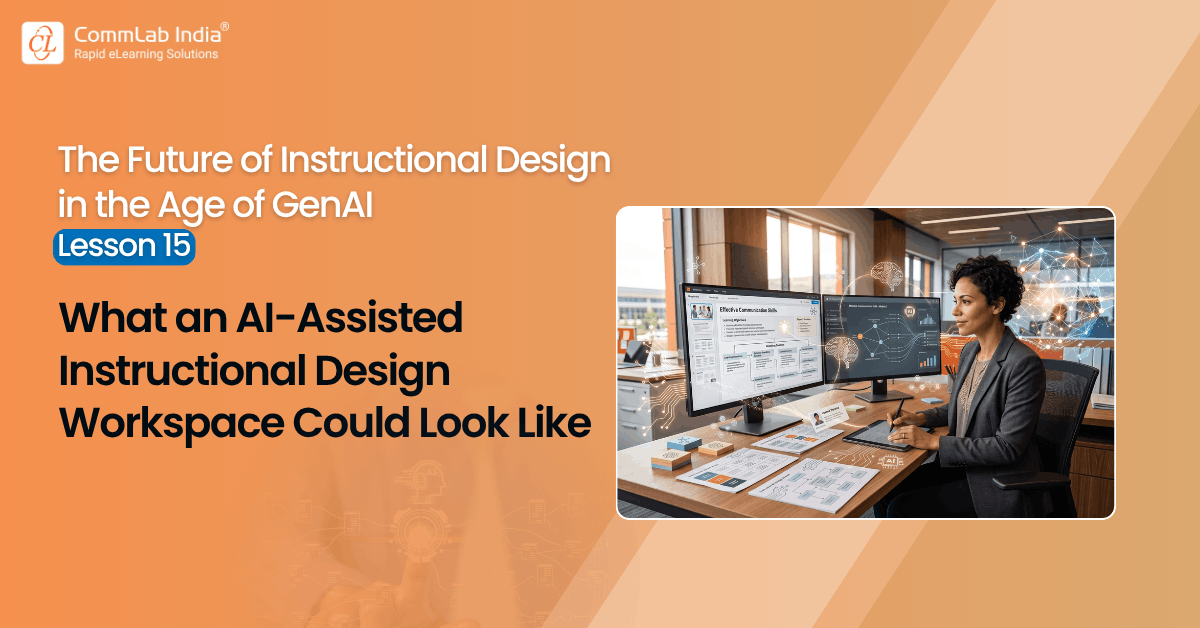
It is the move toward a more structured instructional design workspace.
By that, I do not just mean another software interface with a chat box inside it. I mean a guided working environment in which the human–AI relationship is deliberately shaped around the logic of instructional design itself.
That is a very different idea.
Because the real problem is not lack of AI access. It is lack of operational structure around how AI should participate in the design process.
A workspace addresses that problem.
This article is part of a series on the future of instructional design in the age of GenAI. The series explores how instructional designers can move beyond ad hoc prompting toward a more disciplined, challenge-based human–AI working method.
Table Of Content
- The Problem with Prompt-Led Working
- What an AI-Assisted Workspace Should Actually Do
- What This Workspace Would Change for IDs
- What This Workspace Would Change for Teams
- What This Workspace Should Not Become
- The Larger Point
The Problem with Prompt-Led Working
Prompt-led working has an obvious advantage: it is flexible.
A designer can use AI when they want, how they want, for whatever immediate need is in front of them. That is useful in the early stages of experimentation. It lowers the barrier to entry. It helps teams discover possibilities quickly.
But flexibility alone is not enough.
In instructional design, quality does not come only from generating useful fragments. It comes from moving through a sequence of design decisions with discipline. Understanding the SME content. Organizing the learning flow. Defining objectives. Aligning assessment. Designing storyboard structure. Choosing visuals and interactions. Developing narration. Auditing the final design. These are connected stages, not isolated prompting opportunities.
Prompt-led working often fragments that logic.
The AI is used here and there, but the stages are not strongly connected. Review happens inconsistently. Challenge is optional. Final decisions may be human-approved, but the working path is still loosely managed. Over time, that becomes a problem, especially at team scale.
What is needed is not a bigger prompt library.
It is a more deliberate environment.
What an AI-Assisted Workspace Should Actually Do
A serious instructional design workspace should do more than let people ask AI for outputs. It should guide the work through the stages that matter and assign AI a more intentional role at each stage.
In my view, such a workspace would do at least six important things.
1. Start with Inputs, Not Prompts
The workspace should begin with the real working inputs of instructional design:
- training intake form
- SME documents
- presentations
- reference materials
- authoring tool context
- business or learner context, where available
This matters because AI should not be operating in a vacuum. The workspace should anchor the process in the same source material the ID would normally work with.
That is a simple point, but an important one.
Too much AI use begins with prompting before the design context has been properly established. A stronger workspace starts by grounding the work in the project itself.
2. Organize the Work by Design Stages
This is the heart of the idea.
Instead of a generic blank chat, the workspace should reflect the actual instructional design workflow. For example:
- Understand SME content
- Organize learning flow
- Define learning objectives and summative assessment
- Build storyboard blueprint
- Design visuals and interactions
- Develop narration
- Build formative assessments
- Conduct independent audit
This structure does two useful things at once.
First, it reduces randomness.
Second, it keeps the designer oriented to the real sequence of work.
That is important because one of the weaknesses of ad hoc AI use is that it can encourage people to jump too quickly into output generation before enough thinking has happened upstream. A workspace helps slow that tendency down in the right places.
3. Change AI’s Role at Each Stage
This may be the most important feature of all.
A good workspace should not let AI behave the same way from beginning to end. Its role should shift with the task.
- At the SME stage, AI should behave like a sense-making partner.
- At the learning flow stage, it should behave like a structuring partner.
- At the objectives and assessment stage, it should act as both a drafting and alignment-checking partner.
- At the storyboard stage, it should act as a screen-planning and overload-detection partner.
- At the visual stage, it should become an option generator and filter.
- At the narration stage, it should act as a clarity and duplication reviewer.
- At the end, it should switch roles completely and become an independent auditor.
This is a much better model than treating AI as a constant assistant sitting in the background doing roughly the same kind of work throughout the project.
The value of the workspace lies partly in making these role shifts explicit.
4. Require Human Review Before Finalizing Each Stage
This is non-negotiable.
A serious workspace must be designed around co-creation, not hidden automation. That means every major stage should pause for human confirmation before the work moves forward.
The designer should be able to:
- review the AI-generated output
- modify it
- reject it
- justify their choices where needed
- approve a final version for that stage
Only then should the next stage begin.
This is not bureaucracy. It is quality control.
More importantly, it protects instructional judgment. Without this, the workspace would simply become a production line for generated content. That would be a weaker model, and ultimately a less trustworthy one.
5. Build Challenge into the Workflow
If the workspace only makes AI assistance easier, it will still remain incomplete.
A stronger workspace should also create moments where AI challenges the designer:
- identifying weak objectives
- exposing alignment gaps
- flagging text-heavy screens
- questioning decorative interactions
- critiquing distractors
- asking the designer to choose and justify the best option among alternatives
In other words, the workspace should not merely support production. It should support professional review and cognitive engagement.
This is where ideas like challenge-based prompting, nemesis prompts, and Review Challenge Mode become relevant. They should not exist as optional clever tricks outside the workflow. They should be built into the design of the environment itself.
That is a major step forward.
Because it means the workspace is not just helping the designer work faster. It is helping the designer stay sharper.
6. End with a Structured Audit, Not Just a Final Draft
This is another feature many current AI workflows miss.
The job should not end when the storyboard looks complete. A good workspace should include an explicit final audit stage in which AI changes role and reviews the entire design with fresh distance.
That audit should look at:
- objective alignment
- assessment alignment
- SME accuracy
- cognitive load
- text density
- visual clarity
- interaction quality
- narration effectiveness
This matters because AI-assisted design can become deceptively smooth. The drafts arrive quickly, and the output looks polished early. A structured audit creates a pause before development and forces the design to be reviewed more seriously.
That is an excellent use of AI.
What This Workspace Would Change for IDs
For instructional designers, a good workspace would remove a lot of unnecessary cognitive clutter.
Instead of constantly deciding:
- which prompt to use
- what stage comes next
- how to phrase the request
- how to structure the handoff between tasks
designers could spend more energy on what actually matters:
- understanding the content
- evaluating alternatives
- making instructional decisions
- questioning weak outputs
- improving the design
That is a major improvement.
Because the purpose of a good workspace is not to make IDs less necessary. It is to reduce avoidable friction while preserving the kind of friction that strengthens judgment.
That distinction matters.
Some friction should be removed. For example, repetitive drafting effort, content clustering, and formatting burden. Other friction should be preserved. For example, choosing between learning treatments, challenging weak alignment, and deciding what is instructionally strongest.
A good workspace knows the difference.
What This Workspace Would Change for Teams
At the team level, the benefits are even more interesting.
A structured workspace could:
- create more consistency across IDs
- reduce dependence on individual prompting skill
- improve review discipline
- support junior designers more intelligently
- make quality expectations more visible
- reduce text-heavy and poorly aligned outputs
- create a more auditable process
- strengthen team learning over time
This is important because many organizations are currently trying to scale AI use without really scaling method. That is a fragile model. It creates uneven quality and hidden capability gaps.
A workspace is a way of embedding method into the environment. That is what makes it powerful. Instead of hoping every designer uses AI wisely, teams give designers a working environment that nudges wiser use by design.
That is a much stronger operating model.
What This Workspace Should Not Become
There is an obvious danger here too.
A workspace should not become so rigid that it turns instructional design into a mechanical flowchart. That would miss the point.
Good instructional design still needs flexibility, interpretation, creativity, business judgment, and professional discretion. A workspace should guide the work, not overdetermine it. It should support stronger decisions, not standardize the team into lifeless sameness.
Nor should it become a disguise for replacing IDs. That would be the wrong strategic goal.
The stronger vision is not AI-driven instructional design. It is better human instructional design, supported by a more intelligently designed AI environment.
That is the difference between automation theater and real operating improvement.
The Larger Point
Prompting was a useful starting point. It helped the field explore what GenAI could do.
But the future of serious AI-assisted instructional design will not be built on prompting alone. It will be built on environments, workflows, and interaction models that shape how human judgment and AI capability work together over time.
That is why I think the idea of an AI-assisted instructional design workspace matters. Not because it is a more elegant interface. But because it reflects a more mature view of the problem.
The real challenge is not how to get AI into the work. The real challenge is how to build a working environment in which AI improves the process without weakening the designer.
That is the future worth designing for.