A lot of GenAI use in instructional design still follows the same logic: use AI to get there faster.
Faster summaries. Faster objectives. Faster storyboards. Faster questions. Faster narration. Faster first drafts of almost everything.
There is nothing surprising about this. Speed is the most visible benefit of AI, and instructional design teams are under constant pressure to move faster. So, it is natural that many designers first approach GenAI as a shortcut.
The problem is that shortcut thinking can quietly create a weaker relationship with the tool.
When AI is used mainly to bypass effort, the designer often gets output without fully engaging with the reasoning that should sit behind it. The work moves forward, but the thinking may not. The draft gets produced, but judgment may remain underused.
Over time, that can create a very specific kind of weakness: the designer becomes good at managing generated content but less disciplined at inspecting instructional quality.
That is why I think one of the most important shifts the field needs is this:
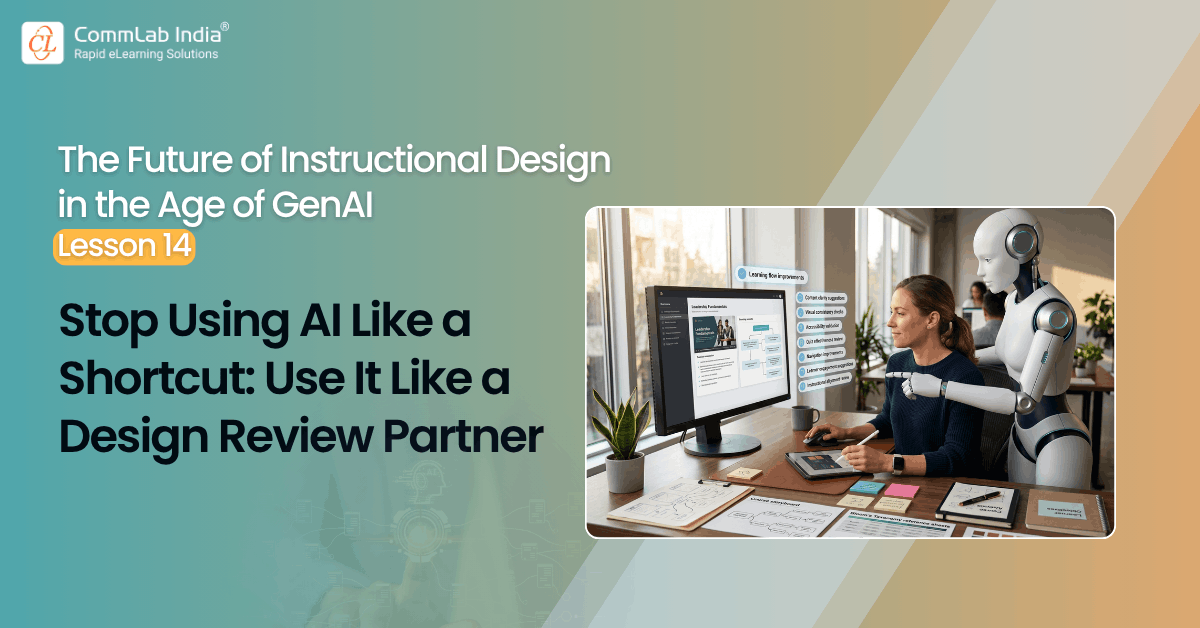
Stop using AI primarily as a shortcut. Start using it more deliberately as a design review partner.
That is a much better model.
The real long-term value of GenAI in instructional design may not lie in how quickly it helps us produce content. It may lie more in how rigorously it helps us review.
This article is part of a series on the future of instructional design in the age of GenAI. The series explores how instructional designers can move beyond ad hoc prompting toward a more disciplined, challenge-based human–AI working method.
Table Of Content
- The Shortcut Model Is Understandable and Limited
- Why Review Is the Better Place to Anchor AI
- What a Design Review Partner Actually Does
- The Strongest Use of AI May Be Second-Pass Thinking
- This Does Not Mean AI Should Never Generate
- Why This Matters for Team Capability
- What This Means for Instructional Designers
- The Larger Point
The Shortcut Model Is Understandable and Limited
Let us be fair to the shortcut model for a moment.
It works, at least in the short term.
AI can absolutely help reduce the time spent on repetitive drafting tasks. It can help the designer get moving when the SME material is messy, the course structure is unclear, or the first draft feels heavy. It can lower the effort needed to begin.
That is useful.
But once AI becomes the default answer to every moment of difficulty, a pattern begins to form.
- The designer reaches for AI when the content is unclear.
- The designer reaches for AI when the objective is hard to phrase.
- The designer reaches for AI when the assessment feels slow to build.
- The designer reaches for AI when the storyboard is dragging.
- The designer reaches for AI when a better idea is needed.
Again, none of this is automatically wrong.
The problem is that if AI always enters the process as a way to escape effort, it mostly functions as a replacement for friction.
Friction, although inconvenient, is often where a lot of professional growth happens. It is where the designer is forced to think harder, compare alternatives, question assumptions, and make trade-offs consciously.
If AI keeps removing that friction too early, the designer may finish faster while becoming less active in the most important parts of the work.
That is not a good bargain.
Why Review Is the Better Place to Anchor AI
There is another way to think about this.
Instead of asking first, “How can AI help me create this?” ask: “How can AI help me inspect this more rigorously?”
That question changes the relationship.
When AI is used as a design review partner, it is not mainly there to do the thinking for the instructional designer. It is there to expose weak spots, surface alternatives, challenge assumptions, and make the designer’s own review more disciplined.
This is a stronger role for several reasons.
First, it keeps the human intellectually responsible for the design.
Second, it makes AI most valuable at the stage where many weaknesses are hardest to see.
Third, it protects the craft from becoming overly dependent on fluent generation.
Fourth, it helps instructional designers sharpen their judgment rather than simply accelerate production.
That is a much healthier long-term model.
What a Design Review Partner Actually Does
A design review partner is not just an editor.
It does more than clean up wording or suggest minor improvements. It helps the designer ask stronger questions about the work.
For example, when reviewing SME understanding, AI can ask:
- What have I misunderstood here?
- What has been oversimplified?
- Where is the source material internally inconsistent?
- What still needs SME clarification before design begins?
When reviewing learning flow, AI can ask:
- Why this sequence?
- What assumption am I making about prior knowledge?
- Which topic grouping looks neat but may be instructionally weak?
- What would an independent reviewer challenge here?
When reviewing objectives and assessments, AI can ask:
- Is this objective really performance-based?
- What evidence would show real mastery?
- Which assessment item looks aligned but is not?
- Which distractor is the weakest, and why?
When reviewing storyboards, AI can ask:
- Which screens are likely to become text-heavy?
- Where is the design becoming too explanatory?
- Which interactions add activity without adding learning?
- What is missing from the learner’s experience of this concept?
When reviewing narration, AI can ask:
- What is being repeated unnecessarily?
- Where is the script too formal, too vague, or too dense?
- What should be shown visually instead of spoken aloud?
These are the kinds of questions that improve design quality.
Notice the shift.
In the shortcut model, AI is asked to generate.
In the review-partner model, AI is asked to interrogate.
That difference matters a great deal.
The Strongest Use of AI May Be Second-Pass Thinking
This is one of the most underappreciated possibilities in AI-assisted instructional design.
AI is often brought in at the beginning of the work. It helps generate the first pass. That is fine. But the deeper value may actually emerge during the second pass, when the designer already has something to test.
Once a first draft exists, AI becomes much more useful as a reviewer because the task changes from invention to evaluation. And evaluation is where a lot of instructional quality lives.
- A weak first draft can still become a strong course if the review is sharp.
- A polished first draft can still become weak learning if the review is shallow.
That is why second-pass AI use deserves more attention.
In many cases, the smartest workflow may be:
- Think independently first.
- Draft something rough.
- Use AI to challenge, critique, and improve it.
- Make the final human judgment.
That is a much better pattern than simply asking AI to create everything from the beginning and then lightly editing it.
This Does Not Mean AI Should Never Generate
Let me be clear.
Using AI as a design review partner does not mean never using it for generation. That would be unnecessarily rigid.
AI can absolutely help generate options, draft material, expand possibilities, and reduce manual effort. The problem is not generation itself. The problem arises when generation becomes the designer’s dominant or only relationship with the tool.
The stronger model is balance. Use AI to generate when it helps. Then use AI again to review what has been generated. And treat the review stage as the more intellectually important one.
That is the key.
Because generation saves time. Review protects quality. And in instructional design, quality is the harder thing to preserve.
Why This Matters for Team Capability
This shift also matters at the team level.
If teams are trained mainly to use AI as a shortcut, they may become more efficient in the short term. However, they may also become more vulnerable to shallow work, uneven standards, and declining review discipline.
- Junior designers may over-trust the output.
- Mid-level designers may stop pushing beyond “good enough.”
- Senior designers may find the generated work fluent but underexamined.
If, however, teams are trained to use AI as a review partner, something better can happen.
Designers begin building habits of critique, not just production. They get used to testing rather than merely accepting. They see AI not only as a way to move faster but also as a way to think more carefully.
That strengthens the team. And that is ultimately what matters. The goal is not just AI-assisted output. The goal is AI-assisted improvement in professional practice.
What This Means for Instructional Designers
At an individual level, this requires a mindset shift.
Before asking AI to create something, pause and ask:
- Do I need generation here, or do I need judgment?
- Am I using AI because it is useful, or because I want to avoid the hard part?
- Would it be better to make a first attempt myself and then use AI to critique it?
- Where do I most need a reviewer rather than a drafter?
These are good questions because they help restore intentionality.
And intentionality is exactly what gets lost when AI becomes too convenient.
The Larger Point
The future of instructional design will not be improved merely by getting to drafts faster.
It will improve when designers become better at recognizing weak logic, testing alignment, reducing overload, challenging assumptions, and refining learning experiences with greater rigor.
That is why I think AI’s more valuable role is not only to help us create, but also to help us review.
Not as a passive grammar fixer.
Not as a polite assistant that always agrees.
But as a serious design review partner.
That is a much more demanding use of the tool.
And a much more worthwhile one.
Because if AI only helps us skip effort, it may slowly weaken the craft.
But if it helps us review better, challenge better, and decide better, it may actually strengthen it.
That is the relationship worth building.
Next in the series: What an AI-Assisted Instructional Design Workspace Could Look Like.