One of the reasons GenAI use in instructional design often becomes messy is that people ask the wrong question.
They ask, “Where can AI be used?”
That is too broad.
A better question is this:
What role should AI play at this moment in the work?
Should it help?
Should it challenge?
Or should it stay out of the way?
That distinction matters more than it seems.
GenAI is not equally useful in every mode or at every stage. Sometimes, it is extremely valuable as a support tool. Sometimes, its real value lies in critique. And sometimes, the best thing it can do is step back while the instructional designer does the hard thinking without interference.
If teams do not learn to make these distinctions, AI use becomes blunt. It gets applied everywhere in roughly the same way. The result is predictable: too much generation, too little judgment, too much convenience, and not enough deliberate control over what the technology is doing to the design process.
That is why I believe a mature human–AI working model in instructional design depends on a simple discipline:
Knowing when AI should support, when it should pressure-test, and when it should not lead at all.
That is a much more useful frame than asking whether AI should be used in general.
This article is part of a series on the future of instructional design in the age of GenAI. The series explores how instructional designers can move beyond ad hoc prompting toward a more disciplined, challenge-based human–AI working method.
Table Of Content
- When AI Should Help
- When AI Should Challenge
- When AI Should Stay Out of the Way
- The Real Skill Is Role Switching
- What This Means for Instructional Design Teams
- The Larger Point
When AI Should Help
There are stages in instructional design where GenAI is genuinely and unambiguously useful as a support tool.
These are usually moments when the main problem is not judgment itself, but effort, speed, structure, or variation.
For example:
1. When SME Content Is Dense, Fragmented, or Jargon-Heavy
AI is often very helpful in simplifying raw material, explaining terms, identifying themes, clustering related ideas, and giving the instructional designer a clearer initial view of the content landscape.
This is support at its best.
It reduces friction. It saves time. It lowers the burden of getting started. It helps the designer move from chaos to clarity more quickly.
2. When Multiple Options Are Needed
AI is also useful when the designer needs alternatives:
- Different objective phrasings
- Different assessment formats
- Alternative interaction ideas
- Multiple visual treatments
- Narration variations
- Possible scenario directions
This is where AI functions well as an option-expander. It increases the range of possibilities and prevents the designer from getting trapped too early in one framing.
3. When Wording Needs Refinement
AI can help improve tone, simplify language, tighten phrasing, reduce repetition, and reshape text into clearer communication. This can be helpful in narration writing, feedback drafting, screen text refinement, and explanatory content.
4. When Obvious Overload Needs to Be Identified
AI can often spot likely text-heavy screens, duplicated explanations, overlong passages, and places where the content may need a visual or interaction instead of more words.
In all of these cases, AI is acting as a useful helper.
And that is fine.
The mistake is not in using AI for help. The mistake is in assuming that help is the only role it should play.
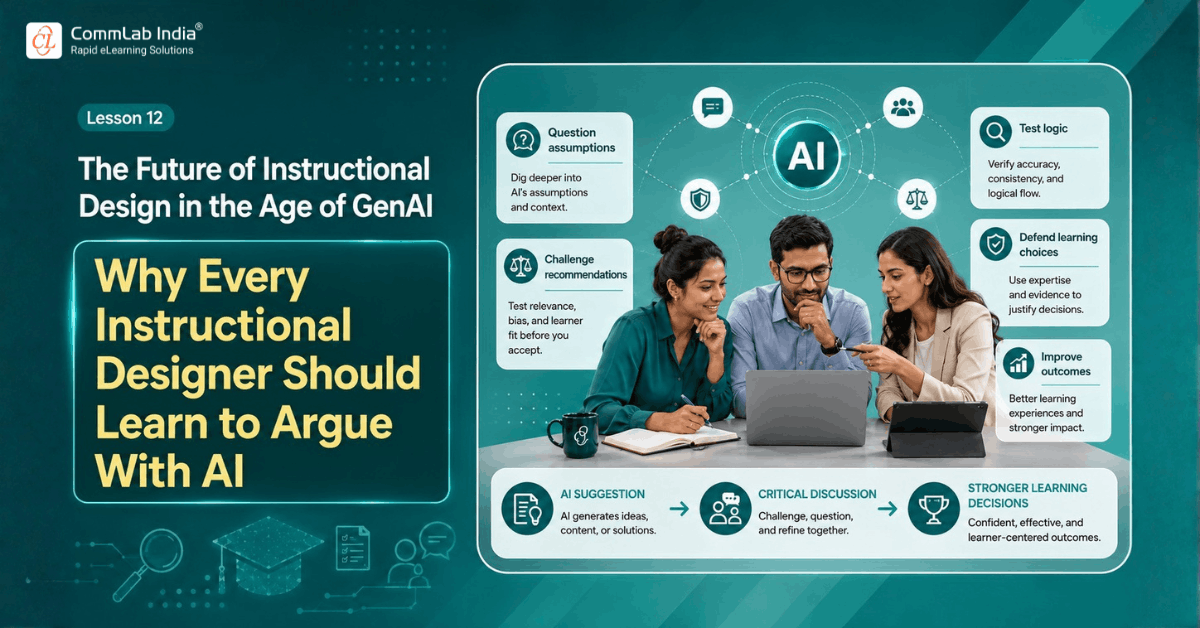
When AI Should Challenge
There are other moments when help is not enough.
In fact, help may even become part of the problem.
Once the content looks organized and the output sounds polished, the risk of passive acceptance rises. That is when AI should change roles. It should stop supporting and start questioning.
This is where challenge becomes valuable.
AI should challenge when the designer is at risk of moving forward too comfortably.
For example:
1. When Objectives Sound Polished but May Be Weak
A learning objective can look professional and still be vague, unmeasurable, non-performance-based, or poorly aligned with the business need.
This is the right moment for AI to challenge:
- Is this actually observable?
- What makes this objective weak?
- Which verb is doing too much work?
- What is not being stated clearly enough?
2. When Assessment Alignment Needs Pressure
Once questions have been drafted, AI should not merely help improve the wording. It should challenge whether the questions actually test the intended learning.
- Is this testing recall or application?
- Which distractor is implausible?
- Which item appears aligned but actually is not?
- Where is the feedback too thin?
3. When Visual or Interaction Choices May Be Decorative
A lot of eLearning becomes busy rather than effective because the design looks engaging without meaningfully supporting learning. This is where AI should question the instructional value of the treatment.
- Does this interaction add understanding or only activity?
- Is this visual helping cognition or just filling space?
- Which option looks strongest but teaches the least?
4. When the Designer Has Chosen a Direction Too Quickly
This is one of the best moments for challenge. If the learning flow, storyboard structure, or scenario choice seems settled too early, AI should test it.
- What assumption is driving this sequence?
- What if the opposite order is better?
- What would an independent reviewer criticize here?
- Where could this design fail for a novice learner?
Challenge is useful because it restores friction where fluency has made things feel too easy.
And friction, used well, improves judgment.
When AI Should Stay Out of the Way
This may be the least discussed role of all.
In some parts of the work, the strongest move is not to bring AI in immediately.
Why?
Because there are moments in instructional design when the human needs to think first without being shaped too early by generated structure.
This is especially important when the task depends on original diagnosis, contextual judgment, or professional conviction rather than content assistance.
For example:
1. When the Designer Is First Interpreting the Business Problem
Before AI starts generating objectives or course structures, the designer may need to sit with the business need, the performance gap, and the learner context directly. If AI enters too early, it may offer a plausible framing before the designer has actually formed their own view.
That can narrow thinking instead of expanding it.
2. When the Designer Needs to Make a First Attempt
There is value in trying to structure the learning flow, draft a rough objective, or identify assessment intent independently before asking AI for help. That first attempt reveals the designer’s own thinking. It makes later AI interaction more useful because the designer now has something to compare, defend, or revise.
Without that first attempt, AI can become the default source of structure.
That is not always healthy.
3. When the Issue Is Highly Contextual or Politically Sensitive
Some design questions depend heavily on stakeholder nuances, organizational culture, learner history, or business realities that AI cannot fully understand. In such cases, the designer may need to think, discuss, and judge directly before asking AI to assist.
4. When Accuracy Is Too Important to Tolerate Ambiguity
In safety-critical, compliance-related, regulated, or technically sensitive training, AI may still help in limited ways, but it should not casually lead interpretation. Human expertise and verified review must remain primary.
In these situations, asking AI to stay out of the way is not anti-technology.
It is good professional judgment.
The Real Skill Is Role Switching
Once you think in these terms, the real capability becomes clearer.
The mature instructional designer is not just someone who knows how to prompt AI.
It is someone who knows how to switch AI roles intelligently.
At one point, AI is a helper.
At another, it is a critic.
At another, it is a reviewer.
And at still another, it is deliberately absent.
That is a much more sophisticated model of use.
It also prevents two common failures.
The first is overuse: bringing AI into every moment, even when independent human thinking would be stronger.
The second is underuse: failing to use AI where it could genuinely save time, widen options, or improve critique.
Good practice sits between those extremes.
What This Means for Instructional Design Teams
For teams, this has practical implications.
Do not train designers only on prompts.
Train them on AI role judgment.
Help them ask:
- Do I need support here or critique?
- Am I using AI because it is useful or because it is available?
- Have I thought independently enough before asking for structure?
- Is this a moment for help, challenge, or deliberate human-only thinking?
That kind of discipline will matter more over time.
The field is moving beyond the novelty stage of GenAI. The real advantage now will not come from simply using AI more. It will come from using it more intelligently.
And intelligent use requires role clarity.
The Larger Point
GenAI is not one thing inside instructional design.
It should not be treated as a permanent assistant sitting in the workflow and doing roughly the same kind of work from beginning to end.
Its value changes depending on the stage, the problem, the maturity of the designer, and the kind of thinking required.
Sometimes, it should help.
Sometimes, it should challenge.
Sometimes, it should step back.
The stronger the designer becomes at making those distinctions, the stronger the human–AI partnership becomes.
That is where real maturity lies.
Not in constant use.
But in deliberate use.
That is the standard worth aiming for.
Next in the series: Stop Using AI Like a Shortcut. Use It Like a Design Review Partner.