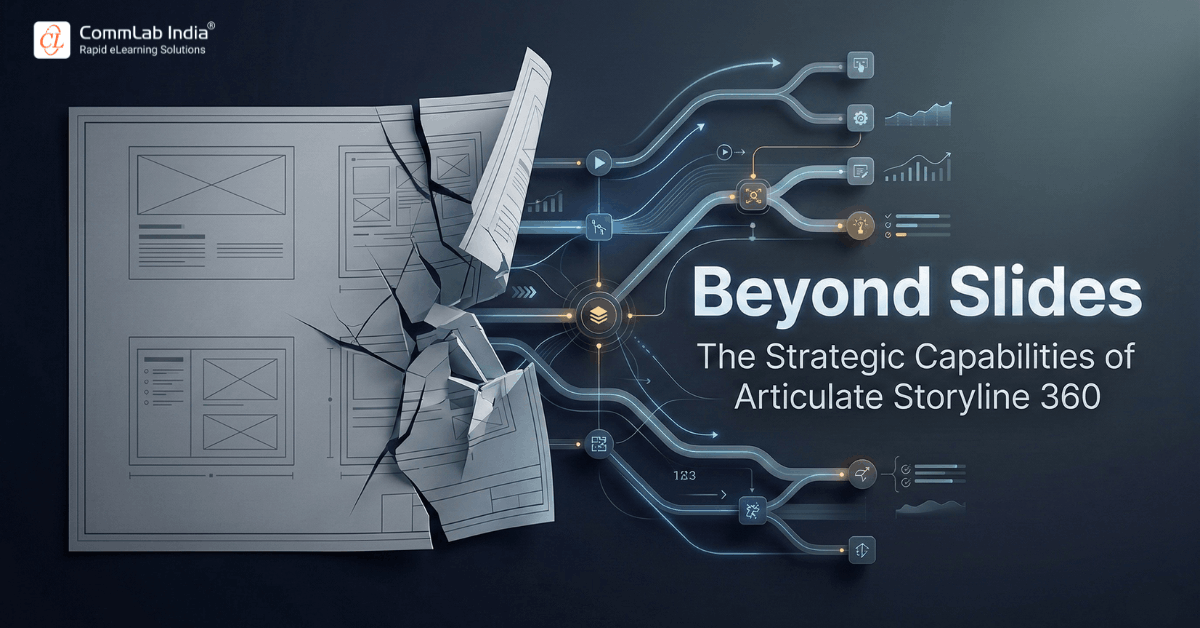
Many organizations adopt authoring tools based on popularity, ease of use, or licensing convenience. Few step back to ask a more strategic question:
What kind of learning architecture does this tool actually enable?
When training demands move beyond linear slides and basic quizzes, the choice of authoring platform becomes a structural decision. It influences instructional depth, scalability, compliance defensibility, simulation capability, and long-term design maturity.
Articulate Storyline 360 stands out not because it is widely used, but because it supports layered instructional engineering. It allows learning teams to move from content production to experience design.
This article examines the strategic capabilities of Storyline 360, not as a feature checklist, but as a system for building complex, performance-driven learning experiences.
Download eBook Now: Rapid eLearning Authoring Tools
Table of Contents
- What Is Articulate Storyline 360?
- Moving Beyond Slide-Based Development
- Interaction Architecture: Layers, Triggers, and Variables
- Scenario Engineering and Branching Logic
- Simulation Power for Software and Process Training
- Assessment Intelligence and Feedback Depth
- Visual and Motion Control Without Code
- Accessibility and Compliance Readiness
- Scalability Through Reusable Systems
- When to Use Storyline 360 and When to Choose Simplicity
- Frequently Asked Questions
- Conclusion
What Is Articulate Storyline 360?
Articulate Storyline 360 is a slide-based eLearning authoring tool that enables advanced interactivity, branching scenarios, software simulations, and logic-driven learning experiences without requiring programming knowledge.
At its surface, it resembles presentation software. Beneath that surface, it operates as an interaction engine powered by Layers, States, Triggers, Variables, Conditional logic, Multimedia controls and Simulation capture tools.
This dual nature makes it approachable for beginners yet powerful for advanced instructional designers. The real value of Storyline 360 lies not in what it looks like, but in what it enables.
Moving Beyond Slide-Based Development
Many teams initially use Storyline 360 as a conversion tool. They migrate PowerPoint decks into eLearning format, add basic interactions, and publish. While this improves accessibility, it does not fundamentally change the learning experience.
The real capability of Storyline 360 lies in experience architecture.
It allows learning to shift from Linear content delivery to Dynamic, decision-driven progression. In traditional slide-based courses, navigation controls the experience. Learners move forward regardless of understanding. Interaction is often cosmetic rather than structural.
With Storyline 360, navigation can become conditional. Progression can depend on demonstrated understanding, selected choices, performance thresholds and scenario outcomes.
This enables instructional models such as:
- Consequence-based learning
- Skill rehearsal environments
- Competency-gated progression
- Exploratory learning paths
Strategically, this matters because modern training goals are rarely informational. They are behavioral and performance-oriented.
Complex skills require applied decision-making.
Compliance requires documented engagement and traceable logic.
Performance training demands contextual realism rather than abstract explanation.
Storyline 360 supports this shift when used as an interaction engine rather than a slide container.
Interaction Architecture: Layers, Triggers, and Variables
Storyline 360’s core power comes from three foundational components:
- Layers: Layers allow multiple visual or interactive states to exist on a single slide. Designers can simulate pop-ups, feedback panels, branching moments, or micro-scenarios without creating separate slides.
- Triggers: Triggers define what happens when a learner interacts with content.
For example:
- Change object state on click
- Jump to slide if condition is met
- Adjust variable based on response
Triggers transform static slides into responsive systems.
- Variables: Variables store learner input and drive conditional logic. They allow the course to “remember” actions and adjust accordingly.
For example:
- Tracking cumulative scores
- Unlocking content based on performance
- Personalizing feedback
- Enabling adaptive learning paths
Together, these components form an interaction architecture rather than a presentation deck.
Scenario Engineering and Branching Logic
Decision-making is central to many corporate competencies. Leadership, sales, safety, compliance, and customer service all rely on judgment under pressure.
Traditional eLearning often reduces these skills to multiple-choice recall. Storyline 360 allows a different approach: scenario engineering.
Through conditional branching, designers can create experiences where:
- Learners make choices
- Choices lead to consequences
- Consequences alter future options
- Feedback evolves based on decision history
Instead of asking “What is the correct answer?” the course can explore “What happens if?”
This increases cognitive engagement because it mirrors real-world ambiguity.
Strategically, branching supports:
- Applied skill rehearsal
- Ethical reasoning practice
- Risk-based decision training
- Behavioral change initiatives
Well-designed branching does more than test knowledge. It simulates responsibility. When learners see consequences unfold, they process learning at a deeper level.
This transforms training from content validation into capability development.
Simulation Power for Software and Process Training
One of Storyline 360’s most distinctive strengths is its simulation capability.
For organizations rolling out new systems or processes, simulations reduce operational friction. The tool supports multiple simulation modes:
- Demonstration mode for observation
- Try mode for guided practice
- Test mode for performance validation
This layered progression mirrors effective skill acquisition models: observe, practice, demonstrate.
Simulation capability is particularly valuable for:
- ERP system implementation
- CRM onboarding
- Financial software training
- Manufacturing workflow processes
- Internal policy systems
Rather than relying solely on live sessions or documentation, learners can rehearse within a safe, guided environment.
Strategically, this reduces dependency on instructor-led training, operational errors during rollout, support ticket overload and time to proficiency
Simulations close the gap between exposure and execution.
Assessment Intelligence and Feedback Depth
Basic quizzes measure recall. Sophisticated assessments measure competence.
There is a structural difference between asking learners to select a correct answer and evaluating whether they can perform under realistic constraints. Many digital courses stop at recall validation. Modern corporate learning environments cannot afford that limitation.
Storyline 360 enables assessment architectures that move beyond static question sets and isolated scoring.
It supports:
- Question pools with dynamic randomization
- Variable-driven scoring models
- Conditional feedback loops
- Performance thresholds across sections
- Automated remediation pathways
- Multi-attempt tracking with logic control
These capabilities allow designers to build assessments that reflect operational complexity rather than academic simplicity.
For regulated industries, this matters because:
- Audit trails must demonstrate comprehension
- Remediation attempts must be documented
- Performance thresholds must be defined
Storyline enables measurable, logic-driven assessment systems rather than static tests.
Rapid eLearning Authoring Tools
Explore the What and the Why of Popular Rapid eLearning Development Tools, and GenAI Tools
- Categories of eLearning Authoring Tools
- Considerations to Choose Your Next Authoring Tool
- Features of Popular Rapid Authoring Tools
- GenAI Tools to Create Content, Graphics, Audio, and Video
Visual and Motion Control Without Code
Perception shapes credibility long before content is cognitively processed. Learners often form judgments about quality, relevance, and seriousness within seconds of entering a course. Visually static experiences, even when instructionally sound, can signal low investment and reduce engagement.
Design is not decoration. It is a performance lever.
Storyline 360 provides granular visual and motion control that allows learning teams to build sophisticated, dynamic experiences without requiring programming skills. This balance between creative flexibility and technical accessibility is one of its most strategic strengths.
Key capabilities include:
- Object animations: Object animations are not merely aesthetic enhancements. When used intentionally, they direct attention, sequence information, and manage cognitive load.
- Motion paths: Motion paths allow objects to move across the screen in defined trajectories.
- Custom state transitions: Custom states allow objects to change appearance based on learner interaction. Buttons can shift color after selection. Visual elements can expand, collapse, or transform.
- Timeline-based coordination: The timeline feature allows precise sequencing of animations, audio, and visual elements.
- Multimedia synchronization: Storyline 360 enables seamless integration of audio narration, video content, on-screen animations and interactive elements.
Individually, these features appear tactical. Collectively, they enable instructional storytelling with precision. Importantly, these capabilities do not require coding knowledge. Designers can achieve sophisticated visual experiences through an intuitive interface.
Creative ambition is no longer constrained by programming complexity. However, sophistication must be purposeful. Over-animation can distract. Excessive motion can overload.
The real strength of Storyline 360 is not that it enables motion. It is that it enables controlled motion aligned with instructional intent. Visual design, when integrated into learning strategy, becomes an amplifier of understanding rather than an embellishment.
That distinction separates polished courses from powerful ones.
Accessibility and Compliance Readiness
Accessibility is both an ethical responsibility and, in many regions, a regulatory requirement.
Storyline 360 provides structural support for accessible design through:
- Logical tab order management
- Full keyboard navigation
- Screen reader compatibility
- Closed caption integration
- Alt text fields for media
- Color contrast customization
However, accessibility is not automatic. It requires intentional design practices.
Instructional teams must:
- Structure content logically
- Write meaningful alt descriptions
- Test navigation sequences
- Validate screen reader flow
When implemented properly, Storyline enables inclusive experiences that meet accessibility standards.
Strategically, this reduces legal risk and expands reach across diverse learner populations.
Scalability Through Reusable Systems
Sustainable learning operations require repeatability. High-performing teams do not redesign foundational elements for every course. Storyline 360 supports scalable production through systemization.
Key scalability features include:
- Slide masters for structural consistency
- Reusable interaction templates
- Shared asset libraries
- Centralized branding controls
- Player customization
This allows organizations to build internal design systems. Scalability shifts efficiency from individual productivity to structural capability.
When templates, logic blocks, and visual systems are standardized, production becomes predictable and controlled.
Efficiency becomes embedded in the process rather than dependent on individual effort.
When to Use Storyline 360 and When to Choose Simplicity
Not Tool selection is not about features. It is about instructional intent.
Storyline 360 is powerful, but power is only valuable when complexity is required. Strategic maturity means aligning tool capability with learning objectives rather than defaulting to the most robust option available.
When Storyline 360 Is the Right Strategic Choice
Storyline 360 is well suited when learning demands depth, precision, and logic-driven design.
It becomes the optimal choice when:
- Advanced branching logic is essential
- Software simulations are central to skill development
- Compliance defensibility requires documented validation
- Assessments must measure applied performance, not just recall
- Interactivity directly influences learning outcomes
- Complex decision modeling mirrors real-world ambiguity
In these scenarios, linear slide-based development is insufficient. The learning experience must simulate context, track behavior, and respond dynamically to learner input.
It is particularly valuable in high-stakes training where sophistication and control matter.
When a Lighter Tool May Be More Appropriate
Not all training warrants advanced architecture.
A simpler authoring solution may be more efficient when:
- Content is primarily informational
- Interaction requirements are minimal
- The objective is awareness rather than skill application
- Development speed is a priority
- Budget constraints limit complexity
- Standardized slide-based courses meet the need
Using a complex tool for simple content can increase production time without improving learning impact.
In these cases, streamlined authoring platforms can deliver faster deployment with lower design overhead.
Storyline 360 becomes a strategic asset when the learning problem demands behavioral modeling, simulation, compliance rigor, or advanced interaction logic.
When the objective is straightforward knowledge transfer, simplicity may deliver better efficiency.
True instructional maturity lies in distinguishing between the two.
Frequently Asked Questions
1. What makes Storyline 360 different from basic authoring tools?
A. Storyline 360 offers advanced interaction logic through triggers, variables, and layers. This allows designers to build branching scenarios, simulations, and adaptive learning paths rather than linear slide-based courses.
2. Is Storyline 360 suitable for compliance training?
A. Yes. It supports randomized question banks, variable-based scoring, remediation tracking, and detailed reporting exports, which help create defensible training records for regulated environments.
3. Can Storyline 360 create software simulations?
A. Yes. It includes screen recording and simulation modes that allow learners to observe, practice, and be assessed within realistic system environments.
4. Does Storyline 360 support accessibility requirements?
A. Yes. It supports keyboard navigation, screen readers, captions, alt text, and logical tab order. Proper implementation depends on instructional design discipline.
5. Is Storyline 360 difficult to learn?
A. The interface resembles presentation software, making initial use intuitive. Advanced capabilities such as variables and conditional triggers require structured learning and practice.
6. When should organizations avoid using Storyline 360?
A. If training needs are simple, slide-based, and informational with minimal interactivity, lighter tools may offer faster production with lower complexity.
Conclusion
Articulate Storyline 360 is powerful not because it has many features, but because it enables instructional depth. When used strategically, it supports scenario engineering, simulation-based learning, defensible assessments, and scalable production systems.
The difference between average courses and transformative learning experiences is rarely the tool alone. It is how intentionally the tool is used. Choosing Storyline 360 is not a feature decision. It is an instructional capability decision.
Organizations that leverage its advanced logic and interaction systems can:
- Increase learner engagement
- Improve performance transfer
- Strengthen compliance defensibility
- Reduce onboarding time
- Build reusable learning ecosystems
However, its power requires design maturity. Without strategic implementation, its capabilities remain underutilized.