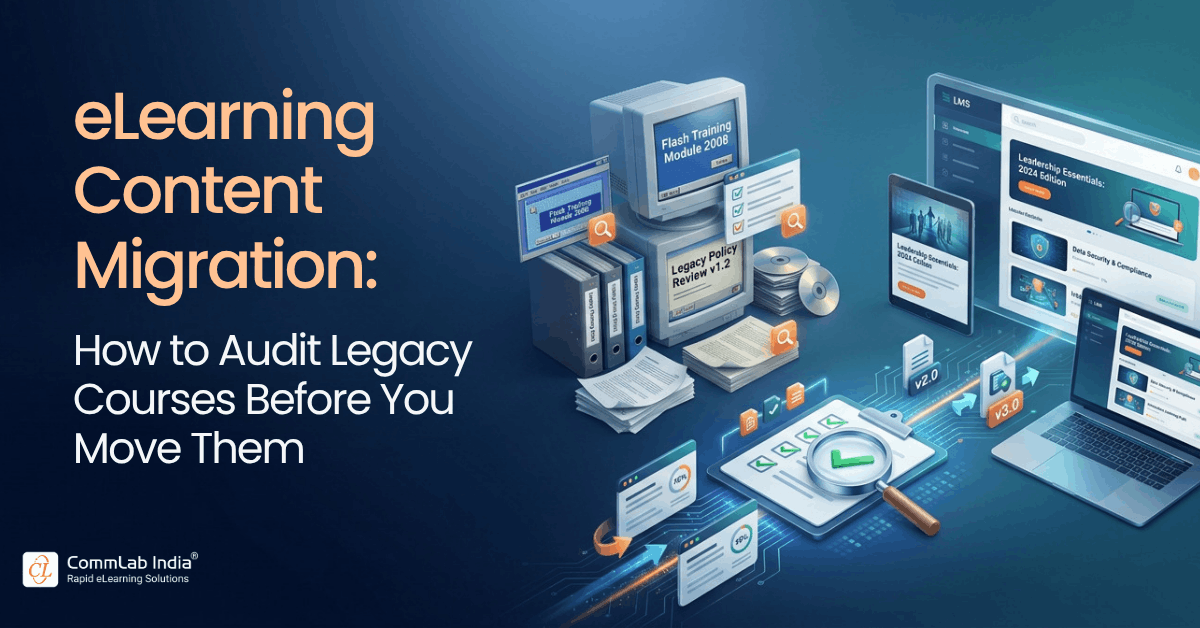
Moving to a new learning platform creates an obvious technical question: How do we move our existing courses?
For L&D, a more consequential decision comes first: which courses are still worth moving?
A course may be technically compatible with the new environment and still be outdated, difficult to maintain, instructionally weak, rarely used, or dependent on an authoring model the organization plans to phase out. A successful technical migration does not automatically make that course valuable in the future learning ecosystem.
Effective eLearning content migration should therefore begin with a legacy course audit rather than a conversion queue.
The purpose of that audit is broader than counting courses, identifying formats, or checking whether packages launch successfully in a new LMS. L&D needs to determine whether each learning asset still creates enough business and instructional value to justify migration, what should change before it moves, and whether the organization will be able to maintain it afterward.
Teams handling the wider technology workstream can use an LMS migration checklist to structure decisions around planning, resources, pilot runs, data, and quality checks. The content audit addressed here solves a different but closely related problem: deciding what should happen to the learning assets themselves.
We encountered this issue during an enterprise learning-platform transition involving content contributors, content authors, the implementation team, future authoring approaches, and external development support. One concern kept resurfacing: what would happen when an existing course needed to be changed after the migration, particularly if the old production model was no longer available?
One stakeholder described this simply as a “big unknown.”
The phrase captures a practical risk that is easy to miss during implementation. Getting a course into the new platform is only part of the job. L&D also needs a workable way to own, edit, govern, and improve that course later.
Why a Course Inventory Is Only the Starting Point
Most migration programs begin with an inventory, and rightly so. L&D needs visibility into what courses exist, where they reside, who owns them, which formats they use, whether source files are available, when they were last updated, and which learner populations use them.
That information establishes the scope of the migration. It does not determine the value of what is being moved.
A content audit introduces that second layer of judgment. It asks whether the learning still supports a current business requirement, whether the content remains accurate, whether the instructional approach helps learners perform, whether the asset can be maintained in the future environment, and whether continued investment makes sense.
This distinction matters because long-lived learning portfolios accumulate history. Policies change. Products are retired. Business units create overlapping courses. New modules are added while outdated material remains untouched. Content that once addressed a real need may gradually become redundant without anyone formally deciding to retire it.
A platform migration creates an unusually useful moment to examine that accumulated portfolio before carrying it forward.
FOUR-LENS LEGACY COURSE AUDIT
Business Value → Learning Value → Technical Fit → Operating-Model Fit
The Four-Lens Legacy Course Audit
A practical enterprise audit can evaluate each significant learning asset through four lenses. Together, these dimensions help L&D judge whether a course still deserves investment and what kind of treatment it needs before migration.
1. Business Value: Does the Learning Still Support a Current Need?
Begin with the business requirement rather than with the course file.
A legacy asset may function perfectly while supporting a process that has changed, a product that no longer exists, or a capability now addressed somewhere else. Before assigning migration effort, establish why the learning exists today.
- What business, performance, regulatory, or operational requirement does this course support?
- Who still needs it?
- What happens if it is unavailable?
- Has another course or resource replaced part of its purpose?
- Is the requirement important enough to justify migration and future maintenance?
This part of the audit often exposes duplication. Different business units may have created similar onboarding, compliance, product, or process training over time. A migration gives L&D the opportunity to determine whether those assets should remain separate or whether the portfolio can be simplified.
The point is not to reduce course numbers for their own sake. It is to avoid spending migration budget on learning that no longer has a clear role.
2. Learning Value: Does the Course Still Help People Perform?
Business relevance and instructional quality need separate assessment.
The underlying requirement may still be important even when the course designed to support it is no longer effective.
Look at whether the learning objectives still reflect what the audience needs to know or do, whether the content is structured around learner needs, whether meaningful practice is included, and whether assessments test useful knowledge or decisions. Course length also deserves scrutiny, especially when years of incremental updates have turned a focused learning experience into a content repository.
A 20-minute module can become a 60-minute course simply because every policy or process change adds new material while little is removed.
Migrating that course without reviewing its instructional value preserves the existing problem in a new environment.
For courses that still support important business needs, the audit should distinguish between learning that can be preserved and learning that needs improvement before further investment is justified.
3. Technical Fit: Will the Course Work and Remain Maintainable?
Technical assessment extends well beyond confirming that a SCORM or xAPI package launches.
Authoring tools, publishing standards, source-file availability, browser compatibility, responsive behavior, mobile use, accessibility, simulations, multimedia dependencies, embedded files, external links, tracking requirements, and integrations can all affect whether an asset is suitable for the future environment.
Source files deserve particular attention.
A published course may run perfectly on launch day, but if the editable source cannot be located, a small policy change six months later could require substantial reconstruction. What appeared to be an inexpensive migration can become an expensive maintenance problem.
Older courses built around fixed layouts or dated technical assumptions may also need more than republishing to work effectively across current devices. The article on converting legacy courses to responsive eLearning explores that specific modernization requirement in more detail.
Technical fit should therefore answer two questions: Will the course work now, and can the organization continue to work with it later?
4. Operating-Model Fit: Who Will Own and Maintain the Learning?
This is often the least developed part of a migration plan.
The migration itself may last a few months, while the resulting learning portfolio could remain in use for years. L&D needs to know how that portfolio will be maintained once the implementation team moves on.
For each major content type, clarify who owns the source files, who can edit them, which authoring environment will remain in use, how quality assurance will work, and who approves future changes.
A platform transition may also reshape the roles of content contributors and content authors. More capable environments can allow business or subject-matter contributors to create straightforward learning directly, while complex work continues to require instructional design, development, multimedia, accessibility, localization, visual design, or QA expertise.
In the enterprise discussion that informed this article, future partner access was part of the same conversation. Some development work might eventually be handled job by job or project by project, depending on the requirement and the capacity available internally.
These are operating-model decisions, not simply tool decisions.
If an organization cannot explain how a course will be maintained after go-live, the asset is not fully migration-ready.
A Practical Legacy Course Migration Audit
| Audit Dimension | Questions to Ask | Risk if Ignored |
| Business value | Is the course still required? What current business need does it support? | Migrating obsolete learning |
| Learning value | Does it still help the audience understand, decide, or perform? | Preserving weak instructional design |
| Technical fit | Is it compatible, accessible, responsive, editable, and maintainable? | Carrying technical debt forward |
| Operating-model fit | Who owns, edits, approves, and maintains it afterward? | Creating courses that become difficult to update |
| Usage | Who takes it, how often, and has another asset replaced it? | Spending migration effort on low-value content |
| Strategic priority | Is it regulatory, safety-critical, business-critical, or high-volume? | Migrating in the wrong sequence |
The table should support a decision, not become an administrative exercise in its own right. L&D needs enough evidence to determine where migration investment will create value and where it will simply preserve history.
Turning the Audit Into a Migration Decision
Once a course has been evaluated, it can be assigned an appropriate treatment. Retain, convert, refresh, rebuild, or retire are useful outcomes, provided they follow the audit rather than replace it.
A course should be retained when its business value, instructional quality, technical fit, and maintainability remain strong.
Conversion makes sense when the learning itself is sound but the technical format or authoring environment needs to change. Depending on the original tool and source files, this can range from straightforward re-authoring to more complex redevelopment. CommLab India's legacy course conversion guide explores this workstream in more depth.
A refresh is appropriate when the underlying learning remains relevant but the learner experience would benefit from better visuals, responsive design, accessibility improvements, revised media, clearer interactions, or updated examples. In the enterprise conversation behind this article, stakeholders anticipated precisely this kind of demand as they considered “refreshing the content” once new platform capabilities became available.
A rebuild goes further. It is justified when the business requirement remains but the learning solution no longer reflects the audience, workflow, performance requirement, content, or instructional strategy.
Finally, some content should be retired. Courses that are obsolete, duplicative, rarely used, or no longer connected to a meaningful business requirement should not consume migration resources merely because they happen to exist.
Conversion, Refresh, and Rebuild Solve Different Problems
| Treatment | Primary Purpose | Degree of Instructional Change | Typical Situation |
| Convert | Change the technology or authoring format | Low | Learning is effective but needs a different technical foundation |
| Refresh | Improve the existing learner experience | Moderate | Content remains relevant but design, accessibility, or usability needs improvement |
| Rebuild | Redesign the learning solution | High | The current course no longer supports the required performance |
Consider a five-year-old compliance course whose regulation, audience, and instructional structure remain current. The original authoring environment, however, is being phased out, the course performs poorly on mobile devices, and the design no longer meets current accessibility expectations.
A complete rebuild may add little value. Conversion combined with a targeted refresh could solve the actual problem.
If the regulation, employee responsibilities, assessment requirements, and underlying workflow have also changed, recreating the existing screens in a new authoring tool would preserve too much of an obsolete learning solution. In that situation, rebuilding is more appropriate.
From Audit Findings to a Migration Plan
Once the portfolio is classified, L&D still needs to decide what moves first.
Migration order should reflect business impact rather than alphabetical order, course age, or file format. Mandatory compliance, safety, essential onboarding, critical system training, and high-volume operational learning may need to be ready for launch. Frequently used business learning can follow, while lower-use content or courses with uncertain ownership can remain outside the priority queue until their future value is confirmed.
Source-file issues should be factored into the same decision.
When editable source files are missing, the first question should be whether the course still merits reconstruction. If the business need remains strong, L&D can compare the effort involved in recreating the existing asset with the potential value of refreshing or redesigning it. If usage is low, ownership is unclear, and the content has not been updated for years, rebuilding it exactly as it was may be difficult to justify.
Migration planning becomes more efficient when these judgments are made before the development queue is filled.
Plan for the Authoring and Production Model After Migration
Learning-platform migration often changes more than the technology used to deliver courses. It can also change who creates learning and how development work is distributed.
Newer environments may enable internal content contributors or content authors to build simple knowledge modules, lightweight performance support, rapidly changing information, or straightforward updates without specialist development support.
More complex requirements still call for different expertise. Scenario-based learning, simulations, advanced assessments, instructional redesign, multimedia, accessibility remediation, QA, visual design, and localization are examples where specialist execution may remain appropriate.
The practical question for L&D is how to divide work intelligently between internal contributors, specialist learning teams, and external capacity.
Authoring-tool choices influence that decision because they affect maintainability, governance, development effort, and who can realistically update a course later. Teams still defining their future production environment can use the guidance on selecting an authoring tool for scalable corporate training to support that discussion.
Account for the Temporary Increase in Development Demand
A more capable learning platform may eventually make content creation and maintenance more efficient. The transition period can have the opposite effect.
Internal teams may be handling implementation work, course inventories, audit decisions, conversion, stakeholder reviews, author enablement, governance design, normal learning demand, and requests to improve existing content at the same time.
Expectations can also rise once stakeholders see what the new environment supports. Courses that previously seemed acceptable may generate requests for improved interactivity, updated visuals, better mobile performance, or refreshed content.
That additional demand needs to be planned rather than absorbed informally by the existing team.
Internal L&D will usually remain best positioned to own portfolio decisions, stakeholder relationships, business priorities, standards, approvals, and governance. External specialists can add value where migration creates high volumes of conversion, redesign, multimedia, QA, accessibility work, or localization.
For temporary production peaks, L&D staff augmentation can provide another option, allowing the enterprise to extend execution capacity while keeping strategic ownership within the internal team.
The useful distinction here is between decision ownership and execution capacity. They do not have to sit in the same place.
A Seven-Step eLearning Content Migration Audit Workflow
- Inventory the portfolio. Document courses, formats, source files, owners, usage, update history, and business purpose.
- Audit the assets. Evaluate business value, learning value, technical fit, and operating-model fit.
- Decide the treatment. Determine whether each course should be retained, converted, refreshed, rebuilt, or retired.
- Prioritize migration. Move business-critical and high-value learning first.
- Prototype representative content. Test the future workflow using several realistic course types rather than only the easiest asset.
- Standardize the production model. Agree on templates, accessibility expectations, interaction patterns, metadata, QA, naming, source ownership, and review workflows.
- Define post-migration governance. Establish who edits, reviews, approves, maintains, and owns the learning after go-live.
That final stage deserves as much attention as the migration itself. A technically complete transfer can still leave L&D with an unsustainable content model if ownership and maintenance remain unresolved.
What Successful eLearning Content Migration Looks Like
Migration dashboards naturally track throughput: courses assessed, converted, moved, or completed. Those figures help manage the project, but they do not tell L&D whether the resulting portfolio is better.
A stronger outcome is a portfolio in which unnecessary content has been removed, important learning has been improved where necessary, ownership is clearer, maintenance is easier, technical dependencies are understood, and future authoring practices are sustainable.
The organization should also leave the migration with a realistic production model for ongoing change.
A successful migration therefore improves not only where learning lives, but how confidently the enterprise can maintain and develop it in the future.
FAQs About eLearning Content Migration
What should be included in an eLearning content migration audit?
An audit should evaluate business relevance, learning quality, usage, technical compatibility, accessibility, source-file availability, maintenance requirements, ownership, authoring tools, and future editing needs. Its purpose is to determine the appropriate future treatment for each course rather than simply cataloging the existing portfolio.
How do you prioritize courses for LMS migration?
Prioritize according to business criticality, regulatory requirements, learner volume, usage, operational importance, and launch dependency. Mandatory, safety-critical, high-volume, and business-critical learning will usually need attention before low-use or uncertain assets.
How do you know whether a legacy course is worth migrating?
A course is worth migrating when it still supports a meaningful business or performance requirement, retains sufficient learning value or can be improved economically, and has a viable maintenance path in the new environment.
What should you do when the original eLearning source file is missing?
First establish whether the learning still deserves to exist. If it does, compare reconstruction with conversion, refresh, or redesign. Missing source files can sometimes make a targeted rebuild more sensible than reproducing an outdated course exactly.
Who should own the content audit during an LMS migration?
L&D should normally own learning-value and portfolio decisions, with input from business owners, SMEs, learning technology teams, compliance, and other relevant stakeholders. Technology teams can validate compatibility, but technical fit alone should not determine whether a course moves.
When should an external learning partner support content migration?
External support is useful when migration volumes exceed internal production capacity or specialist capabilities are required for conversion, redesign, accessibility, QA, multimedia, localization, or temporary production peaks.
Make the Portfolio Decision Before the Migration Commitment
A learning-platform transition gives L&D a rare opportunity to examine a course portfolio while there is already a business reason to change it.
The most useful question is therefore not how many courses can be moved. It is which learning remains valuable, what condition it should be in when it moves, and whether the organization has a sustainable way to maintain it afterward.
A thoughtful audit makes those decisions visible before migration resources are committed. It also helps separate genuine modernization opportunities from work that adds cost without improving learning.
The platform may be new on go-live day. The more important test comes later, when the organization needs to update, govern, and improve the learning that was carried forward.
See How an Enterprise Approached Learning Content Modernization
When a learning-platform transition changes authoring, maintenance, and production requirements, decisions about existing content extend well beyond technical migration. See how a global enterprise approached these questions in practice.