When employees are introduced to a new ERP system, they are not just learning where to click. They are learning how to complete high-stakes tasks inside unfamiliar workflows, often under operational pressure. They may need to process orders, approve invoices, update employee records, manage inventory, or run reports that directly affect compliance, productivity, and business continuity. In those moments, static explanations and generic walkthroughs are rarely enough.
That is why effective ERP training design must move beyond passive instruction and toward performance-based learning experiences that reflect how software is actually used on the job.
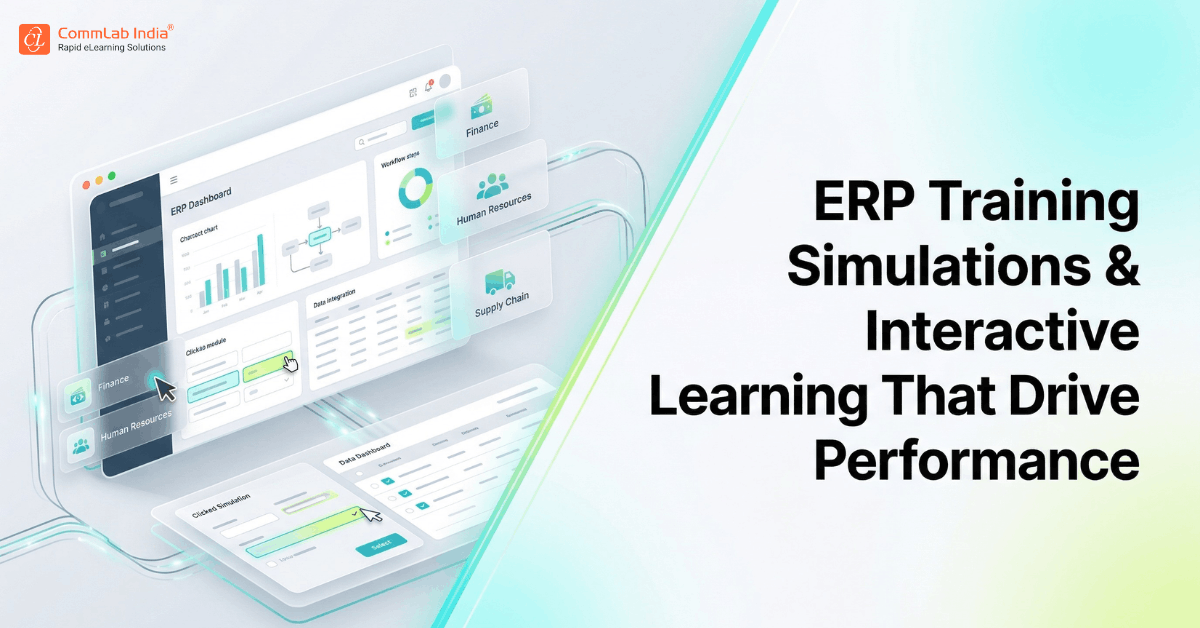
ERP training simulations are interactive learning experiences that allow users to observe, practice, and perform software-based tasks in a safe, guided environment before they use the live system. When combined with scenario-based learning, problem-solving, and well-designed interactivity, they help users build confidence, reduce errors, and transition more smoothly into the new system.
This is where training design becomes a strategic advantage.
In this article, we explore how to design ERP end-user training that is practical, engaging, scenario-led, and built for real software performance, not just course completion.
Download eBook: Classroom to eLearning Conversion
Table of Contents
- Why Traditional ERP Training Struggles to Build Real Readiness
- What Effective ERP Training Design Needs to Achieve
- Why Simulations Work So Well for ERP End-User Training
- The Watch-Try-Do Model for ERP Software Learning
- How Scenario-Based ERP Training Makes Learning More Practical
- Problem-Based Learning and Decision-Making in ERP Training
- Designing Interactivity That Supports Performance, Not Distraction
- How to Reduce Learner Aversion in ERP Training
- Where Microlearning Fits Into ERP Training Design
- What a Modern ERP Learning Experience Should Include
- FAQs
Why Traditional ERP Training Struggles to Build Real Readiness
ERP systems are often central to business-critical work, yet the training designed for them is surprisingly passive.
Many organizations still rely on instructor walkthroughs, static manuals, lengthy process explanations, or screen-by-screen demonstrations that assume exposure will naturally lead to competence. In reality, this often produces the opposite outcome. Users may complete training sessions, but still feel uncertain when they are asked to perform tasks independently in the live environment.
The problem is not that ERP systems are inherently too complex to teach. The problem is that they are often taught in ways that do not match how people actually learn software.
Software performance is not built through explanation alone. It is built through guided exposure, contextual understanding, repetition, and applied practice.
This is especially true in ERP environments, where users are expected to navigate:
- unfamiliar interfaces
- process dependencies across teams
- task-specific decision points
- compliance-sensitive workflows
- consequences for errors or incomplete actions
That is why ERP training needs to be designed less like a presentation and more like a performance rehearsal system.
When users can see a task, try it safely, understand the context behind it, and revisit support when needed, they are much more likely to perform successfully under real conditions. That is the core design shift this cluster demands.
ERP users do not become proficient by watching software explained. They become proficient by practicing the right tasks in the right context with the right level of support.
What Effective ERP Training Design Needs to Achieve
Before selecting a format or learning method, it helps to clarify what ERP training design is actually trying to accomplish.
Too many software training initiatives are designed to transfer information. Strong ERP training, by contrast, is designed to build usable confidence.
That means the learning experience should help users:
- understand the purpose of the workflow they are performing
- recognize where their role fits into the larger business process
- complete tasks accurately in the system
- make sound decisions when exceptions arise
- build enough confidence to perform without hesitation
This is a much more demanding goal than “course completion,” and it requires a different design philosophy.
A strong ERP learning experience should feel:
- practical rather than theoretical
- role-specific rather than generic
- interactive rather than passive
- workflow-based rather than feature-based
- reinforcing rather than one-and-done
When these principles are missing, ERP training often becomes something users “get through” rather than something they can actually use.
That is why training design for ERP should always begin with one central question:
What does the learner need to be able to do in the system, under real working conditions?
That single question is what separates information-heavy training from performance-driven learning.
Why Simulations Work So Well for ERP End-User Training
Of all the methods available for ERP training, simulations are among the most effective because they mirror how software is actually learned: through doing.
A simulation allows users to interact with a system environment that resembles the real ERP interface without the risk of damaging live data, disrupting workflows, or creating operational errors. That makes simulations particularly valuable for enterprise software, where many tasks are process-sensitive and high-consequence.
When well designed, simulations help users build familiarity in a way that is difficult to achieve through static content alone.
They are especially effective because they allow learners to:
- See the full task sequence in context
- Understand where each action fits within the workflow
- Make mistakes safely and learn from them
- Build procedural memory through repetition
- Move from uncertainty to confidence before go-live
SAP guidance also notes that simulations are particularly useful when tasks involve significant setup, multiple data points, or infrequent but important actions such as period-end processes.
This is exactly why ERP simulations work so well for end-user enablement. They reduce cognitive overload by helping users experience the system progressively rather than all at once.
What simulations are especially useful for in ERP training
Simulations are often most valuable for:
- Transaction-heavy workflows
- High-risk tasks where errors are costly
- Processes with multiple dependencies
- Tasks that are performed infrequently
- New workflows introduced through implementation or upgrades
In other words, simulations are not just “nice interactive content.” They are one of the most practical bridges between training and real-world software performance.
The Watch-Try-Do Model for ERP Software Learning
One of the most effective structures for ERP simulation training is the Watch-Try-Do model.
This approach works particularly well because it mirrors how users naturally build confidence with software: first by observing, then by practicing with support, and finally by performing independently.
CommLab India has consistently positioned Watch-Try-Do as a highly suitable model for ERP end-user training because it reduces user anxiety while building task-level familiarity in a structured progression.
What the Watch-Try-Do model looks like
Watch
In the first stage, the learner observes the workflow being completed correctly. This is not just a feature tour. It is a guided demonstration of how the task should be performed in context.
This stage helps users:
- understand the sequence of actions
- recognize what to expect
- build mental familiarity before interacting themselves
Try
In the second stage, the learner performs the same task with prompts, cues, or guided support. This is where confidence begins to form.
This stage helps users:
- practice safely
- build procedural memory
- correct misunderstandings before they become habits
Do
In the final stage, the learner completes the task independently, without prompts. This is where training begins to resemble actual job performance.
This stage helps users:
- test readiness
- demonstrate task confidence
- prepare for live system use
What makes Watch-Try-Do so powerful is that it does not rush learners into unsupported performance too early. Instead, it creates a progression that respects how software capability is actually built.
Why this method works particularly well for ERP
ERP systems can feel intimidating because they are often tied to accountability, approvals, compliance, and business consequences. Users are understandably hesitant to make mistakes. The Watch-Try-Do approach lowers that emotional barrier by allowing them to build confidence incrementally.
That is especially important in ERP training because hesitation can be just as damaging as error. When users are unsure, they delay action, rely excessively on colleagues, or avoid the system entirely.
A well-designed Watch-Try-Do experience helps reduce that hesitation before it becomes an adoption problem.
How Scenario-Based ERP Training Makes Learning More Practical
One of the fastest ways to make ERP training more effective is to stop teaching isolated system steps and start teaching them within realistic business situations.
That is the value of scenario-based learning.
Users do not experience ERP systems as disconnected transactions. They experience them as part of work. A procurement user may need to respond to a supplier issue. A finance employee may need to correct a mismatch before month-end close. A manager may need to approve something quickly to prevent downstream delays.
When training reflects those realities, users are more likely to understand not just what to do, but why it matters.
Scenario-based ERP training is especially useful because it helps users:
- Connect system actions to business consequences
- Understand where decisions affect downstream workflows
- Practice judgment, not just process repetition
- Retain information more effectively through context
This is one of the biggest shifts organizations can make in ERP learning design: moving from “showing the system” to staging the work.
What makes a strong ERP training scenario
A useful scenario does not need to be dramatic. It just needs to feel real.
Strong ERP training scenarios typically include:
- a familiar business trigger or problem
- a user role with a clear responsibility
- a realistic task or workflow to complete
- one or more decisions or checkpoints
- a meaningful consequence or outcome
For example, instead of teaching “how to update a purchase order,” a better learning scenario might be:
A supplier has revised the delivery date for a critical component. You need to update the purchase order and notify the relevant stakeholders so production is not delayed.
That framing instantly makes the training more relevant, memorable, and actionable.

Classroom to eLearning Conversion
Everything You Always Wanted to Know
- Converting classroom material to eLearning
- Leveraging authoring tools for conversion
- Understanding different avatars of eLearning
- And More!
Problem-Based Learning and Decision-Making in ERP Training
Not all ERP tasks are purely procedural. Many require users to interpret information, resolve issues, or decide what to do next when the system presents something unexpected.
That is where problem-based learning becomes especially valuable.
Problem-based ERP training introduces users to realistic issues, exceptions, or disruptions and asks them to work through the situation rather than simply follow a prescribed sequence. This is important because live ERP usage rarely unfolds in a perfectly linear way.
Users may encounter:
- Missing data
- Approval bottlenecks
- Incorrect entries
- Duplicate requests
- Process exceptions
- Incomplete records
When training prepares users only for the “ideal path,” it leaves them unprepared for the moments that cause the most hesitation and support dependency.
CommLab India’s perspective on problem-based ERP learning reinforces this idea: users often need to solve workflow problems, not just execute software actions.
Where problem-based learning adds the most value
It is particularly useful for:
- Exception-heavy workflows
- Approval and escalation processes
- Troubleshooting scenarios
- Process judgment tasks
- Manager or supervisor roles
This method is valuable because it helps users build not just system familiarity, but operational thinking inside the ERP environment.
That is a much stronger form of readiness.
Designing Interactivity That Supports Performance, Not Distraction
Interactivity is often treated as a design upgrade, but in ERP training, it should serve a much more practical purpose: helping users engage with software tasks in ways that improve recall, confidence, and application.
That distinction matters.
Not all interactivity improves learning. In fact, some interactive elements can distract from the task if they are included simply to make the course “feel engaging.” ERP training does not need decorative complexity. It needs purposeful interaction.
The best ERP training interactivity does one of three things:
- it helps users practice a task
- it helps users make a decision
- it helps users understand a consequence
Anything else should be used sparingly.
Examples of useful ERP training interactivity
High-value interactivity may include:
- Clickable process simulations
- Branching task scenarios
- Error-spotting exercises
- Guided decision checkpoints
- Drag-and-sequence workflow activities
- Role-based scenario prompts
CommLab India’s work on interactivity in online ERP training emphasizes the value of making users think and act during the learning experience rather than simply consume information passively.
This is where instructional design discipline matters. Good interactivity does not entertain for its own sake. It creates active cognitive engagement around the behaviors the learner will need later.
How to Reduce Learner Aversion in ERP Training
ERP training often carries a hidden challenge that many organizations overlook: learner aversion.
Users may enter training already expecting it to be dry, technical, overly long, or difficult to apply. If the learning experience confirms those expectations, engagement drops quickly. Even strong content can fail if the design makes the learner feel overwhelmed or disengaged.
This is why ERP training design must also account for emotional experience, not just content accuracy.
A better learning experience feels:
- relevant from the beginning
- manageable in pace and structure
- realistic rather than abstract
- supportive rather than intimidating
- useful enough to justify the learner’s time
Practical ways to reduce learner aversion
A few design choices make a disproportionate difference:
- Start with job relevance
Help learners immediately see how the training connects to their work. - Use short, focused modules
ERP content becomes easier to absorb when broken into task-level learning units. - Replace abstract explanation with demonstration
Show the workflow before over-explaining it. - Use scenarios and familiar business context
Context reduces the sense that the training is detached from reality. - Build early wins into the experience
Learners are more likely to stay engaged when they feel capable quickly.
This is not just a matter of making ERP training more “interesting.” It is about reducing friction that can otherwise weaken adoption before the system even launches.
Where Microlearning Fits Into ERP Training Design
ERP training should not be reduced entirely to microlearning, but microlearning plays an important supporting role when used strategically.
That is because not every ERP learning need requires a full course. In many cases, users benefit more from small, targeted learning moments that reinforce a specific task, clarify a common error, or provide just-in-time help before performing a workflow.
Microlearning is especially useful for ERP training when it is used to support:
- pre-launch familiarity
- reinforcement after formal training
- high-risk process reminders
- infrequently performed tasks
- post-go-live support
Where microlearning adds the most value
Examples include:
- a 2-minute refresher on approving invoices
- a short walkthrough for updating employee records
- a quick checklist before running month-end tasks
- a mini simulation for handling a common exception
Your source set also points toward bite-sized game-based elements as a way to increase engagement. That can work well when used selectively, especially for reinforcement, recall practice, or confidence-building around frequently repeated actions.
The key is to use microlearning to support performance, not to oversimplify complex workflows that still require deeper practice.
What a Modern ERP Learning Experience Should Include
The strongest ERP training programs today do not rely on a single method. They combine multiple learning formats into an experience that feels coherent, role-relevant, and usable over time.
A modern ERP learning experience should typically include:
- Foundational learning to help users understand the system and process changes at a high level.
- Guided simulations to build confidence through observation and practice.
- Scenario-based modules to connect tasks to realistic business context.
- Problem-based exercises to help users think through issues and exceptions.
- Microlearning refreshers to support reinforcement and just-in-time recall.
- Performance support tools to help users succeed after formal training ends.
The goal is not to create “more content.” It is to create a learning ecosystem that helps users move from uncertainty to fluency in the system.
That is the difference between ERP training that gets completed and ERP training that actually works.
ERP Training Design Methods at a Glance
| Method | Best Used For | Why It Works |
| Watch-Try-Do Simulations | Software workflows and task fluency | Builds confidence progressively through observe-practice-perform |
| Scenario-Based Learning | Role relevance and business context | Helps users connect system actions to real work situations |
| Problem-Based Learning | Exceptions and decision-making | Builds judgment for non-linear or imperfect workflows |
| Purposeful Interactivity | Active engagement and recall | Keeps users cognitively involved in the task |
| Microlearning | Reinforcement and just-in-time support | Helps users recall and apply what they need quickly |
FAQs
1. What are ERP training simulations?
A. ERP training simulations are interactive learning experiences that allow employees to observe, practice, and perform software tasks in a safe environment before using the live ERP system. They help reduce errors and build confidence through hands-on learning.
2. What is the Watch-Try-Do approach in ERP training?
A. The Watch-Try-Do approach is a simulation-based training method where learners first observe a workflow, then practice it with support, and finally complete it independently. It is especially effective for building confidence with software-based tasks.
3. Why are simulations effective for ERP end-user training?
A. Simulations are effective because they let users practice real ERP workflows without affecting live data or business operations. This helps learners build procedural memory, reduce anxiety, and improve task accuracy before go-live.
4. How do you make ERP training more engaging?
A. ERP training becomes more engaging when it is role-specific, scenario-based, interactive, and clearly connected to real work. Relevance and practical application are far more effective than long, generic software walkthroughs.
5. What is scenario-based ERP training?
A. Scenario-based ERP training teaches users through realistic business situations rather than isolated software steps. It helps learners understand how system actions connect to actual job responsibilities and business outcomes.
6. Where does microlearning fit into ERP training?
A. Microlearning works best as a reinforcement and performance support tool within ERP training. It is especially useful for refreshers, high-risk tasks, just-in-time guidance, and post-go-live support.
7. What kind of interactivity works best in ERP training?
A. The most effective interactivity in ERP training supports task practice, decision-making, and consequence awareness. Examples include simulations, branching scenarios, error-spotting activities, and guided workflow interactions.
Conclusion
ERP training becomes effective when it stops behaving like software instruction and starts behaving like performance design.
That shift is more important than it sounds.
Employees do not need to become experts in every feature of the system. They need to become capable, confident, and accurate in the workflows that matter to their roles. That is why simulations, scenarios, interactivity, and problem-based design are so valuable. They help users build capability in a way that feels closer to real work and therefore more useful when the system goes live.
Ultimately, the best ERP training experiences are not the ones that explain the most. They are the ones that prepare users to perform when it matters.