As organizations move beyond experimentation and begin scaling mobile learning, the nature of their questions changes. The focus shifts away from why mobile learning matters to a more pressing concern: how it should be enabled effectively and sustainably.
This is where many initiatives encounter friction.
Technology decisions are often made in isolation. A platform is selected based on features, an app is introduced to improve access, or an authoring tool is adopted for speed. While each of these decisions may be valid on its own, they can collectively create a fragmented ecosystem if they are not aligned.
Mobile learning is not enabled by a single tool or platform. It is supported by a combination of technologies that must work together seamlessly. The challenge, therefore, is not just choosing the right tools, but understanding how those choices interact to shape the overall learning experience.
Organizations that approach mobile learning technology as a connected system are better positioned to deliver consistent experiences, scale effectively, and adapt to evolving needs. Those that do not often face integration issues, inconsistent user journeys, and long-term inefficiencies.
Download Now: Mobile Learning: How to Overcome Implementation Barriers
Table of Contents
- Understanding the Mobile Learning Technology Stack
- Mobile Learning Platforms: The Foundation Layer
- When to Use Mobile Learning Apps vs Browser-Based Access
- Authoring Mobile Learning: Tools, Formats, and Trade-offs
- Security, Localization, and Enterprise Technology Considerations
- Bringing It All Together: Designing a Cohesive Learning Stack
- FAQs
- Conclusion
Understanding the Mobile Learning Technology Stack
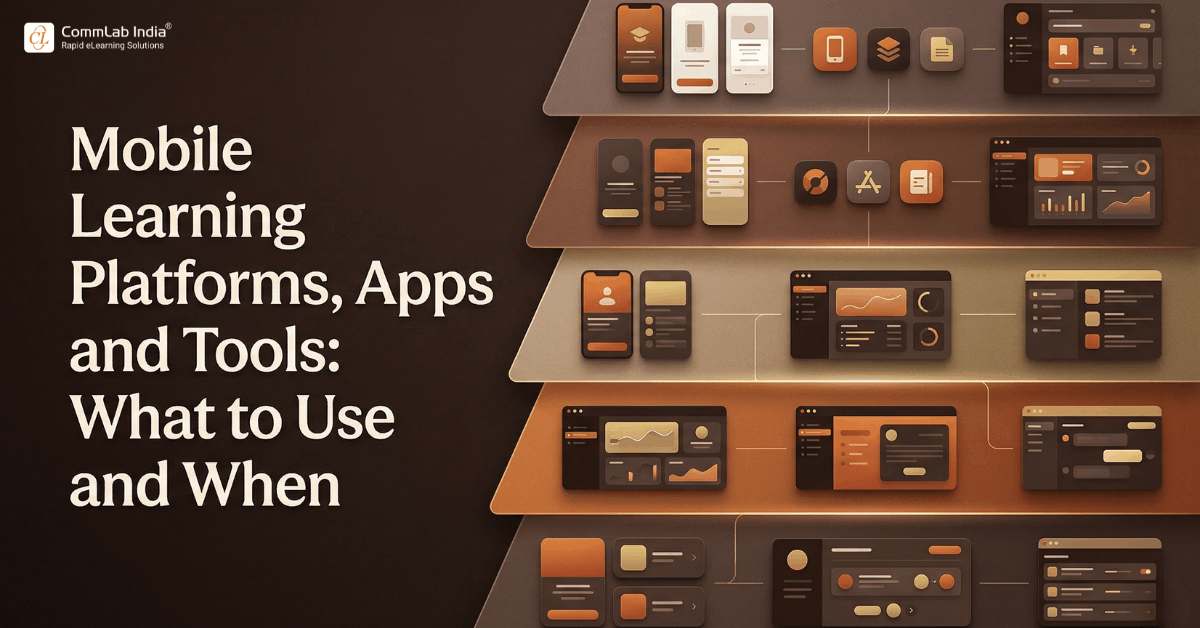
To make informed decisions, it is useful to view mobile learning as a layered technology stack rather than a single solution. Each layer plays a distinct role, and the effectiveness of the overall system depends on how well these layers align.
| Layer | Primary Role | Why It Matters |
| Platform | Hosts, delivers, and tracks learning | Determines scalability and control |
| Access Layer | Enables user interaction via app or browser | Shapes user experience and accessibility |
| Authoring Tools | Create and structure learning content | Defines learning experience quality |
| Infrastructure | Supports security, performance, and localization | Ensures enterprise readiness |
This layered perspective highlights an important reality. Decisions made at one level inevitably influence others. For instance, selecting a platform without considering content compatibility may restrict what can be delivered, while choosing an authoring approach without understanding access patterns may lead to poor user experiences.
A system-level view helps prevent these disconnects and ensures that technology choices support a unified strategy.
Mobile Learning Platforms: The Foundation Layer
The platform serves as the backbone of mobile learning, providing the environment in which content is delivered, tracked, and managed. However, not all platforms are equally suited for mobile-first experiences.
A thoughtful evaluation goes beyond feature comparison and considers how the platform will function within the organization’s broader learning ecosystem.
What Defines an Effective Mobile Learning Platform
- Mobile-optimized delivery
The platform should support seamless access across devices, ensuring that content adapts naturally to different screen sizes. - Offline accessibility
This is particularly important for employees in field roles or environments with inconsistent connectivity. - Integration capabilities
The ability to connect with existing systems, such as LMS or HR platforms, ensures continuity and reduces operational friction. - Scalability
The platform should be capable of supporting growth across users, regions, and content volumes. - Analytics and insights
Robust tracking enables organizations to understand engagement patterns and measure impact.
It is important to recognize that while platforms enable delivery, they do not define the learning experience. A well-chosen platform can support success, but it cannot compensate for weak content or poor design.
When to Use Mobile Learning Apps vs Browser-Based Access
One of the most strategic decisions organizations face is whether to deploy a dedicated mobile app or rely on browser-based access. Each approach offers distinct advantages, and the right choice depends on how learners are expected to interact with content.
A Comparative View
| Factor | Mobile App | Browser-Based Access |
| Accessibility | Quick, direct access once installed | Immediate access without installation |
| Offline Capability | Strong support | Limited availability |
| User Experience | More immersive and controlled | Dependent on browser performance |
| Maintenance | Requires updates and management | Easier to maintain centrally |
| Reach | Limited to installed users | Accessible to a wider audience |
When a Mobile App Adds Value
- For roles that require frequent, repeated access to learning
- In environments where connectivity is unreliable
- When push notifications can reinforce engagement
When Browser-Based Access Is More Effective
- For large, diverse audiences with varying device preferences
- When learning is accessed occasionally rather than frequently
- When minimizing technical overhead is a priority
In many cases, organizations benefit from a hybrid approach, using apps for high-engagement scenarios and browser-based solutions for broader reach.
Authoring Mobile Learning: Tools, Formats, and Trade-offs
The quality of mobile learning experiences is heavily influenced by how content is created. Authoring tools determine not only how quickly content can be developed, but also how effectively it performs across devices.
Common Authoring Approaches
| Approach | Strength | Limitation |
| Rapid Authoring Tools | Enable quick development and deployment | Limited flexibility for advanced interactions |
| Advanced Authoring Tools | Support richer, customized experiences | Require more expertise and time |
| HTML5-Based Development | Offer full control and responsiveness | Demand technical capabilities |
What Should Guide Authoring Decisions
- Device compatibility
Content must function consistently across different devices and operating systems. - Interaction simplicity
Mobile interactions should be intuitive and aligned with touch-based usage. - Performance efficiency
Content should load quickly and operate smoothly, even in low-bandwidth conditions. - Content modularity
Designing in smaller units improves reusability and accessibility.
Rather than focusing solely on tools, organizations should prioritize how content will be used. The goal is to ensure that authoring choices support the intended learning experience rather than constrain it.
Security, Localization, and Enterprise Technology Considerations
As mobile learning expands across the organization, additional layers of complexity emerge. These considerations are often secondary during initial implementation but become critical as scale increases.
Security Considerations
- Protecting sensitive organizational and learner data
- Ensuring secure authentication and access control
- Managing risks associated with device usage
Localization and Global Accessibility
- Adapting content for different languages and regions
- Ensuring cultural relevance in examples and scenarios
- Complying with regional regulations and standards

Mobile Learning: How to Overcome Implementation Barriers
Empower anytime, anywhere learning with:
- Fundamentals
- Design and technological aspects
- Solutions to the implementation obstacles
- And more
Performance and Infrastructure
- Optimizing content for varying network conditions
- Ensuring consistent performance across devices
- Supporting large-scale user access without degradation
These factors collectively determine whether mobile learning can scale effectively across a global workforce.
Bringing It All Together: Designing a Cohesive Learning Stack
The most significant challenge in mobile learning technology is not selecting individual components, but ensuring that they function cohesively as part of a unified system.
A well-designed learning stack is characterized by alignment across all layers.
- Platforms that integrate seamlessly with content and tools
- Access methods that match user behavior and needs
- Content designed specifically for mobile consumption
- Infrastructure that supports security, performance, and scalability
What This Alignment Achieves
- Consistent user experience across devices and environments
- Reduced friction in accessing and using learning resources
- Greater efficiency in managing and updating content
- Improved scalability as organizational needs evolve
When these elements are aligned, mobile learning transitions from a collection of tools into a strategic capability that supports long-term growth and adaptability.
FAQs
1. What are mobile learning platforms?
A. Mobile learning platforms are systems that host and deliver learning content across devices, enabling organizations to manage, track, and scale training programs.
2. Do organizations always need a mobile learning app?
A. No, apps are beneficial for high-frequency or offline use cases, while browser-based access is often sufficient for broader and less frequent learning needs.
3. Which authoring tools are best for mobile learning?
A. The best tools depend on requirements, but they should support responsive design, efficient performance, and intuitive interactions.
4. What role does HTML5 play in mobile learning?
A. HTML5 enables responsive, device-agnostic content that works seamlessly across browsers and platforms without requiring additional plugins.
5. How can mobile learning be secured?
A. Security can be ensured through encryption, secure authentication, and device management practices that protect sensitive data.
6. Why is localization important in mobile learning?
A. Localization ensures that content is accessible, relevant, and compliant across different regions, improving engagement and effectiveness.
Conclusion
Mobile learning technology decisions are often approached as isolated choices, each made with a specific objective in mind. However, their true value emerges only when they are considered as part of a larger system.
Organizations that take this integrated approach are able to build learning environments that are not only functional, but also scalable, secure, and aligned with user expectations. They move beyond simply enabling mobile learning and begin to establish it as a core component of their learning infrastructure.
In doing so, they create a foundation that supports continuous learning, adapts to changing needs, and sustains long-term organizational growth.